Opticon H-19 Manual de usuario

H19 Series Manual

2
Contents
Chapter 1. Knowing Your Device 9
1.1 Introduction 10
1.2 Accessories 14
1.3 Install SIM Card and Battery 16
1.4 Battery Information 19
1.5 Mini-SD Cards 22
Chapter 2. Basic Operations 23
2.1 Getting Started 24
2.2 Input Methods 28
2.3 Today Screen Components 35
2.4 The Start Menu 37
2.5 Using Calendar 41
2.6 Using Notes 50
2.7 Using Tasks 59
Charter 3. Phone Features 65
3.1 Making a Call 66
3.2 Configuring the Phone 73
3.3 In-Call Options 79
3.4 SIM Manager 82
3.5 Blocking Unwanted Phone Calls 83

3
Chapter 4. Synchronizing Information 87
4.1 Installing and setting up ActiveSync 88
4.2 Synchronizing Information 89
4.3 Changing Settings for an Information Type 91
4.4 Synchronizing with Exchange Server 91
4.5 Synchronizing via Bluetooth 92
Chapter 5. Bluetooth Connections 93
5.1 Bluetooth Modes 94
5.2 Bluetooth Partnership (Bonding) 96
5.3 Beaming Information (Bluetooth) 98
Chapter 6. Transferring Files To and From Your Device 101
6.1 Using ActiveSync 102
6.2 Transferring from Memory Cards 103
6.3 Using Bluetooth 104
6.4 Transferring to a PC or Other Devices 104
Chapter 7. Connecting to the Internet 105
7.1 Setting up Internet connections 106
7.2 Using Internet Explorer Mobile 111
7.3 Using Wireless Manager 118
7.4 Using Wi-Fi Connection 121

4
Chapter 8. Messaging & Contacts 127
8.1 Text Messaging 128
8.2 Multimedia Messaging Service 131
8.3 E-mail 134
8.4 Using Contacts 139
Chapter 9. Using Barcode Reader 143
9.1 Setting Barcode Reader 144
9.2 Scanning and Reading Barcode labels 154
Chapter 10. Other Applications 157
10.1 Backing up/Recovering 158
10.2 Managing Memory 162
10.3 Windows Live Messenger 163
10.4 Windows Media 167
10.5 Office Mobile 170
10.6 Phone Profile 174
10.7 Formatting Storage Card and DiskOnChip 177
10.8 Setting up GPS 178
Appendix 181
A.1 Regulatory Notices 182
A.2 PC Requirement to Run ActiveSync 4.5 187
A.3 Specifications 188

5
CAUTION : This information is subject to change without prior notice.
Copyright©2007 Opticon. All Rights Reserved.
This manual may not, in whole or in part, be copied, photocopied, reproduced, translated or
converted to any electronic or machine readable form without prior written consent of Opticon.
Warranty
Unless otherwise agreed in a written contract, all Opticon products are warranted against defects
in materials and workmanship for two years after purchase. Opticon will repair or, at its option,
replace products that are defective in materials or workmanship with proper use during the
warranty period. Opticon is not liable for damages caused by modifications made by a customer.
In such cases, standard repair charges will apply. If a product is returned under warranty and no
defect is found, standard repair charges will apply. Opticon assumes no liability for any direct,
indirect, consequential or incidental damages arising out of use or inability to use both the
hardware and software, even if Opticon has been informed about the possibility of such damages.
Packaging
The packing materials are recyclable. We recommend that you save all packing material to use if
you need to transport your scanner or send it for service. Damage caused by improper packaging
during shipment is not covered by the warranty.
IMPORTANT SAFETY INFORMATION
Please read the following information carefully before you start using this Opticon device to avoid

6
any damages caused by improper usage:
•The device is not charged when you take it out of the box. The battery should be charged for at
least 8 hours before first use. Do not remove the battery while charging.
• Do not use batteries, which have not been specified by the manufacturer, as this may cause
leakage or rupture.
• Do not charge the battery with an unspecified AC Adapter, as this may cause damage to both
the device and the battery.
• When discarding the batteries, dispose of them in a proper manner, according to the battery
manufacturer’s instructions and your local laws.
• Power off the device and remove the battery before inserting SIM card. Make sure the SIM card
snaps correctly into the SIM socket.
• Do not open the device housing or tamper with the device, as it will void your warranty.
• Do not apply excessive force on this product, as it may cause damage to the screen or the
internal component.
• Do not use the device at gas or refueling stations, chemical plants, and places containing
explosives or flammable materials. Observe local guidelines.
• Use only manufacturer specified stylus. Do not scratch the screen with sharp objects.
• Do not clean the screen with chemical detergents. Only use cloths, specifically designed for
cleaning liquid displays, or a soft cloth moisturized with water drops, to wipe the device screen.
• Do not expose the device to direct sunlight, or leave the device in a humid environment, for
extended periods of time, as this may cause damage to the device and battery.
• Do not immerse the device in water.
• The device may interfere with the navigation and/or communication systems on aircraft. The use
of the device on aircraft is prohibited by laws in most countries. Observe local guidelines.
• This product may cause medical equipment to malfunction. The use of this device is forbidden

7
in most hospitals and medical clinics. Observe local guidelines.
• Use hands-free devices, if you need to use the telephony services, while driving a vehicle.
Observe local guidelines.
Safety of Laser Products
International Standards (Japan/EU/USA) Laser Class 1
Precautions about the Laser Device
This product using laser complies with JIS C6802: 2005 Class 1, IEC60825-1+A2: 2001 Class
1 and 21CFR 1040.10 and 1040.11 except for deviations pursuant to Laser Notice No.50, dated
July 26, 2001.
Class 1 Laser devices are not considered to be hazardous when used for their intended purpose.
Use of controls, adjustment of procedures other than those specified herein may result in
hazardous laser light exposure.
The user should not view directly into the light beam with optical instruments, it may pose an eye
hazard.
Trademarks
Trademarks used are the property of their respective owners.
Opticon is a registered trademark. Microsoft, MS-DOS, Windows, Windows NT, Windows Server,
Windows Mobile, ActiveSync, Excel, Internet Explorer, MSN, Outlook, PowerPoint, and Word are
either registered trademarks or trademarks of Microsoft Corporation in the United States and/or
other countries.

8

Chapter 1.
Knowing Your Device
1.1 Introduction
1.2 Accessories
1.3 Install SIM Card and Battery
1.4 Battery Information
1.5 Mini-SD Cards

10
Chapter 1. Knowing Your Device
1.1 Introduction
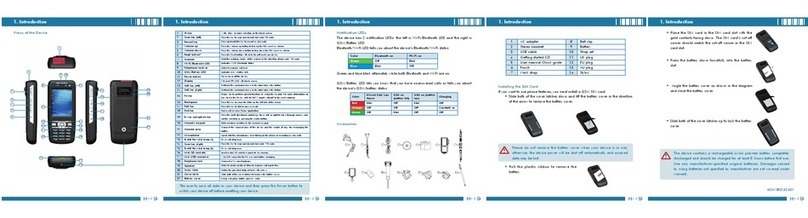
Views of the Device
1
3
4
5
6
7
8
10
11
12
13 14
2
15 16
17 18
19 20
23
24
25
26
27
28
29
31
32
9
21 22
30
Otros manuales para H-19
2
Tabla de contenidos
Otros manuales de PDA de Opticon