
Nikkei NEXTRK Manual de usuario

© Elmarc, 10/19
NEXTRK Sporthorloge
USER MANUAL EN

2
Content
1 Intended use 3
2 Safety 4
2.1 Labels in this manual 4
2.2 Generalsafetyinstrucons 4
3 Preparaons for use 6
3.1 Unpacking 6
3.2 Packagecontents 6
4 Funcons 7
4.1 Maincomponents 7
4.1 Chargingthesportswatch 7
4.2 Wearingthesportswatch 8
4.3 TurningthesportswatchOnorO 8
4.4 Explanaonoftheiconsonthedisplay 10
4.5 Navigangthroughthemenu 11
4.6 Explanaonoffunconsofthesportswatch 12
5 Usage 15
5.1 Measuringyourheartrate 15
5.2 Start/stopasportsacvity 15
5.3 Adjusngthedisplay 16
6 Controlling the sports watch from your phone 17
6.1 InstallingtheOrunningapp 17
6.2 Connecngthesportswatch 17
6.3 UsingtheOrunningapp 19
7 Exporng the data of your sports watch 21
7.1 InstallingtheStravaapp 21
7.2 UploadinganacvitytotheStravaapp 21
8 Cleaning and maintenance 23
9 Technical specicaons 24
10 Disposal of used electric and electronic equipment 25

3
1 Intended use
TheNEXTRKisanadvancedsportswatchthatcanbeusedtorecord
various(sports)acvies.Theproductisusedincombinaonwiththe
Orunningapp.Theacviescanbeviewedwiththisapp.Inaddionto
sporngacvies,thesportswatchalsorecordsyoursleeprhythmand
heartrate.Inaddion,theStravaappcanbeusedtoshareacvieswith
friends.Theproductisintendedforconsumeruse,notforprofessional
use.

4
2 Safety
2.1 Labels in this manual
6 WARNINGAwarningmeansthatinjuryispossibleiftheinstrucons
arenotobeyed.
1CAUTIONAcauonmeansthatdamagetotheequipmentispossible.
5Anotegivesaddionalinformaon,e.g.foraprocedure.
2.2 General safety instrucons
General
6 Topreventdamageormalfuncons:Pleasetakemeandreadthe
generalsafetyinstrucons.Thiswillavoidre,explosions,electric
shocksorotherhazardsthatmayresultindamagetopropertyand/
orsevereorfatalinjuries.
6 Themanufacturerisnotliableforcasesofmaterialdamageor
personalinjurycausedbyincorrecthandlingornoncompliancewith
thesafetyinstrucons.Insuchcases,thewarrantywillbevoided.
WARNING
6 Donotputforceontheappliance.
6 Onlyuseoriginalaccessoriesfromthemanufacturer.
6 Neverleavechildrenunaendedwiththepackagingmaterial.The
packagingmaterialrepresentsadangerofsuocaon.Children
frequentlyunderesmatethedanger.Alwayskeepchildrenaway
fromthepackagingmaterial.

5
CAUTION
1Donotputtheappliancenearaheatsource.Thiscoulddamagethe
appliance.
1Checktheproduct,cableand(ifapplicable)adapterforanydamage
beforeuse.Ifthereisanyvisibledamage,strongodour,orexcessive
overheangofcomponents,unplugtheproduct.
Remarks
6 WARNINGItisnotpermiedtoopentheproductyourselforto
haveitopened,neitherisitpermiedtorepairtheproductyourself
ortohaveitrepaired.Thiswillvoidthewarranes.Pleaseletany
maintenancebecarriedoutbyceredmaintenancepersonnel.
6
3 Preparaons for use
3.1 Unpacking
• Unpack the appliance carefully.
• Checkthepackagecontentsasdescribedbelow.Ifanyitemismissing,
pleasecontactyourreseller.
• Werecommendthatyouretaintheoriginalcartonandpackaging
materialsincaseiteverbecomesnecessarytoreturnyourproduct
forservice.Thisistheonlywaytosafelyprotecttheproduct
againstdamageintransit.Ifyoudodisposeofthecartonandthe
packagingmaterials,pleaseremembertorecyclewithduecaretothe
environment.
3.2 Package contents
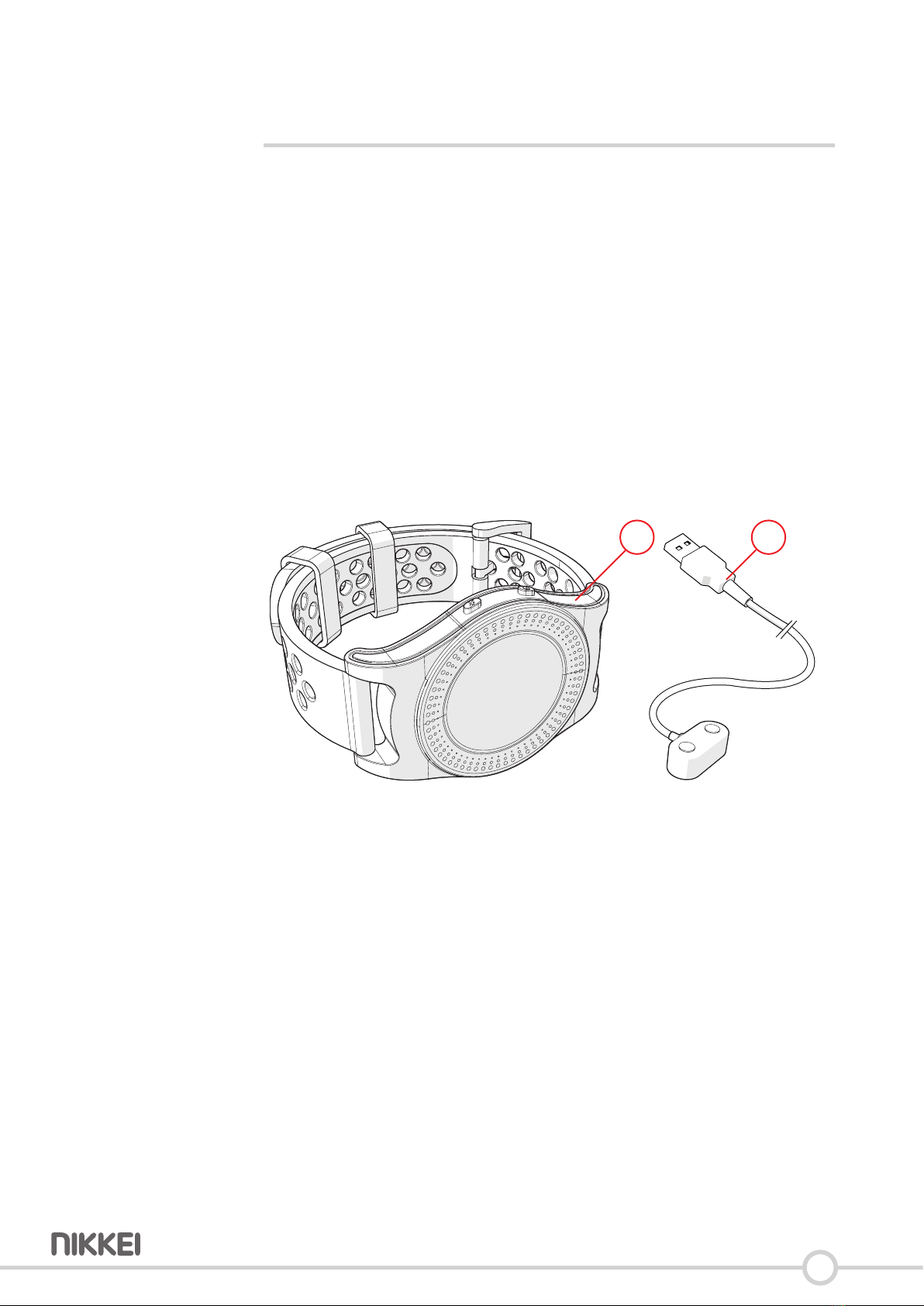
1 2
Thefollowingitemsareincludedinthereceivedpackage:
__
1. Sportswatch
2. USBconnecngcable

7
4 Func ons
4.1 Main components
1 2 4
6
3 5
Sports watch
__
1. Sportsbuon
2. On/Obuon
3. (Single)touchscreen
4. Heartratesensor
5. Buckle
6. Strap
4.1 Charging the sports watch
• Connectthechargingconnectortothesportswatch.Thereisonlyone
waytoconnecttheproduct.
• InserttheUSBplugintoaUSBportofacomputer/laptop/adapter.

8
4.2 Wearing the sports watch
• Placethesportswatchonyourwrist.
• Slidethestrapthroughthebuckle.
• Closethebuckle.
4.3 Turning the sports watch On or O
0342
MON
• KeeptheOn/Obuonpressedfor2seconds.
• Thescreenofthesportswatchison.
• Thedevicehasnowbeenturnedon.

9
0342
MON
• KeeptheOn/Obuonpressedfor2seconds.
• Thedevicehasnowbeenturnedo.
5Thesportswatchgoesintosleepmodeaer1minutes.Pressand
holdtheOn/Obuonfor2secondstousethesportswatchagain.

10
4.4 Explanaon of the icons on the display
12/21
0342
MON 7538
67
04/23
Mar
12
6
1
1
1
1
6
7
5
3 4
5
2
1
34
__
1. Time
2. Day
3. Bluetooth
4. Baerylevel
5. Time
6. Pedometer
7. Heart rate
Tabla de contenidos


