NetUP HDMI Encoder 8x Manual de usuario

NetUP HDMI Encoder 8x
User’s manual
NMS Version: 2.2.5
SW: 0.17F
HW: 0.8
August 10, 2015

CONTENTS
Chapter 1 Product Introduction ............................................................................................................. 1
1.1 Outline ................................................................................................................................................ 1
1.2 Main Features ................................................................................................................................... 1
1.3 Specifications .................................................................................................................................... 2
1.4 Principle Chart................................................................................................................................... 3
1.5 Appearance and Illustration ............................................................................................................ 3
Chapter 2 Installation Guide .................................................................................................................. 5
2.1 Acquisition Check ............................................................................................................................. 5
2.2 Installation Preparation .................................................................................................................... 5
2.3 Wire’s Connection ............................................................................................................................ 7
2.4 Signal Cable Connection................................................................................................................. 8
Chapter 3 Operation ............................................................................................................................. 11
3.1 Initializing ......................................................................................................................................... 11
3.2 General Setting ............................................................................................................................... 11
Chapter 4 SNMP Operation............................................................................................................... 21
4.1 Installation........................................................................................................................................ 22
4.2 Software Operation ........................................................................................................................ 22
4.3 NetUP HDMI Encoder 8x Operation............................................................................................ 28
4.4 Other Settings ................................................................................................................................. 37
Chapter 5 Troubleshooting .................................................................................................................. 41
Chapter 6 Packing list........................................................................................................................... 42

NetUP HDMI Encoder 8x User’s Manual
1/ 44
Addr: 119311, Russia, Moscow, Ulofa Palme bldg.1, sect 7 Web: http://netup.tv
Chapter 1 Product Introduction
1.1 Outline
The NetUP HDMI Encoder 8x is our newest professional HD audio & video encoding and
multiplexing device with powerful functionality. It is equipped with 8 HDMI inputs
supporting MPEG-4 AVC/H.264 High Profile code format & main Profile code format and
1 ASI input. It can multiplex the ASI input TS and the 8 encoded SPTS to generate an
MPTS output with the inserted PSI/SI information. In conclusion, its high integrity and
cost-effective design, make this device widely used in variety of digital distribution
systems such as CATV digital head-end, satellite and terrestrial digital TV, etc.
1.2 Main Features
8 HDMI & 1 ASI inputs
H.264/AVC high profile level 4.0 video encoding
MPEG1 Layer 2 (HE-AAC (V2) or LC-AAC optional) audio encoding
PSI/SI editing and inserting
VBR or CBR video bitrate mode
720P, 1080I, 1080P HD video format
ASI output MPTS or 8 SPTS
IP Output MPTS and 8 SPTS
IP null packet filter
PID filter and transparent transport
Real-time output bit-rate monitoring
Update device through NMS port
LCD / keyboard operating, and network management (SNMP)

NetUP HDMI Encoder 8x User’s Manual
2/ 44
Addr: 119311, Russia, Moscow, Ulofa Palme bldg.1, sect 7 Web: http://netup.tv
1.3 Specifications
Input 8 HDMI inputs
1 ASI input, BNC interface
Video
Resolution
1920×1080_60P, 1920×1080_50P
1920×1080_60i, 1920×1080_50i
1280×720_60P, 1280×720 _50P
720x576_50i, 720x480_59.95i
Encoding MPEG-4 AVC/H.264 high profile level 4.0
Bit-rate 0.8Mbps~19Mbps (each channel)
Rate Control CBR/VBR
GOP Structure IBBP
Advanced
Pretreatment De-interlacing, Noise Reduction, Sharpening
Audio
Encoding MPEG-1 Layer II, HE-AAC (V2), LC-AAC
Sampling rate 48KHz
Resolution 24 bit
Bit-rate 64Kbps~384Kbps each channel
Multiplexing 1 ASI input multiplexed with local 8 channels of TS
Stream output
2*ASI output, BNC interface
MPTS and 8 SPTS over UDP, 1000 Base-T Ethernet
interface (UDP unicast / multicast)
System function
LCD/keyboard operating, NMS supporting
Chinese-English control interface
Ethernet software & hardware upgrade
Miscellaneous
Dimension (W× L× H) 440mm×410mm×44.5mm
Approx weight 4kg
Temperature 0~45℃(work), -20~80℃(Storage)
Power AC 100V-220V±10%, 50/60Hz
Consumption 25W

NetUP HDMI Encoder 8x User’s Manual
3/ 44
Addr: 119311, Russia, Moscow, Ulofa Palme bldg.1, sect 7 Web: http://netup.tv
1.4 Principle Chart
1.5 Appearance and Illustration
Front Panel Illustration:
1 2 3 4 5 6
Indicate area: All indicators will light on when the device is on the current working state.
1 LCD Screen
2 Indicators
Power Indicator
TS In: Input Lock Indicator
CH1-CH8: When the program has been multiplexed, the
indicator will be on.
3 UP/ DOWN, LEFT/RIGHT Keys
4 Enter Key
5 Menu Key
6 Lock Key

NetUP HDMI Encoder 8x User’s Manual
4/ 44
Addr: 119311, Russia, Moscow, Ulofa Palme bldg.1, sect 7 Web: http://netup.tv
Rear Panel Illustration:
1 2 3 4 5 6 7
1 8 * HDMI Input Ports
2 ASI Input Port
3 2 * ASI Output Ports
4 Data Port (for IP Signal Output)
5 NMS (Network Management Port)
6 Power Switch and socket
7 Grounding Pole

NetUP HDMI Encoder 8x User’s Manual
5/ 44
Addr: 119311, Russia, Moscow, Ulofa Palme bldg.1, sect 7 Web: http://netup.tv
Chapter 2 Installation Guide
2.1 Acquisition Check
When opening the package, it is necessary to check the items according to the packing list.
Normally it should contain the following items:
NetUP HDMI Encoder 8x
User’s Manual
HDMI Cable
ASI Cable
Power Cord
If any item is missing or mismatching with the list above, please contact your local dealer.
2.2 Installation Preparation
When installing the device, please follow the steps below. The details of the installation process
will be described later in this chapter. One can also use the rear panel chart during the
installation.
This chapter describes:
Checking the possible device loss or damage during the transportation
Preparing relevant environment for installation
Installing the NetUP HDMI Encoder 8x
Connecting signal cables
Connecting communication port (if it is necessary)
2.2.1 Device’s Installation Flow Chart:

NetUP HDMI Encoder 8x User’s Manual
6/ 44
Addr: 119311, Russia, Moscow, Ulofa Palme bldg.1, sect 7 Web: http://netup.tv
2.2.2 Environment Requirements
Item Requirement
Machine Hall Space
When installing a machine frame array in one machine hall, the
distance between 2 rows of machine frames should be 1.2~1.5m
and the distance against wall should be no less than 0.8m.
Machine Hall Floor
Electric Isolation, Dust Free
Volume resistivity of ground anti-static material:
1X10⁷~1X10¹⁰,Grounding current limiting resistance: 1M
(Floor bearing should be greater than 450Kg/㎡)
Environment
Temperature
5~40℃(sustainable ),0~45℃(short time),
installing air-conditioning is recommended
Relative Humidity 20%~80% sustainable 10%~90% short time
Pressure 86~105KPa
Doors & Windows Install rubber strip for sealing door-gaps and dual level glasses
for window
Walls May be covered with wallpaper, or dark paint.
Fire Protection Fire alarm system and extinguisher
Power
Requiring device power, air-conditioning power and lighting
power are independent to each other. Device power requires AC
power 220V 50Hz. Please carefully check before running.
2.2.3 Grounding Requirement
All function modules’ good grounding designs are the basis of reliability and stability of
electronic devices. It is the most important guarantee of surge protection and interference
rejection. Therefore, the system must be grounded.
Coaxial cable’s outer conductor and isolation layer should keep proper electric conducting
with the metal housing of device.
Grounding conductor must adopt copper conductor in order to reduce high frequency
impedance, and the grounding wire must be as thick and short as possible.
Make sure the 2 ends of grounding wire conduct electricity and are not rusty.
It is prohibited to use any other devices as a part of grounding electric circuit
The area of the conduction between grounding wire and device’s frame should be no less

NetUP HDMI Encoder 8x User’s Manual
7/ 44
Addr: 119311, Russia, Moscow, Ulofa Palme bldg.1, sect 7 Web: http://netup.tv
than 25mm2.
2.2.4 Frame Grounding
All the machine frames should be connected with protective copper strip. The grounding wire
should be as short as possible and should avoid circling. The area of the conduction between
grounding wire and grounding strip should be no less than 25mm2.
2.2.5 Device Grounding
Connect the device’s grounding rod to frame’s grounding pole with copper wire.
2.3 Wire’s Connection
The grounding wire conductive screw is located at the right of the rear panel, and the power
switch, fuse, power supply socket are just beside ,whose order goes like this, power switch is
on the left ,power supply socket is on the right and the fuse is just between them.
Connecting the Power Cord:
Connect one end to the power supply socket, and the other end to the AC power.
Connecting Grounding Wire:
When the device solely connects to protective ground, it should adopt independent way,
say, share the same ground with other devices. When the device adopts united way, the
grounding resistance should be smaller than 1Ω.
Caution:
Before connecting power cord to the NetUP HDMI Encoder 8x, set the power
switch to “OFF” position.

NetUP HDMI Encoder 8x User’s Manual
8/ 44
Addr: 119311, Russia, Moscow, Ulofa Palme bldg.1, sect 7 Web: http://netup.tv
2.4 Signal Cable Connection
The signal connections include the connection of input signal cable and the connection of
output signal cable. The details are as follows:
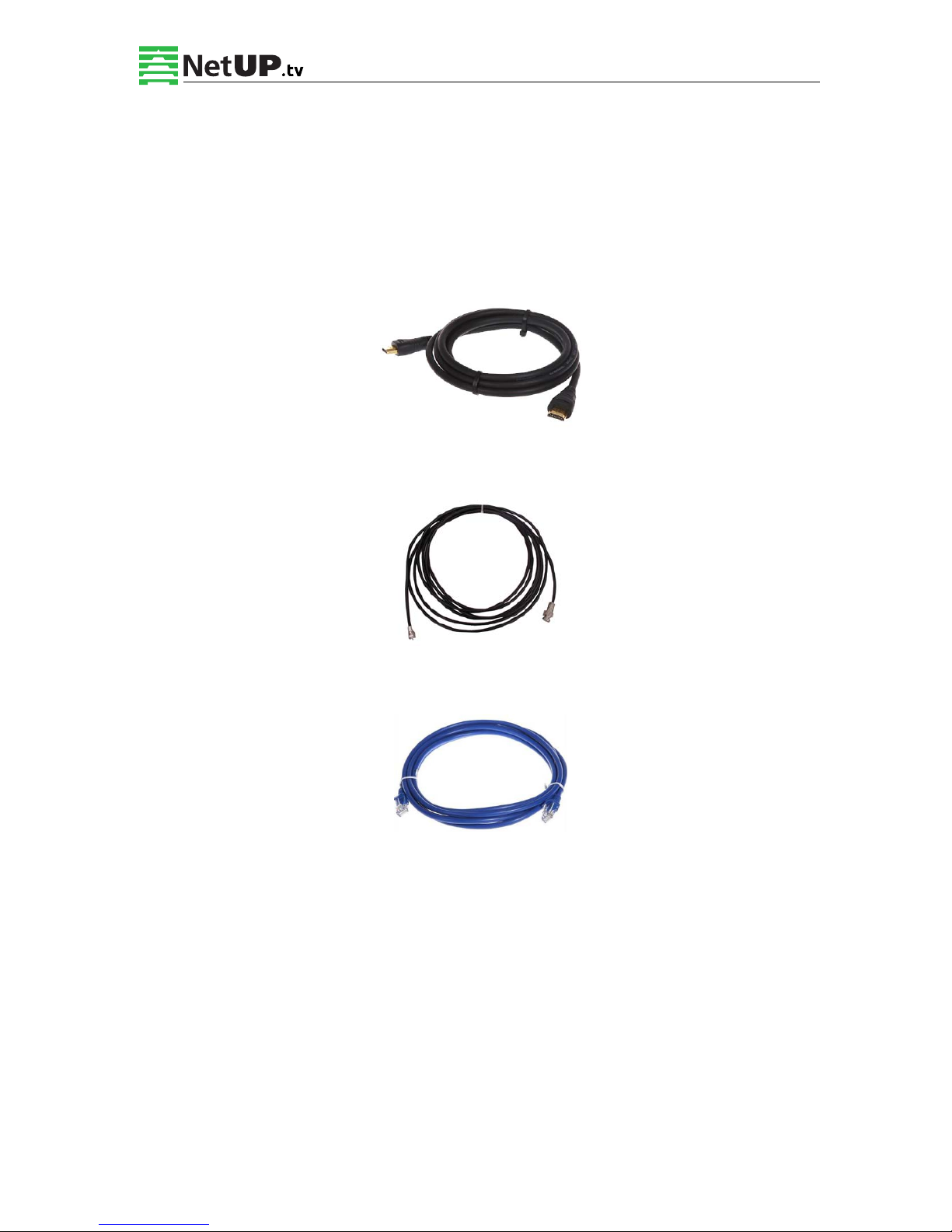
2.4.1 HDMI input cable illustration:
2.4.2 ASI output cable illustration:
2.4.3 Network Cable illustration (CAT5):
Tabla de contenidos
Otros manuales de Convertidor de medios de NetUP