9
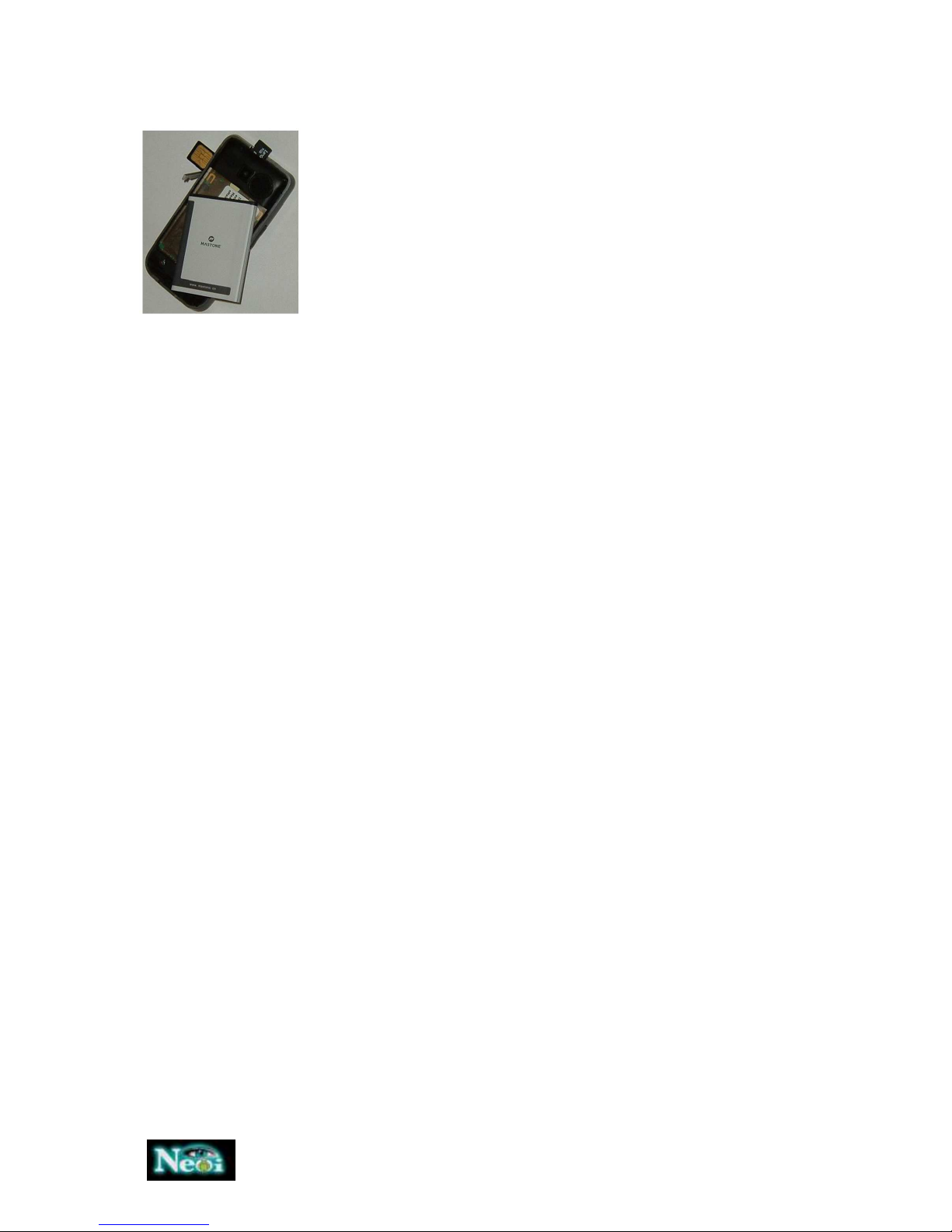
Installing the SIM card
1. Press and hold the power key to turn off the phone.
2. Remove the battery cover and then the battery.
3. Insert the SIM card into the card holder. Ensure that the metal contacts
face the phone as shown on the picture.
4. Re-install the battery. Place the battery cover onto the back of your
phone.
Note: A SIM card can be easily damaged if its metal contacts become
scratched. Therefore, take special care when holding or inserting it and
keep it away from small children.
harging the battery
The batter is not fully charged when first unpacked. It takes three charging-discharging cycles for the
battery to reach its peak performance. The battery can be charged and discharged hundreds of
times. However, the capacity oft he battery will be reduced each time it is charged/emptied, and it
will eventually wear out. When the talk time and the standby time are noticeably shorter than
normal, replace the battery. Use original batteries and charging devices only.
Unplug the charger from the outlet and the phone when not in use. Do not leave fully-charged
battery connected to a charger because overcharging may shorten the lifetime of the battery. If
unused, a fully-charged battery will lose its charge over time.
If the battery is completely discharged, the charging may not start immediately when you plug in the
connector. Wait 10 to 15 minutes for the phone to begin charging.
Use the battery only for its intended purpose. Never use any charger or battery that is damaged. Do
not short-circuit the battery. An accidental short circuit may occur when a metallic object such as a
coin, clip or pen causes the direct connection of the positive (+) and negative (-) terminals of the
battery, for example, when you carry a spare battery in your pocket or purse.
Short circuit may damage the battery and the connecting object.
Storage at too high or low temperatures will result in a gradual capacity loss. As a result the
operating time of your mobile phone may be considerably reduced, even after the battery is fully
charged.
Do not dispose of batteries in a fire as they may explode. Batteries may also explode if damaged.
Dispose unwanted batteries and phones as permitted by the laws in your countries.
Note: The actual operation time of a battery varies based on the operation mode, network settings
and call settings.
Charge a battery according to the following steps:
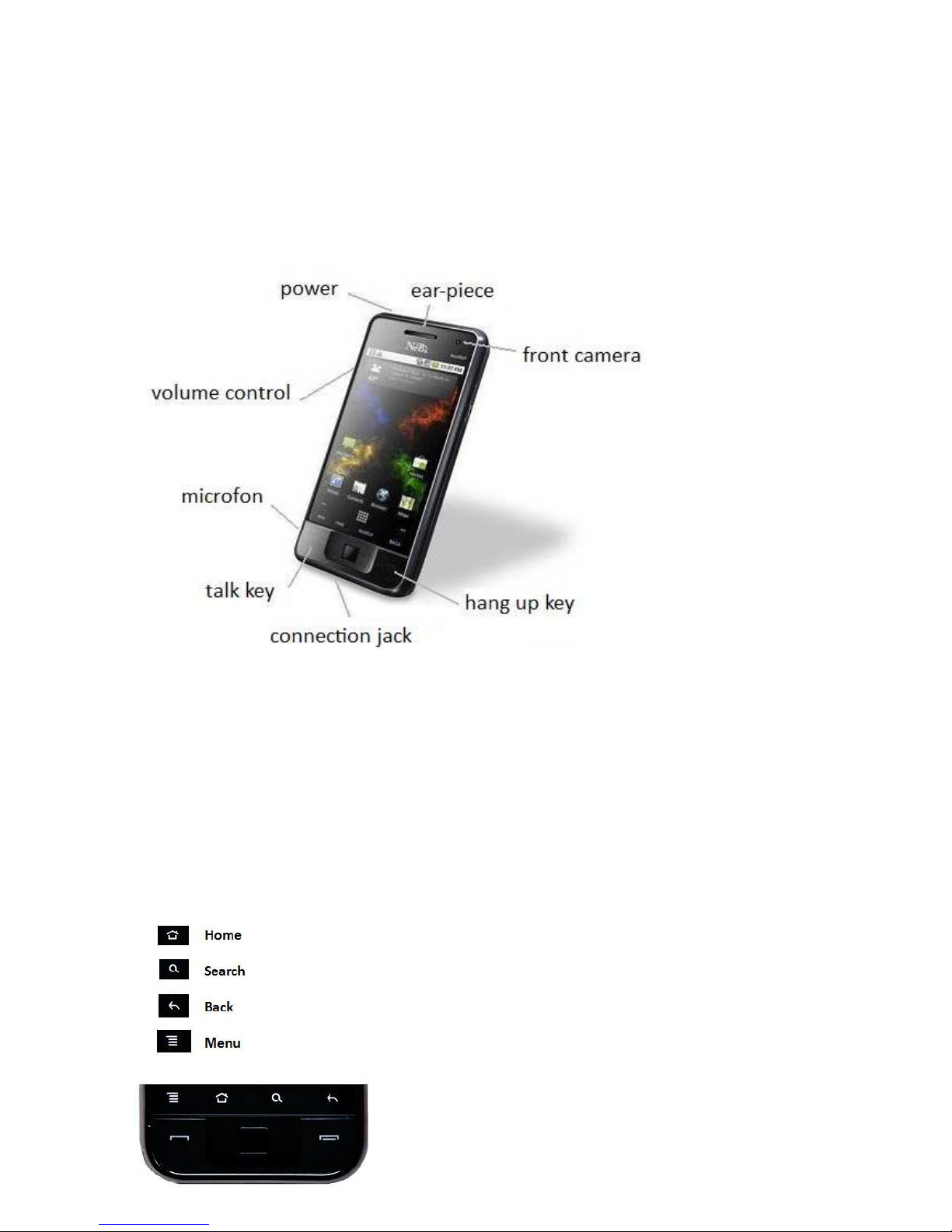
1. Connect the charger to the connection jack of the phone in proper direction, and connect the
charger to a main socket.
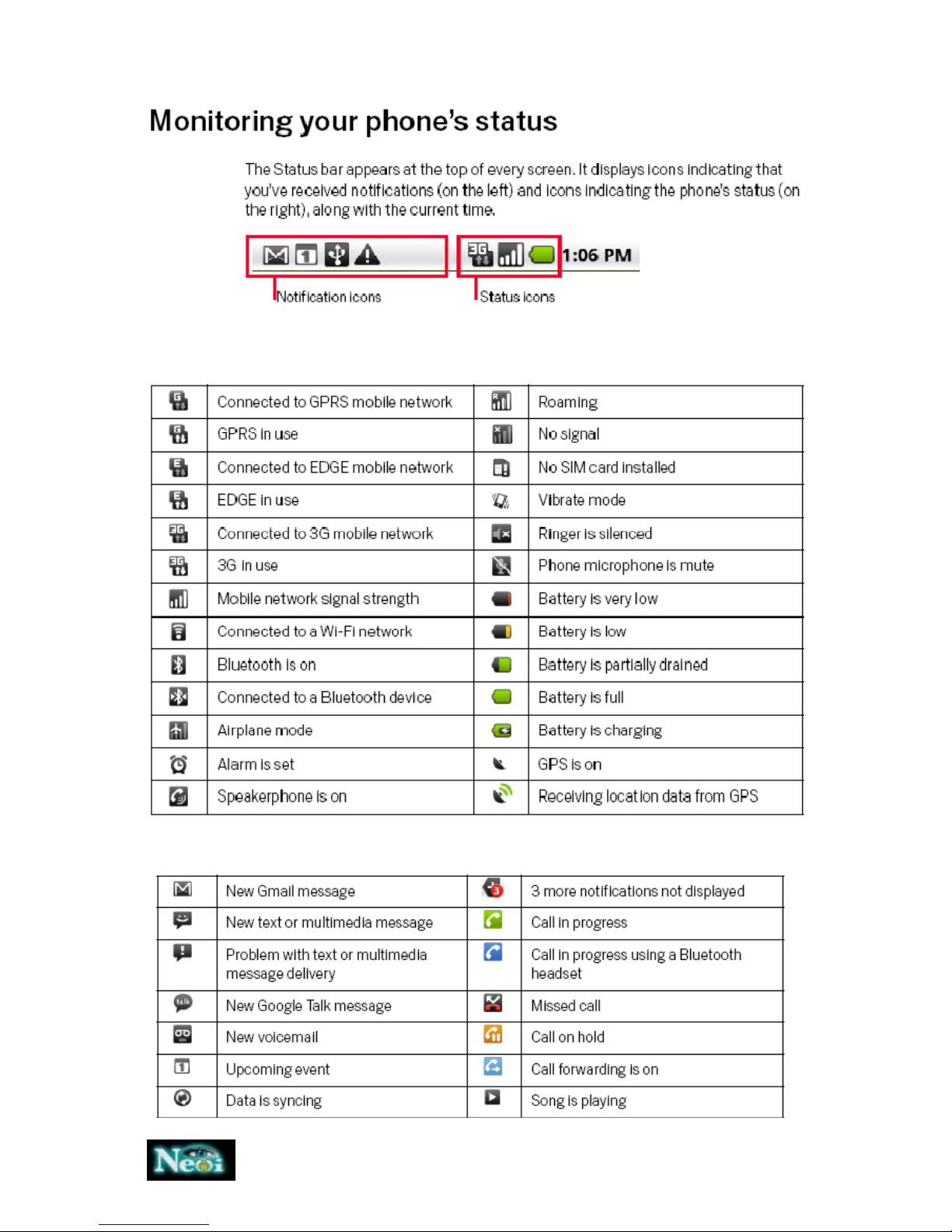
2. The phone displays „Charger Connected!“ and starts charging after properly connected. The
battery icon dynamically displays the charging process. In switch-off state, the phone dynamically
displays the charging process.
3. When the battery is fully charged, the charging process stops automatically, and the battery icon
indicates full grid on the screen. After the battery is fully charged, remove the charger from the
phone and socket as soon as possible.
Note:
After the phone has run out of battery, we recommend that you recharge the battery in time. If you
do not recharge the battery in two days, the phone may enter the slow charging mode. When you
recharge the battery, there may be no display temporarily. After about 10 minutes, the charging
indicator icon is displayed on the screen of the phone. If you do not recharge the battery more than
two days, the battery may enter the overdischarge protection state. Thus, in order to get the battery
into normal charging mode quickly, we recommend that you charge the battery on an adapter to