
Naxa NTD-4050 Manual de usuario

MODEL NO.: NTD-4050
39.5 CLASS WIDE SCREEN FHD LED
TV WITH DVD PLAYER
FCC Notice
Support
NAXA
9 Safety Information
Warning
CAUTION!
*'J � RISQUE DE CHOC ELEC TRIOUE/NE PAS OUVRIR
Important Safety Instructions

Safety
I
--�o
Safety
x
/
x
I
U

Three HDMI input
Connecting DVD Player/Set-Top Box
One Y(CVBS)/Pb/Pr input
TV uses a TFT LED display screen
FHDTV Compatible (480i, 480p, 720p, 1080i, 1080p)
Supports American TV Standards 8VSB/Free 64/256QAM,NTSC System, ATSC System
Connect directly to computer to achieve a TV/monitor.
Zero X radiation complies with green environment protection requirement
Advanced Chroma Processing
Closed captioning/Program Control
SAP/STEREO/MONO; ATSC.
HDMI input
USB input
Input terminals used for external equipment connection

Overview of front and side panel
NTD-4050
80 W
35.9 * 8.1 * 22.5 Inch
14.3 lbs
AC 100-240V~50/60Hz
Remote control sensor / Power indicator
VOLUME +/-
Press to increase/decrease the volume.
CHANNEL +/-
Press to change channels.
SOURCE
Toggles between all the available input sources.
MENU
Press to see an on-screen menu of your TV.
Press this button when the power is on the disc will eject. Press it again the disc
is pulled in automatically.
After placed a disc in the disc tray, press this button to play the disc and press it
again to pause.
STANDBY
Press STANDBY button to toggle between normal and standby mode.
1.
2.
3.
5.
4.
7.
6.
2*8W
1920 × 1080
8.
TV reception

CO AX
OU T
Pb P r
IN
IN
L R
AC 100 -240V~
50/60Hz
1 3 4 52 6 7
10
9
8
7
11
OUT
1. STAND
BY:
Turn the TV on/off.
2. MUTE: Press to mute the sound.
3. SLEEP: Set the sleep timer.
4. FAV :Select favorite channels.
5. FAV +/-: Press to watch next / previous favorite program.
6. ADD: Add this program to the favorite channels list.
ERASE: Delete this program from the favorite channels list.
7. LOCK: Press to display the Lock menu.
8. Time: Press to display current time.
9. LIST: Press to display the TV program list.
10. FREEZE: Press tofreeze the screen.
11. EPG: Press to display the EPG menu.
12. INFO: Display channel information.
13. CC: Press to display the closed caption.
14. M
T
S: Press to select the audio channels.
15. MENU: TV system setup.
16. SOURCE: Press to change input source.
17. ARROW buttons: Use to move cursor up/down/left/right.
18. ENTER: Validation key.
19. EXIT: Press to exit menu.
20. ZOOM: Press to change the screen scale.
21.
S.MODE:
Press to cycle through the different
sound settings.
22. VOL +/-: Press to increase/decrease the sound level.
23. CH+/-: Press to scan through channels.
24. P.MODE: Press repeatedly to cycle through the available
video picture modes.
25. Number key (0-9): Press 0-9 to select a TV channel
directly when you are watching TV. The channel changes
after several secondsmultiple program channel such as 2-1,
etc.
26. -/--: Press this button to enter a program number for
multiple program channel such as 2-1, etc.
27. RETURN: Return to the previous channel viewed.
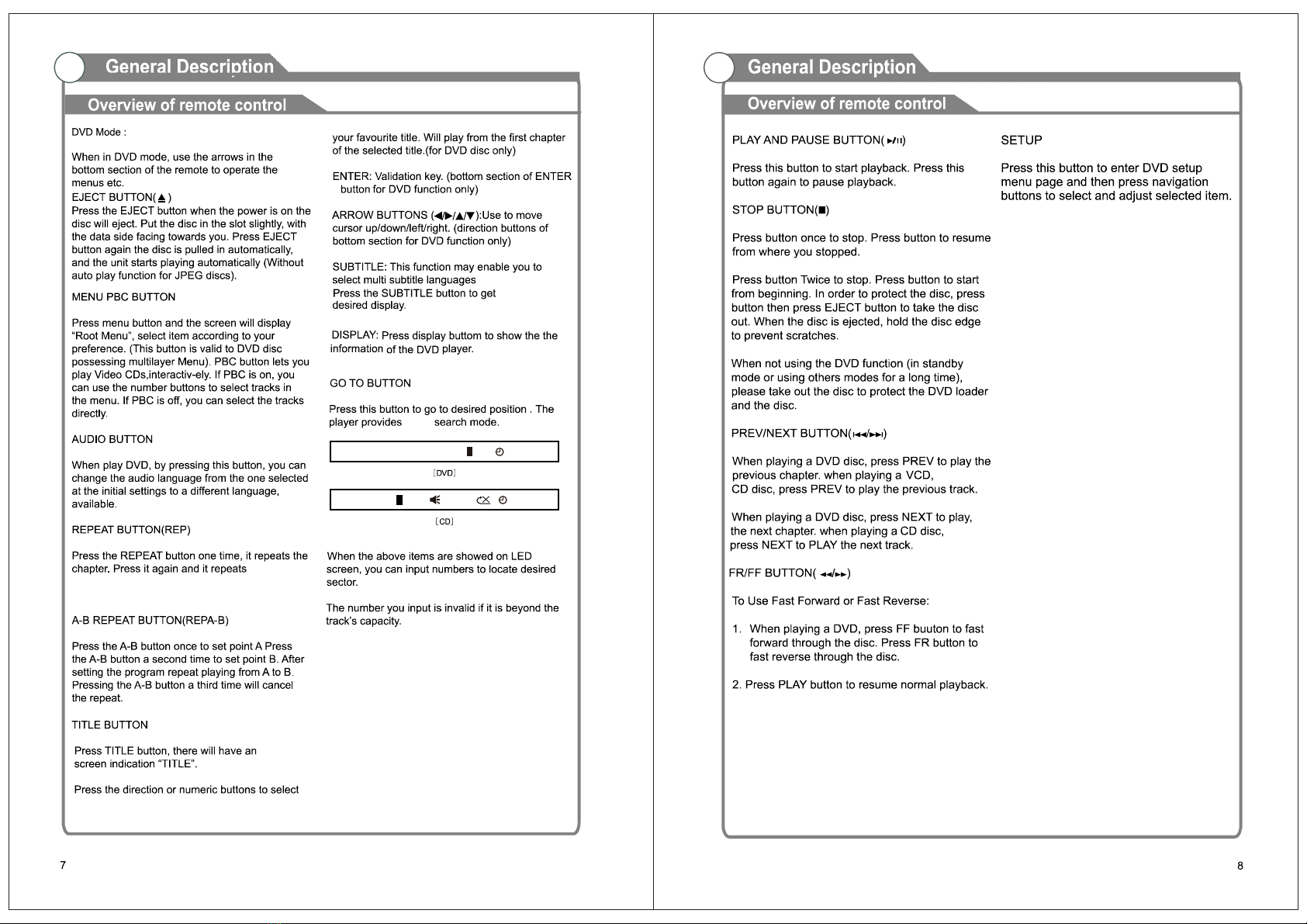
Press the third time and it repeats All. Press the
forth time and the repeat function cancel.
the Title.
below
DVD T/T 00/07CH 00:01:30002/003
CD TRK 00:01:30HDCP01/15

Antennas with 300ohm flat twins Leads
CO AX
OU T
CVBS/Y Pb Pr
IN
IN
L R
AC 100 -240V~
50/60Hz O UT
1Open the battery compartment
cover on the back side.
2Insert two AAA batteries inside the battery
compartment with their + and – ends
aligned as indicated. Do not mix old and
new batteries or different types of
batteries.
3 Close the cover.
Batteries should last for 1 year under normal use.
If you do not intend to use the remote control for a long period of time, remove
the batteries to prevent damage due to leakage.
Do not use old and new batteries together.
The batteries or battery pack shall not be exposed to excessive heat such as
direct sunlight, fire, or other heat sources.

COAX
OUT
CVBS/Y Pb Pr
IN
IN
L R
AC 1 00 -240V~
50/60Hz
COAX
OUT
CVBS/Y Pb Pr
IN
IN
L R
AC 1 00-240V~
50/60Hz
OU T
OU T

Connect a USB 2.0 memory device into USB slot of this TV for multimedia files
playback.
1. This USB slot only supports Music (MP3) and Photo (JPG) multimedia files
playback.
2. This TV is compatible with most USB devices in the market. However, we
cannot guarantee the compatibility of all USB devices, due to multiple technology
standards used.
COAX
OUT
CVBS/Y Pb Pr
IN
IN
L R
AC 100 -240V~
50/60Hz
COAX
OUT
CVBS/Y Pb Pr
IN
IN
L R
AC 1 00-240V~
50/60Hz
OU T
OU T
Tabla de contenidos
Otros manuales de Reproductor de DVD de Naxa

Naxa
Naxa ND-856 Manual de usuario

Naxa
Naxa NX-831 Manual de usuario

Naxa
Naxa ND-853 Manual de usuario

Naxa
Naxa NX-820 Manual de usuario

Naxa
Naxa ND-845 Manual de usuario

Naxa
Naxa ND-837 Manual de usuario

Naxa
Naxa ND-837 Manual de usuario

Naxa
Naxa NPDT-750 Manual de usuario

Naxa
Naxa ND-858 Manual de usuario

Naxa
Naxa NX-836 Manual de usuario


