
Nasaco BNA30179 Manual de usuario

Smart Watch User Manual
BNA30179
Bluetooth Name:NASA-CF82

things prepare
When taking care of your bracelet, please remember the following
tips:
• Clean the bracelet regularly, especially the inside of the bracelet,
to keep it dry.
• Adjust the tightness of the bracelet to ensure air circulation.
• It is not advisable to use excessive skin care products on the
wrist
with the bracelet.
• If you experience skin irritation or discomfort, please stop
wearing it.
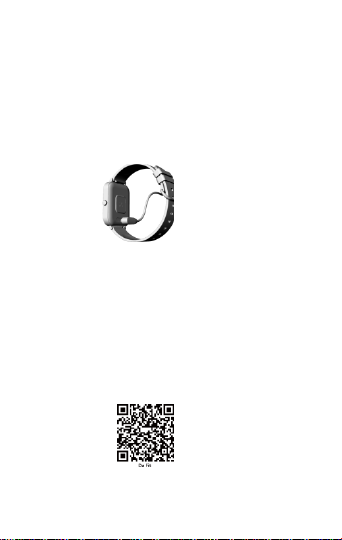
Schematic diagram of the bracelet host
Boot up
Long press the side button for 3 seconds or plug in the magnetic
charging cable to charge and boot。
Recharge
Magnetic charging。
Bracelet APP download and binding
1. Download and install the APP
Use your mobile phone to scan the QR code and download the
APP.
Scan QR code with mobile phone to download APP. For IOS
system, select APP ,storesearch Da Fit。Android system, select
Google Play to download and install Da Fit.Or scan QR code to
download
Note: your mobile phone must support Android
5.1 or IOS 8.0 or above, and Bluetooth 4.0 or above.

2. Bind smart bracelet with APP
1. Click on "Add Device" to bind the smartbracelet.
2. Click on your device in the device list scanned.
3. The IOS system will show a Bluetooth pairing request and you
can click on Bluetooth "Pairing" to confirm. Connect it directly
to Androidsystem.
4. Successfully bound.
3
4

Brief introduction of bracelet function
Power-on state:
Switch the main screen menu interface, such as the interface shown
below;
Unbind
Android phones can be disconnected from the phone by simply
clicking Remove Device.
After IOS removes the device, the Bluetooth of the mobile phone
needs to be ignored.

common problem
1. Why does the bracelet automatically disconnect the Bluetooth
connection after the screen of the Android phone is off?
1>. Lock the background APP.
After the Da Fit process is cleared, it will cause the bracelet to be
disconnected from the phone.
2>Set the APP to start automatically.
3>Unlimited background operation.
The Android mobile phone installs the APP, and the default is to
intelligently restrict the background operation, and you need to
manually set the APP without taking any restrictive measures.
2. Why can't the bracelet receive push notifications?
1>. Confirm that the message push switch is turned on on
the mobile client.
2>. The confirmation message can be displayed normally in
the notification bar of the mobile phone. The bracelet
message push is pushed by reading the message in the
mobile notification bar; if there is no message displayed in
the mobile notification bar, the bracelet will not be able to
receive the push.
(You need to find the notification settings in the phone
settings, turn on WeChat, QQ, phone, SMS,
The notification switch of the mobile client).
3> Open the phone --- Settings, the top search box, enter
"notification usage rights", and re-open Da Fit.
3. Why can't I wear a wristband to take a hot bath?
Answer: The temperature of the bath water is relatively high, it will
produce a lot of water vapor, and the water vapor is in the gas phase,
and its molecular radius is small, and it is easy to infiltrate from the
gap of the shell of the bracelet. When the temperature drops, it will
condense into liquid again.
Phase droplets can easily cause a short circuit in the internal circuit of the
bracelet, damage the circuit board of the bracelet, and then damage the
bracelet.
warning :
Please consult your doctor before starting a new exercise.
Although the smart bracelet can monitor real-time dynamic
heart rate, it cannot be used for any medical purposes.

Manuel d'utilisation de la montre intelligente

les choses se préparent
Lorsque vous prenez soin de votre bracelet, n'oubliez pas les
conseils suivants:
• Nettoyez régulièrement le bracelet, en particulier l'intérieur du
bracelet, pour le garder au sec.
• Ajustez l'étanchéité du bracelet pour assurer la circulation de
l'air.
• Il est déconseillé d'utiliser des produits de soin de la peau
excessifs sur le poignet avec le bracelet.
• Si vous ressentez une irritation ou une gêne cutanée, veuillez
arrêter de le porter.
Schéma de principe du bracelet hôte

Démarrez
Appuyez longuement sur le bouton latéral pendant 3 secondes ou
branchez le câble de charge magnétique pour charger et
démarrer.
Recharger
Charge magnétique
Téléchargement et reliure du bracelet APP
1. Téléchargez et installez l'application
Utilisez votre téléphone mobile pour scanner le code QR et
télécharger l'application.
Pour le système IOS, sélectionnez App Store, recherchez et
téléchargez Da Fit. Pour le système Android, choisissez Bora
pour télécharger et installer Da Fit, ou scannez le code QR
pour le télécharger.
Remarque: le téléphone mobile doit prendre en charge
Android 5.1 ou IOS 8.0 ou supérieur, et Bluetooth 4.0 ou
supérieur.

2. Bracelet de reliure APP
1. Cliquez sur "Ajouter un appareil" pour lier le bracelet.
2. Cliquez sur votre appareil dans la liste des appareils analysés.
3. Une demande de couplage Bluetooth apparaîtra dans le
système IOS, cliquez simplement sur Bluetooth «Couplage» pour
confirmer.
4. La liaison est réussie.
Brève introduction de la fonction du bracelet
État de mise sous tension:
Changez l'interface du menu de l'écran principal, telle que l'interface
illustrée ci-dessous;
Tabla de contenidos
Idiomas:


