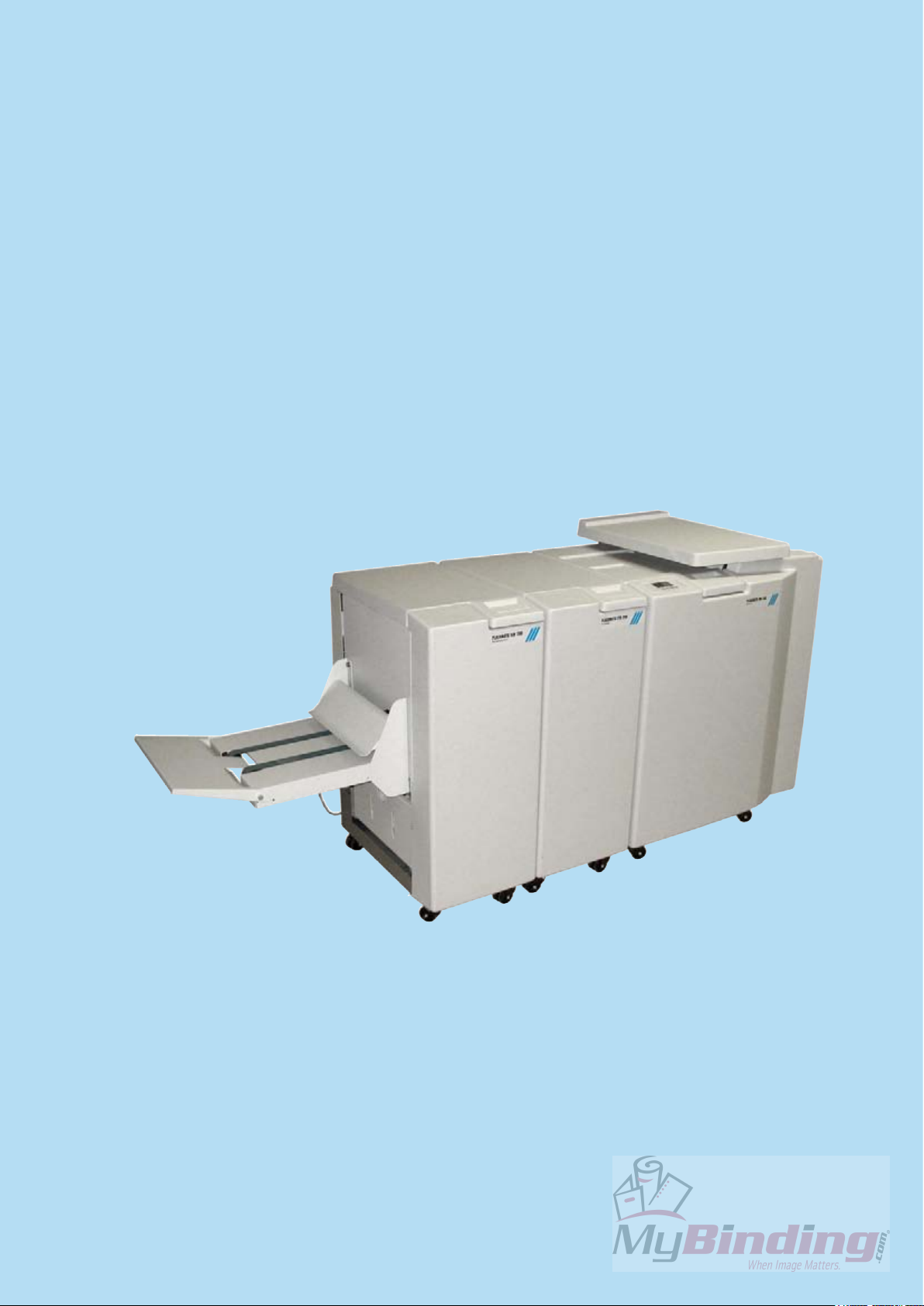
MyBinding Plockmatic BM 200 Manual de usuario

BOOKLET MAKER BM 200
Operating Instruction
Booklet Maker Reference
Part no: 76489
Doc no: T10169
Rev. ver: 0.02
Rev. date: 6 February 2007

Warning
ThisisaClassAproduct.Inadomesticenvironmentthisproductmaycauseradiointerference
in which case the user may be required to take adequate measures.
The product (System) which is connected to this machine will be class A
Note
Thedomesticenvironmentisan environmentwheretheuse of broadcastradioand television
recievers may be expected within a distance of 10 m of the apparatus concerned.

3
TABLE OF CONTENTS
What You Can Do With This Machine............................................................................................5
Guide To Components ....................................................................................................................7
Booklet Maker ..............................................................................................................................................7
Options...........................................................................................................................................10
Trimmer......................................................................................................................................................10
SquareFolder..............................................................................................................................................12
Control Panel.................................................................................................................................14
1. Basics...............................................................................................17
Turning On / Off the Main Power..................................................................................................17
Booklet Maker, Trimmer and SquareFolder................................................................................................17
Docking / Undocking.....................................................................................................................17
Docking the Booklet Maker to a Collator, standard paper sizes.................................................................17
Docking the Booklet Maker to a Collator, custom paper sizes...................................................................18
Adjusting docking assembly to factory settings..........................................................................................18
Undocking the Booklet Maker from a Collator............................................................................................18
Check staples, Staple cartridge and stapler head......................................................................19
Removing stapler head ..............................................................................................................................19
Removing staple cartridge..........................................................................................................................19
Installing stapler head, staple cartridge / clearing staple jam.....................................................................20
Emptying the trim bin....................................................................................................................21
2. Making Booklets..............................................................................23
Changing settings.........................................................................................................................23
General procedure .....................................................................................................................................23
Setting Paper Size......................................................................................................................................23
Selecting standard paper sizes ..........................................................................................23
Custom paper size ...............................................................................................................24
Stapling ......................................................................................................................................................24
Selecting stapling On or Off................................................................................................24
Trimming.....................................................................................................................................................25
Selecting trimming On or Off..............................................................................................25
Adjusting the cutting margin ..............................................................................................25
SquareFolding............................................................................................................................................26
General..................................................................................................................................26
Selecting SquareFolding mode ..........................................................................................26
On-line/Hand feeding ....................................................................................................................27
Hand feeding..............................................................................................................................................27
On-line........................................................................................................................................................28
3. Tools.................................................................................................29
The Tools Screen...........................................................................................................................29
Units...........................................................................................................................................................29
Software version.........................................................................................................................................29
Language ...................................................................................................................................................30
Service .......................................................................................................................................................30
4. Jobs..................................................................................................31
Storing and deleting jobs .............................................................................................................31
Storing a new Job.......................................................................................................................................31
Recalling a Job...........................................................................................................................................32

4
5. Clearing Misfeed(s) .........................................................................33
Clearing misfeed(s).......................................................................................................................33
General.......................................................................................................................................................33
Booklet Maker................................................................................................................................34
Clearing misfeed(s)....................................................................................................................................34
Inside the Booklet Maker.....................................................................................................34
Trimmer ..........................................................................................................................................35
Clearing misfeed(s)....................................................................................................................................35
Clearing misfeed in input area............................................................................................35
Clearing misfeed in exit area ..............................................................................................36
SquareFolder .................................................................................................................................37
Clearing misfeed(s)....................................................................................................................................37
Inside the SquareFolder ......................................................................................................37
Exit area ................................................................................................................................37
6. Troubleshooting ..............................................................................39
Fault codes.....................................................................................................................................39
General.......................................................................................................................................................39
General fault codes....................................................................................................................................40
Clear Misfeed(s) ...................................................................................................................40
Close cover(s) ......................................................................................................................40
Booklet Maker fault codes..........................................................................................................................40
Set too thick..........................................................................................................................40
Check staples.......................................................................................................................40
Stacker full............................................................................................................................41
Oil clinchers..........................................................................................................................41
Check set ..............................................................................................................................41
Trimmer fault codes....................................................................................................................................42
Close trimmer belts..............................................................................................................42
Empty trim bin......................................................................................................................42
Trimmer fan missing............................................................................................................42
Stacker full............................................................................................................................42
SquareFolder fault codes...........................................................................................................................43
Feed errors ...........................................................................................................................43
7. REMARKS ........................................................................................43
Do’s And Don’ts.............................................................................................................................43
Where to put Your Machine ..........................................................................................................44
Machine environment.................................................................................................................................44
Power connection.......................................................................................................................................44
Access to machine.....................................................................................................................................45
Maintaining Your Machines .......................................................................................................... 46
Booklet Maker ............................................................................................................................................46
Oil Clinchers and Stapler heads.........................................................................................46
SquareFolder..............................................................................................................................................48
Cleaning feed belts ..............................................................................................................48
8. Specication ...................................................................................49
Machine Specications.................................................................................................................49
Booklet Maker BM 200...............................................................................................................................49
Trimmer FTR 200 (option)..........................................................................................................................49
SquareFolder SQF 200 (option).................................................................................................................50

5
What You Can Do With This Machine
The Booklet Maker BM 200, Trimmer FTR 200 and SquareFolder SQF 200 forms a booklet
making system that works online with a collator or ofine/online for hand feeding.
The print-outs from the Copier are collected in the nisher and then transported into the BM
200 Booklet Maker to the staple area. The Booklet Maker now jogs and then staples the set.
Thesetisthentransportedfurthertothe foldingareawheretheset isfoldedintoa bookletand
then fed out to the belt stacker. When a larger number of sheets are folded an effect called
creeping occurs. In order to rectify creep, the FTR 200 Trimmer (optional) can be attached
after the Booklet Maker. The booklets are then transported from the Booklet Maker into the
Trimmer where the trail edge will be cut off. If a FTR 200 Trimmer is installed to the BM 200
Booklet Maker, you can attach the SQF 200 SquareFolder (optional). The printouts, which
have been stapled, folded and trimmed will be fed into the SQF 200. The SQF 200 will atten
the spine of the booklet square. The booklets will, after passing the SQF 200, have the look
of a perfect bound book. The booklets are then fed out to the Belt Stacker.
To facilitate hand feeding, theBM 200 is equipped with a sliding top cover.The Booklet Maker
can also be used as a stand-alone unit for hand feeding.
FTR 200 Trimmer (option)
BM 200 Booklet Maker
SQF 200 SquareFolder (option)
Belt Stacker

6
The BM 200 Booklet making system is controlled from a single control panel on the Booklet
Maker. The control panel has only four buttons which will allow you to easily set up, adjust
and operate the complete system.
The buttons are multi functional, meaning that the
function of each button depends on the information
displayed.
Forexample:Pressingbutton3 fromtheReadyscreen
takes you to the Tools screen.
Example 2: In this screen, button 3 has no function.
Button: 1 2 3 4
Example 3: Pressing button 3 here will load the stored
Job (4).
Button: 1 2 3 4
Example 4: In this screen pressing button 3 will save
the current settings for job No 1. The asterisk on the
rst row shows that the settings for Job (1) has been
changed, but not yet saved.
Button: 1 2 3 4

7
Guide To Components
2
3
7
1
1 Top cover
2 Control panel
3 Main power switch
4 Upper Top cover
5 Infeed assembly
6 Docking assembly
5
Booklet Maker
7 Base
8 Positioning holes for A3/11” and sizes nearby
9 Belt Stacker Cover
10 Belt Stacker
11 Knob, adjustment for custom paper size
12 Positioning holes for A4/8.5” and sizes nearby
6
9
10
4
8
1211

8
89
8 Connections
9 Fold stop gate
Booklet Maker, continues
Main Power
Terminator/COM
FTR 200TerminatorStacker
COM Collator POW SQF 200
Interlock jumper
Interlock jumper/
POW FTR 200

9
1
5
6
1 Stapler heads
2 Staple cartridges
3 Cartridge locking levers
4 Stapler release latches
5 Staple detection leads
6Hand feeding paper guides
Booklet Maker, continues
3
45
2
Otros manuales para Plockmatic BM 200
2
Tabla de contenidos
Otros manuales de Creador de folletos de MyBinding

MyBinding
MyBinding Formax Square IT Manual de usuario

MyBinding
MyBinding BM 61 Manual de usuario

MyBinding
MyBinding Plockmatic BM 200 Manual de usuario

MyBinding
MyBinding MBM 87M Manual de usuario

MyBinding
MyBinding GBC SignMaker 25 Manual de usuario

MyBinding
MyBinding MBM 87M Manual de usuario

MyBinding
MyBinding MBM 87M Manual de usuario

MyBinding
MyBinding Standard M2 Manual de usuario