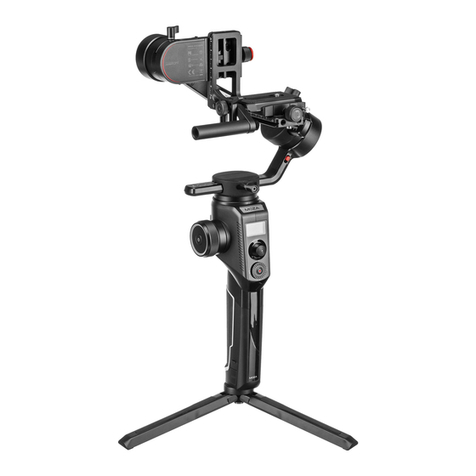
Note:Reduce the sensitivity value if the iFocus M rotates too fast, and
increase the sensitivity value if the iFocus M rotates too slowly. The iFocus M
doesn't have sensitivity itself. In order to adjust the control sensitivity, you
need to adjust the sensitivity of the gimbal handwheel to indirectly control
the iFocus M sensitivity.
Note:The calibration will be invalid if the start and end points are not
calibrated! When restart the iFocus M, calibration is needed again.
5.Use Air 2 handwheel to control iFocus M movement.
a. Enter the menu of Air 2 , Select Gimbal Set>Operations>Wheel>Func-
tion>F1/ F2 to select the follow focus. You can also press the M button
on the Air 2 until the wheel mode on the screen turns to F1 or F2.
b. Rotate the stabilizer wheel to control the movement of iFocus M.
6.iFocus Control Sensibility Settings
Enter the Air 2 menu, and select Gimbal Set>Operations>Wheel>Sensi to
adjust the control sensibility.
4
The operations of route calibration are as follows:
a. Enter the menu of Air 2, and select Advanced>Focus>F1/F2(available to
connect two follow focuses at the same time)>[on] to turn on the iFocus M
motor.
b. Rotate the lens to the start point by adjusting the stabilizer handwheel,
then select Set A, click the right button to confirm the start point.
c. Rotate the lens to the end point by adjusting the stabilizer handwheel, then
select Set B, click the right button to confirm the end point.
d. Select Advanced>Focus>F1/F2>Clear AB, click the right button to clear the
set AB points.
3. Power off
Disconnect the Multi-CAN cable from the stabilizer, then the iFocus M will be
powered off and stopped working.
4. Route Calibration
Mark the total distance of the lens focus ring through route calibration before
using the iFocus M to avoid that the gear rotate exceed the route of lens focus
ring.
7.Teaching Function
Select advanced>Focus>F1/F2>Focus teaching>Record(maximum duration
60s) to record the current operation of follow focus.
After the recording is completed, select advanced>Focus>F1/F2>Focus
teaching>Play, and the follow focus will automatically repeat the operation
just recorded.