
Mobvoi AI Recorder Manual de usuario

Manual

Package contents
Mobvoi AI Recorder
USB Type - C data wire
Quick guide
Manual
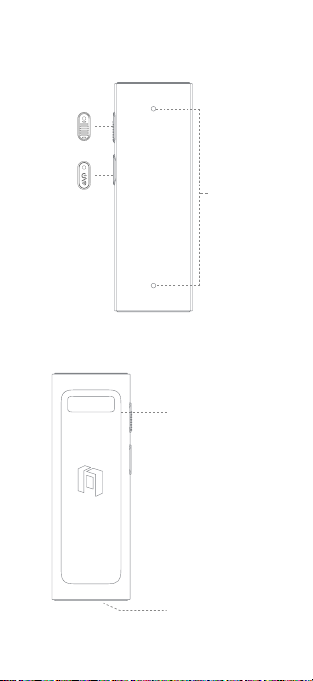
Device composition
Dual microphone
array (high-
sensitivity
digital silicon
microphone)
Front side of AI recorder
Rear side of AI recorder
Record key
On/WiFi fast
transfer key
Magnetic back clip
USB-C
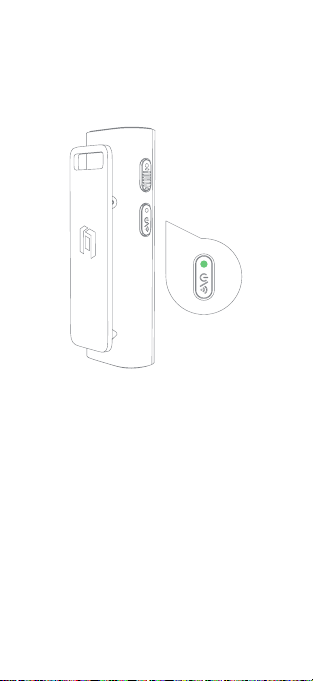
Operation instructions
1. Power on, start button is on in green, APP will
detect device Bluetooth automatically for connection.
2. If device has been connected to mobile phone
Bluetooth, the device will have automatic connection
when detect that Bluetooth is enabled.
Bluetooth pairing
Long press Bluetooth until green indicator flickers
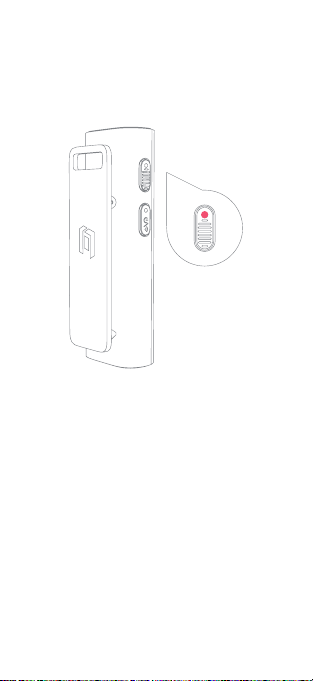
1. Power on, click “Record” and it will shake;
recording is started when red indicator flickers.
2. Click “Record” key again to shake, red indicator
is off and recording is stopped.
Start/stop recording
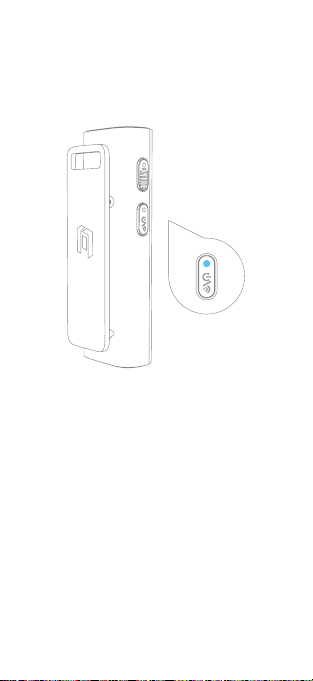
WiFi fast transfer
1. When Bluetooth is connected to mobile phone, click
WiFi button again, WiFi blue indicator is on, which
means WiFi fast transfer is enabled.
2. The APP will detect WiFi automatically for
automatic connection.
3. When APP is connected, enter the device’s folder
for data synchronization.
Turn on WiFi fast transfer to speed up transfer of
record into mobile phone APP

Indicator status
Recording is
completed
Bluetooth
connection
Recording in
process
Wait for Bluetooth
connection
Low power
Power on
Power off
WiFi connecting
WiFi connection
enabled
WiFi connected
OTA upgrading
Charging
Charging
completes
Record key
Red indicator is
off
Green indicator
is normally on
Red indicator
flickers
Green indicator
flickers
Green indicator
is on
Red indicator
is on and then
becomes off
Red indicator
flickers
Blue indicator is
normally on
Yellow indicator
flickers
Red light is
on
Green indicator
is normally on
Blue indicator is
on
Blue indicator
flickers
WiFi on/off
key
WiFi on/off
key (charging)
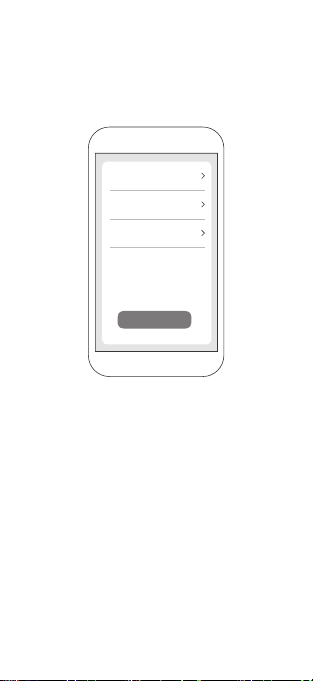
Connect new device
Open mobile phone APP → Bluetooth setting,
click “Unbind device” to connect the recorder to
new mobile phone. The mobile phone can also be
connected to new device.
Operation instructions
v 1.6.2
123 h
Firmware version
Space management
Unbind device

Safety and precautions
Safety and Notice
Important safety message
Please handle the recorder with care to avoid
damage, battery liquid leakage, overheat, fire,
explosion or personal injuries if it falls down, burns,
be pierced, squeezed, dismantled or exposed to high
temperature or liquid, for it contains high-sensitivity
electronic components (including battery). Do not use
if the recorder is damaged.
word mark and trademark are owned
by Bluetooth SIG, INC. Use of this mark by Shenzhen
Tinno Technology Co. Ltd. is subject to the license.
Other trademarks and trade names are owned by the
respective owners.
Battery
Do not attempt to replace the recorder’s battery
to avoid damage, overheat or personal injury.
The battery must be operated by manufacturer or
maintenance institute authorized by manufacturer.
[Warning] Do not put the recorder in high-
temperature environment, such as places with
direct sunlight, open fire, heating, microwave oven
and oven. Do not put the recorder in water to avoid
battery overheat.
USB connection wire and recorder
Avoid long-term contact between skin and plug when
USB connection wire is connected to power supply;
otherwise, discomfort or injury will occur. For example,
do not sit or lean on the USB plug, nor put under the
carpet, pillow or your body when connection line is

inserted into power socket for charging. Please be
careful if your perception of heat is affected.
Please charge the recorder using the charger
permitted by manufacturer; otherwise, fire hazard,
explosion or scald will occur. Do not touch any
exposed metal of USB connection wire when
connecting power supply to avoid electric shock.
Make sure USB connection wire and recorder are
put in dry places during charging, and make sure
USB connection wire and recorder are not immersed
in water; otherwise, electric shock or short circuit
will occur and further lead to fire hazards, explosion
and scald. Stop using the recorder immediately if it
becomes hot; if the recorder becomes hot during
charging, unplug the recorder and USB connection
line from power supply, contact the manufacturer’s
after-sales personnel for solutions, in order to avoid
scald or battery explosion.
Suffocation
Do not swallow or bite the recorder, but keep it
inaccessible to children for it may lead to suffocation
or other injuries of children.
Electronic device
Do not use the recorder where electronic device is
prohibited, for its radio wave may bring interference to
other devices and lead to accidents and hazards. Do
not use the recorder when you take a plane but follow
the regulations of airline, for it may affect the flight
system.
Interference of medical device
The electromagnetic wave may be emitted by
some components and radio of the recorder.
Besides, the recorder also contains magnets. Such
electromagnetic waves and magnets may bring
interference to the pacemaker, defibrillator or other
medical devices. Please follow the rules and turn off
Tabla de contenidos


