
Milkotester ET - W24 Manual de usuario

Milkotester Ltd
Thermostatic device
2
Milkotester dry incubator is very simple to use device for detection on
antibiotics in raw milk. For safe and dependable operation, please follow the
instructions in this manual when operating:
• Verify that the input voltage on the AC Adapter and the plug type
matches the local AC power supply.
• The incubator placed on a firm surface.
• Disconnect the thermostatic device from the power supply when
cleaning it.
• Service should be performed by authorized personnel only.
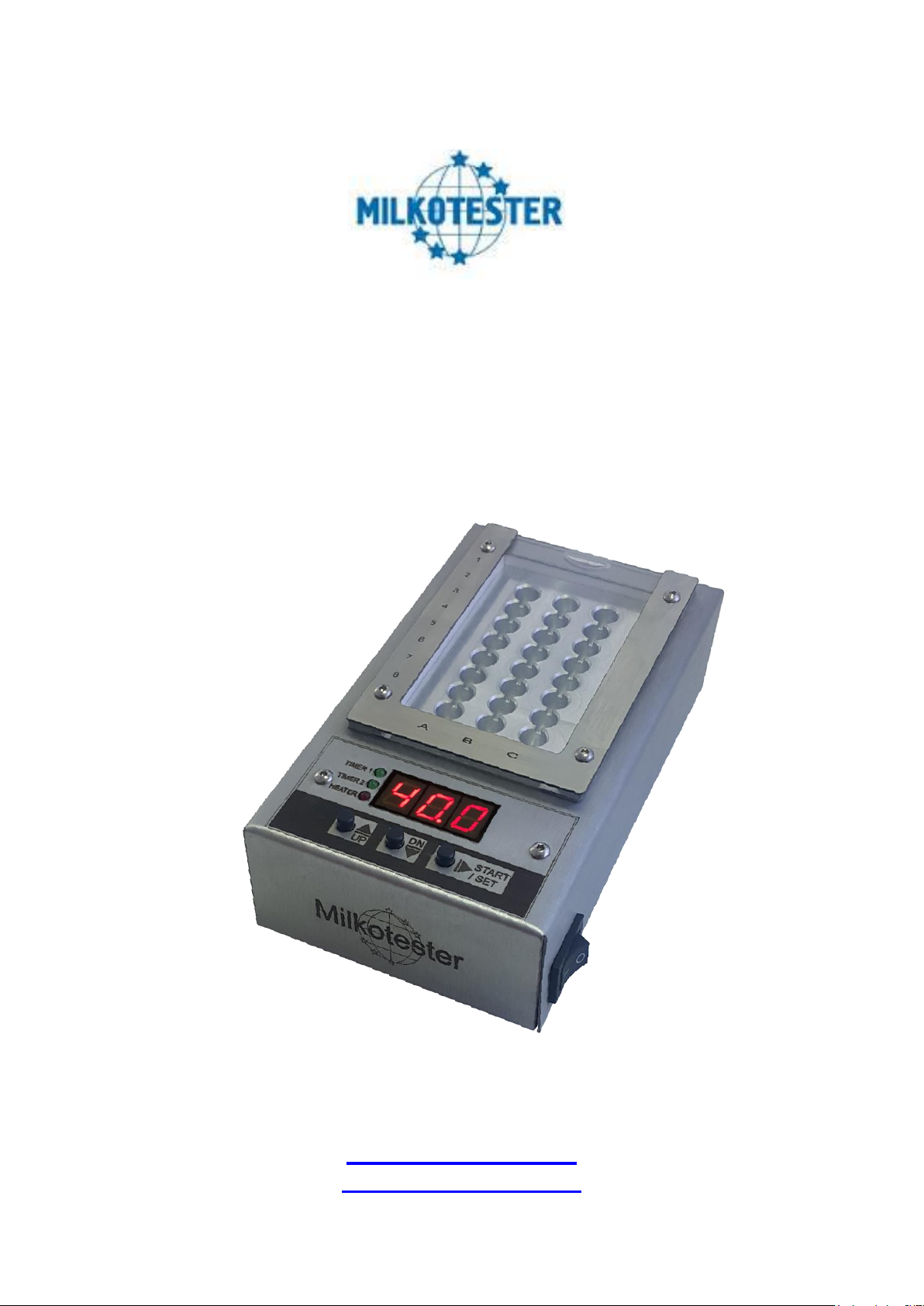
1. Overview functions
1. Green led - shows the status of the timer 1(also in programming mode)
2. Green led - shows the status of the timer 2(also in programming mode)
3. Red led - shows the status of the heater (on-off)
4. Button Up
5. Button Down / Stop
6. Button Start / Set
7. Three digits indication –show temperature/time
1
2
3
4
5
6
7

Milkotester Ltd
Thermostatic device
3
2. Factory settings
Two independent working modes (Mode 1 and Mode 2) are available in
the incubator. Each of them can be set with desired temperature and time. The
temperature setting is in range from 30°C to 80 °C thru 0.10 of degree. Time
range is from 1 min to 600 min, thru one minute. The thermostatic device is
factory set for temperature and time according to the different models.
ET –W24
Temperature
Timer 1
Timer 2
MODE 1
40°C
3min.
3min.
MODE 2
65°C
180min.
DC –W14
Temperature
Timer 1
Timer 2
MODE 1
56°C
10min
MODE 2
64°C
180min.
CH –W12
Temperature
Timer 1
Timer 2
MODE 1
56°C
10min
10min
MODE 2
56°C
10min
10min
BS –W8
Temperature
Timer 1
Timer 2
MODE 1
47.7°C
2min.
3min.
MODE 2
47.7°C
3min.
2min.
Rosa –W2
Temperature
Timer 1
Timer 2
MODE 1
40°C
1min.
MODE 2
56°C
3min.
8min.

Milkotester Ltd
Thermostatic device
4
3. Setting of working mode 1
Enter working mode 1
3.1 The thermostatic device must be turned off from the power supply
3.2 Press the button UP and turn on the power by keeping the button
pressed.
3.3 After 3 sec you will hear sound signal and number 1 will appear on
the display.
4. Setting of working mode 2
Enter working mode 2
4.1 The thermostatic device must be turned off from the power supply
4.2 Press the button DOWN and turn on the power by keeping the
button pressed.
4.3 After 3 sec you will hear sound signal and number 2 will appear on
the display.
1
2
3
1
2
3

Milkotester Ltd
Thermostatic device
5
After you set working mode 1 or 2 you must set the desired time and
temperature.
5. Setting temperature and time
5.1 Turn off the device from the power supply.
5.2 Press the button SET and turn on the power by keeping the button
pressed.
5.3 After 2 seconds on the display will appear SET accompanied with
double sound signal and then release the button. The factory set
temperature will appear on the display.
By pressing the buttons UP and DOWN you can adjust the desired
temperature. Press again the button SET to save the settings and accompanied
with double sound signal, time correction will be done automatically. At
customer’s request two working cycles can be set. The indicator of Timer 1 will
illuminate and the factory set time for cycle 1 will appear on the display. By
buttons UP and DOWN the time can be corrected. To save the changes press
SET. Double sound signal will follow and Timer 2 indicator will illuminate for
correction of the next cycle. Cycle 2 is set as cycle 1.If you do not need second
cycle leave the timer in zeros.
1
2
3
4
5
6
7
8

Milkotester Ltd
Thermostatic device
6
Attention: In entry of mode SET UP, temperature and time values are
reset! When change the temperature to a lower value (for example: from 60 to
40 degrees) you must wait until heater plate gets cooler (switch off the device
for 30 minutes)
6. Operation of the thermostatic device
When the device is switched ON, on the display appears the working
mode:
Mode 1
Mode 2
After 2 sec the device beeps and on the display appears the current
temperature. If indication blinks it means that the adjusted temperature is not
reached. Timer 1 and Timer 2 starting is possible only when the temperature is
adjusted (i.c. indication doesn’t blink)
Timer is started by pressing START as the indicator displays the specified
time and start Timer 1 (timer 1 indicator lights). Time decrease and reaching
000 the device gives an intermitted sound signal and on the display is flashing
“1”. After pressing the START button starts Timer 2, which indicates time. After
time indication appears flashing symbol “2” and intermitted sound signal. The
device waits for pressing the START button to complete the cycle and to go in
mode temperature measurements.
If the button START is not pressed in order to start timer 2 or to finish the
cycle the device for 5 min gives intermittent sound signal and symbol “1” or “2”
is flashing on the display. After that the sound signal stops and the device waits
for pressing the button START in order to start Timer 2 or to finish the cycle.
For the time of waiting device keeps the set temperature depending on
the selected mode.
7. Models thermostatic devices

Milkotester Ltd
Thermostatic device
7
Model
ET –W24
Application
Incubating antibiotic test for raw milk
Compatible test/ tube
Eclipse 50 , Eclipse 100 , Twinsensor
Time range
0 to 600 min.
Temperature range
30°C to 80°C
Working modes
Mode 1
Temperature : 40°C
Timer 1: 3min.
Timer 2: 3min.
Mode 2
Temperature : 65°C
Timer 1: 180min.
Number of wells
24
Electrical parameters
Switching adapter:
Input 100-240 V~1.6A max , 50~60 Hz
12V ~24V
Dimensions ( W x L x H)
160 x 90 x 50 mm
Weight
0.620 kg
Cover Box material
Stainless steel

Milkotester Ltd
Thermostatic device
8
Model
Rosa –W2
Application
Incubating antibiotic test for raw milk
Compatible test/ tube
Charm Rosa
Time range
0 to 600 min.
Temperature range
30°C to 80°C
Working modes
Mode 1
Temperature : 40°C
Timer 1: 1min.
Mode 2
Temperature : 56°C
Timer 1: 3min.
Timer 2: 8min.
Number of wells
2
Electrical parameters
Switching adapter:
Input 100-240 V~1.6A max , 50~60 Hz
12V ~24V
Dimensions ( W x L x H)
190 x 90 x 60 mm
Weight
0.880 kg
Cover Box material
Stainless steel

Milkotester Ltd
Thermostatic device
9
Model
BS –W8
Application
Incubating antibiotic test for raw milk
Compatible test/ tube
Beta Star , Beta Star combo
Time range
0 to 600 min.
Temperature range
30°C to 80°C
Working modes
Mode 1
Temperature : 47°C
Timer 1: 2min.
Timer 2: 3min.
Mode 2
Temperature : 47°C
Timer 1: 3min.
Timer 2: 2min.
Number of wells
8
Electrical parameters
Switching adapter:
Input 100-240 V~1.6A max , 50~60 Hz
12V ~24V
Dimensions ( W x L x H)
160 x 90 x 80 mm
Weight
1.005 kg

Milkotester Ltd
Thermostatic device
10
Cover Box material
Stainless steel
Model
DC –W14
Application
Incubating antibiotic test for raw milk
Compatible test/ tube
Delvotest , Copan
Time range
0 to 600 min.
Temperature range
30°C to 80°C
Working modes
Mode 1
Temperature : 56°C
Timer 1: 10min.
Mode 2
Temperature : 64°C
Timer 1: 180min.
Number of wells
14
Electrical parameters
Switching adapter:
Input 100-240 V~1.6A max , 50~60 Hz
12V ~24V
Dimensions ( W x L x H)
160 x 90 x 80 mm
Weight
1.145 kg
Cover Box material
Stainless steel
Este manual sirve para los siguientes modelos
4
Tabla de contenidos


