
McIntosh MS300 Manual de usuario

Music Server
MS300
User’s Manual
McIntosh Laboratory, Inc. 2 Chambers Street Binghamton, New York 13903-2699 Phone: 607-723-3512 FAX: 607-724-0549

The lightning flash with arrowhead, within
an equilateral triangle, is intended to alert
the user to the presence of uninsulated
“dangerous voltage” within the product’s
enclosure that may be of sufficient
magnitude to constitute a risk of electric
shock to persons.
The exclamation point within an equilateral
triangle is intended to alert the user to
the presence of important operating and
maintenance (servicing) instructions in the
literature accompanying the appliance.
WARNING - TO REDUCE RISK OF FIRE OR
ELECTRICAL SHOCK, DO NOT EXPOSE
THIS EQUIPMENT TO RAIN OR MOISTURE.
NO USER-SERVICEABLE PARTS INSIDE.
REFER SERVICING TO QUALIFIED
PERSONNEL.
To prevent the risk of electric shock, do not remove cover or
back. No user serviceable parts inside.
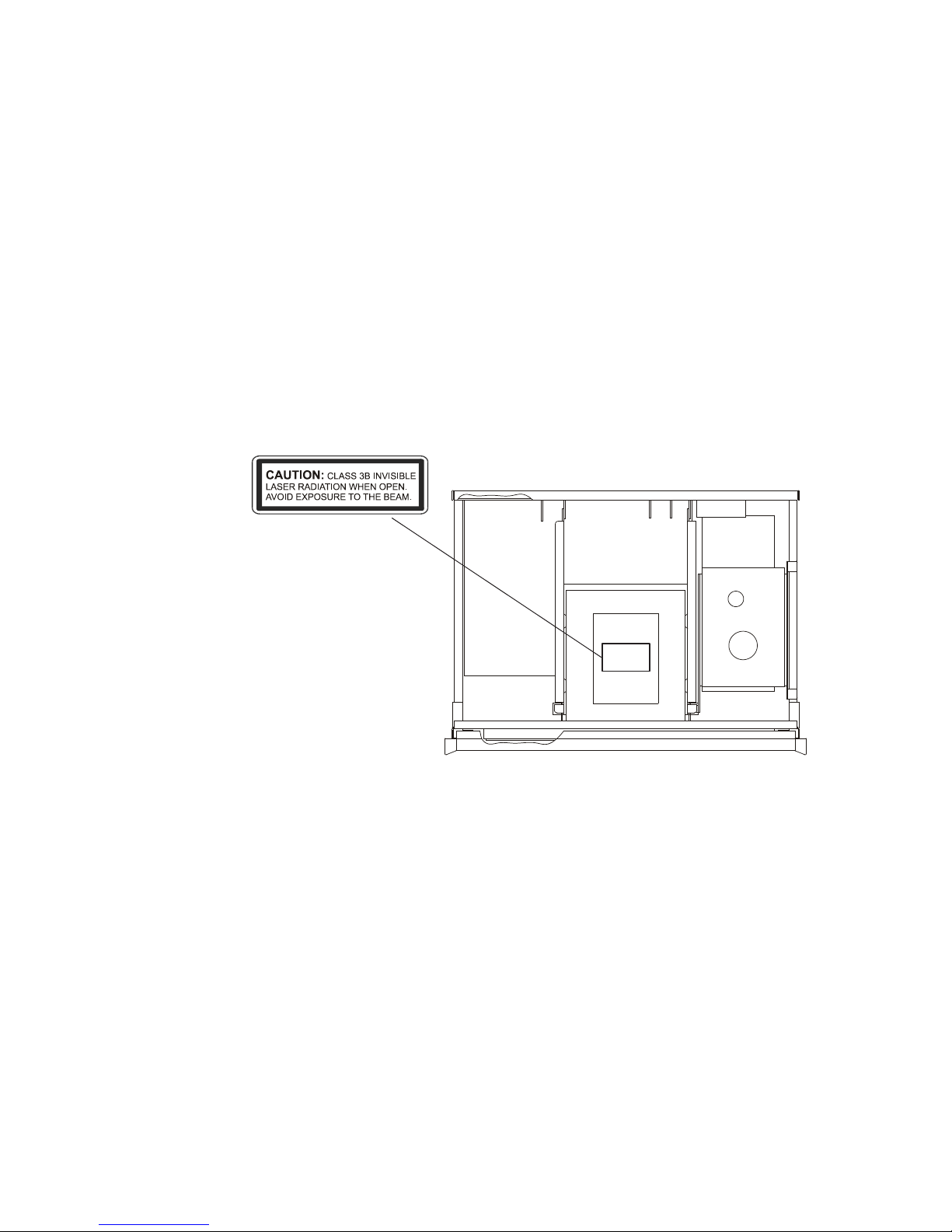
Invisible Laser Radiation when open.
DO NOT stare into the beam or view
directly with optical instruments.
Use of controls or adjustments or
performance of procedures other than
those specified in the Owners Manual
may result in Hazardous Radiation
Exposure.
CAUTION -
This product incorporates an embedded CLASS 3B Laser (IEC60825-1).

IMPORTANT SAFETY
INSTRUCTIONS!
PLEASE READ THEM BEFORE
OPERATING THIS EQUIPMENT.
1. Read these instructions.
2. Keep these instructions.
3. Heed all warnings.
4. Follow all instructions.
5. Do not use this apparatus near water.
6. Clean only with a dry cloth.
7. Do not block any ventilation openings. Install in accordance with the
manufacturer’s instructions.
8. Do not install near any heat sources such as radiators, heat registers, stoves, or
other apparatus (including amplifiers) that produce heat.
9. Do not defeat the safety purpose of the polarized or grounding-type plug. A
polarized plug has two blades with one wider than the other. A grounding type
plug has two blades and a third grounding prong. The wide blade or the third
prong are provided for your safety. If the provided plug does not fit into your
outlet, consult an electrician for replacement of the obsolete outlet.

10. Protect the power cord from being walked on or pinched particularly at plugs,
convenience receptacles, and the point where they exit from the apparatus.
11. Only use attachments/accessories specified by the manufacturer.
12. Use only with the cart, stand, tripod, bracket, or table specified by the
manufacturer, or sold with the apparatus. When a cart is used, use caution when
moving the cart/apparatus combination to avoid injury from tip-over.
13. Unplug this apparatus during lightning storms or when unused for long periods
of time.
14. Refer all servicing to qualified service personnel. Servicing is required when
the apparatus has been damaged in any way, such as power-supply cord or plug
is damaged, liquid has been spilled or objects have fallen into the apparatus,
the apparatus has been exposed to rain or moisture, does not operate normally,
or has been dropped.
15. Do not expose this equipment to dripping or splashing and ensure that no
objects filled with liquids, such as vases, are placed on the equipment.
16. To completely disconnect this equipment from the a.c. mains, disconnect the
power supply cord plug from the a.c. receptacle.
17. The mains plug of the power supply cord shall remain readily operable.
18. Do not expose batteries to excessive heat such as sunshine, fire or the like.

PAGE 2
MS300 User’s Manual
TABLE OF CONTENTS
MS300 USER MANUAL 1
SAFETY INSTRUCTIONS 1B -1C
TABLE OF CONTENTS 2
PRODUCT INTRODUCTION 7
TRADEMARKS & SERVICE MARKS 7
ABOUT THIS MANUAL 8
RECORD YOUR SERIAL NUMBER 8
MANUAL DISCLAIMERS 8
WARNINGS AND PRECAUTIONS 8
WARRANTY INFORMATION 8
CONTACT INFORMATION 9
COPYRIGHT 9
TERMS AND DEFINITIONS 10
SETUP 11
QUICK SETUP GUIDE 11
POWER STATES 12
FRONT PANEL OVERVIEW 13
REAR PANEL OVERVIEW 14
REMOTE CONTROL OVERVIEW 15
ENTERING TEXT WITH THE REMOTE CONTROL 16
Entering Numeric Entry Mode 16
Typing Characters with the Remote 16
GETTING MUSIC INTO MS300 18
RECORDING FROM THE INTERNAL CD 19
RECORDING FROM AN EXTERNAL CHANGER 20
Supported External CD Changers 20
Connecting Sony DVP-CX777ES CD/DVD Changers 21
Connecting Sony Changers 22
THANK YOU
The team at McIntosh
would like to take this
opportunity to thank
you for purchasing
a McIntosh MS300
product. McIntosh is
committed to providing
our customers the
most technologically
advanced, yet easier-
than-ever to use products
that converge the power
of the Internet with
home entertainment.
To maximize your
enjoyment, please take
a few minutes to review
this User’s Manual. It
will guide you through
all the features and
benefits of your new
MS300.
If you should need
assistance please call our
Customer Support Staff
at 866.458.6910
The McIntosh Team

PAGE 3
MS300 User’s Manual
Connecting Kenwood CD/DVD Changers 23
Connecting Pioneer CD/DVD Changers 24
Loading Discs Into Changers 25
Quick Lookup 25
Automatic Bulk Recording 26
Select Tracks to Record 26
IMPORTING MUSIC FILES 27
System Requirements 28
Audio File Requirements 28
Cover Art Image Requirements 28
Importing from a PC 29
Importing from a Mac 30
RECORDING FROM OTHER EXTERNAL SOURCES 32
ERASING CD-RW DISC 33
LISTENING TO MUSIC 34
BROWSING YOUR MUSIC LIBRARY 34
SHOW AND HIDE TRACKS 34
PLAYING THE CURRENT TITLE 35
SELECTING A DIFFERENT SONG 35
CHANGING THE GUIDE VIEW 36
View By Artist 36
View By Title 36
View By Song 37
View By Cover 37
CHANGING THE CURRENT PLAY MODE 37
VIEWING BY GENRE 38
LISTENING TO INTERNET RADIO 39
BROWSING INTERNET RADIO STATIONS 39
PLAYING THE CURRENT STATION 40
TABLE OF CONTENTS

PAGE 4
MS300 User’s Manual
MANAGING YOUR MEDIA 41
CREATING PLAYLISTS 41
CREATING GROUPS 43
ADDING INTERNET RADIO STATIONS 45
UPDATING THE INTERNET RADIO STATIONS LIST 46
EDITING MUSIC INFORMATION 47
Editing Disc Info 47
Automatically Lookup Information for This Disc 48
Searching for the Original Cover 49
Tips for Searching for Covers 49
Selecting an Existing Cover 50
Editing Track Names 51
EDITING RADIO INFORMATION 52
EDITING PLAYLISTS 53
EDITING GROUPS 54
DELETING MUSIC 55
DELETING PLAYLISTS 56
DELETING GROUPS 57
CREATING CDS 58
CREATING A CUSTOM MIX CD 58
DUPLICATING A CD 60
RECORDING FROM AN EXTERNAL SOURCE 61
SETTING USER PREFERENCES 62
SETTING THE SCREEN SAVER PREFERENCES 62
Activation Idle Time 62
Mode 62
PHOTO SCREEN SAVER MODE 63
SETTING YOUR TIME ZONE 64
SETTING YOUR ZIP CODE 65
ENABLING PASSWORD PROTECTION 66
CHOOSING YOUR NETWORK CONNECTION 67
TABLE OF CONTENTS

PAGE 5
MS300 User’s Manual
Testing the Your Connection 68
Ethernet Settings 69
Dialup Settings 70
SETTING THE MS300 SERVER SETTINGS 71
CONFIGURING A MS300 SERVER 72
CONFIGURING A MS300 CLIENT 72
PEER TO PEER MUSIC SHARING 73
SELECTING THE AUDIO ENCODER TYPE 74
SETTING THE DISC INSERT PREFERENCES 75
VIDEO OUTPUT PREFERENCES 76
Centering the MS300 Screen 77
Adjusting your TV’s Brightness 78
Adjusting your TV’s Contrast 79
Adjusting your TV’s Sharpness 80
Adjusting your TV’s Color and Tint 81
LOOKING UP DISC INFORMATION 82
Automatically Getting Disc Information 83
Getting Disc Information for a Range of Discs 84
Getting Disc Information for All Discs 85
RECORDING FROM EXTERNAL CHANGERS 86
Automatically Recording CDs 87
Recording a Range of CDs 88
Recording All CDs 89
CONTROLLING MS300 FROM OTHER DEVICES 90
MS300 UTILITIES 91
Restarting the System 92
Updating the Software 93
CONTROLLING MS300 FROM A WEB BROWSER 94
SETTING UP THE MS300 WEB SERVER 94
USING THE WEB USER INTERFACE 94
TABLE OF CONTENTS

PAGE 6
MS300 User’s Manual
CONNECTING TO YOUR MS300 USING A WEB BROWSER 95
USING THE WEB USER INTERFACE 95
USING THE WEB BROWSER AS A MUSIC CLIENT 96
BACKUP AND RESTORE 97
MS300 MUSIC BACKUP 97
MS300 MUSIC RESTORE 97
TROUBLESHOOTING 98
NETWORK PROBLEMS 98
SOFTWARE UPDATE PROBLEMS 98
RECORDING PROBLEMS 98
ADDITIONAL INFORMATION 99
McINTOSH PRODUCT SUPPORT 99
SPECIFICATIONS 100
Audio Specifications 100
Video Specifications 100
General Specifications 100
FCC Part 15, Subpart B 101
GRACENOTE® END-USER LICENSE AGREEMENT 102
PACKING INSTRUCTIONS 104
TABLE OF CONTENTS
Otros manuales para MS300
3
Tabla de contenidos
Otros manuales de Servidor de McIntosh


