
MAXTEK DBW02 Manual de usuario

USER GUIDE
DAB & FM Radio
MODEL NUMBER: DBW02
After Sales Support
UK/N.IRELAND HELPLINE NO:
REP.IRELAND HELPLINE NO:
WEBSITE:
EMAIL:
01270 508538
1800 995 036
www.quesh.co.uk

Contents
After Sales Support
UK/N.IRELAND HELPLINE NO:
REP.IRELAND HELPLINE NO:
WEBSITE:
EMAIL:
01270 508538
1800 995 036
www.quesh.co.uk
1.
2.
3.
4.
5.
6.
6.
7.
8.
8.
9.
10.
12.
13.
14.
15.
Welcome Section
Contents & Features
Controls
Setup
Selecting DAB Station / Saving a Preset
Selecting a Preset
Auto tuning DAB / Manually tuning DAB
Auto tuning FM / Manually tuning FM
DAB / FM Information
Reset
Manually Setting Time/Date
Setting the Alarm
Setting the Sleep Mode
Backlight
Setting the Language / Prune Function
DRC Function

Welcome Section
Congratulations!
You have made an excellent choice with the purchase of this quality
MAXTEK®product.
By doing so you now have the assurance and peace of mind which
comes from purchasing a product that has been manufactured to
the highest standards of performance and safety, supported by the
high quality standards of Quesh Ltd.
We want you to be completely satised with your purchase so this
MAXTEK®product is backed by a comprehensive manufacturer’s
3 year warranty and outstanding after sales service through our
dedicated helpline.
We hope you enjoy using this product for many years to come.
If you require technical support or in the unlikely event that your
purchase is faulty, please telephone our helpline for immediate
assistance. Faulty product claims made within the 3 year warranty
period will be repaired or replaced free of charge provided that you
have a satisfactory proof of purchase (keep your receipt safe).
This does not affect your statutory rights. However be aware that the
warranty will become null and void if the product is found to have
been deliberately damaged, misused and/or disassembled.
1
After Sales Support
UK/N.IRELAND HELPLINE NO:
REP.IRELAND HELPLINE NO:
WEBSITE:
EMAIL:
01270 508538
1800 995 036
www.quesh.co.uk

After Sales Support
UK/N.IRELAND HELPLINE NO:
REP.IRELAND HELPLINE NO:
WEBSITE:
EMAIL:
01270 508538
1800 995 036
www.quesh.co.uk
2
Contents & Features
Contents
1 x DAB & FM radio
1 x 9V mains adaptor
Features
•DABreceiver(174MHz-240MHz)
•FMreceiver(87.5MHz-108.00MHz)
•Stores10FMpresets
•Stores10DABpresets
•9vmainsadaptor(included)
•Autoadjustingclock
•BlueLEDbacklightdisplay
•Monosound(1x5Wspeaker)
•Telescopicaerial
•3.5mmheadphoneport

3
After Sales Support
UK/N.IRELAND HELPLINE NO:
REP.IRELAND HELPLINE NO:
WEBSITE:
EMAIL:
01270 508538
1800 995 036
www.quesh.co.uk
Controls
Telescopic Aerial
DC 9 V IN
IN FO MO DE
BA CKL IGHT
SLEEP
VO L-
ME MOR Y
ALARM/
SN OOZ E
ME NU
OK
VO L+
DC 9 V IN
IN FO MO DE
BA CKL IGHT
SLEEP
VO L-
ME MOR Y
ALARM/
SN OOZ E
ME NU
OK
VO L+
Headphone Port
DC in port
AlarmSnooze
On/Off
Decrease Volume
Increase Volume
Mode
Menu
LED Display
Backlight
Sleep Menu
Information
Memory Menu
Tuner / OK

4
After Sales Support
UK/N.IRELAND HELPLINE NO:
REP.IRELAND HELPLINE NO:
WEBSITE:
EMAIL:
01270 508538
1800 995 036
www.quesh.co.uk
Setup
First time use
After removing the radio from the packaging, fully extend the
telescopic aerial and connect the mains adaptor to the mains outlet
and the power lead to the ‘DC in’ socket located on the back of the
radio.
The radio will automatically turn on and you will see the welcome
screen displayed on the front briey.
The radio will perform a full scan of the DAB frequencies available.
The scan progress and the number of DAB stations found will be
shown on the display.
The date and time will automatically be set by the DAB signal the
radio is receiving. If your radio is in a poor signal area, the date and
time will not be set and you will see a message on the display.
You can set the time manually through the ‘System’ menu.
This will also mean you can only use the radio in FM mode as the
DAB signal is not strong enough for the radio to receive stations.
After the date and time has been set the radio will ready to use.

5
After Sales Support
UK/N.IRELAND HELPLINE NO:
REP.IRELAND HELPLINE NO:
WEBSITE:
EMAIL:
01270 508538
1800 995 036
www.quesh.co.uk
Instructions
Selecting a DAB station
Turn the ‘Scroll’ dial either clockwise or anti clockwise to cycle
through the available stations. All the stations are displayed in
alphabetical order.
Once you have found the required DAB/FM station to listen to, press
the ‘Scroll/OK’ dial to select it. The station will only change once it has
been selected, so you can browse the available stations without
disturbing the current selected station.
Saving a DAB/FM station
Press ‘Memory’ when you have tuned the radio on to a required
station in DAB or FM mode. The display will show the ‘Preset Recall’
message.
Turn the scroll dial to select a slot (1 to 10) and press and hold the
scroll dial in to save the preset.You will see the saved message on the
screen conrming the preset has been stored.
.

6
After Sales Support
UK/N.IRELAND HELPLINE NO:
REP.IRELAND HELPLINE NO:
WEBSITE:
EMAIL:
01270 508538
1800 995 036
www.quesh.co.uk
Selecting a preset DAB/FM station
Press the ‘Memory’ button, scroll through the saved presets by
turning the ‘Scroll’ dial. To select a preset press the ‘Scroll’ dial to
select the required saved preset.
Auto Tune DAB
To fully retune all of the available stations on DAB press the ‘Menu’
button. This will show you the scan option on the display. Press the
‘Scroll’ dial select the ‘Full Scan’ option.
The radio will now scan through all the available channels.
All the channels found will be shown in alphabetical order.
Manually Tune DAB
To manually tune the radio, press ‘Menu’ button and turn the ‘Scroll’
dial till ‘Manual Tune’ is displayed. Press the ‘Scroll’ dial to select.
Rotate the ‘Scroll’ dial in either direction to tune the radio in.This helps
in poor signal areas to get a clear signal. Repeat the storing a preset
procedure to save the current tuning.
Instructions

7
After Sales Support
UK/N.IRELAND HELPLINE NO:
REP.IRELAND HELPLINE NO:
WEBSITE:
EMAIL:
01270 508538
1800 995 036
www.quesh.co.uk
Instructions
Auto Tune FM
To auto tune to the next available radio station press and hold the
‘Scroll’ button for 3 seconds. This will start the radio to auto scan.
The scan will always stop and the next received signal. Repeat the
storing preset procedure to save the current station.
You can change between all stations and strong station for the FM
scan by pressing the ‘Menu’ button and selecting ‘Scan Setting’ with
the ‘Scroll’ dial.
Rotate the ‘Scroll’ dial to select either ‘Strong Stations’ or ‘All Stations’
and press the ‘Scroll’ dial to conrm the required selection.
The asterik in the top right corner indicates current selection.
You will be sent to the previous menu once a selection has been
made. Press the ‘Menu’ button to return to the main screen.
Manually Tune FM
Rotate the ‘Scroll’ dial in either direction to tune the radio in FM mode.
This helps in poor signal areas to get a clear signal. Repeat the
storing preset procedure to save the current station.
8
After Sales Support
UK/N.IRELAND HELPLINE NO:
REP.IRELAND HELPLINE NO:
WEBSITE:
EMAIL:
01270 508538
1800 995 036
www.quesh.co.uk
Reset
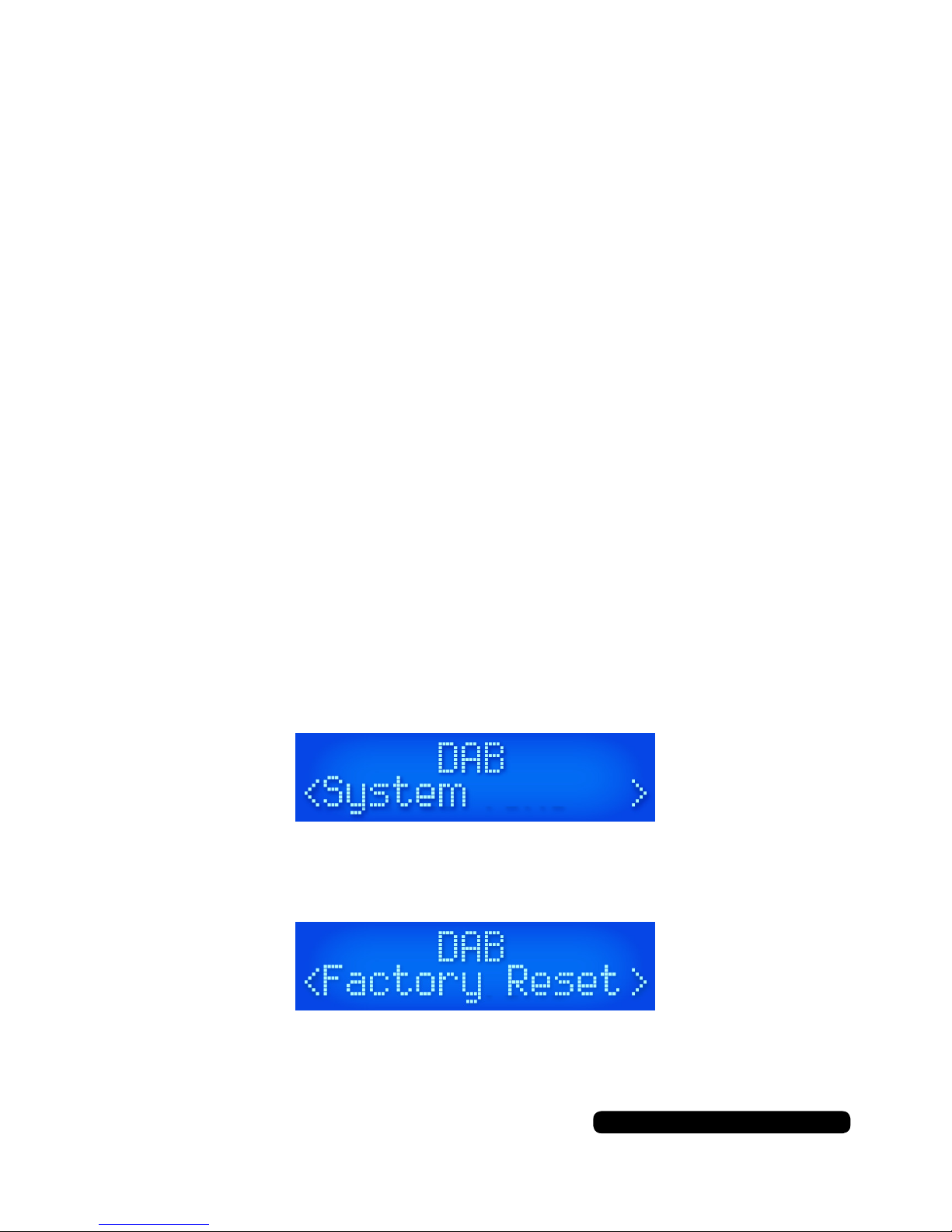
To reset the unit press the ‘Menu’ button, scroll through the options
with the ‘Scroll’ dial and select ‘System’ by pressing the ‘Scroll’ dial.
Scroll through the menu options as before and select
‘Factory Reset’.
Scroll to select ‘Yes’ and conrm by pressing the ‘Scroll’ dial. The
radio will restore itself to the original factory settings.
This will clear any presets saved and reset the time and date.
DAB
•NowPlaying
•SignalStrength
•Musicgenre
•National/Localdesignation
•MHzFrequency
•SignalErrors
•Kbpsdatatransferrate
•Time
•Date
FM
•NowPlaying
•StationName
•Musicgenre
•Mono/Stereo
•Time
•Date
Instructions
DAB/FM information
When listening in DAB or FM mode you can cycle through the
available information from the broadcasting service by pressing the
‘Info’ button.
The information cycle:
Tabla de contenidos
Otros manuales de Radio de MAXTEK


