
Matrix SATATYA Manual de usuario
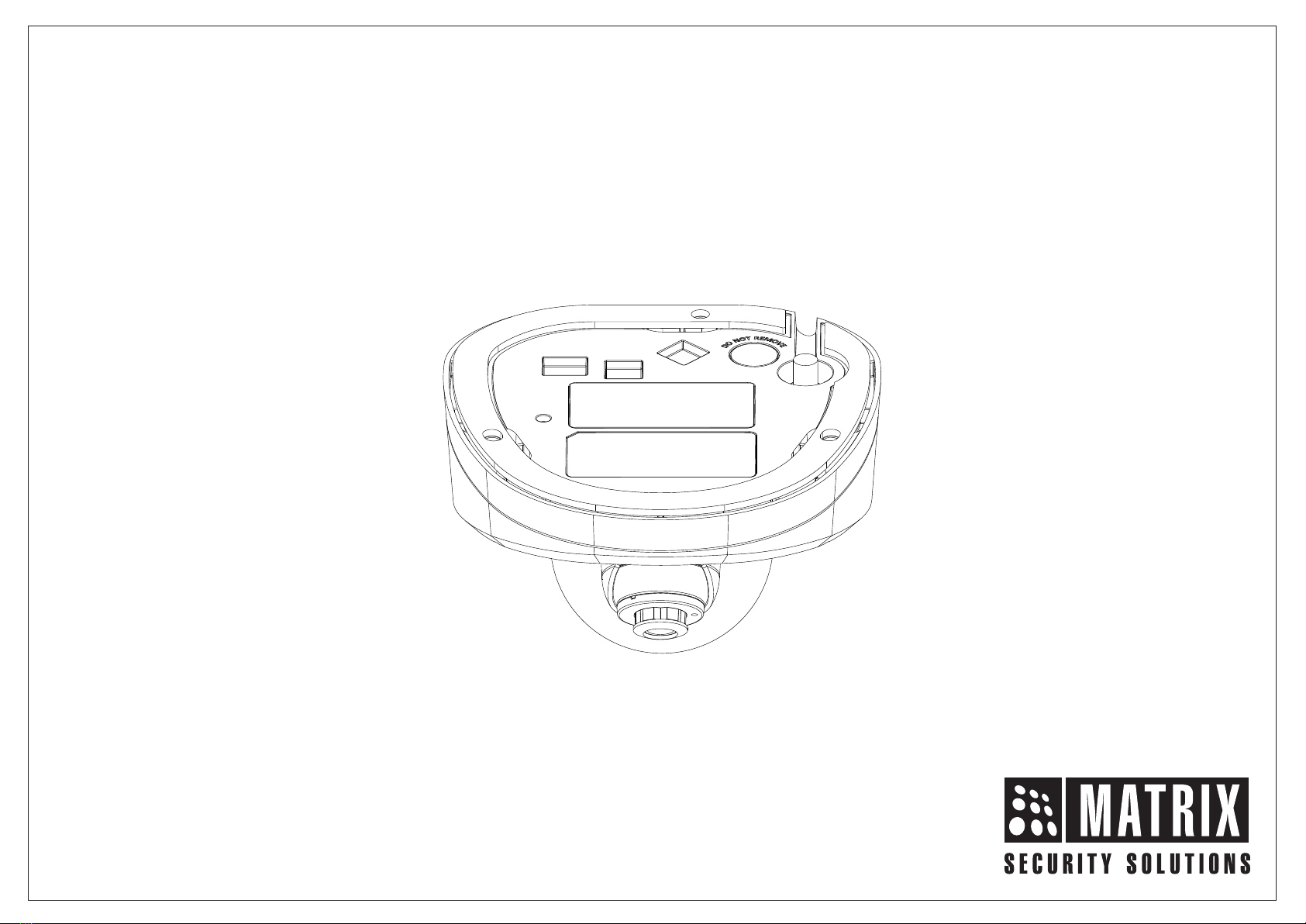
SATATYA Ruggedized IP-Camera
The Persistent Vision

Safety Instructions
Cautions
Warning
Consignes de sécurité
These instructions are intended to ensure that the user can
use the product correctly to avoid danger or property loss.
•Ensure that the power supply voltage is correct before using the
camera.
•Avoid placing cables too close to magnetic or high voltage
devices, to reduce undesirable image noise.
•Do not touch sensor modules with fingers. For cleaning use
‘clean cloth’ and wipe it gently.
•Do not mount the camera with the lens facing the sun or bright
light to prevent damage to the sensor.
•Do not expose the camera to temperatures below or beyond its
operating temperature.
•Do not mount the camera near a radiator or a heater.
•In the use of the product, you must be in strict compliance with
the electrical safety regulations of the region and nation.
•Do not connect several devices to one power adapter as it may
cause over-heating or fire hazard.
•If smoke, odour or noise rise from the device, turn off the power at
once and unplug the power cable, and contact the nearest service
center.
•To prevent electrical shock, turn off power supply before making
electrical connections.
Précautions
Attention
Ces instructions ont pour but de garantir que l'utilisateur peut Utilisez
le produit correctement pour éviter tout danger ou perte de propriété.
•Vérifiez que la tension d'alimentation est correcte avant d'utiliser
l'appareil photo.
•Évitez de placer des câbles trop près d'une tension magnétique
ou élevée périphériques, pour réduire le bruit d'image indésirable.
•Ne touchez pas les modules de capteur avec les doigts. Pour le
nettoyage, utilisez nettoyer chiffon et essuyez-le doucement.
•Ne montez pas l'appareil photo avec l'objectif dirigé vers le soleil
ou vers lumière pour éviter d'endommager le capteur.
•N'exposez pas l'appareil photo à des températures inférieures ou
supérieures à ses température de fonctionnement.
•Ne montez pas la caméra à proximité d'un radiateur ou d'un
appareil de chauffage.
•Dans l'utilisation du produit, vous devez être en stricte conformité
avec les réglementations de sécurité électrique de la région et de
la nation.
•Ne connectez pas plusieurs périphériques à un seul adaptateur
secteur, provoquer une surchauffe ou un risque d'incendie.
•Si de la fumée, des odeurs ou du bruit émanent de l'appareil,
éteignez-le une fois, débranchez le câble d'alimentation et
contactez le service d'assistance le plus proche centre.
•Pour éviter un choc électrique, éteignez l'alimentation avant de
connections electriques.
4
3

What your Package Contains
Know your Camera
Powering the Camera
Accessing via Web Browser
6
Camera Variants
Installation Instructions
Network Configuration
Technical Specification
Figure 1
Contents
Please read this guide first for correct installation and retain it for future reference. The
information in this guide is prevailing at the time of publication. However, Matrix Comsec
reserves the right to make changes in product design and specifications without prior
notice.
Copyright
All rights reserved. No part of this document may be copied or reproduced in any form or
by any means without the prior written consent of Matrix Comsec.
Warranty
Limited Warranty. Valid only if primary protection is provided, mains supply is within limit
and protected, and environment conditions maintained within product specifications.
Complete warranty statement is available on our website:
www.matrixvideosurveillance.com
Things you will Need
Installing Mounting Template
Mounting the Bottom Enclosure
Adjusting Camera Angle
Know your Camera
1. Cable Guide
2. Cable Assembly
3. Damping Rubber
4. Bottom Enclosure
5. Top Enclosure
6. Dome Glass Cover
7. Hole for Mounting
9
10
7
7
12
14
22
24
7
25
29
6
Accessing the Reset Switch and SD Card
17
5
1
2
3
6
4
5
7
Mounting the Camera
18
Connecting the Camera 20

What your Package Contains
Things you will Need
Camera Variants
The SATATYA Ruggedized Camera’s Premium variants are:
•2MP variants with 2.8mm, 3.6mm and 6.0mm fixed focal length.
•5MP variants with 2.8mm, 4.0mm and 6.0mm fixed focal length.
7
•SATATYA Ruggediszed IP Camera Unit
•Wall Mounting Template
•Wall Mounting Screws with Screw Grip (3 nos.)
•Cable Accessories
•Allen Key
•A Power Drill, Screwdriver Set, Pliers, Wire-cutter, Ladder.
•Necessary Cabling.
You can capture near and broader view with lens of 2.8mm
and 3.6/4 mm focal length. For example it can be used in ATM
and Elevators.
With lens of 6 mm focal length, far and narrow view can be
captured. For example it can be used in corridors or long
passage to capture long view.
8
The available camera variants are listed in the table below:
2MP Camera Variants
5MP Camera Variants
Type of Lens Focal Length
Fixed
Variants
Fixed
Fixed
3.6mm
6.0mm
2.8mm
RIDR20FL36CWP
RIDR20FL60CWP
RIDR20FL28CWP
Type of Lens Focal Length
Fixed
Variants
Fixed
Fixed
4.0mm
6.0mm
2.8mm
RIDR50FL40CWP
RIDR50FL60CWP
RIDR50FL28CWP

Step 1: Select a Location
•Select a suitable location for your camera to enable coverage of
the intended surveillance area. The location should preferably be
a flat surface, such as a Wall or a Ceiling.
Before you start
Please make sure,
•The device in the package is in good condition and all the
assembly parts are included.
•All the related equipments are powered-off before installation.
•The wall or ceiling is strong enough to support the weight of
camera.
Installation Instructions
Step 2: Prepare for Installation
•Make sure you arrange a cable suitable for both power and data
transmission. This cable should have a M12 4-PIN Male
connector on one end for the camera and an appropriate
connector on the other end for the Mobile NVR device or client.
Additionally, confirm that the cable is rated for power
requirements of the camera.
•Provide proper connectivity between camera and recording
location through LAN cable.
•It is advisable to make concealed wiring. However, wiring can
also be done externally.
910
•Stick the Mounting Template at the exact location of camera
installation. The location can be a Ceiling or a Wall.
•Drill three holes through the markings provided on the Mounting
Template on Wall or Ceiling.
•Insert the screw grips in the holes you drilled, see Figure 2.
•In case of concealed wiring, a separate hole has to be drilled in the
center for cable outlet.
Step 3: Installing Mounting Template
For External Cabling:
•Pull the cable out through the cable guide, sideways to the camera,
see Figure 3a.
For Concealed Cabling:
•Insert the main-cabling through the center hole and make proper
connection with LAN Cable, see Figure 3b.
Step 4: Arranging the cables
Figure 2
Hole for Concealed Wiring
Wall/Ceiling
Mounting
Template

12
Figure 3a
Figure 3b
11
•To mount the camera, you need to detach the Top Enclosure.
•Use the Allen Key to loosen the Retainer screws on three sides of
the camera body, as shown in Figure 4a.
•The Retainer screws will still remain loosely connected.
•Now, pull the Top Enclosure downwards. The Top and Bottom
Enclosures are detached.
Step 5: Mounting the Bottom Enclosure
Figure 4a
Botttom
Enclosure
Top
Enclosure
Allen
Key

•Align the Bottom Enclosure with the mounting screw holes drilled
earlier.
•Now, affix the Bottom Enclosure with the three screws provided
along with the camera, see Figure 4b and Figure 5.
Figure 4b
Figure 5
Bottom Enclosure
Wall/Ceiling
Step 6: Adjusting Camera Angle
Before you affix the camera Top Enclosure, you need to set the desired
angle and position of the camera.
Figure 6
Loosen the camera screw with the help of a screwdriver, see
Figure 6. Make sure you do not turn the screw more than 3 to 4
turns, else it may result in free fall.
14
13

15 16
PAN / Tilt / Rotation
0 0
For PAN Movement you can move the camera angle from -30 to +30 .
For Tilt Movement, you can move the camera angle from minimum -
0 0
10 to maximum +90 .
30°
30°
Figure 7
Figure 8
0 0.
For Rotation, you can move the camera angle from -175 to +175
After you set the PAN, Tilt and Rotation angles, tighten the camera
screw.
Figure 9
Figure 10
17 18
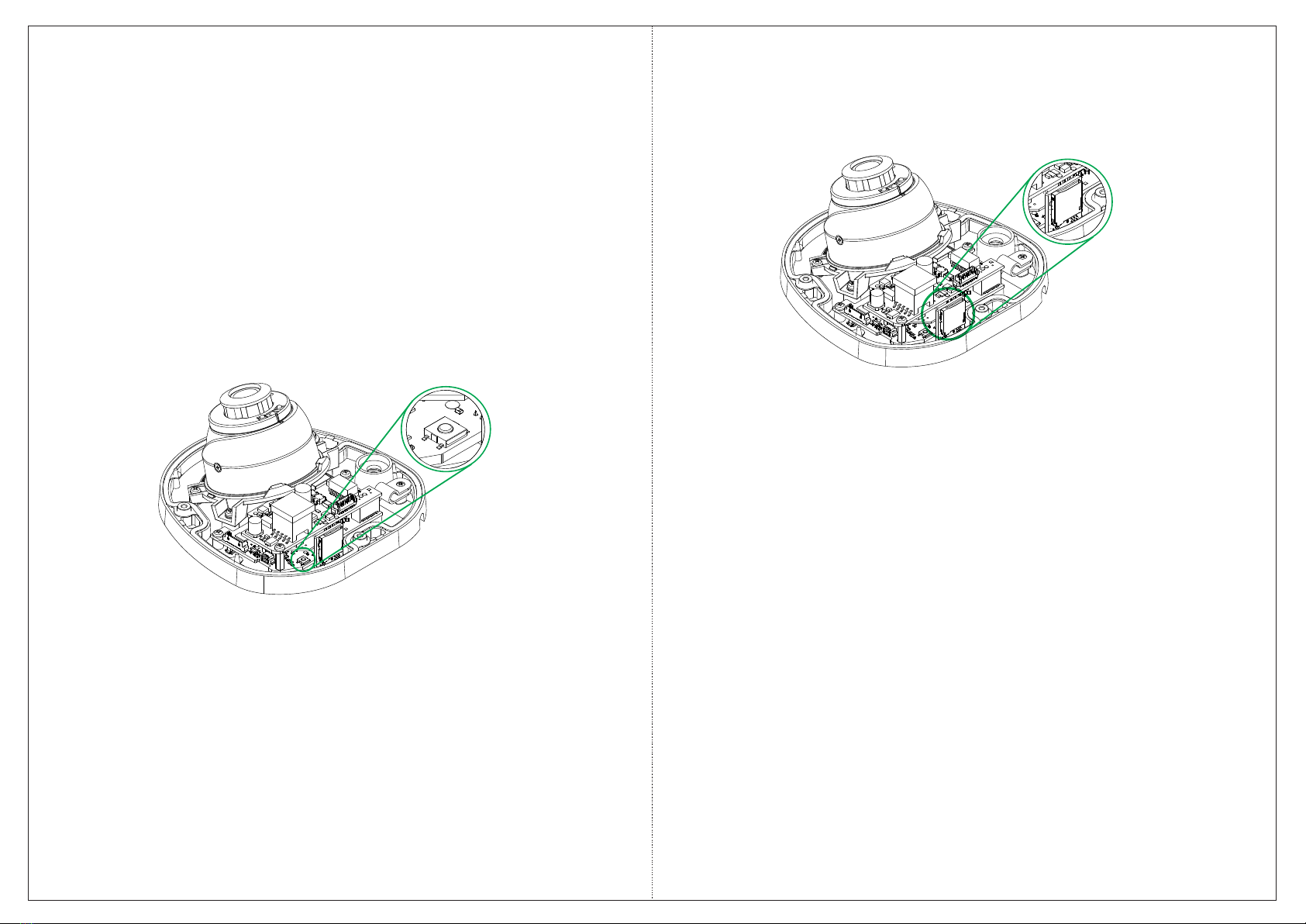
If you forget the IP address or login credentials of camera then the
camera can be reset to factory default settings using the reset switch.
Ÿ The Reset switch is located as shown in Figure 11a. Press the Reset
switch for minimum 5 sec and release the switch to reset the camera
to default settings.
Step 7: Accessing the Reset Switch and SD Card Slot
Figure 11a
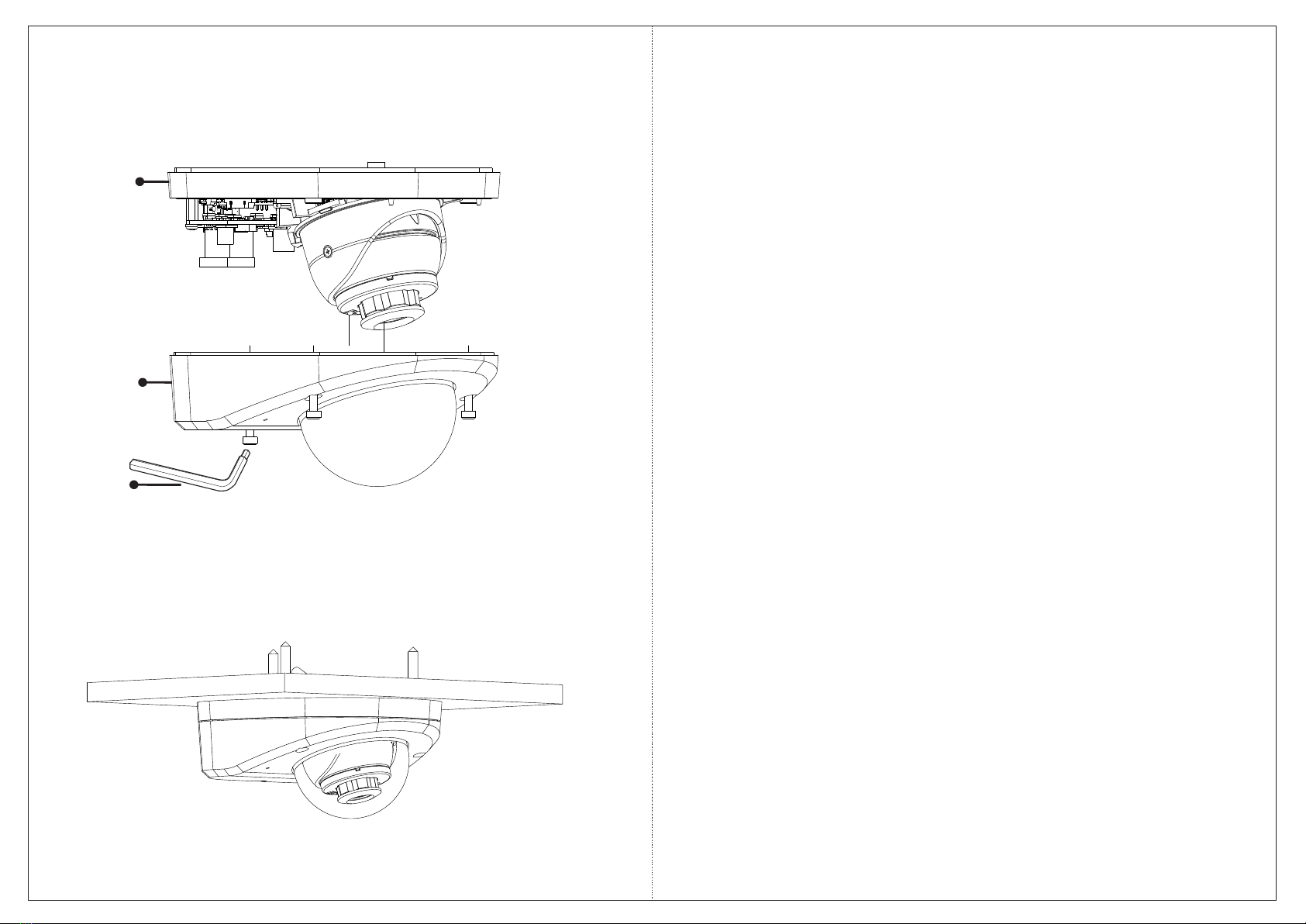
Ÿ You can insert the SD card in the slot to store your camera recordings,
see Figure 11b.
Step 8: Mount the Camera
•Align the Top Enclosure with Bottom Enclosure.
•Affix Top Enclosure with the Bottom Enclosure and tighten the
Retainer screws using the Allen Key, see Figure 12.
•The Top and Bottom Enclosures are affixed together, see
Figure 13.
Figure 11b
20
19
Figure 12
Figure 13
Botttom
Enclosure
Top
Enclosure
1. Power: Connect the M12 4-Pin Male connector of the cable to the
M12 4-Pin Female connector of the camera cable. Make sure the
pins are aligned, and if there is a threaded connection, make sure
you secure it properly as M12 connectors often have threaded
design for secure connection.
Connect the other end of the M12 4-Pin Male connector cable to the
Mobile NVR device or client. Make sure the pins are aligned and
secure the connection.
OR
You can also connect a 12V DC Adapter (not provided by Matrix) to
power the camera. Make sure you use a BIS, CE, ROHS and FCC
approved Adapter.
2. Audio Input: You can connect the Audio Input device such as
Mike to the Audio input cable of the camera. The audio when
enabled will be recorded with the video and will be available at the
monitoring location.
3. Audio Output: You can connect the Audio Output device such as
Earphone or Speaker to the Audio Output cable of the camera. This
will generate audio received from the network.
4. Alarm IN: To detect alarm events you can connect a Sensor
Device to the Alarm IN cable of the camera.
5. Alarm OUT: To get alerts on alarm you can connect the alarm
sounding device such as hooter or siren to the Alarm OUT cable of
the camera.
Connecting the Camera
Allen
Key
Otros manuales para SATATYA
2
Tabla de contenidos
Otros manuales de Cámara IP de Matrix


