Marantz professional PMD660 Manual de usuario

Model PMD660 User Guide
Portable Solid State Recorder

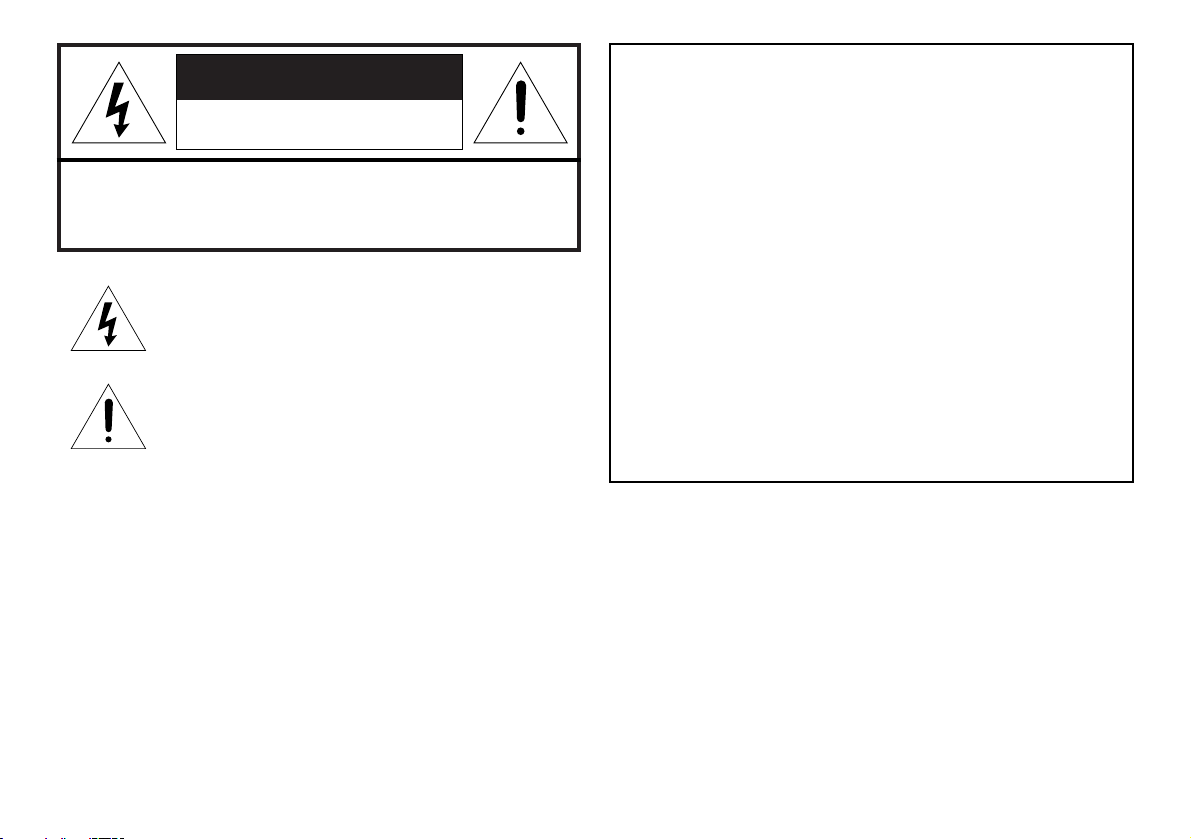
CAUTION
RISK OF ELECTRIC SHOCK
DO NOT OPEN
CAUTION: TO REDUCE THE RISK OF ELECTRIC SHOCK,
DO NOT REMOVE COVER (OR BACK).
NO USER-SERVICEABLE PARTS INSIDE.
REFER SERVICING TO QUALIFIED SERVICE PERSONNEL.
The lightning flash with arrowhead symbol within an
equilateral triangle is intended to alert the user to the
presence of uninsulated "dangerous voltage" within the
product's enclosure. It may be of sufficient magnitude to
constitute a risk of electric shock to persons.
The exclamation point within an equilateral triangle is
intended to alert the user to the presence of important
operating and maintenance (servicing) instructions in the
literature accompanying the product.
WARNING
TO REDUCE THE RISK OF FIRE OR ELECTRIC SHOCK,
DO NOT EXPOSE THIS PRODUCT TO RAIN OR MOISTURE.
CAUTION:
USE OF CONTROLS OR ADJUSTMENTS OR PERFORMANCE
OF PROCEDURES OTHER THAN THOSE SPECIFIED HEREIN
MAY RESULT IN HAZARDOUS RADIATION EXPOSURE.
WARNINGS
Do not expose the equipment to rain or moisture.
Do not remove the cover from the equipment.
Do not insert anything into the equipment through the ventilation
holes.
Do not handle the mains lead with wet hands.
Do not cover the ventilation with any items such as tablecloths,
newspapers, curtains, etc.
No naked flame sources, such as lighted candles, should be placed
on the equipment.
When disposing of used batteries, please comply with governmental
regulations or environmental public instruction’s rules that apply in
your country or area.
Do not place anything about 0.1 meter above the top panel.
Make a space of about 0.1 meter around the unit.
No objects filled with liquids, such as vases, shall be placed on the
apparatus.
When the switch is in the OFF position, the equipment is not
completely switched off from MAINS.
Copyright
Recording and playback of any material may require consent. For further
information refer to the following US ordinances:
• Copyright act of 1956
• Dramatic and Musical Performance Act 1958
• Performers Protection Acts 1963 and 1972
• any subsequent statutory enactments and orders

IMPORTANT SAFETY
INSTRUCTIONS
READ BEFORE OPERATING EQUIPMENT
This product was designed and manufactured to meet strict quality and
safety standards. There are, however, some installation and operation
precautions which you should be particularly aware of.
1. Read these instructions.
2. Keep these instructions.
3. Heed all warnings.
4. Follow all instructions.
5. Do not use this apparatus near water.
6. Clean only with dry cloth.
7. Do not block any ventilation openings. Install in accordance with the
manufacture’s instructions.
8. Do not install near any heat sources such as radiators, heat
registers, stoves, or other apparatus (including amplifiers) that
produce heat.
9. Do not defeat the safety purpose of the polarized or grounding-type
plug. A polarized plug has two blades with one wider
than the other. A grounding type plug has two
blades and a third grounding prong. The wide blade
or the third prong are provided for your safety. If the
provided plug does not fit into your outlet, consult an
electrician for replacement of the obsolete outlet.
10. Protect the power cord from being walked on or pinched particularly
at plugs, convenience receptacles, and the point where they exit
from the apparatus.
11. Only use attachments/accessories specified by the manufacturer.
12. Use only with the cart, stand, tripod, bracket, or table specified by
the manufacturer, or sold with the apparatus. When a cart is used,
use caution when moving the cart/apparatus combination to avoid
injury from tip-over.
13. Unplug this apparatus during lightning storms or when unused for
long periods of time.
14. Refer all servicing to qualified service personnel. Servicing is
required when the apparatus has been damaged in any way, such
as power-supply cord or plug is damaged, liquid has been spilled or
objects have fallen into the apparatus, the apparatus has been
exposed to rain or moisture, does not operate normally, or has
been dropped.
Additional Safety Information!
• This product should not be placed in a built-in installation such as a
bookcase or rack unless proper ventilation is provided or the
manufacturer’s instructions have been adhered to.
• Apparatus shall not be exposed to dripping or splashing and that no
objects filled with liquids, such as vases, shall be placed on the
apparatus.
• When the switch is in the OFF position, the apparatus isn’t
completely switched-off from the MAINS.

NOTE TO CATV SYSTEM INSTALLER:
This reminder is provided to call the CATV (Cable-TV) system installer's
attention to Article 820-40 of the NEC, which provides guidelines for
proper grounding and, in particular, specifies that the cable ground shall
be connected to the grounding system of the building, as close to the
point of cable entry as practical.
NOTE:
This equipment has been tested and found to comply with the limits for a
Class B digital device, pursuant to Part 15 of the FCC Rules. These limits
are designed to provide reasonable protection against harmful
interference in a residential installation. This equipment generates, uses
and can radiate radio frequency energy and, if not installed and used in
accordance with the instructions, may cause harmful interference to radio
communications. However, there is no guarantee that interference will
not occur in a particular installation. If this equipment does cause harmful
interference to radio or television reception, which can be determined by
turning the equipment off and on, the user is encouraged to try to correct
the interference by one or more of the following measures:
• Reorient or relocate the receiving antenna.
• Increase the separation between the equipment and receiver.
• Connect the equipment into an outlet on a circuit different from that
to which the receiver is connected.
• Consult the dealer or an experienced radio/TV technician for help.
NOTE:
Changes or modifications may cause this unit to fail to comply with Part 15 of
the FCC Rules and may void the user's authority to operate the equipment.

CE marking (only EU version)
English
This product is in conformity with the EMC directive and low-voltage directive.
Français
Cet appareil est conforme á la directive EMC et á la de directive sur les basses tensions.
Deutsch
Dieses Gerät entspricht den EMC-Richtlinien und den Richtlinien für Niederspannungsgeräte.
Nederlands
Dit apparaat voldoet aan de EMC-richtlijnene en de richtlijnen voor apparatuur met laag voltage.
Italiano
Quest' unitá è conforme alle direttive EMC ed alla direttiva sulle basse tensioni.
Português
Esta unidade está em conformidade com as directivas EMC e as directivas de baixa voltagem.
Español
Esta unidad estáde acuerdo con las normas EMC y las relacionadas con baja tensión.
Svenska
Produkten är tillverkad i enlighet med EMC-direktivet och direktivet för lågspänningsutrustning.
Equipment mains working system
This product complies with household power and safety requirements in your area.

This Class B digital apparatus complies with Canadian ICES-003.
Cet appareil numérique de la Classe B est conforme á la norme NMB-003 du Canada.
SI DICHIARA CHE L'APPARECCHIO SINTO-AMPLIFACATORE SR-39
RISPONDE ALLE PRESCRIZIONI DELL'ART. 2 COMMA 1 DEL D.M. 28
AGOSTO 1995 N° 548.
FATTO A EINDHOVEN, IL 1/1/1997. MARANTZ EUROPE B.V.
5600 EINDHOVEN
THE NETHERLANDS
"Este aparato lleva elementos antiparasitarios necesarios para cumplir con
los limites que se establecen en el Anexo V del Reglamento sobre
Pertubaciones Radioelectricas e Interferencias aprobado en el Real
Decreto 138/1989. (B.O.E. de 9 Febrero 1989)."

1
Package contents ................................ 3
Introduction .......................................... 4
Features .............................................................. 4
Preparation ........................................... 6
Installing the carry strap ..................................... 6
Installing batteries .............................................. 6
Controls and Connections .................. 7
Top side ............................................................... 7
Front side .......................................................... 12
Left / Right side ................................................. 13
Rear side ........................................................... 14
Display ............................................................... 15
Basic operation .................................. 16
CF cards ............................................. 17
To insert a CF card ............................................ 17
To eject a CF card ............................................. 17
CF card security ................................................ 18
CF card Format ................................................. 18
Recording ........................................... 19
Connection Diagram ......................................... 19
Recording Procedure ........................................ 19
Audio input for recording .................................. 20
Recording Format parameters .......................... 21
Recording time chart ......................................... 21
Recording Level Control .................................... 22
Microphone Attenuator ...................................... 22
Pre Record ........................................................ 22
Silent Skip (Automatic Pause Recording) ......... 22
Add a Track manually ........................................ 22
Add a Track automatically ................................. 23
Playback ............................................. 23
Connection Diagram ......................................... 23
Playback Procedure .......................................... 24
Track Access ..................................................... 24
Search ............................................................... 24
Audible Search .................................................. 25
Audio output for playback ................................. 25
EDL Mark ............................................ 25
Add an EDL mark manually .............................. 25
Search the EDL mark ........................................ 25
Add an EDL mark automatically ........................ 26
Edit ...................................................... 26
1. Trk Erase (How to erase tracks) .................... 27
2. TrkMkErase (How to erase
all EDL marks within one track) ..................... 27
3. AllMkErase (How to erase all EDL marks) .... 28
4. Format (How to format a CF card) ................ 28
Table of Contents

2
Virtual Track and Copy Segment ......29
Virtual Track .......................................................29
Copy Segment ...................................................29
Virtual Track Edit Mode ......................................29
Creating a Virtual Track .....................30
Using Copy Segment to
create a new file ..................................31
Entering Virtual Playback mode ........32
Virtual Track EDIT mode ....................33
Copy SEG?
[How to convert a Virtual Track to a new file] .33
Copy SEG A?
[How to convert all Virtual Tracks to new files] 34
VT Erase?
[How to erase a Virtual Track] ........................34
AVT Erase?
[How to erase all Virtual Tracks] .....................35
USB mode .......................................... 36
Computer compatible ........................................ 36
How to connect via the USB port ...................... 36
Diagram of file structure .................................... 37
Machine ID ........................................................ 37
Additional Functions ......................... 38
Battery ............................................................... 38
Auto power off ................................................... 38
Beep Alarm ....................................................... 38
Key lock ............................................................. 39
Set Date and Time ............................................ 39
LED level meter ................................................. 39
Phantom Power ................................................. 39
Display ............................................................... 40
Preset Setup ....................................... 41
Table of Preset defaults (USA) .......................... 42
Table of Preset defaults (Europe) ...................... 43
Troubleshooting ................................. 55
Error Message .................................... 57
Specifications .................................... 58
LIMITED WARRANTY........................................ 59

3
Package contents
• PMD660
• 64MB CF card (US only)
(shipped formatted and installed)
• AC adapter
• USB cable
• Audio cable
• Carry strap
• Security screws (2)
ISO 3x10 (3mm x 10mm long) For CF card door.
• Plastic pin and retainer
(spare - for Memory compartment door)
• CD-ROM
Contents of the CD may vary.
Contents usually include:
PDF format manual(s)
Several languages may be included.
• This User Guide
• Customer Registration Document

4
Introduction
Thank you for selecting the Marantz Professional PMD660
Portable Solid State Recorder.
The PMD660 is an audio recorder that records in digital
audio formats onto a Compact Flash™ memory card (CF
card) or Microdrive™.
CF cards, also used in digital cameras, are widely available
at consumer electronics retailers and computer resellers.
Features
• Stereo (2 channels) and mono (1 channel) audio
recording and playback.
• Audio inputs may be from :
• the built-in microphone(s),
• condenser or dynamic microphone(s) connected to
the MIC IN jacks, or
• line level audio sources connected to the LINE IN jack.
• Audio outputs may be from :
• the built-in speaker,
• headphones connected to the PHONES jack, or
• analog audio devices such as an amplifier or other
devices connected to the LINE OUT jack.
• Records onto various types of CF cards.
(Please refer to the Marantz Professional web site
www.d-mpro.com for what kind of media are
recommended.)
• Computer compatible
The PMD660 records directly onto CF cards.
Recordings can be transferred to your desktop or laptop
computer by removing the CF card from the PMD660 or
by connecting the PMD660 to your computer via the
USB port. Audio recorded in the popular MP3
compression format is directly available for intranet or
internet file sharing.
• MS-DOS™ and Windows compatible file system.
• Easy one control recording
Simply push the REC button.
• Automatic recording
The PMD660 can be set to stop recording when there is
silence (Silent Skip) and automatically start when sound
resumes. The PMD660 can be set to automatically add
an EDL mark to the track at each such starting point.
• Manual and automatic record level control (ALC).
• Two different recording formats :
• Compressed recording using MPEG1 Layer III (MP3)
mono and stereo.
• MP3 compressed at 128kbps (stereo) or 64kbps (mono).
• Uncompressed recording using 16-bit linear Pulse
Code Modulation (PCM).
Otros manuales de Equipo de grabación de Marantz professional
Manuales populares de Equipo de grabación de otras marcas

Strymon
Strymon NIGHTSKY Manual de usuario

Mitsubishi Electric
Mitsubishi Electric 16CH DIGITAL RECORDER DX-TL5000U Manual de usuario

Tews Technologies
Tews Technologies TPMC465 Manual de usuario

Honeywell
Honeywell Excel 50 Manual de usuario

SeaLevel
SeaLevel COMM+8.LPCI Manual de usuario

Arturia
Arturia AUDIOFUSE STUDIO Manual de usuario