
LG KU450 Manual de usuario
KU450 USER GUIDE
ENGLISH
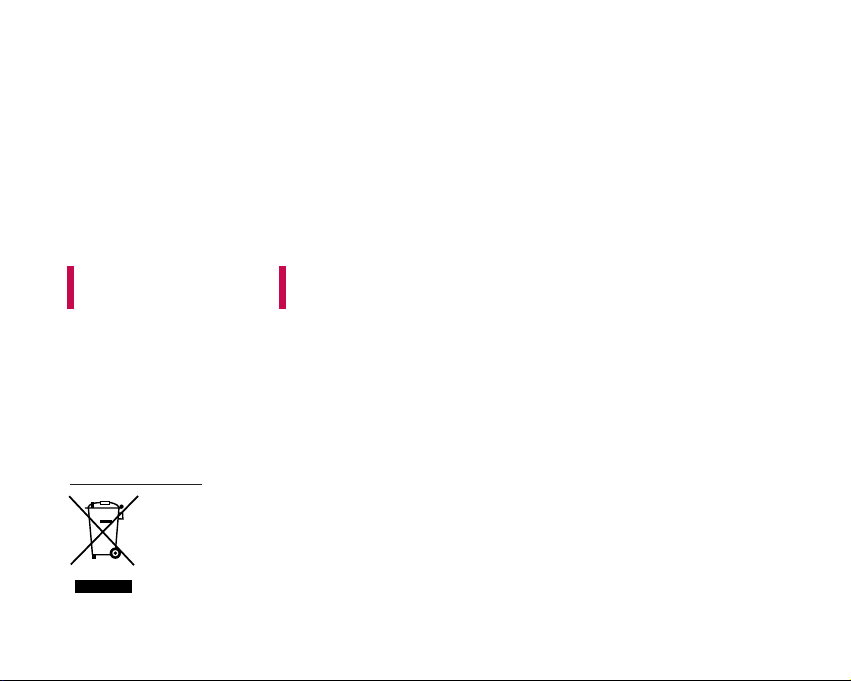
1. When this crossed-out wheeled bin symbol is attached to a product it means the
product is covered by the European Directive 2002/96/EC.
2. All electrical and electronic products should be disposed of separately from the
municipal waste stream via designated collection facilities appointed by the government
or the local authorities.
3. The correct disposal of your old appliance will help prevent potential negative
consequences for the environment and human health.
4. For more detailed information about disposal of your old appliance, please contact your
city office, waste disposal service or the shop where you purchased the product.
Disposal of your old appliance
This document is the user guide for the LG KU450 3G Video Mobile
Phone. All rights for this document are reserved by LG Electronics.
Copying, modifying and distributing this document without the
consent of LG Electronics are prohibited.

Part 15.21 statement
" Change or Modifications that are not expressly approved by the manufacturer could void
the user's authority to operate the equipment. "
Part 15.105 statement
This equipment has been tested and found to comply with the limits for a class B digital device,
pursuant to Part 15 of the FCC Rules.
These limits are designed to provide reasonable protection against harmful interference in a
residential installation.
This equipment generates uses and can radiate radio frequency energy and, if not installed and used
in accordance with the instructions, may cause harmful interference to radio communications.
However, there is no guarantee that interference will not occur in a particular installation. if this
equipment does cause harmful interference or television reception, which can be determined by
turning the equipment off and on, the user is encouraged to try to correct the interference by one or
more of the following measures:
- Reorient or relocate the receiving antenna.
- Increase the separation between the equipment and receiver.
- Connect the equipment into an outlet on a circuit different from that to
which the receiver is connected
- Consult the dealer or an experienced radio/TV technician for help.

LIMITED WARRANTY STATEMENT
1. WHAT THIS WARRANTY COVERS:
LG offers you a limited warranty that the enclosed subscriber unit and its enclosed accessories will be
free from defects in material and workmanship, according to the following terms and conditions:
(1) The limited warranty for the product extends for ONE (1) year beginning on the data of purchase
of the product.
(2) The limited warranty extends on to the original purchaser of the product and is not assignable or
transferable to any subsequent purchaser/end user.
(3) This warranty is good only to the original purchaser of the product during the warranty period as
long as it is in the U.S., including Alaska, Hawaii, U.S. Territories and Canada.
(4) The external housing and cosmetic parts shall not be covered under these limited warranty terms.
(5) Upon request from LG, the consumer must provide information to reasonably prove the date of
purchase.
(6) The customer shall bear the cost of shipping the product to the Customer Service Department of
LG. LG shall bear the cost of shipping the product back to the consumer after the completion of
service under this limited warranty.
2. WHAT THIS WARRANTY DOES NOT COVER:
(1) Defects or damages resulting from use of the product in other than its normal and customary
manner.
(2) Defects or damages from abnormal use, abnormal conditions, improper storage, exposure to
moisture or dampness, unauthorized modifications, unauthorized connections, unauthorized repair,
misuse, neglect, abuse, accident, alteration, improper installation, or other acts which are not the
fault of LG, including damage caused by shipping blown fuses spills of food or liquid.
(3) Breakage or damage to antennas unless caused directly by defects in material or workmanship.
(4) That the Customer Service Department at LG was net notified by consumer of the alleged defect
or malfunction of the product during the applicable limited warranty period.
(5) Products which have had the serial number removed or made illegible.
(6) The limited warranty is in lieu of all other warranties, express or implied either in fact or by
operations law, statutory or otherwise, including, but limited to any implied warranty of
marketability or fitness for a particular use.
(7) Damage resulting from use of non-LG approved accessories.
(8) All plastic surfaces and all other externally exposed parts that are scratched or damaged due to
normal customer use.
(9) Products operated outside published maximum ratings.
3
(10) Products used or obtained in a rental program.
(11) Consumables (such as fuses).
3. STATE LAW RIGHTS:
No other express warranty is applicable to this product. THE DURATION OF ANY IMPLIED
WARRANTIES, INCLUDING THE IMPLIED WARRANTY OF MARKETABILITY, IS LIMITED
TO THE DURATION OF THE EXPRESS WARRANTY HEREIN. LG INFOCOMM INC. SHALL
NOT BE LIABLE FOR THE LOSS OF THE USE OF THE PRODUCT, INCONVENIENCE, LOSS
OR ANY OTHER DAMAGES, DIRECT OR CONSEQUENTIAL, RISING OUT OF THE USE OF,
OR INABILITY TO USE, THIS PRODUCT OR FOR ANY BREACH OF ANY EXPRESS OR
IMPLIED WARRANTY, INCLUDING THE IMPLIED WARRANTY OF MARKETABILITY
APPLICABLE TO THIS PRODUCT. Some states do not allow the exclusive of imitation of incidental
or consequential damages or limitations on how long an implied warranty lasts; so these limitations or
exclusions may not apply to you. This warranty gives you specific legal rights and you may also have
other rights which vary from state to state.
4. HOW TO GET WARRANTY SERVICE:
To obtain warranty service, please call the following web address:
www.lgeservice.com

8
For Your Safety
Important Information
This user guide contains important information on the use and
operation of this phone. Please read all the information
carefully for optimal performance and to prevent any damage
to or misuse of the phone. Any changes or modifications not
expressly approved in this user guide could void your warranty
for this equipment.
Before You Start
Safety Instructions
WARNING! To reduce the possibility of electric shock, do not
expose your phone to high humidity areas, such as the
bathroom, swimming pool, etc.
Always store your phone away from heat. Never store your
phone in settings that may expose it to temperatures less than
32°F or greater than 104°F, such as outside during extreme
weather conditions or in your car on a hot day. Exposure to
excessive cold or heat will result in malfunction, damage
and/or catastrophic failure.
Be careful when using your phone near other electronic
devices. RF emissions from your mobile phone may affect
nearby in adequately shielded electronic equipment. You
should consult with manufacturers of any personal medical
devices such as pacemakers and hearing aides to determine if
they are susceptible to interference from your mobile phone.
Turn off your phone in a medical facility or at a gas station.
Never place your phone in a microwave oven as this will
cause the battery to explode.
IMPORTANT! Please read the TIA SAFETY INFORMATION on
page 78 before using your phone.
Safety Information
Read these simple guidelines. Breaking the rules may be
dangerous or illegal. Further detailed information is given in this
user guide.
]Never use an unapproved battery since this could damage
the phone and/or battery and could cause the battery to
explode.
]Never place your phone in a microwave oven as it will
cause the battery to explode.
]Do not dispose of your battery by fire or with hazardous or
flammable materials.
]Make sure that no sharp-edged items come into contact
with the battery. There is a risk of this causing a fire.
]Store the battery in a place out of reach of children.
]Be careful that children do not swallow any parts such as
rubber plugs (earphone, connection parts of the phone,
etc.). This could cause asphyxiation or suffocation.

9
For Your Safety
]Unplug the power cord and charger during lightning storms
to avoid electric shock or fire.
]When riding in a car, do not leave your phone or set up the
hands-free kit near to the air bag. If wireless equipment is
improperly installed and the air bag is activated, you may be
seriously injured.
]Do not use a hand-held phone while driving.
]Do not use the phone in areas where its use is prohibited.
(For example: aircraft).
]Do not expose the battery charger or adapter to direct
sunlight or use it in places with high humidity, such as a
bathroom.
]Never store your phone in temperatures less than- 4°F or
greater than 122°F.
]Do not use harsh chemicals (such as alcohol, benzene,
thinners, etc.) or detergents to clean your phone. There is a
risk of this causing a fire.
]Do not drop, strike, or shake your phone severely. Such
actions may harm the internal circuit boards of the phone.
]Do not use your phone in high explosive areas as the phone
may generate sparks.
]Do not damage the power cord by bending, twisting, pulling,
or heating. Do not use the plug if it is loose as it may cause
a fire or electric shock.
]Do not place any heavy items on the power cord. Do not
allow the power cord to be crimped as it may cause fire or
electric shock.
]Do not handle the phone with wet hands while it is being
charged. It may cause an electric shock or seriously
damage your phone.
]Do not disassemble the phone.
]Do not place or answer calls while charging the phone as it
may short-circuit the phone and/or cause electric shock or
fire.
]Only use the batteries, antennas, and chargers provided by
LG. The warranty will not be applied to products provided by
other suppliers.
]Only authorized personnel should service the phone and its
accessories. Faulty installation or service may result in
accidents and consequently invalidate the warranty.
]Do not hold or let the antenna come in contact with your
body during a call.
]An emergency call can be made only within a service area.
For an emergency call, make sure that you are within a
service area and that the phone is turned on.

10
For Your Safety
FCC RF Exposure Information
WARNING! Read this information before operating the phone.
In August 1996, the Federal Communications (FCC) of he United
States, with its action in Report and Order FCC 96-326, adopted
an updated safety standard for human exposure to radio
frequency (RF) electromagnetic energy emitted by FCC
regulated transmitters. Those guidelines are consistent with
the safety standard previously set by both U.S. and
international standards bodies.
The design of this phone complies with the FCC guidelines and
these international standards.
CAUTION
Use only the supplied and approved antenna. Use of
unauthorized antennas or modifications could impair call
quality, damage the phone, void your warranty and/or result in
violation of FCC regulations. Do not use the phone with a
damaged antenna. If a damaged antenna comes into contact
with skin, a minor burn may result. Contact your local dealer
for a replacement antenna.
Body-worn Operation
This device was tested for typical body-worn operations with
the back of the phone kept 0.79 inches (2cm) between the
user’s body and the back of the phone. To comply with FCC RF
exposure requirements, a minimum separation distance of 0.79
inches(2cm) must be maintained between the user's body
and the back of the phone. Third-party belt-clips, holsters, and
similar accessories containing metallic components should not
be used. Body-worn accessories that cannot maintain0.79
inches(2cm) separation distance between the user's body
and the back of the phone, and have not been tested for typical
body-worn operations may not comply with FCC RF exposure
limits and should be avoided.

11
For Your Safety
Vehicle Mounted External Antenna
(optional, if available)
A minimum separation distance of 8 inches (20cm) must be
maintained between the user/bystander and the vehicle
mounted external antenna to satisfy FCC RF exposure
requirements. For more information about RF exposure, visit
the FCC website at www.fcc.gov
FCC Part 15 Class B Compliance
This device and its accessories comply with part 15 of FCC
rules. Operation is subject to the following two conditions:
(1) This device and its accessories may not cause harmful
interference, and (2) this device and its accessories must
accept any interference received, including interference that
may cause undesired operation.
Cautions for Battery
]Do not disassemble.
]Do not short-circuit.
]Do not expose to high temperature: 60°C (140°F).]
]Do not incinerate.
Battery Disposal
]Please dispose of your battery properly or bring to your
local wireless carrier for recycling.
]Do not dispose in fire or with hazardous or flammable
materials.
Adapter (Charger) Cautions
]Using the wrong battery charger could damage your phone
and void your warranty.
]The adapter or battery charger is intended for indoor use
only.
Do not expose the adapter or battery charger to direct sunlight
or use it in places with high humidity, such as the bathroom.
2
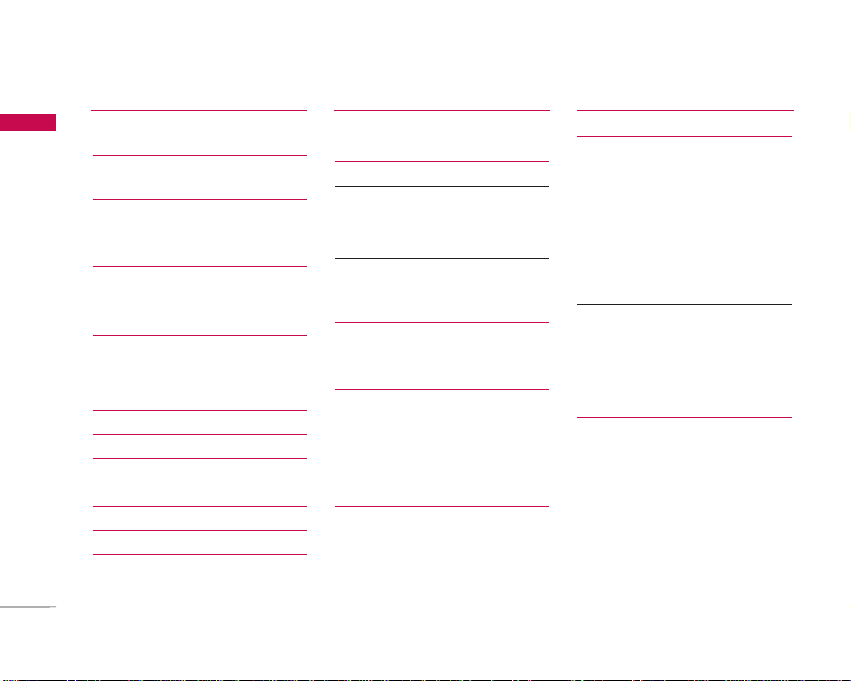
Table of Contents
Table of Contents
Introduction 5
For Your Safety 6
Guidelines for Safe and
Efficient Use 7
KU450 Features 12
Parts of the phone
Getting Started 15
Installing the USIM card and
battery
Charging the Battery 17
Disconnecting the charger 18
How to use a microSD memory
card 19
Turning the handset on/off 20
Access codes 21
Display information 22
General Functions 24
Making and answering calls
Entering text 26
Changing the text input mode 27
Using the T9 Modes
Using the ABC Mode
Using the 123 (Number) mode 28
Using the symbol mode
Overview of Menu Functions
29
Entertainment 30
Games & Applications
Mobile TV
Java settings
Vodafone live! 31
Homepage
Enter URL
History
Bookmarks 31
Saved pages 32
Browser settings
Profiles
Security
Character encoding
Scrolling control
Show image
Cache 33
Cookies
JavaScript
Reset settings
Music 34
Recently Played
All tracks
Playlists
Radio DJ
Song recognition
My wishlist
Music store
3
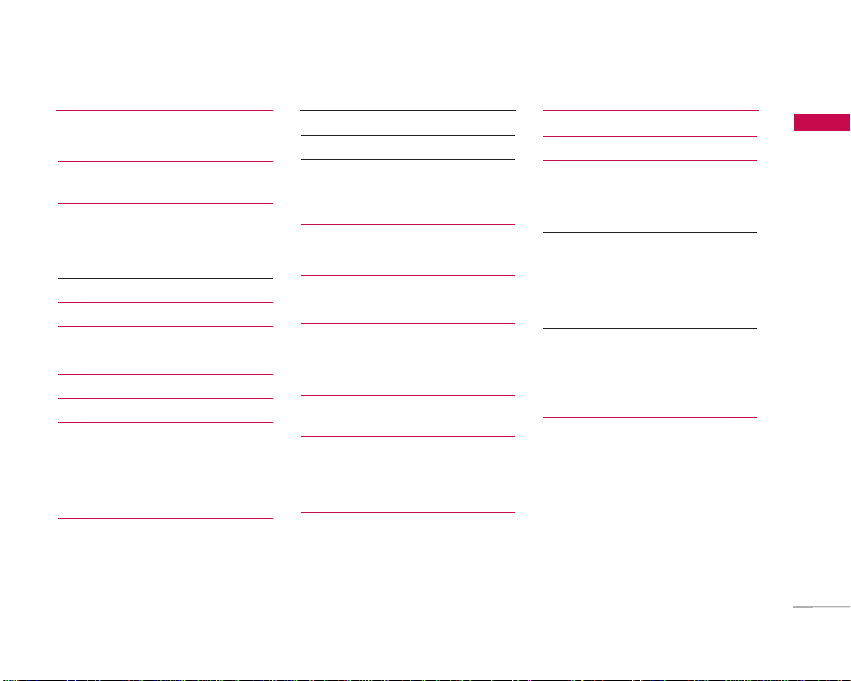
Table of Contents
Camera 35
Still camera
Video recorder 37
Messaging 39
Create new
Message
E-Mail 40
Inbox 41
Drafts 42
Outbox
Sent messages 43
E-Mail 44
Templates 45
Text templates
Multimedia templates
Media Album
Messaging settings 46
SMS
MMS 46
E-Mail 48
Info. service 50
Service message
My Files 51
Pictures
Sounds 52
Videos
Games & Applications 54
Bluetooth data
Other files
External memory 55
Organiser & Tools 56
Alarms
Calendar
Tasks 58
Memo 58
Voice recorder 59
Calculator 60
Converter
Currency
Surface 61
Length
Weight
Temperature
Volume 62
Velocity
World time
Contacts 63
Add new
Contacts list
Groups
Speed dials
Service dial numbers

4
Table of Contents
Table of Contents
Own number 64
Contact settings
Contact viewing
Synchronise contacts
Copy all
Move all
Clear contacts
Calls 65
All calls
Dialled calls
Received calls
Missed calls
USIM Tool Kit 66
Video call 67
Settings 69
Profiles
Phone settings 70
Date & Time
Language 71
Security
Power save 73
Memory status
Handset information 74
Reset settings
Display settings
Main display
Theme 75
Menu style
Font
External display
Backlight
Welcome message
Java settings
Messaging settings 76
Call settings
Call durations
Call barring
Fixed dial numbers 78
Data volume 78
Call costs
Diverts 79
Call waiting 82
Voicemail
Video call
Common setting 83
Contact settings 84
Connectivity
Bluetooth
Synchronisation 87
Network 89
Access points 90
Browser settings
Streaming 91
Dial-up network
Accessories 92
Technical data 93
Tabla de contenidos
Otros manuales de Teléfono de LG


LG
LG KD series Manual de usuario

LG
LG LDP-7008 Manual de usuario

LG
LG TFLG220CB Manual de usuario

LG
LG LG-RD8000 Manual de usuario

LG
LG LSP710 Manual de usuario

LG
LG Aria-34e Manual de usuario

LG
LG W7000 Manual de usuario

LG
LG LSP-3510 Manual de usuario

LG
LG LG-TM220 Manual de usuario

LG
LG MG300d Manual de usuario


