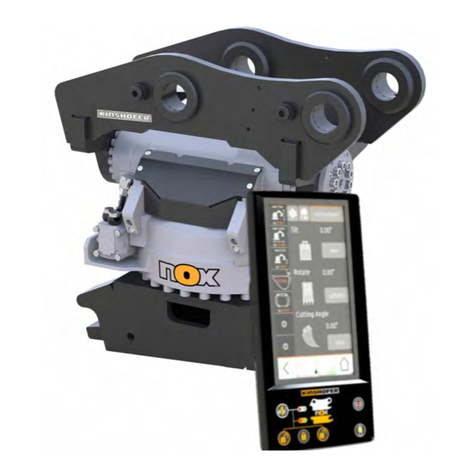
KINSHOFER PROLEC PME700 Manual de usuario

562700-000, Issue 1.1 March 2023
1
PME 700
Demolition Stability Monitor
Operators Manual

562700-000, Issue 1.1 March 2023
2
This guide describes operation of the
PROLEC PME LIFTING AND MACHINE ENVELOPE SAFETY SYSTEM FOR
CONSTRUCTION PLANT
Part No.
Model Ref
562700-000
PME700
Prolec supports a nationwide network of fully trained service engineers. Warranty
claims, service work, technical information and spare parts are available by
contacting:
Prolec Ltd Telephone +44 (0) 1202 441000
Nuffield Industrial Estate
Poole Dorset BH17 0GB
DURING NORMAL OPERATION THE SAFE WORKING LOAD OF A CRANE
SHOULD NOT BE EXCEEDED. THEREFORE, THE WARNING OF OVERLOAD
SHOULD NOT BE USED AS A NORMAL OPERATING FACILITY. IT SHOULD BE
NOTED THAT CERTAIN STATUTORY REQUIREMENTS DO NOT PERMIT THE
SAFE WORKING LOAD TO BE EXCEEDED EXCEPT FOR THE PURPOSE OF
TESTING.
THIS DEMOLITION STABILITY MONITOR IS NOT SUITABLE FOR USE IN
EXPLOSIVE ATMOSPHERES. ADJUSTMENT BY UNAUTHORISED PERSONS
WILL INVALIDATE ANY WARRANTY OR CERTIFICATION SUPPLIED. IF A
PROBLEM ARISES WHICH CANNOT BE RECTIFIED USING THIS GUIDE,
AUTHORISED SERVICE SHOULD BE SOUGHT.
THIS DEVICE IS CERTIFIED TO MEET CURRENT U
Table of Contents
1Use of this Document......................................................................................................................4
2Notices ............................................................................................................................................4
3Operating Instructions .....................................................................................................................5
3.1 Power Up.................................................................................................................................5
3.2 Using the Display ..............................................................................................................................6
3.3 User Login .........................................................................................................................................7
3.4 User Logout.......................................................................................................................................8
3.5 Selecting from a list using the Arrow Buttons ...................................................................................9
3.6 Editing Values using the Arrow Buttons ..........................................................................................10

562700-000, Issue 1.1 March 2023
3
4 Top Menu ...........................................................................................................................................11
4.1 Operation within the Safe Working Envelope .................................................................................12
4.2 Approach to Stability Envelope .......................................................................................................13
4.3 Stability Envelope Exceeded ..........................................................................................................13
4.4 Zooming In and Out ........................................................................................................................14
5 Display Options ..................................................................................................................................15
5.1 Day / Night Mode ............................................................................................................................16
5.2 Select Language .............................................................................................................................17
5.3 Additional Display Settings..............................................................................................................18
5.4 Select Machine Type.......................................................................................................................19
5.5 Change background colour .............................................................................................................19
5.6 Auto Zoom.......................................................................................................................................20
5.7 Tool Lock On/Off .............................................................................................................................21
5.8 Working Proximity Indicator On/Off.................................................................................................22
6Test / Diagnostics..........................................................................................................................23
6.1 System Information .........................................................................................................................24
6.2 Time / Date Adjustment...................................................................................................................25
Time / Date Adjustment continued ....................................................................................................26
6.3 User Login .......................................................................................................................................27
User Login Setup...............................................................................................................................27
6.4 Radius/ Height.................................................................................................................................28
6.5 Pressure Transducers.....................................................................................................................28
7Tool Selection Menu .....................................................................................................................29
8 Warning Messages ............................................................................................................................30
8.1 On Screen Messages ..................................................................................................................30
9Taking Product out of Operation. ..................................................................................................31
10 Service and Repair....................................................................................................................31
10.1 Maintenance Review .................................................................................................................31
11 Definitions / Glossary ................................................................................................................32
K & EC SAFETY REGULATIONS FOR LIFTING OPERATIONS.
Any alterations or modifications to machine components which affect this system,
and any system component failure must be reported to Prolec Ltd or via the machine
convertor/service agreement holder. This manual must be kept with the product and
be passed on to any subsequent user of the product.
Whilst every effort has been made to ensure the accuracy of the information supplied
in this manual, Prolec Ltd cannot be held responsible for any errors or omissions.
Manufacturers original instructions.

562700-000, Issue 1.1 March 2023
4
1Use of this Document
This user guide is intended for persons familiar with the use of demolition equipment.
2Notices
Adjustment by unauthorised persons will invalidate any warranty or
certification supplied. If an error condition is displayed which cannot be
rectified using this guide, halt any operation, seek authorised service
immediately and do not continue operation until the fault has been
remedied.
HAZARD Actions that can lead to serious injury or death.
WARNING denotes information about particular risks which may be
generated by certain applications, by using certain fittings, and
about additional protective measures which are necessary for such
applications.
Caution, care, risk situation

562700-000, Issue 1.1 March 2023
5
3Operating Instructions
3.1 Power Up
The PME system automatically powers up when the machines ignition is switched
on. The in-cab unit incorporates a 4.3” high resolution LCD display and is controlled
with three buttons at the top and the bottom side. Three status LEDs and an internal
alarm provide further information.
The system will perform a self-check at start up:
1. All LEDs will flash; the internal display alarm and the
external alarm will sound.
2. The RED LED will light be indicating the system is starting
and performing a self-test.
3. Once the self-test is complete, the GREEN LED will light,
and the system will become active. A safety warming
message is displayed, please read, and proceed only if
you are fully familiar with your PME system. Lifting Mode
is activated by pressing any key and any previous limits
set will be enabled. The system is now ready for use.
4. The system can be configured to require a user login - if this is enabled, see
section 3.3 / 6.3.

562700-000, Issue 1.1 March 2023
6
If the RED LED remains lit, a fault has been detected, halt any operation, seek
authorised service immediately and do not continue operation until the fault has been
remedied.
The display is secured to the machine using a flexible ball mounting allowing easy
adjustment for personal viewing preference.
3.2 Using the Display
The display is operated by using the buttons adjacent to a function icon. The
buttons can open a sub menu, turn a function ON or OFF, set a value, toggle
through multiple screens, no one button has a single function. The button icon
will turn black/purple when the button has been activated. Note that the image
of the machine is fixed and does not follow the movement of the machine.
Multifunction buttons:
The action of the button is
indicated by the adjacent
icon.

562700-000, Issue 1.1 March 2023
7
A secondary symbol can appear in the top left corner of an icon,
these mean :
The plus symbol indicates a sub menu will be opened if selected.
The cycle symbol indicates that multiple features are available.
The on / off symbols indicate if a feature is ON or OFF. Red is
ON and grey is OFF.
Help is available for each button. To access the help, push and hold the
button for three seconds. The help message can be cleared by
pressing any of the six buttons. PME is still active when displaying help
messages, if the Lifting Mode is active and or a height limit is set, any
alarm or warning condition will be indicated.
3.3 User Login
If PME has been configured to work with the built-in user list, the system will prompt
for a user login pass code.
Select the user name required and the login code screen will appear.
Using the arrow buttons to enter a valid pass code. The previous
number will be replaced with a star as the code is entered. Press the
TICK button to confirm the login pass code. If a valid pass code is
entered the system will commence normal operation.
Cancel without change
Moves highlighter to right /
Hold to delete digit
Moves highlighter to left /
Hold to delete number
Exit to enter
calibration area

562700-000, Issue 1.1 March 2023
8
If an incorrect login code is entered, a failure screen will be displayed.
Press the TICK button to return to the Select User screen.
3.4 User Logout
If a user is logged in as the current user, they can select the logout screen by holding
an exit key down for three seconds.
Increases
higlighted digit
Decreases highlighted digit
Accept displayed value
Moves highlighter UP
Moves highlighter DOWN
Select highlighted name, opens
Enter Login Code screen below
Cancel to stay
logged in

562700-000, Issue 1.1 March 2023
9
Once logout has been confirmed the login screen will be automatically displayed.
Press the CROSS button to stay logged in, the screen will return to that previously
shown.
3.5 Selecting from a list using the Arrow Buttons
To make a selection from a list such as Users, Machine Parts (shown here), use the
UP and DOWN buttons to move the highlighter up and down. Press the TICK button
to select the highlighted entry. Press the CROSS button to exit without making a
change.
Confirm logout
Cancel without change

562700-000, Issue 1.1 March 2023
10
3.6 Editing Values using the Arrow Buttons
Editing values such as login codes (or eg: Minimum pressure warning) can easily be
achieved using the number editor screen. The digit highlighted in blue is increased
or decreased between 0 and 9 by pressing the UP and DOWN buttons - use the
LEFT and RIGHT buttons to move the highlighter to the left and to the right. Press
the tick button to apply the value displayed.
Este manual sirve para los siguientes modelos
1
Tabla de contenidos
Otros manuales de Sistema de control de KINSHOFER