INDEX
1.- PRESENTATION AND GENERAL ASPECTS ..................................................................................4
1.1 GENERALITIES......................................................................................................................................4
1.2 TRANSPORT AND PACKAGING ..............................................................................................4
1.3 IDENTIFICATION LABEL ..........................................................................................................4
2.- INSTALLATION AND CHARACTERISTICS OF THE MACHINE ...................................................5
2.1 MAIN ELEMENTS OF THE MULTICODE..................................................................................5
2.1.1 MULTICODE..........................................................................................................................5
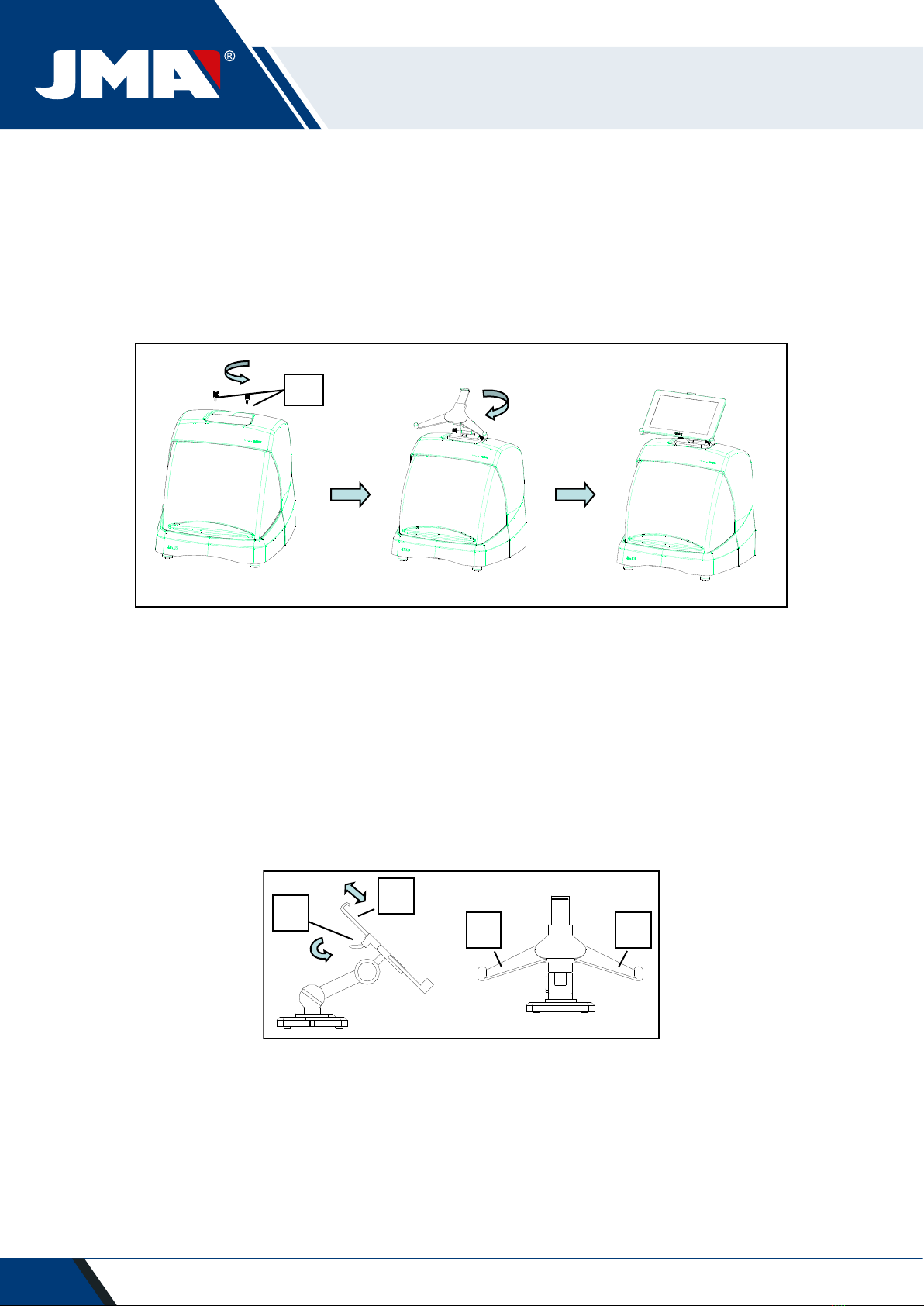
2.1.2 Tablet support and tablet ..............................................................................................5
2.1.3 Power unit and power cable..........................................................................................7
2.2 INSTALLATION........................................................................................................................9
2.3 MACHINE DESCRIPTION.........................................................................................................9
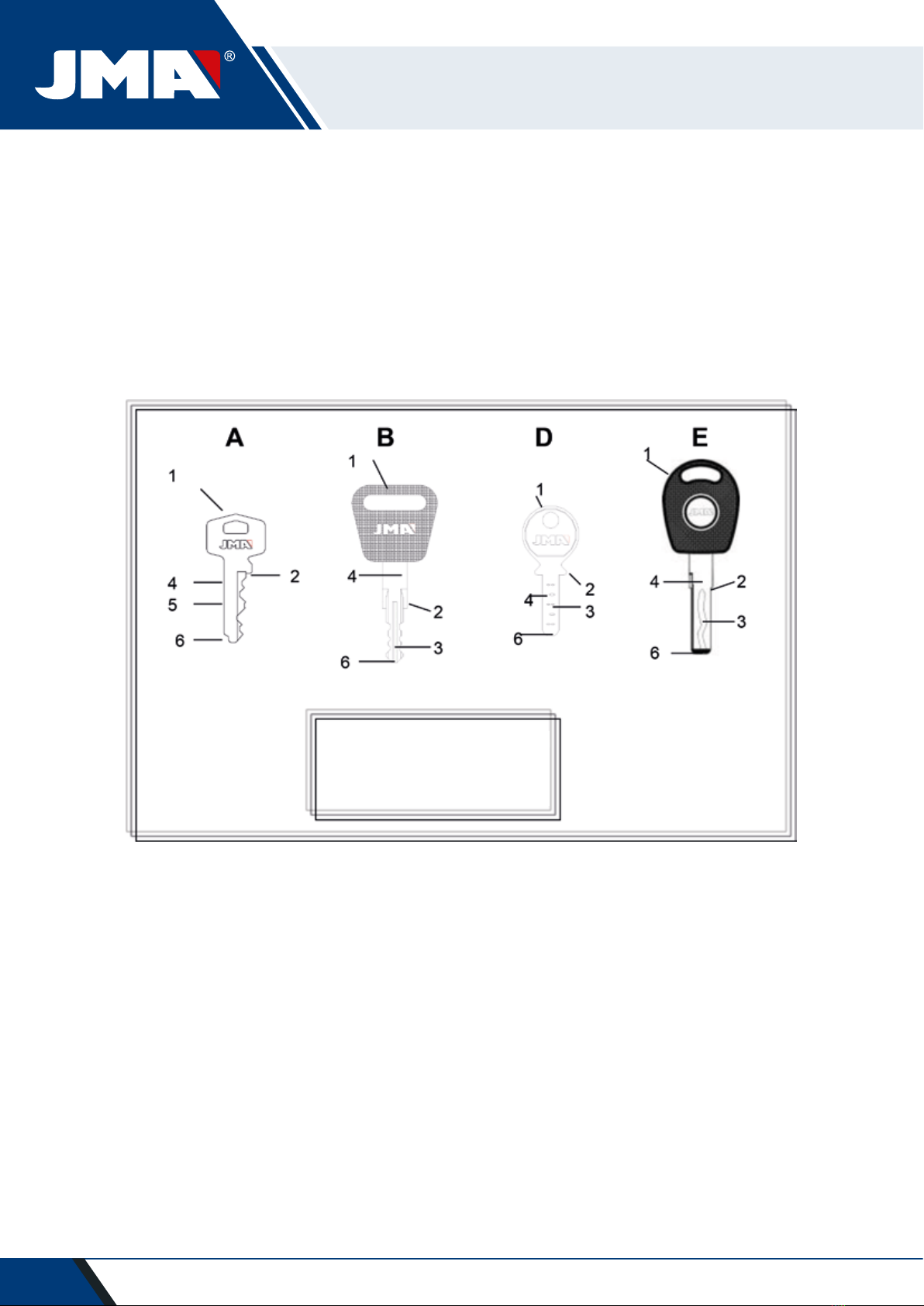
2.4 FAMILY AND TERMINOLOGY OF KEYS. ...............................................................................10
2.5 TECHNICAL DATA .................................................................................................................11
2.6 ACCESSORIES BOX ...............................................................................................................12
3.- JAWS.................................................................................................................................................13
3.1 JAW FOR FLAT KEYS ............................................................................................................13
3.1.1 Use of the standard jaw “MP1” ..................................................................................13
3.2JAW FOR POINTS AND CHANNEL KEYS. .............................................................................15
3.2.1 The jaw. .......................................................................................................................15
3.2.2 Type of limit .................................................................................................................16
3.2.3 Clamp model ................................................................................................................17
3.3 ADJUSTMENT OF DIFFERENT JAWS...................................................................................18
3.3.1 Adjust the jaws, flat keys ............................................................................................18
3.3.2 Adjust safety jaw.........................................................................................................19
4.- USE OF THE TABLET .......................................................................................................................21
4.1 CHARGING AND STARTING THE TABLET ............................................................................21
4.2 CHOOSE LANGUAGE.............................................................................................................21
5.- CLEANING AND SAFETY................................................................................................................23
6.- MAINTENANCE ...............................................................................................................................23
6.1 ACCESS TO THE REAR PART ................................................................................................24
6.2 CONTROL REPLACEMENT.....................................................................................................24
6.3 CLEAN SWARF TRAY AREA..................................................................................................25
6.4 REPLACE PRISMATIC CUTTER. .............................................................................................25
6.5 REPLACEMENT CYLINDRICAL CUTTER ................................................................................26
7.- WASTE ELIMINATION....................................................................................................................27
7.1 PACKAGING ..........................................................................................................................27
7.2 SWARF ..................................................................................................................................27
7.3 MACHINE ..............................................................................................................................27
8.- SERVICE ............................................................................................................................................27
9.- ASSEMBLY DRAWING...................................................................................................................28
10.- SOFTWARE OPERATIONAL GUIDE ............................................................................................29
10.1 BLUETOOTH LINK................................................................................................................30
10.2 CHANGE OF LANGUAGE.....................................................................................................32
10.3 KEY SCALE 1:1.....................................................................................................................32
10.4 SEARCHES...........................................................................................................................34
10.4.1 Searches by lock manufacturer (Standard Areas) .....................................................34
10.4.2 Search by automation, by type, by brand, model and year (Automation Area) ........37
10.4.3 Search for keys by equivalents with another manufacturer (Equivalents Area).......38
10.5CUTTING INFORMATION (FILE)............................................................................................39
10.5.1 Toothed key files........................................................................................................39
10.5.2 Point key file ..............................................................................................................43
10.5.3 Channel / Slot key File...............................................................................................46
10.6 JAW SETTINGS...................................................................................................................48
10.6.1 Adjust Toothed Jaw...................................................................................................49
10.6.2 Points/Channel jaw adjustment ................................................................................49
10.7 UPDATE FIRMWARE ...........................................................................................................50
10.8 DIAGNOSTICS .....................................................................................................................52