Intel Reader Manual de usuario

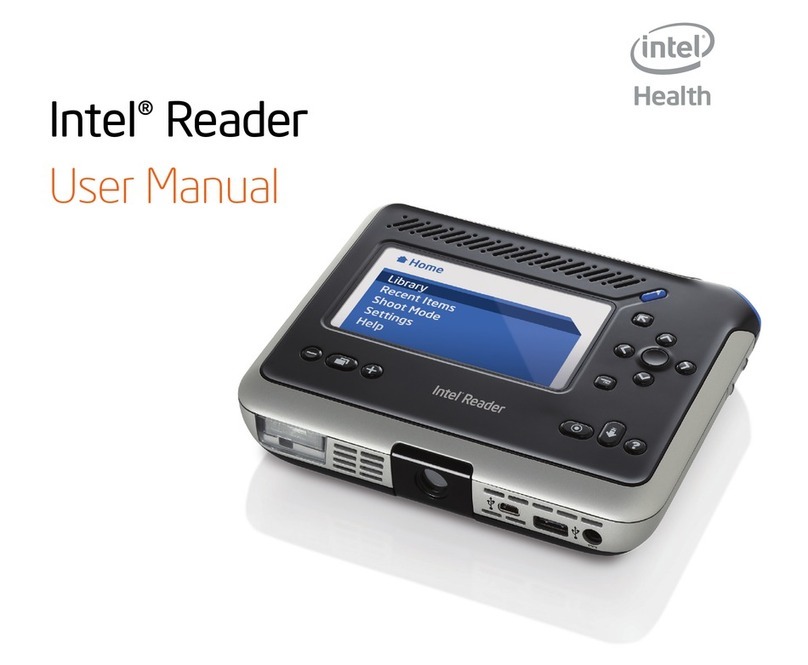
Intel® Reader
User Manual


Contents
Chapter 1. Important Safety Information and Warnings
FCC Part 15 Compliance Statement ..................................................1
Canada Compliance Statement (Industry Canada) .............................2
Fair Use Compliance..........................................................................2
Respect des principes d’utilisation juste (Fair Use) ............................3
Safety Precautions .............................................................................4
Important Battery and Storage Warnings........................................... 7
Lithium-ion Battery Handling Precautions ..........................................7
Safety Symbols Used on the Reader Labels......................................9
Other Symbols Used on the Reader ................................................ 10
Recycling ......................................................................................... 10
Recommended Cleaning Techniques............................................... 10
Mesures de sécurité ........................................................................ 11
Mises en garde importantes relatives à la batterie et au stockage.....14
Précautions relatives à la manipulation de la batterie au lithium-ion...15
Symboles de sécurité utilisés sur les étiquettes du Reader ............. 17
Autres symboles utilisés sur le Reader ............................................ 17
Recyclage ........................................................................................ 17
Techniques de nettoyage recommandées ....................................... 18

Chapter 2. Getting Started
About the Reader ............................................................................ 19
Inserting the Battery ........................................................................ 19
Charging the Battery........................................................................ 20
Keeping the Battery Charged........................................................... 21
Replacing the Battery ......................................................................22
Chapter 3. Parts of the Reader
Introducing the Reader's Features ...................................................23
Top Edge of the Reader ................................................................... 23
Face of the Reader ..........................................................................26
Bottom Edge of the Reader ............................................................. 29
Right Edge of the Reader................................................................. 31
Chapter 4. Using the Reader
Introduction......................................................................................32
Point, Shoot, Listen..........................................................................32
Tips for Good Results ......................................................................36
Using Reader Menus .......................................................................38
The Home Menu .............................................................................38
The Library.......................................................................................39

Using Categories to Organize Library Files.......................................40
Creating a New Category.................................................................40
Adding a File to an Existing Category .............................................. 41
Removing a File from a Category..................................................... 42
Deleting a Category ......................................................................... 42
Renaming a Category ......................................................................43
Using the Texts and Audio Menus ...................................................43
Getting File Information ...................................................................44
Permanently Deleting a File .............................................................45
Renaming a Text or Audio File .........................................................46
Saving a Text File as Audio ............................................................. 47
Adding Pages to a Text File..............................................................48
The Help Menu................................................................................48
Storing the Reader ...........................................................................50
Chapter 5. Capturing and Playing Text
Introduction...................................................................................... 51
Setting the Camera Flash................................................................. 51
Capturing Multiple Pages................................................................. 52
Text Playback Navigation ................................................................. 52

Audio Playback Navigation ...............................................................54
Navigating to a Specic Page...........................................................56
Viewing the Text Image ...................................................................56
Spelling a Word in a Text File ...........................................................57
Increasing and Decreasing Text Size and Text Images..................... 57
Sorting Your Files by Name or Date.................................................57
Viewing Recent Files .......................................................................58
Chapter 6. Customizing the Reader
The Settings Menu ..........................................................................59
Basic Settings..................................................................................59
Display Settings ..............................................................................63
Voice Settings.................................................................................. 67
Security Settings .............................................................................69
Restoring Default Settings ............................................................... 72
Chapter 7. Using the Reader with Other Devices
Introduction......................................................................................73
Connecting to the Portable Capture Station ....................................73
Using the Reader with a Keyboard................................................... 73
Using the Reader with a Mouse ...................................................... 75

Using the Reader with a Computer................................................. 76
Connecting the Reader to an External Drive ...................................80
Chapter 8. Frequently Asked Questions and Customer Support
Frequently Asked Questions........................................................... 84
Customer Support .......................................................................... 87
Appendix A. Technical Specications
Reader Specications ..................................................................... 88
Battery Pack Specications ............................................................90
AC Adapter Specications .............................................................. 91
Appendix B. Updating Your Reader Software
About the Software Update Process .............................................. 92
Updating Reader Software Using a Computer ................................ 93
Updating Reader Software Using a Flash Drive .............................. 95
Index...........................................................................................................98


1
Reader User Manual
Chapter 1. Important Safety Information and Warnings
FCC Part 15 Compliance Statement
This equipment has been tested and found to comply with the limits for a
Class B digital device, pursuant to Part 15 of the FCC Rules. These limits are
designed to provide reasonable protection against harmful interference in a
residential installation. This equipment generates, uses, and can radiate radio
frequency energy and, if not installed and used in accordance with the instructions,
may cause harmful interference to radio communications. However, there is
no guarantee that interference will not occur in a particular installation. If this
equipment does cause harmful interference to radio or television reception, which
can be determined by turning the equipment off and on, the user is encouraged to
try to correct the interference by one or more of the following measures:
Reorient or relocate the receiving antenna.•
Increase the separation between the equipment and the receiver.•
Connect the equipment into an outlet on a circuit different from that to which•
the receiver is connected.
Consult the dealer or an experienced radio/TV technician for help.•
Any changes or modications not expressly approved by the grantee of this device
could void the user's authority to operate the equipment.

2
Chapter 1. Important Safety Information and Warnings
NOTE: This device complies with Part 15 of the FCC Rules. Operation is
subject to the following two conditions: (1) This device may not cause harmful
interference, and (2) this device must accept any interference received, including
interference that may cause undesired operation.
Canada Compliance Statement (Industry Canada)
Cet appareil numérique respecte les limites bruits radioélectriques applicables
aux appareils numériques de Classe B prescrites dans la norme sur le matériel
brouilleur: "Appareils Numériques", NMB 003 édictée par le Ministre Canadien des
Communications.
This digital apparatus does not exceed the Class B limits for radio noise
emissions from digital apparatus set out in the interference causing equipment
standard entitled: "Digital Apparatus," ICES 003 of the Canadian Department of
Communications.
Fair Use Compliance
Intel values copyright and the rights of authors to their work. Using the
Intel®Reader to take images and listen to text for personal use is generally
accepted and covered under ‘fair use’ under multiple jurisdictions’ laws. This
means that you can use the device for your personal use without concern, much
like saving a CD you own to your own digital music player. Intel assumes no
liability for such uses, and encourages end users to ensure they possess the
appropriate legal rights to materials prior to downloading such materials onto the
Reader, or using any material created by the individual with the Reader.
Otros manuales para Reader
2
Tabla de contenidos
Otros manuales de Lector de libros electrónicos de Intel