LNU sensor : Installation & programming
Installation Guide K0J00016-EN-A02
IJINUS – 25 ZA de Kervidanou 3 – 29300 MELLAC – FRANCE -www.ijinus.com - sales@ijinus.com
2
Table of contents
Table of contents ...............................................................................................................................................................2
1. Introduction....................................................................................................................................................................3
2. Three main ranges of measurements (depending on max distance to measure) .......................................................3
3. Equipment (4 configuration examples) .........................................................................................................................4
b. Permanent installation of a unique level sensor (continuous monitoring or self-monitoring of water networks)...5
c. Permanent installation of a several level sensors and a logger (continuous monitoring or self-monitoring of water
networks):...........................................................................................................................................................................5
d. Other configurations...................................................................................................................................................5
4. Quick configuration with the software Avelour ...........................................................................................................6
a. Necessary equipment .................................................................................................................................................6
a. Prerequisite.................................................................................................................................................................6
b. First step : Run Avelour and connect to the sensor to configure ...............................................................................7
c. Second step : Selection of the sensor to configure, eventually a firmware update would be suggested .................7
d. Third step : Configuration of Measures part ..............................................................................................................8
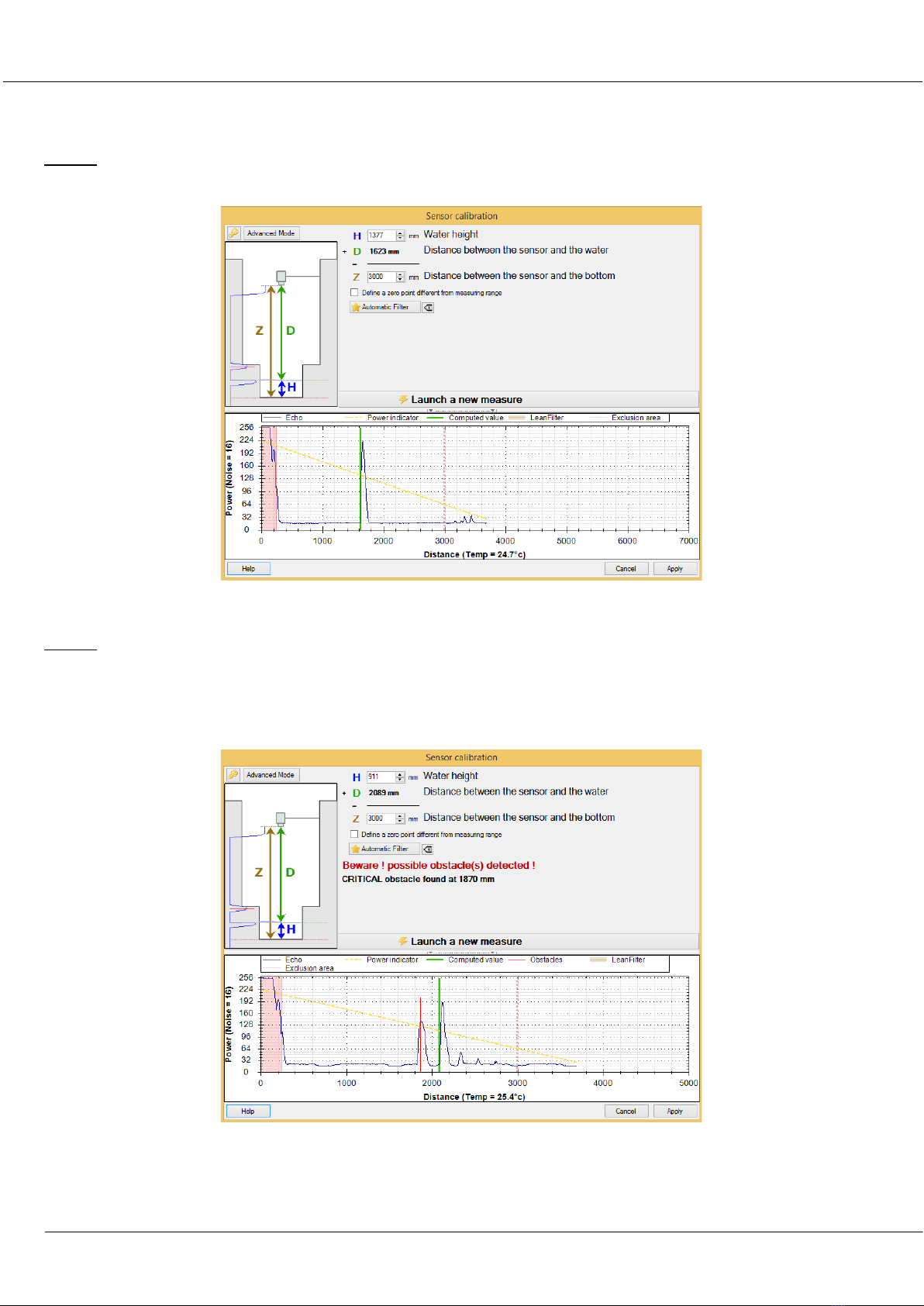
Calibration of the sensor Case N°1 (Ideal)........................................................................................................................11
Calibration of the sensor Case N°2 (Classic example of a manhole with an invert).........................................................12
Calibration of the sensor Case N°3 (complex) – Expert mode..........................................................................................14
e. Fourth step : Data reading in real time.....................................................................................................................18
f. Fifth Step : Retrieve and see locally your data by radio ...........................................................................................18
g. Sixth step: Data export .............................................................................................................................................19
h. Seventh step : Pair devices .......................................................................................................................................19
i. Eighth step : Data sending ........................................................................................................................................20
5. Elements for good practice and installation examples...............................................................................................24
6. Procedure for inserting the SIM card ..........................................................................................................................27
7. Procedure for inserting the SIM card ..........................................................................................................................28
8. Instructions concerning ATEX devices .........................................................................................................................29
9. Document History ........................................................................................................................................................30