HF2211S_EW1X_PW1X Operation Guide
http://www.hi-flying.com/ - 2 -
1. INTRODUCTION.................................................................................................................................. 3
1.1. ELFIN-EW1X EVK.................................................................................................................................. 3
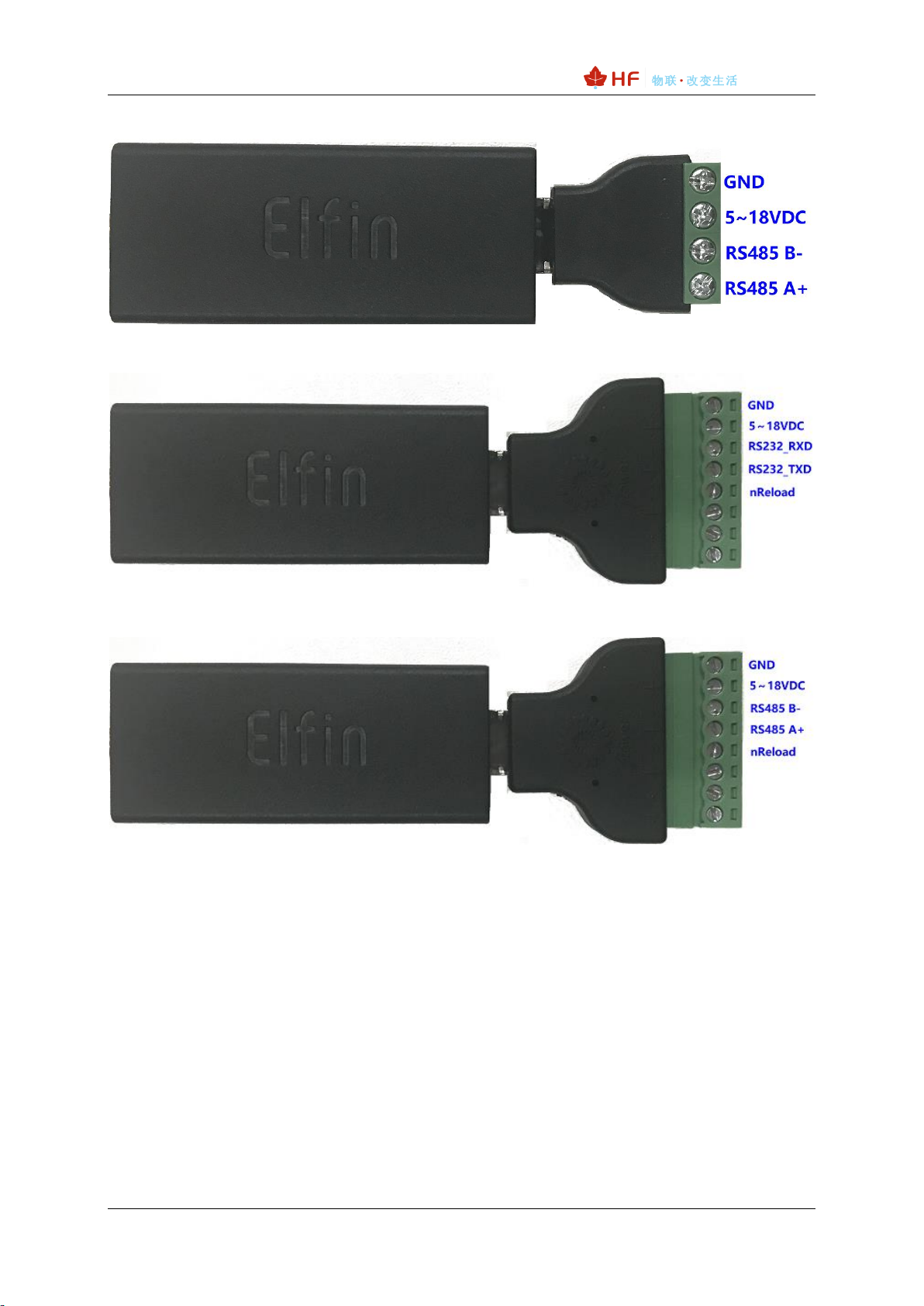
1.2. ELFIN-EW10 4PIN CONNECTOR ........................................................................................................... 3
1.3. ELFIN-EW11 4PIN CONNECTOR ........................................................................................................... 4
1.4. ELFIN-EW10 8PIN CONNECTOR ........................................................................................................... 4
1.5. ELFIN-EW11 8PIN CONNECTOR ........................................................................................................... 4
1.6. ELFIN-EW10/EW11 RJ45 CABLE......................................................................................................... 4
1.7. EW10 INTERFACE CONVERSION CABLE................................................................................................ 5
1.8. EW11 INTERFACE CONVERSION CABLE................................................................................................ 6
1.9. HF2211S HARDWARE............................................................................................................................ 6
1.10. PROTOSS-PW11 HARDWARE ............................................................................................................ 7
2. HARDWARE INTRODUCTION......................................................................................................... 8
2.1. POWER SUPPLY...................................................................................................................................... 8
2.2. POWER SUPPLY...................................................................................................................................... 8
2.3. INTERFACE CONNECTION........................................................................................................................ 8
3. INITIAL SETUP.................................................................................................................................... 9
3.1. WEBPAGE SET........................................................................................................................................ 9
3.2. IOTSERVICE SET.................................................................................................................................. 13
4. SERIAL PORT SETTINGS.............................................................................................................. 16
4.1. SERIAL PORT TOOL SECURECRT........................................................................................................ 16
4.2. SETTING SERIAL PORT PARAMETERS.................................................................................................. 16
4.3. CLI INSTRUCTION MODE....................................................................................................................... 16
5. TEST EXAMPLE................................................................................................................................ 19
5.1. AP WIRELESS NETWORKING................................................................................................................ 19
5.2. TCP SERVER TEST IN AP MODE ......................................................................................................... 20
5.3. STA WIRELESS NETWORKING ............................................................................................................. 24
5.4. TCP SERVER TEST IN STA MODE....................................................................................................... 27
5.5. STA TCP CLIENT TEST........................................................................................................................ 29
5.6. STA HTTP CLIENT TEST ..................................................................................................................... 31
5.7. STA MQTT CLIENT TEST .................................................................................................................... 34
5.8. FIRMWARE UPGRADE............................................................................................................................ 36
5.9. RESTORE TO FACTORY SETTING.......................................................................................................... 37
5.10. MORE APPLICATION CASE................................................................................................................ 37
APPENDIX A:REFERENCES................................................................................................................. 38
A.1.TEST TOOLS............................................................................................................................................ 38
A.2.SMARTLINK V8........................................................................................................................................ 38