HARISON INDUSTRIAL DEHUMIDIFIER USER'S MANUAL - Model HD-Series
08
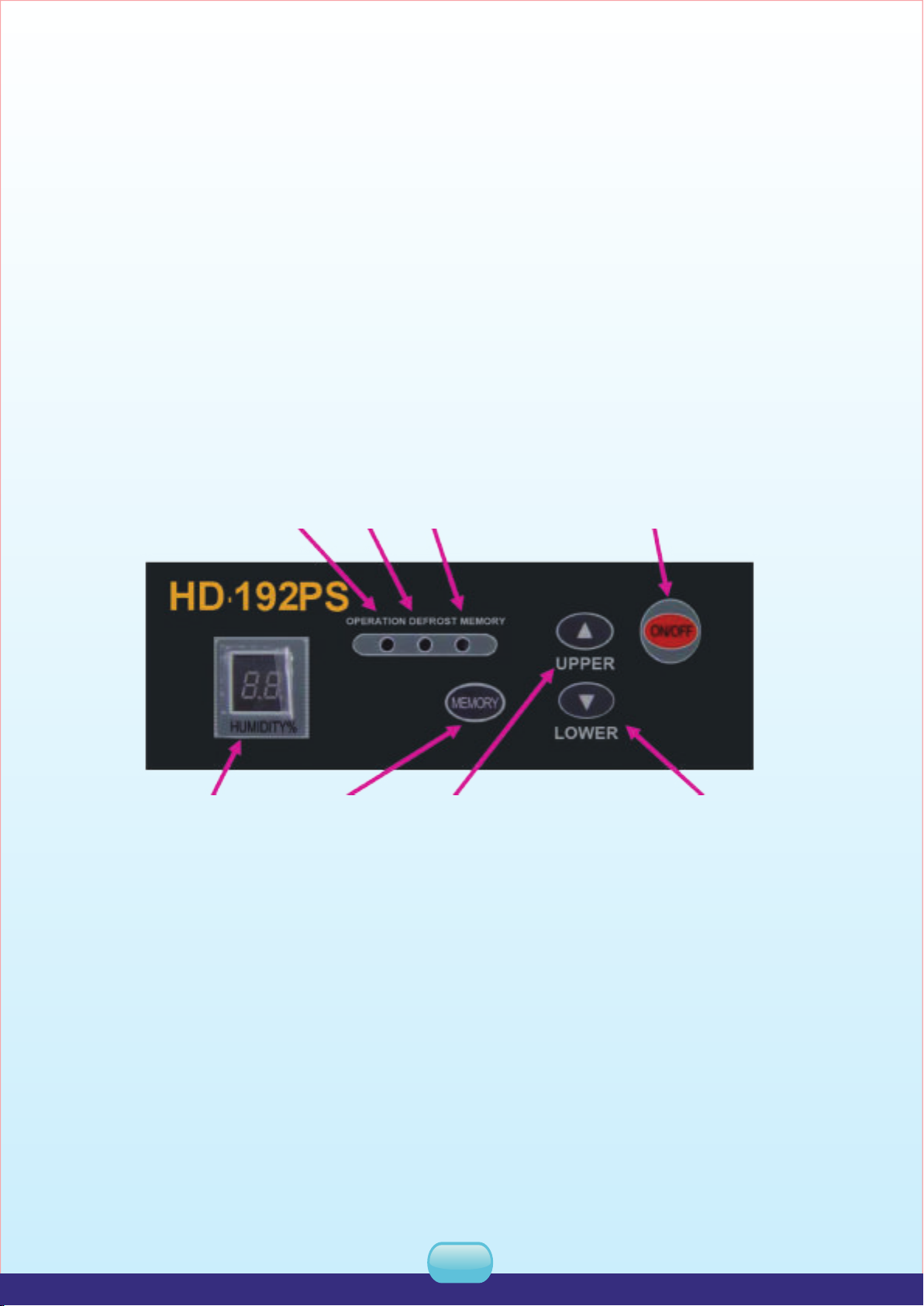
Start on
1. Plug on, the unit gives off “di”.
2. Press“ON/OFF”, the running indicator lights on, and the humidity display window lightson to
display the previous set humidity. The initial humidity setting is 60% and 3 seconds later the
humidity display window light on to display current humidity.
3. Press humidity up or down key to adjust the humidity needed. If the humidity setting is 3% less
than current humidity, the unit runs; if the humidity setting is 3% more than current humidity, the
unit stops running.
4. When humidity setting is less than 30%, the unit dehumidify continuously, and the humidity
display window displays“CO”.
Shut off
Press “ON/OFF”when the unit is running, the unit stops running and all indicators die.
Notice:
1. When set RH is higher than current room humidity, the unit will not run.
2. When dehumidifying, the fan motor and compressor must run at least 3 minutes, once the
compressor start on. Do not restart the compressor again within 3 minutes after shutting off.
3. When working in low temperature, the unit judges the temperature system automatically to
defrost. When defrosting, the defrosting indicator lights on, the fan motor runs but compressor
shuts off automatically.
4. When pressing the memory key, the controller will record current humidity even if power off.
And the unit will run under previous mode after power supplied again.
5. The humidity display window displays the humidity from 30% to 90%.
6. Keep unplug if do not use the unit for long time.
7. Power supplies for HD-192B; HD504B have phase and phase protecting function, when out off
connecting 3-phases are not connected rightly with machine's enactment, all the buttons on
control panel are dead, moisture window shows “E5”, please exchange the phase or check
power,then operate the unit again.
9.When switch on three phases power source,zero line first,live line second or zero and live lines
together.
5. MAINTENANCE
Switch off the power source before maintenance. Pull out the plug from the socket.
Due to the accumulation of dust, the air filter should be cleaned to avoid effecting dehu-
midifying and going wrong periodically, at least once a month. If the dust is more in the
environment, it should be cleaned every week, even every day.
Clean the air filter
When cleaning, gently tap the air filter or remove the dust with a vacuum cleaner, or you can put
the air filter in warm water ( d 40oC, add a little neutral detergent ) to wash or brush it, and then
clear again with fresh water.