
Goldweb GP-L200M Manual de usuario

mini size 200M
Wallmount PLC adapter
GP-L200M
User Manual

GP-L200M User Manual
i
Contents
1Introduction ........................................................................................................ 1
1.1 System Requirements ........................................................................... 1
1.2 Packing List ........................................................................................... 1
2Safety Precautions ............................................................................................. 2
3Adapter............................................................................................................... 3
3.1 Ethernet Interface .................................................................................. 3
3.2 Buttons .................................................................................................. 3
3.3 LEDs...................................................................................................... 4
4Utility Installation ................................................................................................ 6
5How to Use the Utility......................................................................................... 9
5.1 Main Tab ................................................................................................ 9
5.2 Privacy Tab .......................................................................................... 12
5.3 Diagnostics Tab ................................................................................... 14
5.4 About Tab ............................................................................................ 16
6How to Use the NMK Pushbutton .................................................................... 17
6.1 Forming a HomePlug AV Logical Network........................................... 17
6.2 Joining a Network................................................................................18
6.3 Leaving a Network............................................................................... 18
Appendix A Specifications ................................................................................. 20
Appendix B Acronyms and Abbreviations ......................................................... 22
Appendix C About QoS...................................................................................... 23
GP-L200M User Manual
1
1 Introduction
The GP-L200M (also called “the device” hereinafter) is a low power consumption PLC
device developed based on the master chip of INT6400. It can transmit the network
data in the power line. The device is compatible with the latest requirements of the
EUP Directive. When the device enters the lower power consumption mode, the
consumption is less than 1W.
The device can detect 200 Mbps PLC-Ethernet bridge devices in the power line
network, measure data rate performance, ensure the security of the powering
network, and perform system diagnosis.
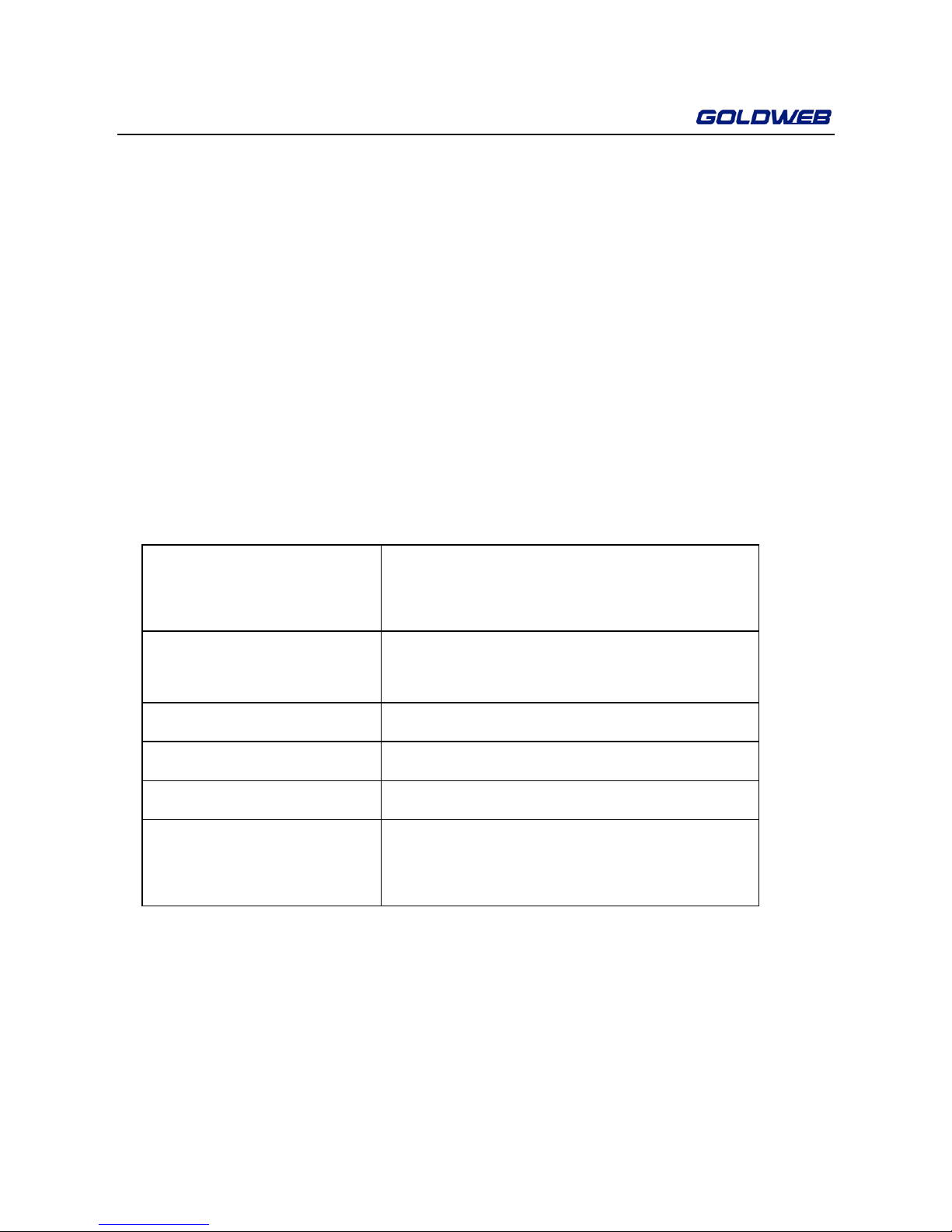
1.1 System Requirements
Operating System Windows 98SE, Windows 2000, Windows
ME, Windows XP 32/64 bit and Windows
Vista 32/ 64bit/
CPU Intel Pentium III or higher and clock rate
faster than 2.0 GHz are recommended.
RAM At least 128 MB
Screen Resolution Any resolution
Free Disk Space At least 20 MB
Network Interface At least one fast Ethernet (100 Mbps)
network interface card (NIC) and one
Ethernet cord
1.2 Packing List
z2 x Mini-PLC Devices
z1 x CD-ROM
z2 x RJ45 Ethernet cables

GP-L200M User Manual
2
2 Safety Precautions
This device is used for to connect to the AC power line. Before using the device, read
the instructions carefully, in order to use the device correctly and safely. For the
installation instructions, refer to the installation section of this guide.
zFollow all the warnings and instructions marked on the product.
zBefore cleaning the device, unplug it from the wall outlet. Use a dry cloth for
cleaning. Do not use liquid cleaners or aerosol cleaners.
zDo not place the device near water.
zDo not place the device near or over a radiator or heat register.
zDo not use an extension cord between the device and the AC power source.
zOnly professional technicians should service the device. Opening or removing
covers may result in exposure to dangerous voltage points or other risks.
zUnplug the device from the wall outlet and refer to professional service
personnel for the following conditions:
–If liquid has been spilled into the product
–If the device has been exposed to rain or water
–If the device does not operate normally when following the operation
instructions
–If the device exhibits a distinct change in performance

GP-L200M User Manual
3
3 Adapter
3.1 Ethernet Interface
Use one end of a network cable to connect the Ethernet interface. Use the other end
of the cable to connect the Ethernet interface of the computer or another
Ethernet-enabled network device.
3.2 Buttons
Figure 1 Side panel of the device
Reset: Restore the factory defaults.
Security: Set the membership state.
Pressing and holding the NMK button for more than 10 seconds randomizes
the NMK value.
Pressing and holding the NMK button for more than 3 seconds makes the
adapter a member of the existing AVLN.

GP-L200M User Manual
4
3.3 LEDs
There are 3 LEDs on the front panel to indicate the status of the adapter.
Figure 2 Top view
The following table describes the LEDs on the device.
LED Color Behavior Description
Green On Power is on
Green Blink
System enters the power
save mode.
System is resetting.
System is in the process of
security setup.
Power
- Off Power is off.
Green On
The device is connecting to other
devices via the Ethernet interface
but not communicating with them.
Green Blink
The device is receiving or
transmitting data via the Ethernet
interface.
Ethernet
- Off The device is not connecting to

GP-L200M User Manual
5
LED Color Behavior Description
other devices via the Ethernet
interface.
Green/Red On
The device has connected to the
power line network. The Data LED
color will vary according to the
physical rate.
Green: Link Rate > 40 Mbps
Orange: 20 Mbps< Link Rate
<40 Mbps
Red: Link Rate< 20 Mbps
Red Blink
When the device is scanning other
PLC devices, the Data indicator
blink quickly.
Data
- Off
The adapter has not found any
other compatible power line
devices that use the same
encryption key.
Note:
The Power, Ethernet and Data indicators blink quickly when the device is powered on.
At that moment, the Power and Ethernet indicators are green, and the Data indicator
is orange.

GP-L200M User Manual
6
4 Utility Installation
Note:
Before installing the PLC utility software, make sure that there is no any other power
line utility installed on your computer. If there is another utility installed, please
uninstall it and restart your computer.
Follow the steps below to install the utility. No password or CD-Key is needed.
Step1 Please insert the utility CD into the computer’s CD-ROM drive. Select the
PLC 200AV Utility Installation folder and then double-click the setup.exe.
A page for installing the utility appears.

GP-L200M User Manual
7
Figure 3 Opening the setup wizard
Step2 Click Next > to display the following page.
Figure 4 Selecting the installation folder
Step3 Click Browse… to select the installation folder, and then click Next > to
continue.

GP-L200M User Manual
8
Figure 5 Completing the installation
Step4 Click Close to complete the installation.
Tabla de contenidos


