
GKD 2 Series Manual de usuario
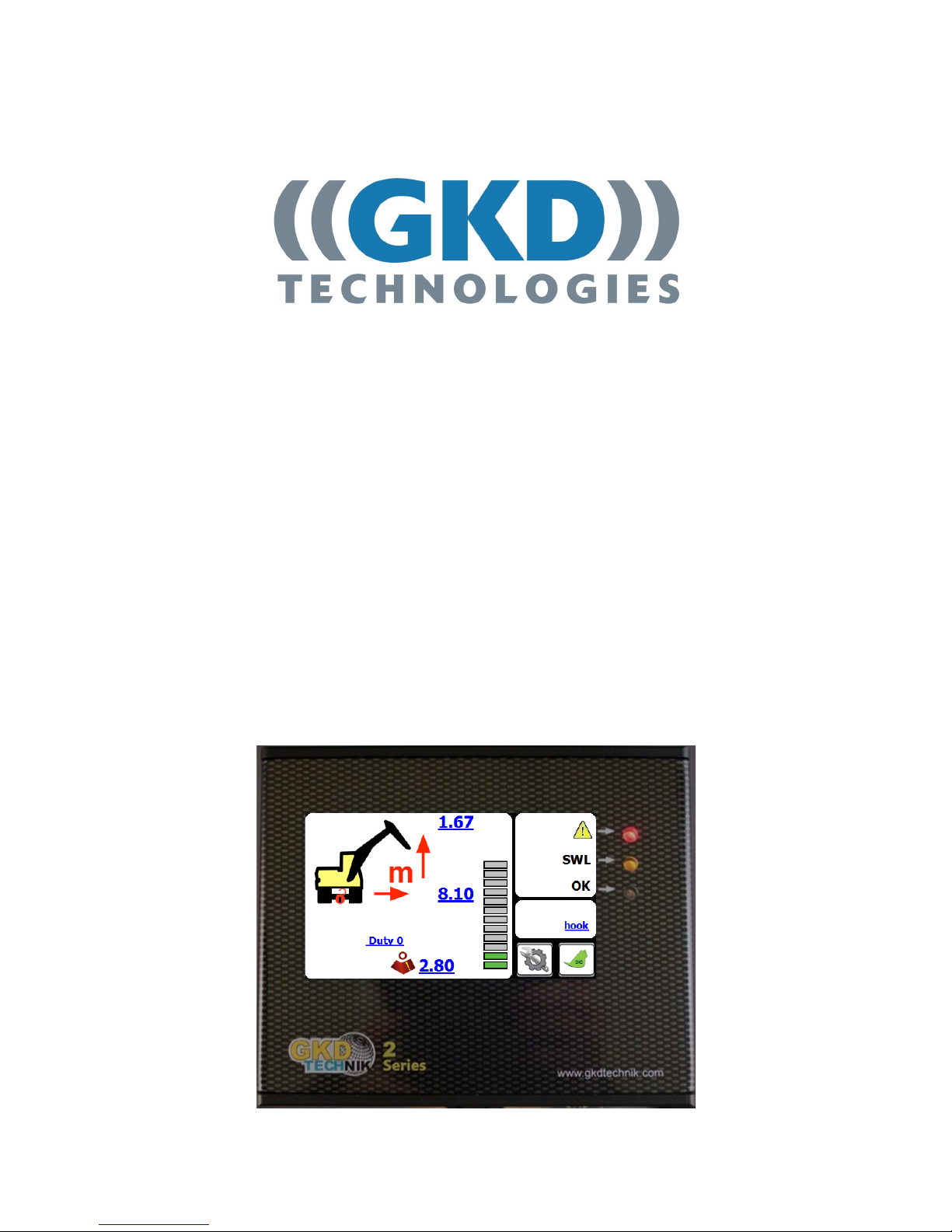
M2000001 v1.4
2RCI User Manual

2
GKD Technik LtdM2000001
Issue Date Changes Job
V1.0 01/09/2014 Document created. Update from the NPN V5 version
V1.1 26/11/2014 Add Slew and I/O module opons
V1.2 04/07/2016 General update and reformat of enre document
V1.3 16/08/2017 Added new Virtual wall funconality
V1.4 20/11/2017 Update to new branding and part numbers
Change History

3
GKD Technik LtdM2000001
Contents
Change History 2
Page no
Introducon
Liing Operaon
Liing Mode
Operaon
4
4
4
5
5
5
5
6
6
6
6
7
7
8
8
9
12
13
14
15
15
16
Front Screen
Liing Dues
Selecon of Li Aachment - Opons
Manual Liing Duty Selecon (Jib and Forks Versions)
Hook/Bucket Duty
Forks Duty
Jib Duty
Mode Menu
Seng a Height Limit
Cancelling a Height Limit
Seng a Slew Limit
Dig Mode
16
Automac Slew Based Liing Dues
Depth Seng
Full Moon Cut on Overload
System Layout
Test Funcon
Component Locaon
Virtual Walls

4
GKD Technik LtdM2000001
Introducon
This is the operaon manual for the 2RCI range of rated capacity indicators.
This product is a safety product.
WARNING - DURING NORMAL OPERATION THE RATED CAPACITY OF A CRANE SHOULD NOT BE
EXCEEDED. THEREFORE THE OVERLOAD WARNING SHOULD NOT BE USED AS A NORMAL MODE
OF OPERATION. STATUTORY REQUIREMENTS DO NOT PERMIT THE RATED CAPACITY TO BE
EXCEEDED EXCEPT FOR THE PURPOSE OF TESTING.
THIS RCI IS NOT FOR USE IN EXPLOSIVE ATMOSPHERES.
ADJUSTMENT BY NON AUTHORIZED PERSONNEL WILL INVALIDATE THE WARRANTY.
Operaon
The 2RCI system is wired to automacally start whenever the machine is started. There is no operator
ON/OFF control. At switch on the system will inially show a blank screen and the green LED on the front
panel will blink. Once self tests are complete the indicator screen will illuminate. The system will
automacally start in the li mode.
Front Screen
Bucket Pin Height
Axle Lock
Indicator
Bucket Pin Radius
Load on Hook
Li Status Bar
Duty
Indicator
Rated Capacity
Mode Buon
Dig Mode Buon
Power LED
(System OK)
Overload LED
(or system fault)
Approach LED
Current Liing
Point

5
GKD Technik LtdM2000001
Liing Operaon
In liing mode the 2RCI system displays the current radius and height of the liing point and the related
maximum rated capacity. The status graph shows the current load relave to the maximum. The red and
amber LEDs on the front panel provide an indicaon of approach to and exceeding of rated capacity. An
external and internal (where ed) sounder will also indicate the current status.
Liing Dues
The 2RCI system may be calibrated to provide liing capacity rangs for dierent conguraons of
machine. The switching between dues may be automac via external limit switches or automacally
selected from machine slew posion (slew module opon only), or manual via the ‘MODE’ screen.
The liing duty number is shown on the front screen.
Selecon of Li Aachment - Opons
2RCI supports the use of Forks or Demountable Jibs for liing and height liming purposes.
In the standard conguraon, only the Bucket Pin is dened as the li aachment, and no other selecon
is available unless they have been enabled and set up within the system calibraon menus.
Manual Liing Duty Selecon (Jib and Forks Versions)
Selecon of the liing mode is made from the MODE screen. Access to this screen is by pressing the
MODE buon on the front screen. There are three available li conguraons. The mode is selected by
repeatedly pressing the coloured li duty buon.

6
GKD Technik LtdM2000001
Liing Mode
Hook/Bucket duty
This is the standard excavator liing conguraon.
The radius and height are measured to the bucket
pin on the sck and all calculaons of rated capacity
are referenced to this posion. The front screen of
the indicator will show a duty status ‘hook’.
Jib duty
When the extension jib is ed to the machine this
duty adjusts the liing capacity to be measured at
the end of the jib. The front screen will show a ‘JIB’
status. In addion there is a warning if the hydraulic
pressure is exceeded in the jib cylinder.
Forks Duty
When the forks are aached to the machine the
system will provide a height and radius oset
to the posion of the load on the forks. As well as
showing a duty status of ’forks’. In addion there is
an automac height limit applied to the fork mode.
This height limit is pre-set at 2.5m (the screenshot
to the right shows the status and height limit).

7
GKD Technik LtdM2000001
Mode Menu
From the main screen, press on the Mode buon.
The following window should appear:
Set and Cancel
Height Limit
Set and Cancel
Virtual Walls
Exit to Main Screen
Test Buon
To Sengs Menu
Set and Cancel
Slew Limits
Dig Mode sengs
Seng a Height Limit
From the Mode Menu, press on the “Height Limit” buon.
The system will ask if you want to enter the maximum
height limit with the keyboard. Pressing “YES” will bring
up a keyboard screen. Enter the height in metres and
press OK. [Pressing exit without entering data will
switch o the limit].
Pressing “NO” will allow the height to be set by moving
the machine to the maximum height.
Press “YES” when the machine is in the correct
posion. NOTE this screen will meout if not selected
within 10 seconds.

8
GKD Technik LtdM2000001
Height Limit connued...
When there is a height limit set, this will be shown
on the main screen.
If the height is exceeded then the internal buzzer
will sound and the boom li will be cut (if an
oponal moon valve is ed).
Cancelling a Height Limit
Access the Mode Menu and press on the “Height Limit” buon.
The 2RCI will prompt the operator to conrm that the
height limit should be disabled, as shown here. Pressing
“YES” will disable the height limit funcon.
Normal operaon will be resumed but with no height
limit acve.
Seng a Slew Limit
From the Mode Menu, press on the “Set/Cancel Slew Limit” buon.
The 2RCI will then show you this screen:
Set le Limit
Enable/Disable
limits
Exit to Main Screen Help Menu
Current set
Slew Limits
Set right limit
To set slew limits, slew the machine le to required posion and press the “Set Le Limit” buon.
Then slew the machine right to the required posion and press the “Set Right Limit” buon. Return to
the operator screen and check that the limits are working correctly by slewing the machine le and right
unl the limits are reached.

9
GKD Technik LtdM2000001
Virtual Walls
You should be shown the screen below:
Set Virtual Wall 1
Enable/Disable all limits
Exit to Main Screen
From the main screen, press on the Mode buon:
Then press on the Virtual Wall buon:
Set Virtual Wall 2
Set Virtual Wall 4Set Virtual Wall 3
Pressing on any of the “Set Virtual Wall” buons will display the following screen:
Enable/Disable all limits
Exit to Main Screen
Set a virtual wall by moving the bucket or tool to 2
dierent points near the machine. The system will
then connect these points with a ‘virtual wall’
which will then become the limit.
Set a le or right virtual wall which will be parallel
with the tracks or wheels of the machine.
This is entered as a distance, in metres, from the
centre of the machine.

10
GKD Technik LtdM2000001
Virtual Walls connued...
Seng a virtual wall by entering a distance
Press on the “Set Virtual Wall 1” buon.
Then press on the “Le Wall” buon.
A keypad will open for you to enter the distance to
the le wall, in metres.
Enter the distance and press ok.
The screen should now change back to one similar
to that pictured to the right.
The “Set Virtual Wall 1” buon will now be greyed
out. Pressing on this buon will acvate the virtual
wall and the buon will change to indicate that the
virtual wall is not acve.
The screen pictured to the right, shows a virtual wall
set and acve.
The screen pictured to the right, shows the main
operator screen once the virtual wall has been set
and acvated.
The top right corner of the display will show where
the virtual wall is in relaon to the machine. It will
also show the distance to the virtual wall from the
machine.
As the machine slews, its posion and distance to the wall will be updated automacally.
When the machine reaches the virtual wall, all relevant machine moons will be prevented from
breaching the wall. This includes Boom and Dipper moons.
Este manual sirve para los siguientes modelos
1
Tabla de contenidos
Otros manuales de Panel táctil de GKD


Manuales populares de Panel táctil de otras marcas


IBASE Technology
IBASE Technology ASTUT-152-RE1S Manual de usuario

YASKAWA
YASKAWA TP 610C Manual de usuario

B&R
B&R Power Panel C Series Manual de usuario

Beijer Electronics
Beijer Electronics X2 control Manual de usuario

AXIOMTEK
AXIOMTEK GOT321W-521 Manual de usuario

TRIDONIC.ATCO
TRIDONIC.ATCO x-touchBOX Manual de usuario


