
FreeLight DMB-8800A Manual de usuario

Freelight DMB-8800A
HDMI / SDI мини
энкодер
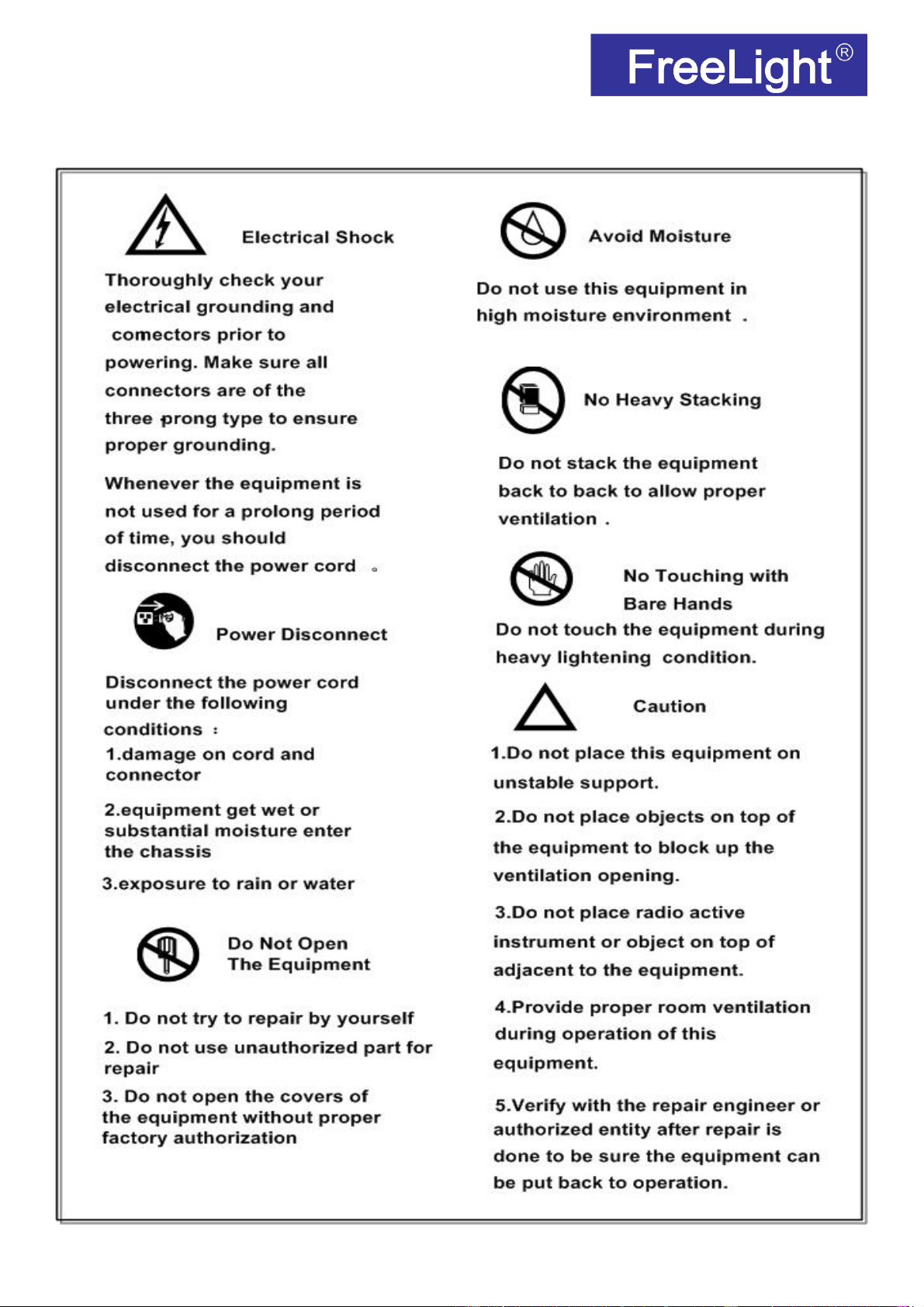
Caution Statements:
Please observe the following safety requirements before operating the
equipment.

1
Index
Index ................................................................................................................................................ 1
Chapter 1 Introduction .................................................................................................................................... 2
1.1 Outline ................................................................................................................................................ 2
1.2 eatures ............................................................................................................................................. 2
1.3 Specifications .................................................................................................................................... 3
1.4 Inner unction Principle ................................................................................................................... 5
1.5 Appearance and Description .......................................................................................................... 5
1.6 Applications ....................................................................................................................................... 6
Chapter 2 Installation Guide .......................................................................................................................... 6
2.1 Acquisition Check ............................................................................................................................. 7
2.2 Installation Preparation .................................................................................................................... 7
2.3 Wire’s Connection ............................................................................................................................ 9
2.4 Signal Line Connection .................................................................................................................... 9
Chapter 3 WEB Operation ............................................................................................................................. 9
3.1 Login ................................................................................................................................................. 10
3.2 Status Display ................................................................................................................................. 11
3.3 Network Setting ............................................................................................................................... 13
3.4 Encoding Setting ............................................................................................................................. 14
3.5 Extended Setting ............................................................................................................................ 18
3.5.1 Advanced .............................................................................................................................. 18
3.5.2 CSC Setting ......................................................................................................................... 18
3.6 Audio Setting ................................................................................................................................... 19
3.7 OSD Setting ..................................................................................................................................... 19
3.7.1 LOGO UPLOAD .................................................................................................................. 21
3.8 System Setting ................................................................................................................................ 21
3.8.1 Network Setting ................................................................................................................... 21
3.8.2 Password Setting ................................................................................................................ 22
3.8.3 Upgrade Setting ................................................................................................................... 22
3.8.4 Reset ..................................................................................................................................... 23
3.8.5 Reboot ................................................................................................................................... 23
3.9 VLC Decoding Configuration ........................................................................................................ 24
Chapter 4 Troubleshooting .......................................................................................................................... 25

2
Chapter 1 Introduction
1.1 Outline
In a fast changing and highly competitive TV market, operators and TV service providers must
deliver access to content on all screens, anytime, anywhere, while also reducing complexity and
driving efficiency across all platforms.
DMB-8800A-EC Classic H.265/HEVC IPTV Streaming Encoder features high performance, low
latency and low bit rates for IPTV/OTT systems, realized Video & Audio real-time transmission via
internet, and adopts state-of-the-art compression technology of H.265/HEVC, which realizes its
resolution to be up to 1080P/60fps. With powerful video pre-compression and efficient adaptive
video compression algorithm, it is able to provide clear-delicate, high quality video even at lower bit
rate which can efficiently save the cost of bandwidth. DMB-8800A-EC Classic accepts 1*HDMI
input, then output 4 groups TS over IP in H.265 format with multi-protocol, multi-resolution which
can be freely adjusted according to your needs.
DMB-8800A-EC Classic provides fully functional second development package, which can be
applied to education, health care, IPTV, conference, remote education, news interview, court,
public security, banking, transportation and other industry application.
1.2 Features
Video Input: one channel HDMI/SDI for option
Video compression up to ull HD 1080P@60fps
Support up to 4 groups TS over IP stream out
Support H.265/H.264 Main Profile/High Profile and MP3 & AAC audio compression
Bitrate mode: CBR/VBR 16Kbit/s~12Mbit/s
Support streaming resolution settings
GOP frame rate settings supported
Capable of image parameter settings
Insertable of logo and Scroll Caption; Adjustable of audio gain;
Video Output: Multiple output streams per input service to support Broadcast, VOD, IPTV
and OTT, Mobile/ web, Set top box applications
Support up to 2 groups TS over IP stream out.
Switchable of audio output mode: Left, right and Stereo
Configurable of Multi-rate, Multi-resolution, Multi-protocol

3
Providing HLS, RTSP/HTTP/UDP or RTMP protocol
Support ONVI Network Video Protocol
Support multiple equipment display at the same time on a computer
Any IOS browsers(iphone, ipad, acBook etc) are able to have streams from IPTV
Streaming Encoder in Anytime, Anywhere by HLS protocol without install any
software players.
Any terminal devices/decoders are able to have streams from IPTV Streaming Encod
er directly by RT P protocol with software players(such as VLC).
System supports WINDOWS XP/VISTA/SERVER2003/SERVER2008/WIN7 32 and WIN7
64, LINUX
Support Microsoft standard flow driven architecture (WDM architecture), support Microsoft
WMENCODER, compatible with Windows V W software architecture and WDM mode.
Web-based management
ull-duplex mode 1000M
1.3 Specifications
VIDEO SPECIFICATIONS
Video compression: H.265 HEVC, H.264/AVC High Profile Level 4.0
Video inputs: HDMI(support HDCP protocol) or SDI input
Analog video input mode: PAL, NTSC
Resolution:
HD I main stream:
1920x1080,1680x1056,1280x720,1024x576,850x480,720x576,720x540,720x480,
720x404,704x576,640x480,640x360,auto
HD I second stream:
1920x1080,1680x1056,1280x720,800X450,720x576,720x540,720x480,720x404,704x576,6
40x480,640x300,352X288,320X240,320X180 auto
HD I third stream:
720x576,720x540,720x480,720x404,704x576,640x480,
640x300,352X288,320X240,320X180

4
HD I fourth stream:
720x576,720x540,720x480,720x404,704x576,640x480,
640x300,352X288,320X240,320X180
Bit-rate: 16kbps~12Mbps, CBR/VBR
Video pre-processing: Noise reduction, Sharpen, iltering
AUDIO SPECIFICATIONS
Audio compression: AAC, MP3
Sampling rate: Adaptive, selectable of re-sample.
Sampling accuracy: 24-bit
Bit Rate: 48000,64000,96000,128000,160000,192000,256000
Re-sample:32000,44100
OUTPUTS
IP output
Transport protocol: TS over IP output, HLS, RTSP, HTTP, UDP and RTMP protocol
or each HDMI to IP output, supporting output 4 groups TS over IP streams (for each group
the HLS, HTTP, RTSP, UDP and RTMP protocol all enabled) with 4 different resolutions
(up to 1080p@60fps) and 4 different bitrates to meet different size screen and different
bandwidth condition.
Connector: RJ45, 1000M
GENERAL OPTIONS
System
Configuration Interface: Web-based
Upgraded: via network
Connector: RJ45, 100M Ethernet interface.
PHYSICAL AND POWER
Voltage: 12V DC
Consumption: less than 5W
Operating temperature: 0~50°C
Dimensions: 112mm(W)*100mm(D)*28mm(H)
Weight: 0.3Kg/pc

5
1.4 Inner Function Principle
1.5 Appearance and Description
1
Ethernet Port(Network management port+ Data port)
2
3.5 Line In Audio Input
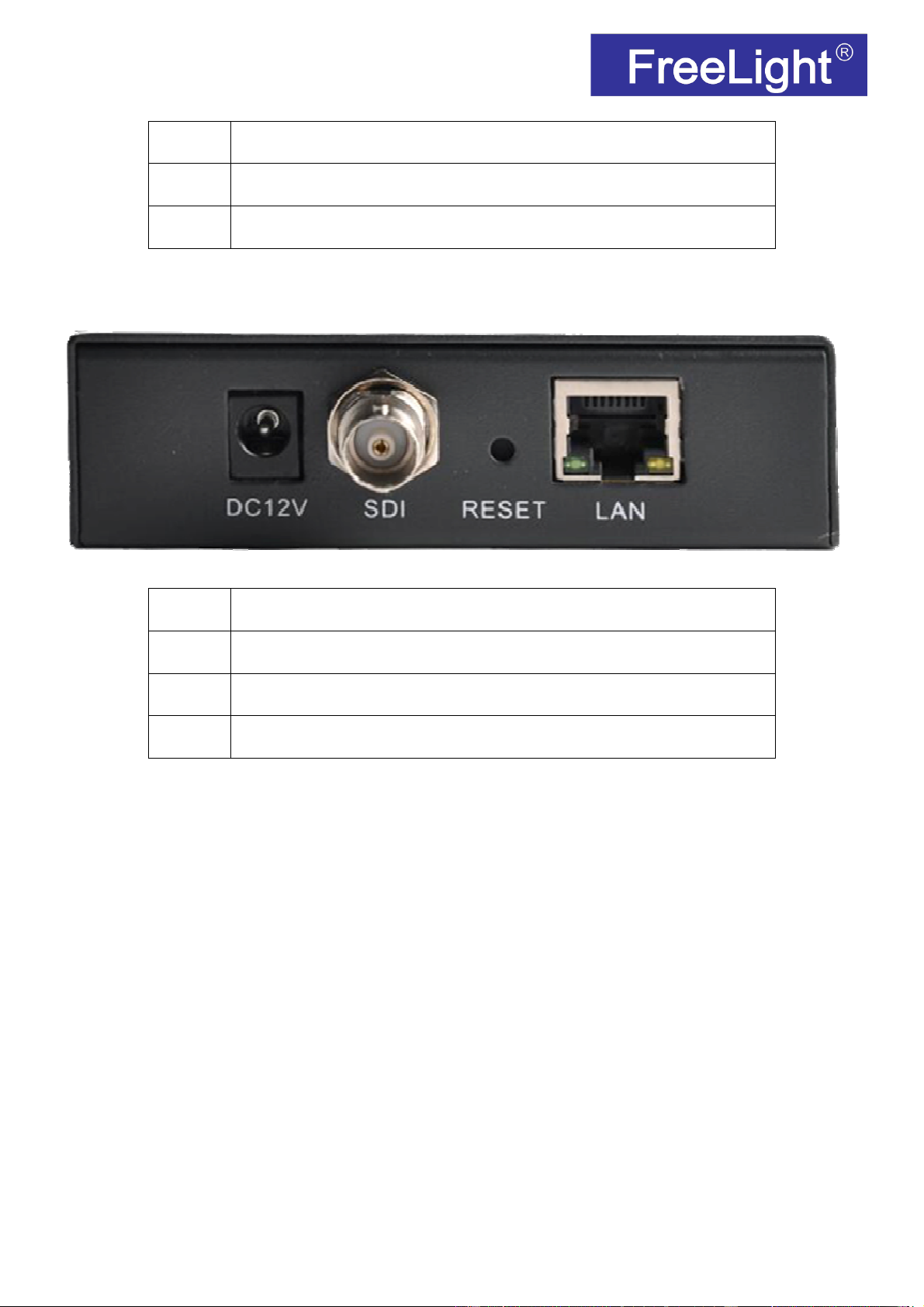
6
3
Power supply DC12 V interface
4
HDMI Input
5
RESET
SDI input Version
1
Ethernet Port(Network management port+ Data port)
2
Power supply DC12 V interface
3
SDI Input
4
RESET
1.6 Applications
IPTV system
OTT system
Internet TV
Digital Signage Project
Remote Video Conference
Video Monitoring
Chapter 2 Installation Guide

7
2.1 Acquisition Check
When user open the package of the device, it is necessary to check items according to packing list.
Normally it should include the following items:
DMB-8800A-EC Classic Provideo Streamig Encoder 1PC
Power Cord 1PC
3.5mm Cable 1PC
If any item is missing or mismatching with the list above, please contact the local manufacturer.
2.2 Installation Preparation
When user installs the device, please follow the steps below:
Checking the possible device missing or damage during the transportation
Preparing the relevant and correct environment for installation
Installing DMB-8800A-EC Classic Provideo Streaming Encoder
Connecting communication port( if it is necessary)
2.2.1 Device’s Installation Flow Chart Illustrated as following:
2.2.2 Environment Requirement
Item Requirement
Machine Hall Space
When user installs machine frame array in one machine hall, the
distance between 2 rows of machine frames should be 1.2~1.5m and
the distance against wall should be no less than 0.8m.
Machine Hall loor Electric Isolation, Dust ree

8
Volume resistivity of ground anti-static material:
1X10
7
~1X10
10
Ω
,
Grounding current limiting resistance: 1MΩ ( loor bearing should be
greater than 450Kg/
㎡
)
Environment
Temperature
5~40
℃
(sustainable )
,
0~45
℃
(short time)
,
installing air-conditioning is recommended
Relative
Humidity
20%~80% sustainable 10%~90% short time
Pressure 86~105Kpa
Door & Window Installing rubber strip for sealing door-gaps and dual level glasses for
window
Wall It can be covered with wallpaper, or brightness less paint.
ire Protection ire alarm system and extinguisher
Power
Requiring device power, air-conditioning power and lighting power
are independent to each other. Device power requires DC 12V.
Please carefully check before running.
2.2.3 Grounding Requirement
All function modules’ good grounding designs are the basis of reliability and stability of devices.
Also, they are the most important guarantee of lightning arresting and interference rejection.
Therefore, the system must follow this rule.
Grounding conductor must adopt copper conductor in order to reduce high frequency
impedance, and the grounding wire must be as thick and short as possible.
Users should make sure the 2 ends of grounding wire well electric conducted and be antirust.
It is prohibited to use any other device as part of grounding electric circuit
The area of the conduction between grounding wire and device’s frame should be no less than
25mm
2
.
2.2.4 Frame Grounding
All the machine frames should be connected with protective copper strip. The grounding wire
should be as short as possible and avoid circling. The area of the conduction between grounding
wire and grounding strip should be no less than 25mm
2
.
2.2.5 Device Grounding
Connecting the device’s grounding rod to frame’s grounding pole with copper wire.
Tabla de contenidos


