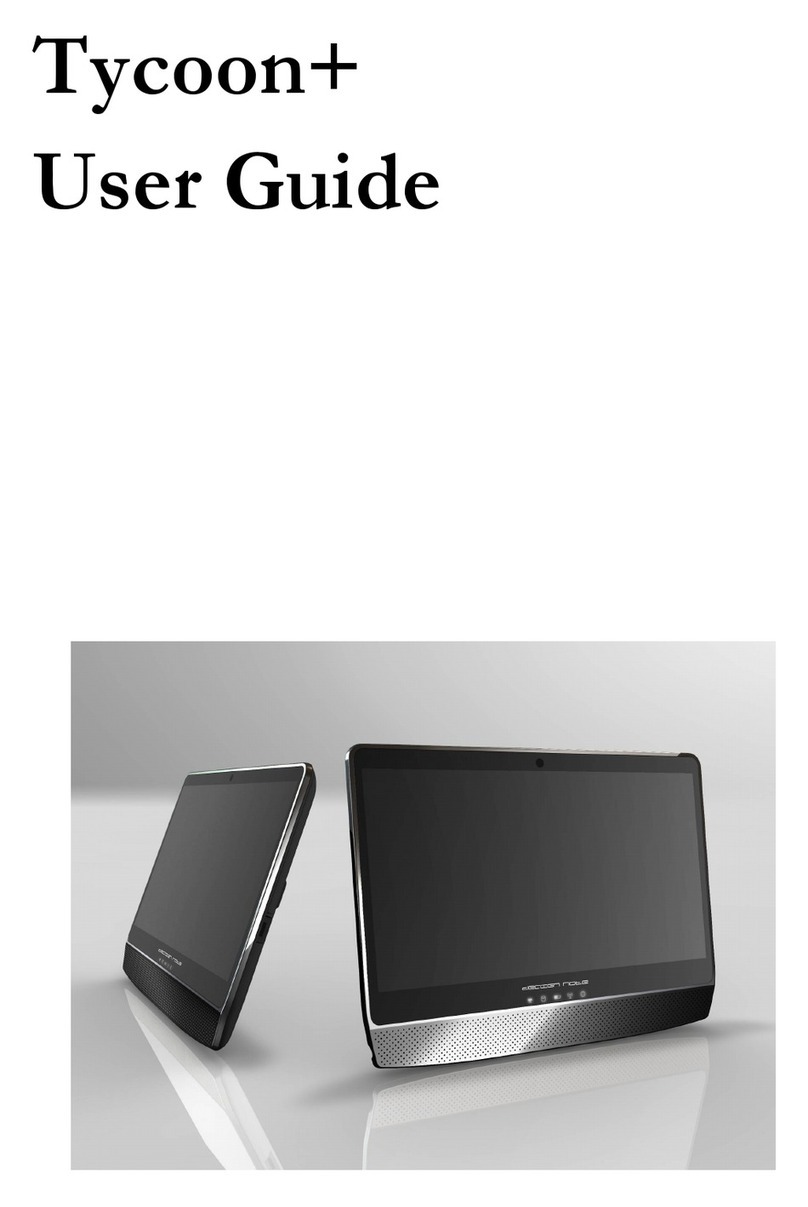
FIC TVB00 Manual de usuario

TVB00
User Guide

Tablet PC User Guide
2
Copyright©2010
All Rights Reserved - Printed in Taiwan
Tablet PC User Guide
Original Issue: 2010/09
This manual guides you in setting up and using your new Tablet PC.
Information in this manual has been carefully checked for accuracy and is
subject to change without notice.
No part of this manual may be reproduced, stored in a retrieval system, or
transmitted, in any form or by any means, electronic, mechanical, photocopy,
recording, or otherwise, without prior written permission.
Trademarks
Product names used herein are for identification purposes only and may be the
trademarks of their respective companies.
Windows 7 home premium, and Windows Sound System are trademarks of
Microsoft Corporation.
Intel ® and Intel ® ATOMTM are registered trademark of Intel Corporation.
Sound Blaster, Sound Blaster Pro are trademarks of Creative Technology.
All other brands or product names mentioned in this manual are trademarks or
registered trademarks of their respective companies.

TabletUser Guide
3
FCC Information to User
Safety and Care Instructions
No matter what your level of experience with computers, please make sure you
read the safety and care instructions. This information can help protect you
and your computer from possible harm.
Important Safety Instructions
This section gives you detailed information about how to maintain a safe
working environment while using the Tablet PC. You can maintain its
condition and performance by following these guidelines. Please read it
carefully to ensure maximum safety.
1. Please read these safety instructions carefully.
2. Please keep this manual for later reference.
3. Glass Parts The outside cover of the Tablet PC’s screen is made of glass.
This glass could break if Tablet PC is dropped on a hard surface or receives
a substantial impact. If the glass chips or cracks, do not touch or attempt to
remove the broken glass and stop using Tablet PC. Glass cracked due to
misuse or abuse is not covered under the warranty.
4. Please keep this equipment from humidity.
5. Do not use this product near water, for example, near a bathtub, wash bowl
kitchen sink or laundry tub, in a wet basement or near a swimming pool.
6. Lay this equipment on a reliable surface when install. A drop or fall could
cause injury.
7. All cautions and warnings on the equipment should be noted.
8. Do not operate the Tablet PC with the case removed. For safety reason,
the equipment should only be opened by qualified service personnel.
9. Always disconnect all telephone lines & all power cords from the wall outlet
before servicing or disassembling this product. To reduce the risk of

Tablet PC User Guide
4
personal injury from electrical shock or hot surfaces, disconnect the power
cord from the wall outlet, and allow the internal system components to
cool before touching.
10. Refer your system for servicing to qualified service personal under the
following conditions:
zWhen the power cord or plug is damaged or frayed.
zIf liquid has been spilled into the product.
zIf the product has been exposed to rain or water.
zIf the product does not operate normally when the operating
instructions are followed. Adjust only those controls that are covered
by the operating instructions, since improper adjustment of other
controls may result in damage and will often require extensive work by
a qualified technician to restore the product to normal condition.
zIf the product has been dropped or the cabinet has been damaged.
zIf the product displays a distinct change in performance, it indicates a
need for service.
zIf the equipment has obvious sign of breakage.
11. The unit can be operated at maximum ambient temperature of 40ºC.
12. Polymer battery is vulnerable, do not charge it with other power adapter, or
it may cause fire or explosion
13. This product should be operated from the type of power indicated on the
marking label. If you are not sure of the type of power available, consult
your dealer or local power company.
14. Use only a power adapter approved for use with this Tablet PC.
15. Do not install near any heat sources such as radiators, heat registers, stoves,
or other apparatus (including amplifiers) that produce heat.
16. If the Tablet PC is not in use for a long time, disconnect it from mains to
avoid possible damage by transient over-voltage.
17. The risk of ignition caused by small metallic objects, such as paper clips or
staples, moving around inside TRANSPORTABLE EQUIPMENT during

TabletUser Guide
5
transportation shall be reduced objects entering the equipment, please do
not remove dummy card from the product.
Installation Restrictions
1. If an extension cord is used with this product, make sure that the total
ampere rating of the equipment plugged into the extension cord does not
exceed the extension cord ampere rating. Also, make sure that the total
rating of all products plugged into the wall outlet does not exceed the fuse
rating.
2. Never push objects of any kind into this product through cabinet slots as
they may touch dangerous voltage points or short out parts that could
result in a fire or electronic shock. Never spill liquid of any kind on the
product.
3. Unplug this product from the wall outlet before cleaning. Do not use liquid
cleaners or aerosol cleaners. Use a dry cloth for cleaning. Ensure that no
liquid enters the system.
Battery (Polymer)
Battery Pack
"Do not incinerate, (or) disassemble; may explode or release toxic
materials. Do not short circuit; may cause burns."
Note:
1. The following caution statement is located in the service and operating
manual or on the label adjacent to the battery.
2. Battery Replacement. The rechargeable battery in Tablet PC should be
replaced only by FIC. For more information about battery replacement
service, go to: www.fic.com.tw/tycoon Risk of explosion if battery is
replaced by an incorrect type.
3. Do not dispose of batteries in a fire.

Tablet PC User Guide
6
English
CAUTION: DANGER OF EXPLOSION IF BATTERY IS INCORRECTLY
REPLACED. REPLACE ONLY WITH SAME OR EQUIVALENT TYPE
RECOMMENDED BY THE MANUFACTURER. DISCARD USED
BATTERIES ACCORDING TO THE MANUFACTURER'S
INSTRUCTIONS.
French
IL Y A DANGER D'EXPLOSION S'IL Y A REMPLACEMENT
INCORRECT DE LA BATTERIE. REMPLACER UNIQUEMENT AVEC
UNE BATTERIE DU MÊME TYPE OU D'UN TYPE RECOMMANDÉ
PAR LE CONSTRUCTEUR. METTER AU RÉBUT LES BATTERIES
USAGÉES CONFORMÉMENT AUX INSTRUCTIONS DU FABRICANT.
German
VORSICHT ! Explisionsgefahr bei unsachgemäßen Austausch der
Batterie.Ersatz nur durch denselben oder einem vom Hersteller empfohlenem
ähnlichen Typ.Entsorgung gebrauchter Batterien nach Angaben des Herstellers.
Swedish
Explosionsfara vid felaktigt batteribyte. Använd samma batterityp eller en
ekvivalent typ som rekommenderas av apparattillverkaren. Kassera använt
batteri enligt fabrikantens instruktion.
Danish
Lithiumbatteri- Eksplosionsfare ved fejlagtig håndtering. Udskiftning må kum
ske med batteri af samme fabrikat og type. Lever det brugte batteri tilbage til
leverandoren.
Norwegian
Ekspolsjonsafe ved feilaktig skifte av batteri. Benytt samme batteritype eller en
TabletUser Guide
7
tilsvarende type anbefalt av apparatfabriknten. Brukte batterier kasseres i
henhold til fabrikantens instruksjoner.
Finnish
Paristo voi räjähtää, jos se on virheellisesti asennettu. Vaihda paristo ainostaan
laitevalmistajan suosittelemaan tyyppiin. Hävitä käyteet paristo valmistajan
ohjeiden mukaisesti.
Power Adapter
For indoor use only.
For use with information technology equipment.
Risk of electric shock do not open.
Power Cord Set Requirements
zAn approved power cord has to be used.
zMake sure the socket and any extension cord(s) you use can
support the total current load of all the connected devices.
zBefore cleaning the computer, make sure it is disconnected from
any external power supplies (i.e. AC adapter).
zThe power cord set (appliance coupler, flexible cord, and wall
plug) you received with the Tablet meets the requirements for
use in the country where you purchased the equipment.
zPower cord sets for use in other counties must meet the
requirements of the country where you use the computer. For
more information on power cord set requirement, contact your
local authorized dealer, reseller, or service provider.

Tablet PC User Guide
8
zProtect the power cord form being walked on or pinched
particularly at plugs, convenience receptacles, and the point
where they exit from the apparatus.
Federal Communications Commission (FCC) Requirements, Part 15
This equipment has been tested and found to comply with the limits for a class
B digital device, pursuant to part 15 of the FCC Rules. These limits are
designed to provide reasonable protection against harmful interference in a
residential installation.
This equipment generates, uses and can radiate radio frequency energy and, if
not installed and used in accordance with the instructions, may cause harmful
interference to radio communications. However, there is no guarantee that
interference will not occur in a particular installation. If this equipment does
cause harmful interference to radio or television reception, which can be
determined by turning the equipment off and on, the user is encouraged to try
to correct the interference by one or more of the following measures:
---Reorient or relocate the receiving antenna.
---Increase the separation between the equipment and receiver.
---Connect the equipment into an outlet on a circuit different from that to
which the receiver is connected.
---Consult the dealer or an experienced radio/TV technician for help.
You may find helpful the following booklet, prepared by the Federal
Communications Commission: Interference Handbook (stock number 004-
000-00345-4). This booklet is available from the U.S. Government Printing
Office, Washington, DC20402
Warning: The user must not modify or change this computer without
approval. Modification could void authority to this equipment.

TabletUser Guide
9
This device complies with Part 15 of the FCC Rules. Operation is subject to
the following two conditions:
(1) This device may not cause harmful interference.
(2) This device must accept any interference received, including interference
that may cause undesired operation.
FCC RF Exposure
FCC RF Radiation Exposure Statement:
Warning: Use the specified shielded power cord and shielded signal cables
with this computer, so as not to interfere with radio and television reception. If
you use other cables, it may cause interference with radio and television
reception.
1. This transmitter has been demonstrated co-location compliance
requirements. This transmitter must not be co-location or operating in
conjunction with any other antenna or transmitter.
2. This equipment complies with FCC RF radiation exposure limits set forth
for an uncontrolled environment. This device was tested for typical lap
held operations with the device contacted directly to the human body to
the back side of the notebook computer. To maintain compliance with
FCC RF exposure compliance requirements, avoid direct contact to the
transmitting antenna during transmitting.

Tablet PC User Guide
10
15.247 (b)(4), the EUT meets the requirement that it be operated in a manner
that ensures the public is not exposed to radio frequency energy levels in
excess of the Commission’s guidelines (1.1307, 1.1310, 2.1091 and 2.1093)
5.21 Regulatory information/Disclaimers
Installation and use of this Wireless LAN device must be in strict accordance
with the instructions included in the user documentation provided with the
product. Any changes or modifications (including the antennas) made to this
device that are not expressly approved by the manufacturer may void the user’s
authority to operate the equipment. The manufacturer is not responsible for
any radio or television interference caused by unauthorized modification of
this device, or the substitution of the connecting cables and equipment other
than manufacturer specified. It is the responsibility of the user to correct any
interference caused by such unauthorized modification, substitution or
attachment. Manufacturer and its authorized resellers or distributors will
assume no liability for any damage or violation of government regulations
arising from failing to comply with these guidelines.
Shielded Cables Notice
All connections to other computing devices must be made using shielded
cables to maintain compliance with FCC regulations.
Peripheral Devices Notice
Only peripherals (input/output devices, terminals, printers, etc) certified to
comply with Class B limits may be attached to this equipment. Operation with
non-certified peripherals is likely to result in interference to radio and TV
reception.
European Notice
For the following equipment: Tablet PC
Otros manuales para TVB00
1
Tabla de contenidos
Otros manuales de Tableta de FIC