
FASTpass P1R Manual de usuario

FASTpass® P1R/P1U
User’s Manual
Version 1.0.0
2015/02/11
Fast, reliable, and compact passport reader

FASTpass® P1R/P1U User’s Manual
Notice
2
•Before connecting FASTpass® P1R/P1U to a PC, you should install device driver
first.
•Compatible adaptor should be used.
•Device’s input window or inner parts could be damaged by a sheer drop from the
high place or an external shock
•To minimize a recognition error, the input window should be periodically cleaned
with SMARTCORE’s proprietary cloth or other soft cloths (cleaning with a wet
cloth could cause a recognition error because it sometimes leaves marks)
•Although you connect USB and Power cables to FASTpass® P1R/P1U and turn
on the power switch, the device’s power is not on without PC power.
•If PC’s power is off while the device is on, the latter’s power is automatically
changed to off. If the device does not become off, it means that PC’s USB port is
still providing power to it. In this case, you may turn off device’s power switch.
MSIP-CMM-Sci-FASTpass-P1R
Compatible Adaptor
1 (+)
2 (-)
4 (+)
3 (-)
12V / 2.5A

1. Driver Installation (Windows 7)
1. Driver Installation (Windows 7)
3
•Step 1) For driver installation, run an installation program from the provided CD.
–Program name: FASTpass_Setup_0.0.0.0.exe
–Notice: version number in FASTpass_Setup_0.0.0.0 can be changed in distribution.
4
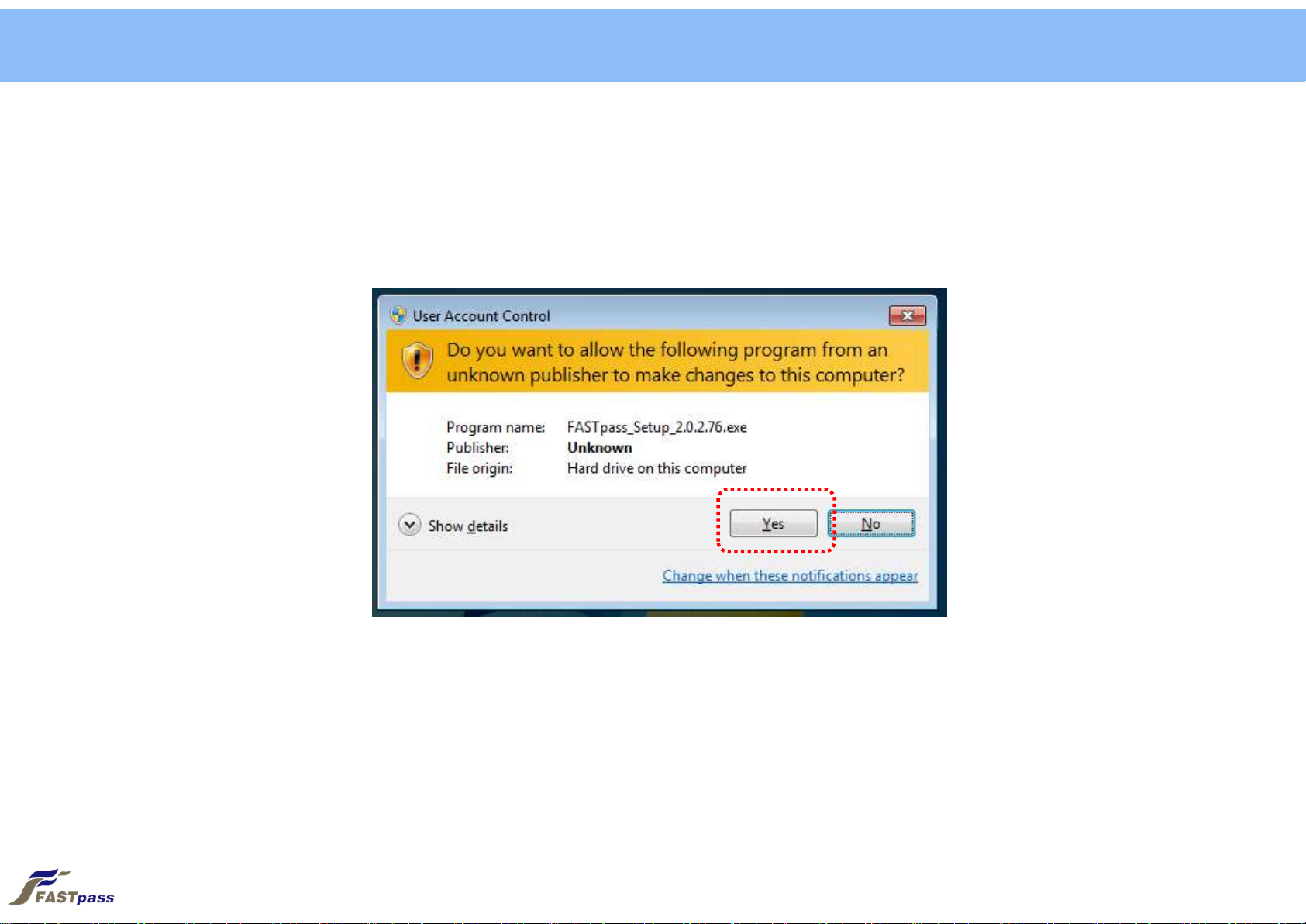
•Step 2) Click [Yes] button after the installation program runs.
1. Driver Installation (Windows 7)

5
•Step 3) Click [Next] button.
1. Driver Installation (Windows 7)

6
•Step 4) Click [Install] button.
- Select API and SDK for installation
1. Driver Installation (Windows 7)

7
•Step 5) Select [Always trust software from “SMARTCORE Inc.”] and click [Install] after Windows Security screen appears.
1. Driver Installation (Windows 7)

8
•Step 6) Wait till files required for installation are copied.
1. Driver Installation (Windows 7)

9
•Step 7) Driver installation is completed with [Finish] button clicked
1. Driver Installation (Windows 7)

2. Device Connection
2. Device Connection
10
•Step 1) Check the backside of FASTpass® P1R/P1U for device connection
Power Switch Power Port USB Extension Port USB port for PC connection
Este manual sirve para los siguientes modelos
1
Tabla de contenidos


