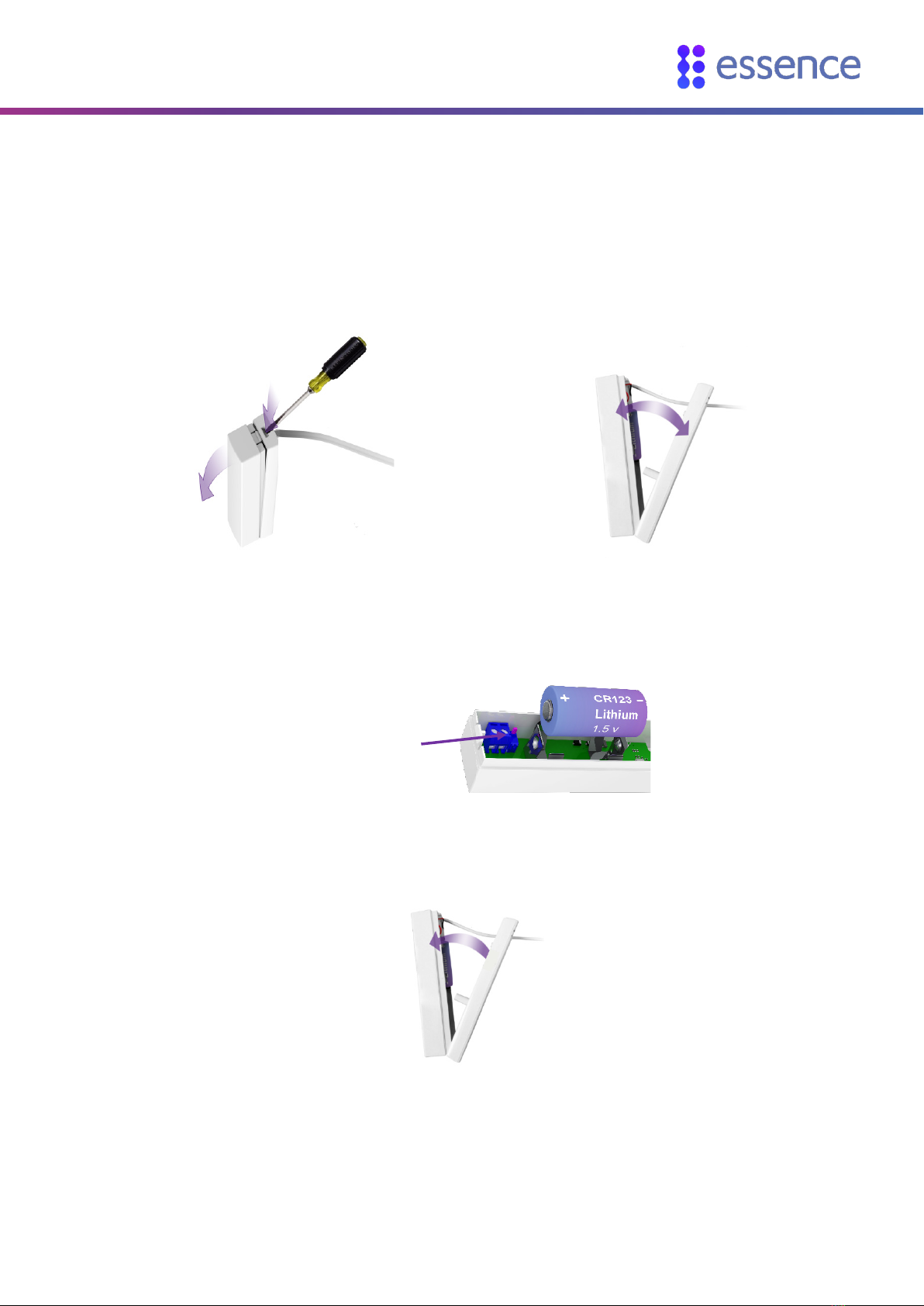
Setting Up the Bed Sensor
Care@Home™ Bed Sensor User Guide 5
2. Press and hold the PAIRING button on the control panel until you hear a double beep.
3. Move the bed sensor at least 2 m (~6 ft. 7 in.) from the control panel.
4. Press and hold the bed sensor's tamper switch.
5. While continuing to hold the tamper switch, insert the battery, observing the correct polarity.
Caution: A battery can cause damage if it is installed incorrectly.
6. Continue to hold the tamper switch until the control panel responds.
7. Ensure that pairing was successful based on the response you receive from the control panel:
Control Panel Response Meaning
"Bed sensor added successfully"
Pairing was successful.
"Device added successfully"
Bed sensor was paired incorrectly.
1. Remove the bed sensor's battery.
2. Pair again, and make sure to hold down the
tamper switch during the whole process.
Beeps and EMERGENCY button
ring lights red for two seconds.
Pairing was unsuccessful. Try again.
PAIRING Button
Tamper switch