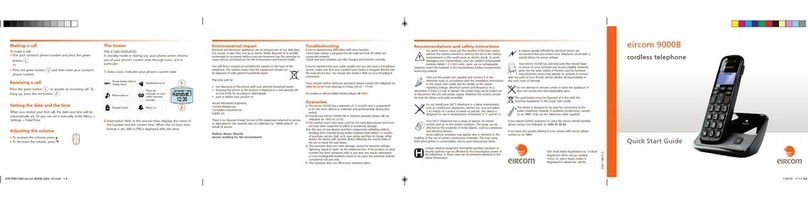
Eircom 9000B Manual de usuario

User Guide
eircom 9000B
cordless telephone

1
Dear customer,
You have just acquired a new generation telephone and thank you for placing your confidence
in us. This product follows a strategy of continuous development. We reserve the right to make
changes without notice, modifications and improvements to the products described in this
user manual.
For further information please refer the helpdesk: 1850 60 20 60.
To operate the device safely and easily, please read carefully the paragraph
“Recommendations and safety instructions”, page 3.
The CE label confirms that the product complies with the 1999/5/EC regulations of
the European Union Parliament regarding wireless systems and telecommunications.
The declaration of compliance may be looked up on the www.sagemcom.com
website section «Support», or can be obtained from the following address :
Sagemcom Broadband SAS
250, route de l'Empereur 92848 Rueil-Malmaison Cedex - France

2
Recommendations and safety
instructions ................................ 3
Discover... .................................. 5
Your phone ......................................................5
The handset screen .....................................8
Setting up................................... 9
Connecting the base ....................................9
Handset set-up ........................................... 10
Switching the handset on / off ............... 10
Charging ...................................................... 11
Browsing through the menus ................. 12
Menu tree structure .................. 16
Making and receiving calls........ 17
Managing a call .......................................... 17
Options during a call ................................ 18
Managing several calls ............................. 19
Using additional handsets ....................... 21
Using the phonebook ............................... 24
Locating your handset ............................. 27
Listening to your messages ....................28
Locking / Unlocking the keypad ............28
Setting up... .............................. 29
The phone ....................................................29
The handset .................................................32
The base .......................................................35
The line ..........................................................36
Alarm... .................................... 37
The alarm ......................................................37
Tracing your calls... .................. 39
Call logs ........................................................39
The events log .............................................40
Environmental information........ 41
Guarantee ................................ 43

3
Recommendations and safety instructions
For safety reasons, never put the handset in the base station without the battery
inserted or without the lid on the battery compartment as this could cause an electric
shock.
To avoid damaging your handset/base, onlyuse certified rechargeable batteries
NiMH 1.2 V 600 mAh, never use non-rechargeable batteries. Insert the batteries in the
handset/base battery compartment respecting polarity.
Only use the power unit supplied and connect it to the electricity mains in accordance
with the installation instructions in this user manual and the details on the sticker
regarding voltage, electrical current and frequency. As a precaution if there is a risk
of danger, the power plug can be pulled out to disconnect the 230 volt power supply.
Therefore the sockets should be near the device and easily accessible.
Do not install your DECT telephone in a damp environment, such as a bathroom,
washroom, kitchen etc, and not within 1.50 metres of a source of water or outside. This
device is designed for use in temperatures of between 5 °C and 40 °C.
Your DECT telephone has a range of approx. 50 metres indoors and up to 300 metres
outdoors. The range can be affected by the proximity of metal objects, such as a
television and electrical devices.
Zones without reception may appear owing to elements in the building. This can
cause brief interruptions in the conversation, caused by faulty transmission.

4
Certain medical equipment and highly-sensitive machines or security systems may be
affected by the transmission power of the telephone. In these cases we recommend
adhering to the safety information.
In regions greatly affected by electrical storms we recommend that you protect your
telephone circuit with a special fixture for excess voltage.
Your eircom 9000B has anti-skid pads that should leave no traces on your furniture
and ensure stability.
However, given the wide variety of finishes used by furniture manufacturers, traces
may appear on surfaces in contact with the parts of your eircom 9000B.
eircom decline all responsibility in any such cases of damage.
Do not attempt to remove screws or open the appliance. It does not contain any
user-replaceable parts
Worn out batteries must be disposed of in line with the recycling regulations in this
user manual.
This product is intended to be connected to the public analogical telephone network
of any British and Irish network operator. If problems should arise, contact your
nearest specialist dealer. Only use the telephone cable supplied.

5
Discover...
Your phone
The pack
Check that you have the following items in your pack:
1 eircom 9000B handset
1 eircom 9000B base
2 rechargeable batteries
1 telephone connection cord
1 mains power supply with connection cord
1 belt clip
quick start guide

6
The handset
1Indicator light - incoming call.
2Loudspeaker.
3Graphic screen.
4Upper and lower side keys :
•To Increase / Decrease the volume.
•Browsing through the menus.
5Phonebook access key.
6Menu access / validation key.
7Mute button: cuts off the microphone.
8"Hang up" button
•
Short press
: return to main menu.
•
Long press
: switch handset on / off.
9Alphanumeric keypad.
10 "Hash" key
•
Long press
: (un)lock the keypad.
11 Microphone.
12 Charging terminals.
13 "Star" key
•
Long press
: to (de)activate the silent mode.
14 Key 1:
•Long press: access to eircom messaging*.
*.eircom messaging is eircom's answering machine on the network. The eircom messaging number is
preconfigured for fast access to your mailbox (171). To modify the number please refer to “Changing
your voice mail number”, page 31.
11
10
16
4
15 8
18
19
17
1
2
3
5
6
12
13
7
9
14

7
15 "Open line" key
•
During a call
: to (de)activate the hands-free mode.
16 Browsing through the menus / Upper and lower keys:
•To increase / Decrease the volume.
•Browsing through the menus.
•: See the list of calls received.
•: See the list of outgoing calls.
17 R key (flashing, to manage several calls).
18 Cancel / Intercom / Delete character key.
19 Side key : (de)activate the amplifier.
The base
1Handset location.
2Handset(s) Search / Pairing key
•
Long press
: pairing of handsets.
•
Short press
: paging of handsets.
2
1

8
The handset screen
THE ICONS DISPLAYED
In standby mode or during use, your phone screen informs you of your phone’s current state
through icons, and in particular:
1Status icons: Indicates your phone’s current state
2Information field: in the normal state, displays the name of the handset and the current time.
When the 12-hour time format is set, AM or PM is displayed after the time.
Speakerphone enabled Battery charge condition
Silent mode activated There are messages on your
online message recorder
Alarm on Keypad locked
1
2
Handset.1
12:30

9
Setting up...
Connecting the base
1Turn the base over.
2Take the telephone connection cord, click it
into its socket and connect the other end of
the cord to the telephone socket.
3Take the mains power supply. Connect the
jack plug of the power supply underneath
the base and connect the power supply to
the mains.
4Pass the cords through the cord grips
provided.
5Place the base where you want it located.
Before making connections, please see the safety instructions at the start of the booklet.
4
3
2
1
Otros manuales para 9000B
1
Tabla de contenidos
Otros manuales de Teléfono inalámbrico de Eircom