
EEG iCap CC1260 Manual de usuario
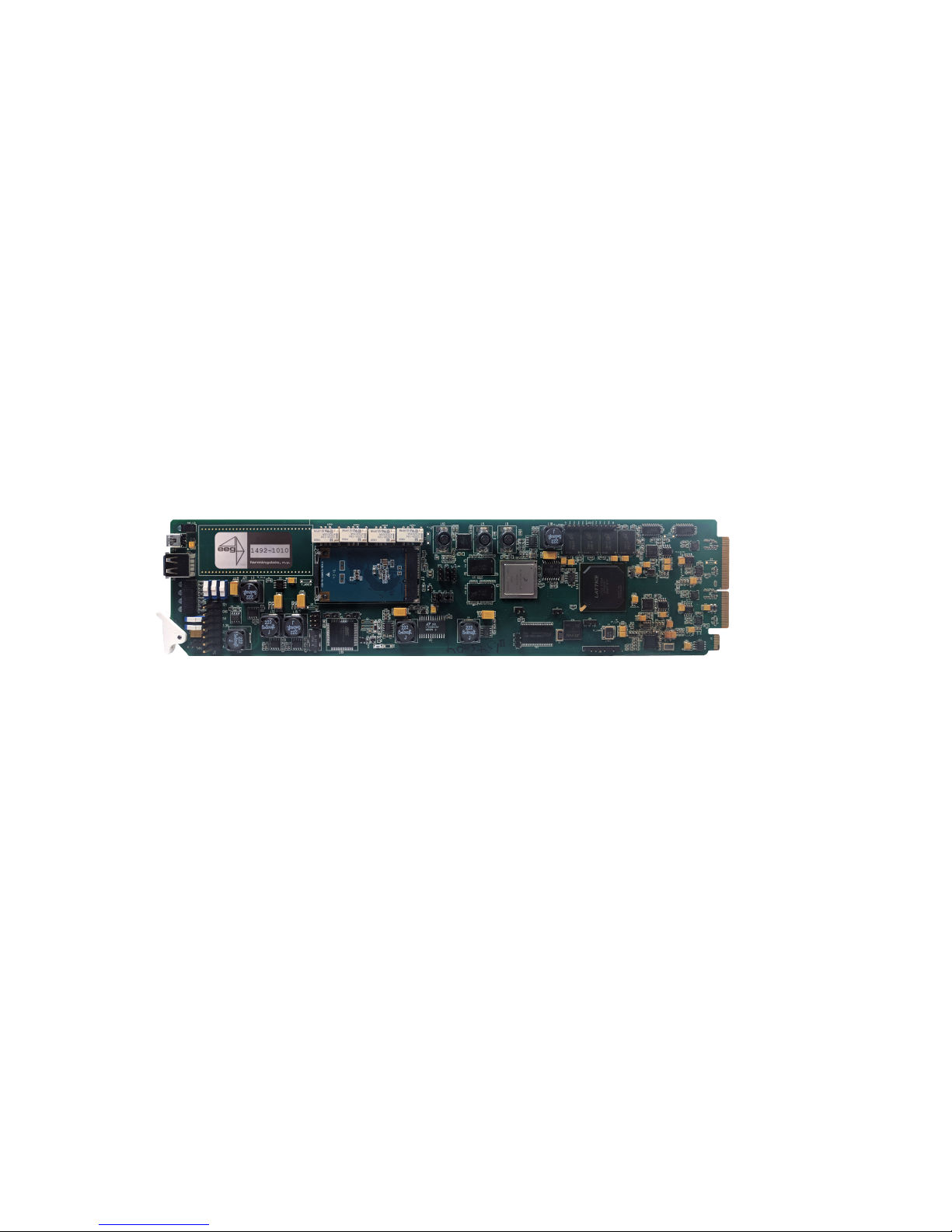
EEG CC1260
iCap™ Interface Card
Product Manual
EEG Enterprises, Inc.
586 Main Street
Farmingdale, New York 11735
TEL: (516) 293-7472 FAX: (516) 293-7417
Copyright © EEG Enterprises, Inc. 2018
All rights reserved.

CC1260 iCap™ Interface Card
Contents
1 Introduction 3
1.1 Product Description . . . . . . . . . . . . . . . . . . . . . . . 3
2 Rear Module 3
3 CC1260 Operation 5
3.1 Front Panel . . . . . . . . . . . . . . . . . . . . . . . . . . . . 5
3.2 DashBoard Menus . . . . . . . . . . . . . . . . . . . . . . . . 5
3.2.1 System . . . . . . . . . . . . . . . . . . . . . . . . . . . 8
3.2.2 Audio . . . . . . . . . . . . . . . . . . . . . . . . . . . . 10
3.3 Web Configuration . . . . . . . . . . . . . . . . . . . . . . . . 12
4 Connecting to Remote Encoders 13
A General-Purpose I/O 14
B Serial Port Connector 15
C Video/Connector Specifications 16
Copyright © EEG Enterprises, Inc. 2018 1

CC1260 iCap™ Interface Card
Copyright 2018, EEG Enterprises, Inc. All rights reserved. The
contents of this manual may not be transmitted or reproduced in
any form without the written permission of EEG.
The revision date for this manual is June 5, 2018.
2 Copyright © EEG Enterprises, Inc. 2018

CC1260 iCap™ Interface Card
1 Introduction
1.1 Product Description
The CC1260 iCap™ Interface Card provides access to EEG’s iCap™ net-
work for legacy caption encoders. The CC1260 works just like any other
iCap™ encoder from a captioner’s point of view, but it outputs caption
data via TCP/IP and RS-232 to non-iCap™ encoders, rather than directly
encoding closed captions into SDI.
2 Rear Module
3

CC1260 iCap™ Interface Card
MASTER IN Master video input. Accepts SMPTE 259M
SD–SDI, SMPTE 292M HD–SDI, or SMPTE
424M 3G–Level-A SDI.
AUX IN Reserved.
MASTER OUT Reserved.
AUX OUT Reserved.
GP IN A and GP IN B Two Molex 87831-0841 connectors, each
containing 4 GPI inputs. See Appendix A for
more information regarding GPIO usage.
GP OUT Molex 87831-0841 connector containing 4
GPI outputs. See Appendix A for more in-
formation regarding GPIO usage.
SERIAL Connector for cable containing two DB–9
(RS-232) serial ports labeled P1 and P2.
P2 will output all caption data entered via
iCap™.
LAN 1000-Base Ethernet port for connection to
LAN. After configuring your CC1260’s net-
work settings in DashBoard (see below),
you can view the Web Configuration site for
your card by navigating to its local IP ad-
dress in your web browser.
4

CC1260 iCap™ Interface Card
3 CC1260 Operation
3.1 Front Panel
The front of the CC1260 card is depicted in the following diagram:
Power LED The power LED will be green when the
card is receiving power from the frame.
USB Connectors Reserved for future use.
Video Status (AUX) Reserved for future use.
Video Status (Main) This LED will be red when there is no
video present on the main input. When
HD or 3G video is present, it will be
green, and when SD video is present, it
will be orange.
3.2 DashBoard Menus
The DashBoard software is used to configure settings, networking, and
perform additional basic configuration for the frame card. It can be
downloaded from Ross Video: https://www.rossvideo.com
Once you have successfully installed the DashBoard tool, open the pro-
gram to find information about the CC1260 and to configure your card.
5

CC1260 iCap™ Interface Card
There are two main sections in the DashBoard interface: the Status in-
formation on the left side and the Setup menu on the right side. At the
bottom of the interface, you will find the Upload button, which can be
used to upgrade your CC1260’s DashBoard interface firmware, and the
Reboot button, which can be used to reboot your CC1260.
The upper section on the left shows the card state and the connection
status, each of which has an indicator light and description of the card’s
status. There is a more detailed tab labeled Status Information below
the two basic indicators that provides information about the card’s ver-
sion and its current setup configurations.
In the System Status section, Master Input Format displays the video
type detected on the master video input, including format information
for 3G or HD video. iCap Status indicates whether the card is connected
to an iCap™ server and, if so, whether a captioner is actively connected.
Remote Connection Status indicates whether the card is connected to a
remote encoder via Telnet. The Upgrade Status field displays informa-
tion about whether the encoder is currently loading an upgrade.
6

CC1260 iCap™ Interface Card
The lower section entitled Product displays identifying information about
the hardware and software versions of the card. This section displays
the supplier, the build number, the firmware number, and the ASW ver-
sion to identify the software installed and the serial number of the card.
The setup section in the right half of the interface is broken up into
two tabs: System and Audio.
7

CC1260 iCap™ Interface Card
3.2.1 System
The System tab contains network configuration and remote connection
setup fields.
MAC Address Displays the encoder’s MAC address.
Configuration Selects between static and DHCP network
settings.
IP Address Selects the IP address the unit will be as-
signed on your LAN (read-only in DHCP
mode).
Subnet Mask Selects the bit mask used; this should
match the mask used on your LAN (read-
only in DHCP mode).
Gateway Selects the address of the device that the
unit will use to communicate outside of
your LAN (read-only in DHCP mode).
8

CC1260 iCap™ Interface Card
Enable Remote Con-
nection
When set to Yes, the card will attempt to
connect to a remote encoder at the IP and
port specified below, for the purpose of for-
warding incoming iCap™ caption data and
commands.
Destination IP Address IP address of the encoder to which a remote
connection should be established.
Destination Port TCP/IP port to which a remote connec-
tion should be established, at the above-
specified IP address.
9
Tabla de contenidos
Manuales populares de Placa madre de otras marcas


Telit Wireless Solutions
Telit Wireless Solutions SL869-3DR Manual de usuario

Gigabyte
Gigabyte GA-9IVDT Manual de usuario

Texas Instruments
Texas Instruments ADS8372EVM Manual de usuario

Commell
Commell MS-C73 Manual de usuario

IBT Technologies
IBT Technologies MB860 Manual de usuario

Nvidia
Nvidia TEGRA DG-04927-001_V01 Manual de usuario


