
EEFINITE HYPER S Pro Manual de usuario

User Manual
Version 1.0

........................................................................... 08
................................................................ 08
Getting Started
What's in the box
Table of Contents
.................................................................... 09
............................................................. 09
Set up Hyper S Pro
Charge your watch
....................................................... 10
Set up with your phone
................................................................. 11
Wear Hyper S Pro
............................................................................................ 12
........................................................... 12
Basics
Navigate Hyper S Pro
................................... 13
Quick settings on the tracker watch
............................................................................... 14
.............................................................. 14
Notifications
Set up notifications
.................................................. 14
See incoming notifications
........................................................... 15
Manage notifications
........................................................... 15
Turn off notifications
............................................................................... 16
........................................................................ 16
Timekeeping
Set an alarm
................................................ 16
Dismiss or snooze an alarm
............................................................... 17
Use the timers app
.................................................. 15
To turn off all notifications

............................................................................. 17
Stopwatch
...................................................................................... 17
Timer
...................................................................... 18
.................................................... 18
Activity and Sleep
Track a daily activity goal
....................................................................... 18
Choose a goal
.................................................................... 18
Track your sleep
..................................................................... 19
Set a sleep goal
............................................. 19
Learn about your sleep habits
..................................................................... 20
................................................... 20
Health Monitoring
Practice guided breathing
.............................................................. 20
Sedentary reminder
.......................................................... 21
Heart rate monitoring
................................................................... 22
............................ 22
Fitness and Exercise
Track and analyze exercise with the app
.................................................................. 22
Track an exercise
................................................................. 21
Stress monitoring
............................................ 23
Check your workout summary
....................................................................................... 24
............................................................... 24
Lifestyle
Check the weather
................................................ 24
Control music on the watch
...................................................................................... 25
Alexa

............................................................. 25
How to set up Alexa
............................................................................ 26
Find phone
........................................................................ 27
Restart and Erase
........................................................................... 28
Troubleshooting
.............................................................. 27
Restart Hyper S Pro
.................................................................. 27
Erase Hyper S Pro
..................................................... 28
Heart-rate signal missing
........................................................................... 28
Other issues
................................................................................ 29
Maintenance
............................................................................. 30
Safety Notices

Inhaltsverzeichnis
........................................................................................ 31
................................................................ 31
loslegen
Was ist in der Box
...................................................... 32
......................................................... 32
Richten Sie Hyper S Pro ein
Laden Sie Ihre Uhr auf
....................................... 33
Richten Sie mit Ihrem Telefon ein
........................................................ 34
Tragen Sie Hyper S Pro
.................................................................................. 35
............................................. 35
Grundlagen
Navigieren Sie zu Hyper S Pro
............................ 36
Schnelleinstellungen auf der Trackeruhr
................................................................... 37
.......................................... 37
Benachrichtigungen
Benachrichtigungen einrichten
............................. 37
Siehe eingehende Benachrichtigungen
............................................ 38
Benachrichtigungen verwalten
......................................... 38
Benachrichtigungen abschalten
............................................................................... 40
......................................................... 40
Zeitmessung
Richte einen Alarm ein
..................................... 40
Einen Alarm abweisen oder dösen
............................................ 41
Verwenden Sie die Timer-App
.................... 39
So deaktivieren Sie alle Benachrichtigungen

............................................................................. 41
Stoppuhr
...................................................................................... 41
Timer
................................................................... 42
........................... 42
Aktivität und Schlaf
Verfolgen Sie ein tägliches Aktivitätsziel
............................................................... 42
Wählen Sie ein Ziel
.................................................... 42
Verfolgen Sie Ihren Schlaf
.............................................. 43
Setzen Sie sich ein Schlafziel
............ 43
Erfahren Sie mehr über Ihre Schlafgewohnheiten
... ........................................................ 44
.......................................................... 44
Gesundheitsüberwachung
Übe geführtes Atmen
.............................................................. 44
Sedentary reminder
................................................ 45
Herzfrequenzüberwachung
.............................................................. 46
...... 46
Fitness und Bewegung
Verfolgen und analysieren Sie Übungen mit der App
................................................... 46
Verfolgen Sie eine Übung
............................................................. 45
Stressüberwachung
............. 47
Überprüfen Sie Ihre Trainingszusammenfassung
..................................................................................... 48
....................................... 48
Lebensstil
Nachgucken wie das Wetter wird
...................................... 48
Steuern Sie die Musik auf der Uhr
...................................................................................... 49
Alexa

...................................................... 49
Wie richte ich Alexa ein?
..................................................................... 50
Telefon suchen
.............................................................. 51
............................................... 51
Neustart und Löschen
Starten Sie Hyper S Pro neu
...................................................... 51
Löschen Sie Hyper S Pro
.......................................................................... 52
Fehlerbehebung
.................................................... 52
Herzfrequenzsignal fehlt
................................................................. 52
Andere Probleme
........................................................................... 53
Instandhaltung
Sicherheitshinweise
.................................................................... 54
Meet HYPER S Pro, the health and fitness smartwatch with
built-in Alexa, 14+ exercise modes, Heart rate monitor,
personalized stress measurement, up to 7 days of battery life,
and more to keep you motivated to move.
HYPER S Pro is not intended to provide medical or scientific
data.
Getting Started
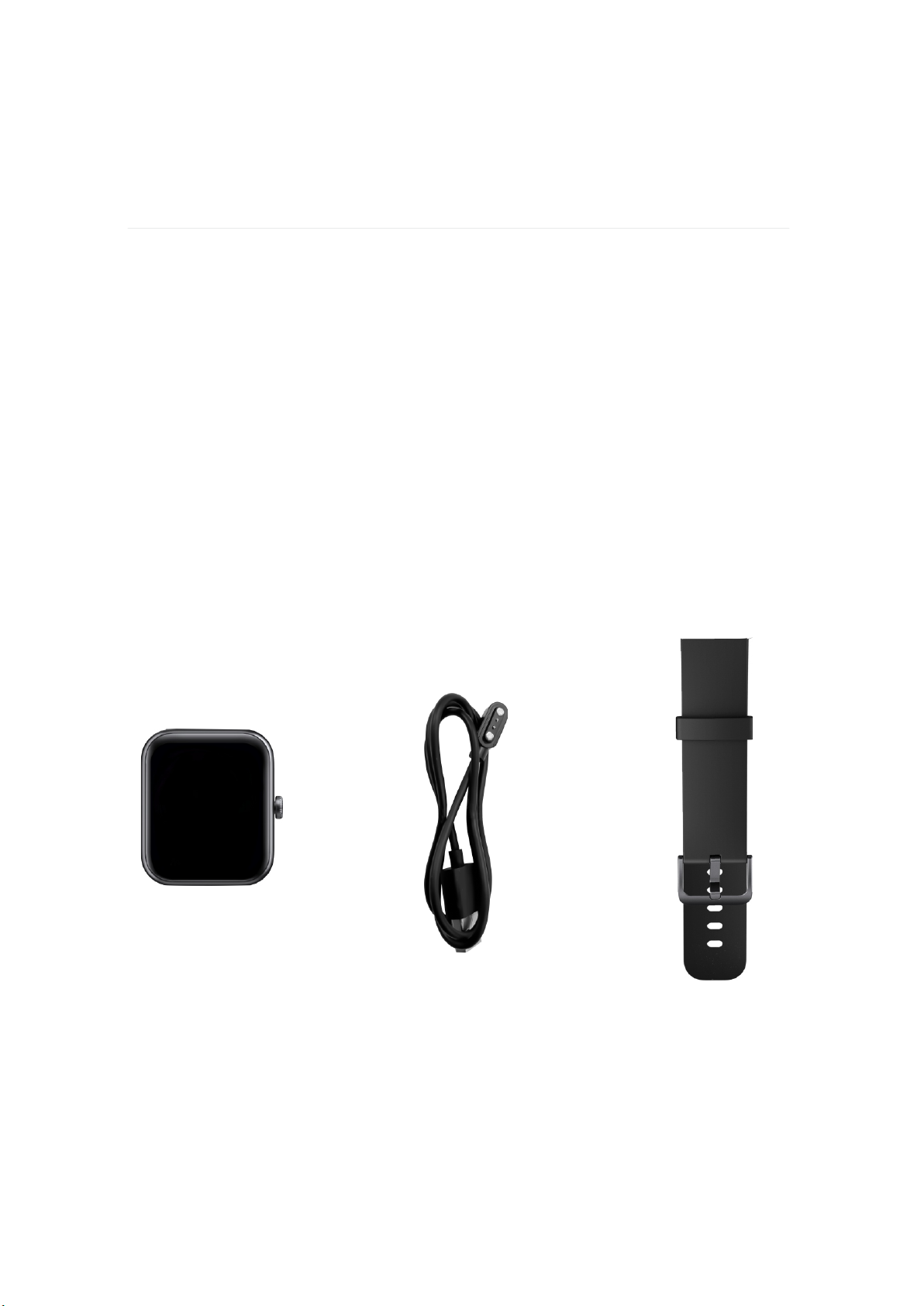
Detachable Strap
Charging Cable
What's in the box
- 08 -
The detachable wristbands on HYPER S Pro come in a variety of
colors, sold separately.
Smart Watch

- 09 -
A fully-charged Hyper S Pro has a battery life of 7+ days. Battery life and
charge cycles vary with use and other factors, actual results will vary.
To charge Hyper S Pro:
Charge your watch
Set up Hyper S Pro
While the watch charges, tap the screen twice or press the button to turn
the screen on. The battery level appears for several seconds, then disappears
so you can use your watch while it charges. Charging fully takes
about 1-2 hours.
1. Plug the charging cable into the USB port on your computer, a UL-
certified USB wall charger, or another low-energy charging device.
2. Hold the other end of the charging cable near the port on the back of
the watch until it attaches magnetically. Make sure the pins on the
charging cable align with the port on the back of your watch.

Set up Hyper S Pro with the VeryFit app. The VeryFit app is compatible
with most popular phones and tablets.
- 10 -
Set up with your phone
To get started:
1. Download the VeryFit app:
Apple App Store for iPhones and iPads
Google Play Store for Android phones
2. Install the app, and open it.
If you already have a account, log in to your account.
If you don't have a account, tap Register to be guided through a series
of questions to create a account.
3. Tap Device tab > Add Device > Watch > select the "ID206" to connect.
Or you can scan the QR code on the tarcker watch directly in the APP
(make sure the device is activated) to connect to the device.
Tabla de contenidos
Idiomas:
Otros manuales de Mirar de EEFINITE


