Echomaster MM-4320-DVR Manual de usuario
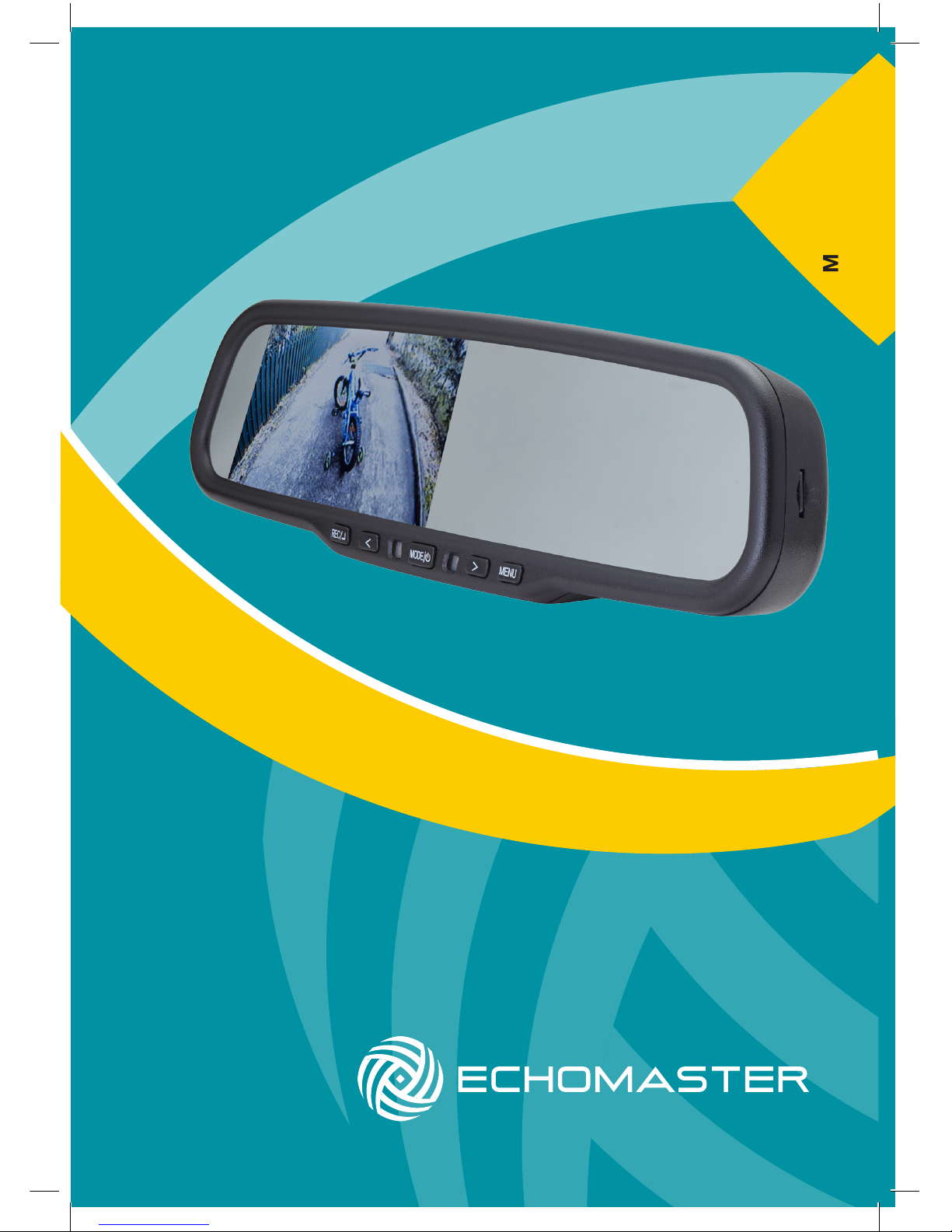
User Manual
4.3” Factory Mount Mirror
Monitor with Built-In DVR
MM-4320-DVR

2
Installation Guide
tel - 1-800-477-2267 (East Coast) - 1-888-883-2790 (West Coast)
MM-4320-DVR
4.3” Factory Mount Mirror Monitor
with Built-In DVR
Introduction
Box Contents Key Features
u Factory replacement mirror
u Dual video sensing inputs
u Auto-dimming display
u Built-in shock sensor
u Built-in forward looking camera
with Digital Video Recorder
u Built-in selectable motion detection
u User Guide
u Mirror Monitor
u Main Harness
u Universal Mounting Button
u Cable Management
u Allen Key
u 8GB Micro SD Card
Thank you for purchasing your EchoMaster Mirror Monitor.
EchoMaster mirror monitors are designed to improve safety by providing
high quality images from camera inputs. This may help to improve vehicle
maneuvering capabilities by displaying blind spots or areas not normally
visible to the driver.
Please ensure you read and understand all aspects of this manual before
tting or using your EchoMaster mirror monitor.

3
tel - 1-800-477-2267 (East Coast) - 1-888-883-2790 (West Coast)
Installation Guide
Fitting Instructions
MM-4320-DVR
4.3” Factory Mount Mirror Monitor
with Built-In DVR
The MM-4320-DVR will replace your factory tted rearview mirror.
Remove the original mirror from the vehicle and replace with the
MM-4320-DVR. If your factory mounting bracket differs from the
MM-4320-DVR, there is a supplied metal button that can be bonded
to the windshield to allow the new mirror to t.
Once the unit is in place, run the connections cable across the headliner of
the vehicle and down the A pillar.
Please ensure that you do not impede the operation of any airbags that may
be located in the A pillar of the vehicle. Any cable passing these airbags
should be run behind the airbag and not in front of it.
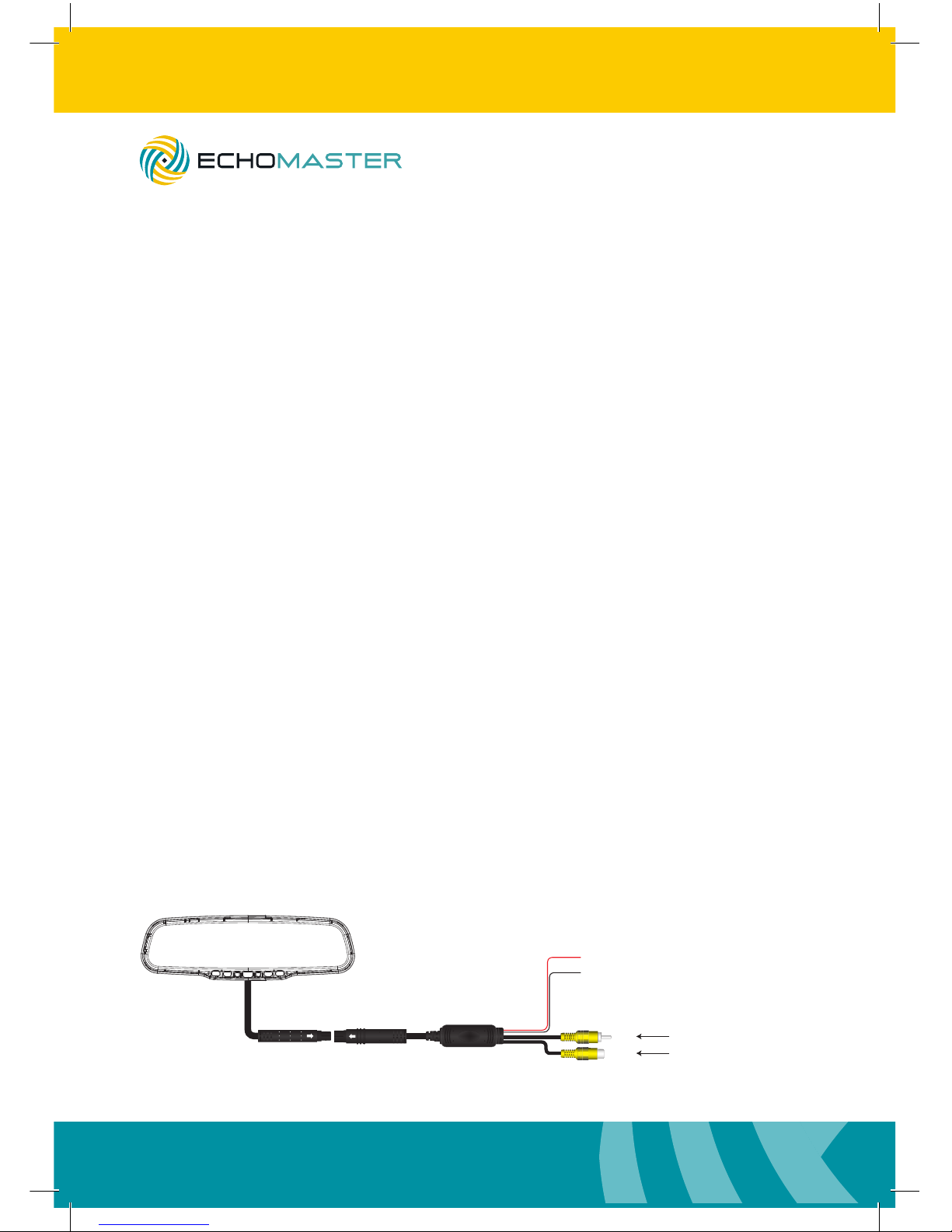
Once the cable has been routed down to the dashboard, connect the camera
inputs and power connections as shown in the wiring diagram section of this
manual.
Operating Instructions
Upon powering up the screen, the DVR screen will be displayed and
recording will start automatically, as long as an SD card is inserted.
The SD card slot is located on the right-hand side of the unit. Please take
care when inserting the card as improper insertion can damage the card and
the mechanism.
To switch to V1 video input, press and hold the REC button for 2 seconds.
To revert back to the DVR display, press the REC button again briey.
The screen will automatically switch to V2 when it detects a video signal on
that input.

4
Installation Guide
tel - 1-800-477-2267 (East Coast) - 1-888-883-2790 (West Coast)
MM-4320-DVR
4.3” Factory Mount Mirror Monitor
with Built-In DVR
Operating Instructions (continued)
Pressing the menu button when a video signal is being viewed will allow you
to adjust the following parameters.
Brightness Adjust the brightness level of the display (0-100).
Color Adjust the color of the display (0-100).
Contrast Adjust the contrast of the display (0-100).
Sharpness Adjust the display sharpness (0-100).
Reset This resets all values to the default setting.
The screen will automatically turn on when it detects a signal input on either
channel. If a signal is detected on both channels then V2 will take priority.
To stop and start recording, press the REC button. If a shock event is
detected, the unit will automatically protect the current le.
When using the DVR function the menus can be accessed by pressing the
MENU button. (Recording must be stopped for this to be enabled).
The menu categories can be scrolled through by pressing the MODE
button and then each list can be scrolled through by pressing the REC
button.
To enter a menu feature, press the REC button and change the values using
the up and down arrow buttons. Repeatedly pressing the REC button will
back out to the main menu.
Pressing MENU again will exit the menu structure.
Movie Mode menu:
Movie Mode Adjust the resolution of the recording.
Movie Quality Adjust the picture quality (lower quality will increase
the amount of video able to be recorded).
Movie Clip Time Sets the length of each individual recording clip.
Movie Off Time This sets how long after power off the unit will
continue to record for.

5
tel - 1-800-477-2267 (East Coast) - 1-888-883-2790 (West Coast)
Installation Guide
Motion Event Record This sets the recording length when a motion event is
detected (requires the unit to be powered constantly).
Sound Record This turns the built-in microphone recording on or off.
Mic Sensitivity Adjust the sensitivity of the built-in mic.
Scene Set different scene modes to improve picture quality in
different scenarios.
Exposure Change the exposure value of the camera.
White Balance Change the white balance of the camera.
ISO Sensitivity Change the ISO setting of the camera.
Still Capture:
Still Image Size This sets the size of the picture when taking still
images. Lower resolution will allow for more pictures
to be stored on the card.
Still Quality This adjusts the image quality for still images
(lower quality offers more storage).
Scene This adjusts the camera settings to compensate for
different environments.
Exposure Adjust the exposure level of the camera.
White Balance Adjust the white balance of the camera.
ISO Sensitivity Adjust the ISO setting of the camera.
Color Adjust the color setting of the camera.
Effect Apply certain graphical effects to the still images.
Playback Menu:
Volume – Adjust the playback volume through the internal speaker.
Delete – Allows you to delete one or all of the les (protected les cannot be deleted).
Protect – This allows you to protect any les not currently protected.
Media Tool:
Format SD Card – This will format the contents of the currently inserted card
(Warning: this will delete all contents).
SD Card Info – This shows information about the currently inserted card.
Operating Instructions (continued)
MM-4320-DVR
4.3” Factory Mount Mirror Monitor
with Built-In DVR
6
Installation Guide
tel - 1-800-477-2267 (East Coast) - 1-888-883-2790 (West Coast)
MM-4320-DVR
4.3” Factory Mount Mirror Monitor
with Built-In DVR
General Settings:
Beep Turns the button press beep on or off.
Clock Settings Allows you to set the current date and time.
Date Format Change the displayed format of the date.
Stamp You can set whether the date and time are permanently
embedded into the recordings.
Language Choose the language of the menu structure.
Flicker You can change the icker rate between 50 and 60 Hz to
improve playback on different devices.
LCD Rotate This allows you to invert the recording on a vertical plane.
LCD Power Save This allows you to set the automatic turn-off of the display.
Protect Level This will allow you to adjust the built in G
sensor settings (lower is less sensitive).
Motion Detection This will set the camera’s sensitivity to movement when
using the automatic motion detect feature.
Reset Setup This will reset all settings to the default values.
FW Version Display the current rmware version on the unit.
Pressing the mode button while in the DVR screen will switch between the Recording,
Photo and Playback modes. Pressing the right-hand arrow button while recording will
mute the built-in microphone. Pressing the menu button while recording will lock the
current le to prevent overwriting.
Operating Instructions (continued)
Wiring Diagram
+12V Ignition
GND
V1
V 2
Reverse Camera Input
Video Input
Main Harness (Black)
(Red)

7
tel - 1-800-477-2267 (East Coast) - 1-888-883-2790 (West Coast)
Installation Guide
Dimensions (mm)
270.91 mm
82.30mm
MM-4320-BT
Screen Size 4.3”
Aspect Ratio 16:9
Power Supply 12VDC
Resolution 480x272
Luminance 1000
Contrast 500:1
TV Format Auto
OSD Languages Multi
Video Inputs 2
Audio Inputs 0
Triggers 0
Current Draw 300-1000mA
Operating Temperature -20C - +60C
Parking Guidelines No
Connection Type RCA
Dimensions (mm) 278 x 83 x 46
Specications
83mm
278mm
MM-4320-DVR
4.3” Factory Mount Mirror Monitor
with Built-In DVR

tel - 1-800-477-2267 (East Coast) - 1-888-883-2790 (West Coast)
15500 Lightwave Drive, Suite 202, Clearwater, Florida 33760
Woolmer Way, Bordon, Hampshire, United Kingdom
EchoMaster is a Power Brand of AAMP Global.
EchoMaster.com
Este manual sirve para los siguientes modelos
1
Tabla de contenidos
Otros manuales de DVR de Echomaster