
ECdesigns UPL16 Manual de usuario
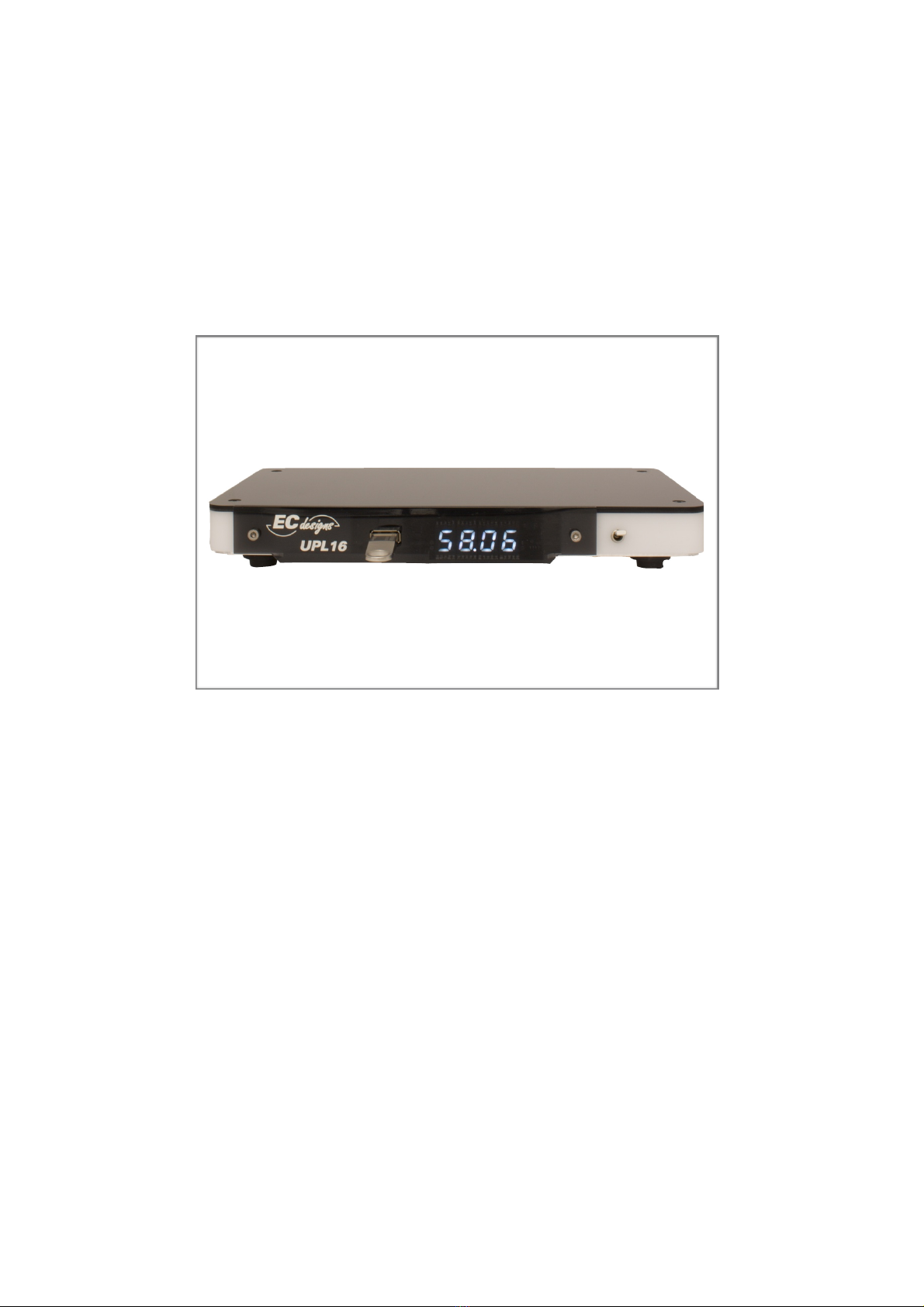
UPL16 USER GUIDE
UPL16 USER GUIDE
1

Unpacking
Warning
!
Info
Remove the protective sheet from the lid of the UPL16.
"
Sharp edges
Our cases are milled from plexiglass and anodised aluminum and
could have sharp edges !
#
Fire Hazard
The UPL16 is equipped with a LiPo rechargeable battery with built-in
overcharge and short protection circuit (PCM).
Fire Hazard:
Do not use batteries without built-in protection circuit, this is a fire hazard !
Fire Hazard:
Do not puncture the UPL16 battery, this is a fire hazard !
UPL16 USER GUIDE
2

Connections
F
Firmware update connector USB-A (Do not use for charging, this will prevent UPL16 from
working correctly)
T
Toslink 44-96 kHz optical digital output
PB
Push button for use with firmware update
5V
USB-A 5V DC 1A charger input
ON/OFF
ON = Battery connected to UPL16 but completely disconnected from charger!
OFF = Battery disconnected from UPL16 but connected to charger
UPL16 USER GUIDE
3

Cables
Standard Toslink cable
Mini-Toslink (UTOS)
Charging Cable USB-A to USB-B
Charging Cable USB-A to USB mini B
for remote control
!
!
!
!
UPL16 USER GUIDE
4

Charging
Charger
Use a 5V/1A charger with USB A socket to charge internal battery.
ON/OFF
The UPL16 will only charge when ON/OFF switch is in the OFF position (switch down).!
In the ON position (switch up) charger is completely disconnected from internal battery.
Cable
Use a thick and not too long USB A to USB B cable to charge the internal UPL16 battery.!
Use a thick and not too long USB A to USB mini B cable to charge the internal RC battery.
Info
Studies have shown that a rechargeable battery lasts longer when charging regularly and
frequently, discharging completely before charging reduces the battery life.
Replace!
battery
If battery needs to be replaced make sure that it is the same type, the battery installed in the
UPL16 has build-in protection circuit (PCM) that prevents over charging and short circuit
currents. Batteries without this protection circuit should not be used in the UPL16
(fire hazard)
RC
The battery in the remote control can be charged using a USB A to USB mini B cable and a
5V/A1 charger with USB A socket.
If the UPL16 does not respond to the RC then you need to re-charge the RC.
You can also the use RC when the RC is being charged.
UPL16 USER GUIDE
5

RC
The infrared RC has two multi-function keys
Pressing on the corners of the big multi-function keys operates a single
key with a corresponding function.
Pressing on the sides of the multi-function keys operates two key
simultaneously and provides the same key with another set of functions.
For the side buttons, quickly press with finger towards (but not on) the
middle of the key area.
All functions of the UPL16 will be controlled by the RC.
Functions of the upper multi-function key
• previous/next CD
• fast reverse/fast forward playing track by 10 seconds
• previous/next track
• force sleep mode (power save)
Functions of lower multi-function key
• stop playing track
• play/pause
• track info (in stop mode) / track, time past, time left (in play mode)
• shuffle CDs, shuffle tracks or normal sequential play
• lower keys are reserved for controlling volume and mute SVC so
both UPL and SVC can be controlled from a single infrared RC
UPL16 USER GUIDE
6

File system requirements on
USB stick
The UPL16 only supports fat formatted usb sticks
The UPL16 reads from the inserted USB stick in read-only mode and cannot write or modify the USB stick in
any way.
The UPL16 can only
•read folders starting with 01 to 99 (using the first 2 positions of the folder name)
•read tracks in folder starting with 01 to 99 (using the first 2 positions of the track name)
•read id.txt in root
So:
folder MUST start with 01 to 99, but may contain extra text in folder name like artist + album name
track MUST start with 01 to 99, but may contain extra text in track name like song name
Note:
UPL16 does not check extensions and assumes there are only WAV files in folders
It’s ok to add other files (like artwork) in folders, as long as they do not start with 01 to 99, otherwise they
will be opened as track, but will fail to play.
Example:
01 Dire Straits - Brothers In Arms
01 Money For Nothing.wav
Also see “WAV File on USB stick” on page 10
Card ID
The UPL16 tries to read id.txt in the root of the USB stick, the first 4 chars are displayed at startup or when
the USB stick is inserted in the UPL16.
Create the id.txt in a plain text editor and type the stick id as a number e.g. 0003
Do not save as RTF, this will not work.
If there is no valid id.txt in the root the UPL16 will display 0.0. 0.0.for stick id
The id will be used to recognise the USB stick when inserting.
After power up of the UPL16 the complete USB stick structure is read in memory including id.txt
When not playing, usb stick can be temporarily removed e.g. to lookup cd/track in PC and then can be re-
inserted into UPL16, if id is the same as the id that was last in the UPL16 then the card is not re-read and will
continue where left off.
Note that changes to the USB stick since it was removed are ignored, if you added cds/tracks then switch
UPL16 off/on or insert different USB stick to force re-read of stick.
UPL16 USER GUIDE
7

Operating instructions
Sleep mode
•Sleep mode (moon icon) can be used to put UPL16 in sleep mode, but you will
have to stop current file playing before you can activate sleep mode
•You can wake the UPL16 from sleep by pressing any key on the RC, the next key
press on the RC will have normal function
•In sleep mode the current drawn will be reduced to 10 mA (37 mW)
•In sleep mode de display will be off except the lower right decimal point
•The UPL will auto switch to sleep mode after 10 minutes if player is idle (stop
mode)
Info key
• When a cd/track is selected (shown on display) but is not playing, the info key (i)
displays samplerate and bitdepth. e.g. 4 4.1 6.
After 4 seconds track time will be displayed e.g. 0.2.1 4
•When a cd/track is selected (shown on display) and is playing, the info key (i) can
be used to switch from cd/track display to track time increment or, by pressing
again, track time left. Pressing the (i) key again will switch back to normal cd/
track only display mode.
Shuffle key
The shuffle key can be used to switch between normal sequential
playback, cd shuffle mode or cd/track shuffle mode
•CD shuffle mode will randomise all detected CDs in the root folder!
For each CD folder, the tracks in the folder will be played sequentially,
playback stops after last cd/track is played
•CD/track shuffle will randomise all detected CDs and tracks!
Each track on the USB-stick will be played in a random order, playback stops
after last cd/track is played
•When in CD shuffle mode a short animation using first 2 displays will be seen
when going to the next shuffled track
•When in CD/track shuffle mode a short animation using all 4 displays will be
seen when going to the next track
•When switching back to sequential mode a fixed figure will be shown on all 4
displays
Play next
Pressing next track followed by pressing play while playing in shuffle mode will
force next track in shuffle mode to be played.
Note: It is not possible to goto previous track in CD/track shuffle mode.
UPL16 USER GUIDE
8

Error messages
The UPL16 will display an error message in case of a situation that might prevent
the UPL16 from continuing.!
UPL16 error messages:
E. 01 = NO OR INVALID ID (no id.txt found for card number)
E. 10 = UNSUPPORTED SAMPLE-RATE/BIT-DEPTH (e.g. UPL16 can
play 44.1/16 and 48/16, for all other sample-rates this error will be shown,
unsupported track is skipped.)
E. 20 = RX init error
E. 21 = TX init error
E. 50 = Clock oscillator error
E. 51 = Timer error
E. 52 = Time base start error
E. 70 = File open error
E. 71 = FAT init error
E. 72 = FAT error
E. 73 = ID not found
E. 80 = Wave player init error
E. 90 = I2S callback error
E.100 = I2S callback error, player needs to be reset
UPL16 USER GUIDE
9

WAV files on USB stick
Convert WAV
WAV files on usb stick should be canonical WAV format and should not contain any
meta data. See link below for more info:
http://www.lightlink.com/tjweber/StripWav/Canon.html
If you already have a lossless music collection you can use conversion software to
convert e.g. FLAC/ALAC to WAV.
Here you must make sure that no meta data is written to end af WAV file, this will
result in (loud) plops/clicks between tracks.
When converting audio tracks to WAV check the settings of your
conversion software and disable adding of extra INFO/ID3 tags.
• For XLD check WAV > option > uncheck “Write Tags” checkbox.
• For dBpoweramp Music Converter check Configure > Codecs > WAV Tag
Creation (set to none).
• Foobar under Converter Setup > Other > uncheck “Transfer Metadata (tags)”.
Rip CD to WAV
Ripping an official CD to WAV is a reliable way to get WAV files for USB stick.
When the rip software is setup correctly, it is often possible to rip a cd to a folder and
at the same time name the tracks to start with 01 to number of tracks + album +
track text. The folder where the tracks are stored often contain artist + album. You
only need to pre-pend the required cd number.
Make sure your rip software has access to CDDB database so auto naming of files
and tracks can work, e.g. iTunes uses grace note database to lookup the CD to rip and
names tracks and folders automatically.
Example folder
structure
01 Dire Straits - The Best of Dire Straits & Mark Knopfler - Private Investigations
01 Sultans of Swing.wav
02 Love Over Gold.wav
03 Romeo & Juliet
04 Tunnel of Love (Intro_ The Carousel Waltz).wav
02 Dire Straits - Love Over Gold
01 Telegraph Road.wav
02 Private Investigations.wav
03 Industrial Disease.wav
id.txt
UPL16 USER GUIDE
10
Tabla de contenidos


