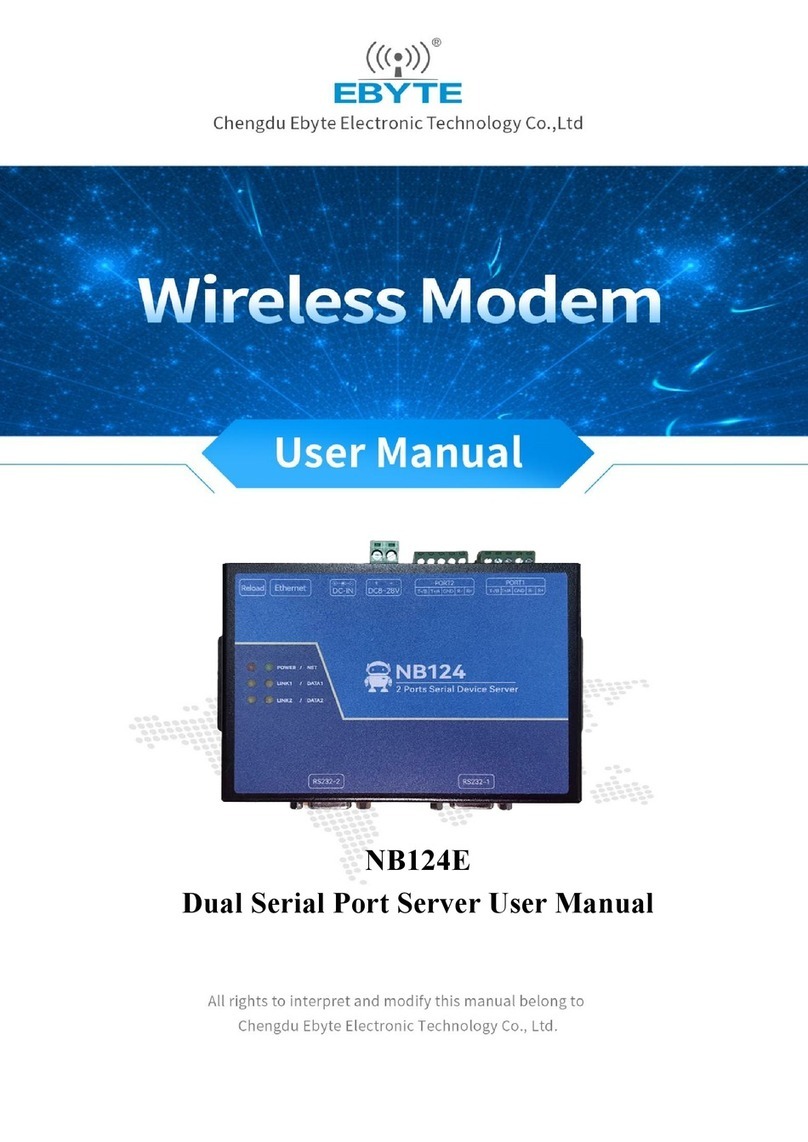
Ebyte E840-DTU Manual de usuario

4G/LTE Serial Server
E840-DTU(4G-01)
User Manual
This manual may change with the continuous improvement of the product. Please refer to the latest version of the instruction.
Chengdu Ebyte Electronic Technology Co., Ltd. reserves all rights of final interpretation and modification of this manual.

4G/LTE Serial Server E840-DTU(4G-01)User Manual
Copyright ©2012–2017,Chengdu Ebyte Electronic Technology Co. LTD. 1
Version No.
Date
Description
Issued by
1.00
2018/07/16
Initial version
huaa
E840-DTU (4G-01) is a developed for serial devices and network servers to transmit data to each other via network. This product is a
LTE-FDD/LTE-TDD/WCDMA/TD-SCDMA /CDMA/GSM wireless communication data transmission station with diversity reception function., supporting LTE-FDD,
LTE-TDD, DC-HSDPA, HSPA+, HSDPA, HSUPA, WCDMA, TD-SCDMA, CDMA, EDGE and GPRS network data connections. Through simple AT commands Settings,
users can easily use this product to achieve two-way data transparent transmission from serial to network.
This manual is a quick introduction to the E840-DTU (4G-01) modem. With the easiest hardware environment to test the E840-DTU (4G-01) network
transmission function, that is, to realize the serial device (the computer) to the network server. Data is transmitted in both directions.
Features
Almost meet all M2M application demands;
Support data transparent transmission, support TCP, UDP network protocol, support heartbeat package, registration package function;
Support serial port caching function, the serial port data can be cached locally before the connection is established with the server;
LTE-FDD:Max downstream rate of 150Mbps, Max upstream rate of 50Mbps,LTE-TDD:Max downstream rate of 130Mbps,Max upstream rate of
35Mbps;
Support TCP/UDP;
Support 8~28V wide voltage supply, adopt both DC power supply and terminal power supply;
Electrical isolation is used for RS485 circuit, which has lightning protection, anti-surge scheme, and anti-interference ability.

4G/LTE Serial Server E840-DTU(4G-01)User Manual
Copyright ©2012–2017,Chengdu Ebyte Electronic Technology Co. LTD. 2
Contents
1. PRODUCT INTRODUCTION......................................................................................................................................................... 3
1.1. BRIEF INTRODUCTION....................................................................................................................................................................3
1.2. DTU PARAMETER......................................................................................................................................................................... 3
1.3. INTERFACE DESCRIPTION................................................................................................................................................................6
1.4. PIN DEFINITION............................................................................................................................................................................ 7
2. QUICK START..................................................................................................................................................................................7
2.1. HARDWARE.................................................................................................................................................................................. 7
2.2. DATA TRANSMISSION TEST............................................................................................................................................................ 9
2.2.1. Operating mode is as follows:
........................................................................................................................................
9
4. AT COMMAND.............................................................................................................................................................................12
5. NOTES............................................................................................................................................................................................19
6. IMPORTANT STATEMENT..........................................................................................................................................................19
7. ABOUT US.....................................................................................................................................................................................20

4G/LTE Serial Server E840-DTU(4G-01)User Manual
Copyright ©2012–2017,Chengdu Ebyte Electronic Technology Co. LTD. 3
1. Product introduction
1.1. Brief introduction
E840-DTU (4G-01) is an LTE digital radio modem product developed by Ebyte. The software is fully functional and covers most common application scenarios.
Users can implement two-way data transparent transmission between serial and network server with simple settings. .
The radio is powered by the DC power supply or RS485 terminal by a wide voltage of 8.0V to 28.0V. Support mobile, China Unicom, Telecom 4G card. Electrical
isolation scheme is used for RS485 and RS232 circuits, With anti-interference ability, it can be used in some environments with strong electromagnetic interference,
such as power industry.
1.2. DTU Parameter
Parameter
Value
Description
Characteristic
Frequency
LTE-FDD:B1/B3/B5/B8
LTE-TDD:B38/B39/B40/B41
WCDMA:B1/B8
TD-SCDMA:B34/B39
CDMA:BC0
GSM:900/1800MHz
LTE
characteristic
Support Max. of 3GPP R8 non-CA Cat 4 FDD and TDD
support 1.4MHz~20MHz rf band
Downstream supports: MIMO
LTE-FDD: Max downstream rate 150Mbps, Max upstream rate50Mbps
LTE-TDD: Max downstream rate 130Mbps, Max upstream rate35Mbps
UMTS
characteristic
support 3GPP R8 DC-HSDPA, HSPA+, HSDPA, HSUPA and WCDMA
support QPSK,16-QAM 和 64-QAM modulation
DC-HSDPA: Max downstream rate 42Mbps
HSUPA: Max upstream rate 5.76Mbps
WCDMA: Max downstream rate 384Kbps, Max upstream rate 384Kbps
TD-SCDMA
characteristic
support CCSA Release 3 TD-SCDMA
Max downstream rate 4.2Mbps, Max upstream rate 2.2Mbps
CDMA2000
characteristic
support 3GPP2 CDMA2000 1X Advanced 和 1xEV-DO Rev.A
EVDO: Max downstream rate 3.1Mbps, Max upstream rate1.8Mbps
1X Advanced: Max downstream rate 307.2Kbps, Max upstream rate 307.2Kbps
GSM
characteristic
R99: CSD tx rate:9.6kbps, 14.4kbps
GPRS:support GPRS multiple time slot level 33(default 33),coding format: max of 4 Rx
time slot for each frame, Max downstream rate107Kbps, Max upstream rate 85.6Kbps
EDGE:support EDGE multiple time slot level 33(default 33),support GMSK and 8-PSK
Downstream coding format:CS1-4 和 MCS 1-9,upstream coding format: CS 1-4 和 MCS
1-9
Max downstream rate296Kbps, Max upstream rate 236.8Kbps

4G/LTE Serial Server E840-DTU(4G-01)User Manual
Copyright ©2012–2017,Chengdu Ebyte Electronic Technology Co. LTD. 4
Network protocol
characteristic
Support TCP/UDP/PPP/FTP/HTTP/NTP/PING/QMI/NITZ/CMUX/HTTPS/SMTP/MMS/FTPS/
SMTPS/SSL/FILE protocol
support PAP (Password Authentication Protocol) and CHAP (Challenge Handshake
Authentication Protocol)
Hardware
Antenna
SMA Interface
Data interface
RS485 /RS232
Baud rate
Support max 921600bps,default 115200bps
Transmitting power
Class 4 (33dBm±2dB) for GSM900
Class 1 (30dBm±2dB) for DCS1800
Class E2 (27dBm±3dB) for GSM900 8-PSK
Class E2 (26dBm±3dB) for DCS1800 8-PSK
Class 3 (24dBm+2/-1dB) for CDMA BC0
Class 3 (24dBm+1/-3dB) for WCDMA bands
Class 2 (24dBm+1/-3dB) for TD-SCDMA bands
Class 3 (23dBm±2dB) for LTE-FDD bands
Class 3 (23dBm±2dB) for LTE-TDD bands

4G/LTE Serial Server E840-DTU(4G-01)User Manual
Copyright ©2012–2017,Chengdu Ebyte Electronic Technology Co. LTD. 5
Sensitivity
FDD B1: -101.6dBm (10M)
FDD B3: -101.9dBm (10M)
FDD B5: -102dBm (10M)
FDD B8: -102.1dBm (10M)
TDD B38: -101.3dBm (10M)
TDD B39: -101.2dBm (10M)
TDD B40: -101.4dBm (10M)
TDD B41: -101.4dBm (10M)
WCDMA B1: -112dBm
WCDMA B8: -112dBm
TD-SCDMA B34: -110dBm
TD-SCDMA B39: -110dBm
CDMA BC0: -108dBm
GSM 900: -109dBm
GSM 1800: -109dBm
Consumption(Typical)
11uA @power off
1.8mA @LTE sleep (PF=128)
1.5mA @LTE sleep (PF=256)
20mA @ idle
Bandwidth
1.4/3/5/10/15/20MHz
Operating temperature
-30℃- 75℃
Operating voltage
DC 8V~28V
Size
82×84×24mm
RS485 /RS232
Electrical isolation, RS485/RS232
3GPP Frequency
Transmitting(MHz)
Receiving(MHz)
EGSM900
880~915
925~960
DCS1800
1710~1785
1805~1880
CDMA BC0
824~849
869~894
WCDMA B1
1920~1980
2110~2170
WCDMA B8
880~915
925~960
TD-SCDMA B34
2010~2025
2010~2025
TD-SCDMA B39
1880~1920
1880~1920
LTE-FDD B1
1920~1980
2110~2170
LTE-FDD B3
1710~1785
1805~1880
LTE-FDD B5
824~849
869~894
LTE-FDD B8
880~915
925~960
LTE-TDD B38
2570~2620
2570~2620
LTE-TDD B39
1880~1920
1880~1920
LTE-TDD B40
2300~2400
2300~2400
LTE-TDD B41
2555~2655
2555~2655

4G/LTE Serial Server E840-DTU(4G-01)User Manual
Copyright ©2012–2017,Chengdu Ebyte Electronic Technology Co. LTD. 6
1.3. Interface description

4G/LTE Serial Server E840-DTU(4G-01)User Manual
Copyright ©2012–2017,Chengdu Ebyte Electronic Technology Co. LTD. 7
1.4. Pin definition
Pin No.
Name
Description
1
RS232
RS232
2
485_A
Connect to port A of other RS485 devices
3
485_B
Connect to port B of other RS485 devices
4
GND
Ground
5
VCC
Power supply,range: 8~28V
6
PWR
Power indicator
7
WORK
UART communication indicator
8
NEL
DTU SOCK0 network operating indicator
Off:Initiating
Flash quickly:Initiating failed(indicator off for 1900ms,on for 100ms)
Flash slowly:connect to base station,building communication with network server (indicator off for 300ms,
on for 100ms)
On:connect to server
9
DC8~28V
For power adaptor,range: 8~28V
10
RST
Reset switch(downward,reset)
11
Restore
Operating dip switch
Once power on,let DTU switch top-down for 3~10S,and bottom-up,then DTU enters factory setting and
restart immediately
12
SIM
SIM
13
ANT
Antenna(SMA-K,50Ω impedance match)
2. Quick start
2.1. Hardware
Hardware for test are as follows:
One piece of E840-DTU(4G-01) modem
One piece of 12V power adaptor
USB to RS485 converter or USB to RS232 converter (optional)
One piece of LTE sucker antenna(TXGN-XP-300)

4G/LTE Serial Server E840-DTU(4G-01)User Manual
Copyright ©2012–2017,Chengdu Ebyte Electronic Technology Co. LTD. 8
Before testing, connect the serial cable, SIM card, antenna and other hardware according to the recommended circuit.
1、 1. Enter the AT command mode and send +++ in the serial port assistant (except for +++ , one does not need to check to send a new line,
other AT commands need to check to send a new line to be valid), one must send any other AT command within 3s after sending +++
command (except for restarting the AT command) to enter the AT command mode completely.
2、 After entering AT command mode,use AT+CPIN to check SIM card connection status:
For example:AT+CPIN
+OK=1
Means SIM card is connected,use AT+CSQ to read current signal strength;
For example:AT+CSQ
+OK=26
Indicates that the current signal strength is normal. If the response is 99, the current signal strength is abnormal. Check whether the current
antenna is connected or whether the surrounding base station is abnormal.
Execute the parameter modification command. If the baud rate is modified, it needs to be restarted to be valid.
3、 Connect to server,AT+SOCK=TCPC,116.62.42.192,31687 (The parameters are separated by commas in English characters, and the IP
commands are separated by English characters.),for SOCK1,SOCK2,SOCK3,one needs to add an enable command on the front end.
SOCK setting
For example:AT+SOCK=TCPC,116.62.42.192,31687
+OK
SOCK1、SOCK2、SOCK3 setting
For example:AT+SOCK=0,TCPC,116.62.42.192,31687
+OK
Setting succeed。
4、Restart
After returning +OK, it is necessary to restart the command AT+REBT to be valid. Here, the IP is only used for demonstration. The actual
connection is based on the IP of the server to be connected.

4G/LTE Serial Server E840-DTU(4G-01)User Manual
Copyright ©2012–2017,Chengdu Ebyte Electronic Technology Co. LTD. 9
4、 4. After the base station is connected, the NET light is always on to indicate that the server is connected, and transparent transmission is
available.
2.2. Data transmission test
Software tools used for the test are as follows:
Any serial port assistant, XCOM is used in this manual, which can be downloaded from our official website.
2.2.1. Operating mode is as follows:
1、operating mode includes:transparent transmission mode、AT configuration mode
a) Transparent transmission mode: After power-on, the radio works in the transparent transmission mode by default, and automatically starts the network
connection. When the connection is established with the server, any data received by the serial port will be transparently transmitted to the server. At the
same time, it can also receive data from the server. After receiving the server data, the module will output directly through the serial port. The maximum
length of data supported by this module is 1024 bytes. When multiple links are connected to the server at the same time, the data packet will be sent to the
Otros manuales para E840-DTU
7
Este manual sirve para los siguientes modelos
1
Tabla de contenidos
Otros manuales de Servidor de Ebyte

Ebyte
Ebyte NB144E Manual de usuario

Ebyte
Ebyte E810-DTU Manual de usuario

Ebyte
Ebyte E840-DTU Manual de usuario

Ebyte
Ebyte NB144S Manual de usuario

Ebyte
Ebyte E810-DTU Manual de usuario

Ebyte
Ebyte E103-W02DTU Manual de usuario

Ebyte
Ebyte NB1A1 Manual de usuario

Ebyte
Ebyte NB124E Manual de usuario

Ebyte
Ebyte E840-DTU Manual de usuario