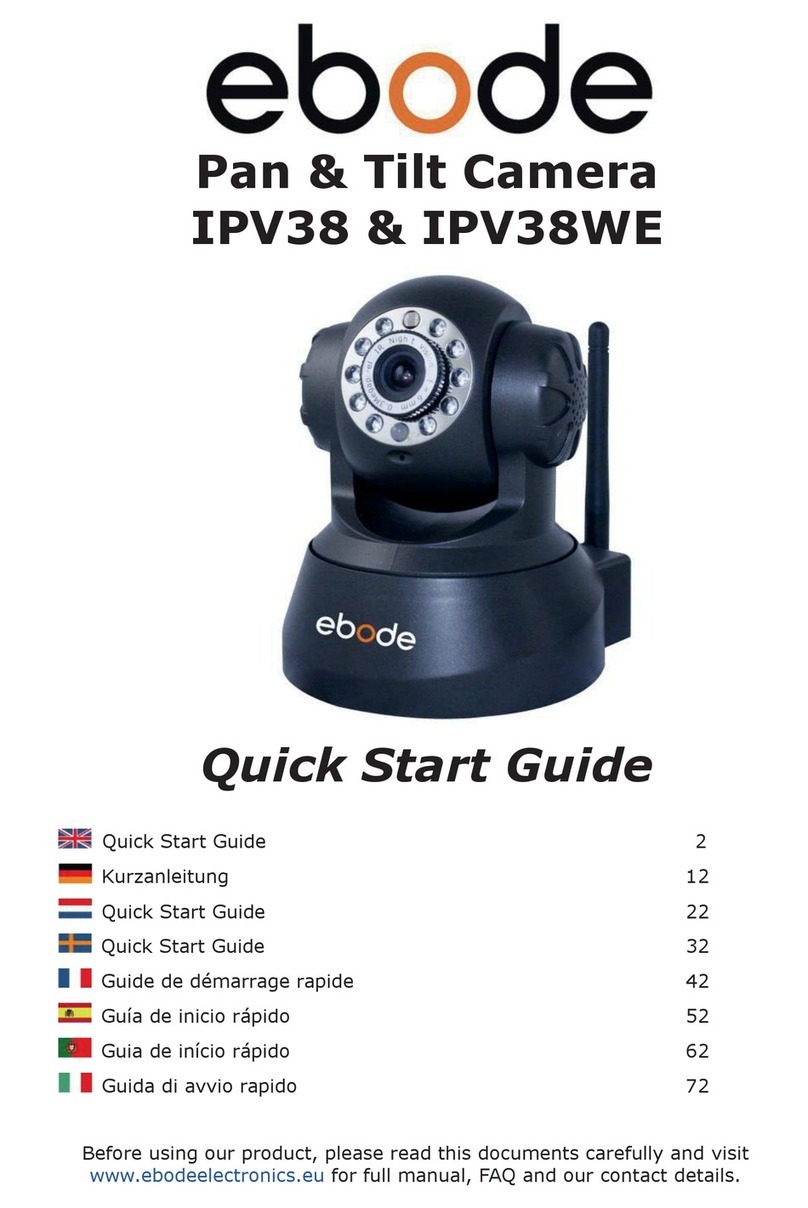
Ebode IPV68P2P Manual de usuario

www.ebodeelectronics.eu
User Manual
IPV68P2P
Wi-Fi HD960P 1.3MP PTZ Dome P2P IP Camera
Before using this product, please read this document carefully and visit
www.ebodeelectronics.eu for latest manual, Software and FAQ.

27-11-2014 2 ebode IPV68P2P
Contents of the kit:
1x IP Camera 1x Power Adapter 1x Resource CD
1x Ethernet Cable 1x Wi-Fi Antenna 1x Quick Start Guide
1x Surveillance Sticker 1x ebode leaflet
Technical Specification:
Wi-Fi HD960P 1.3MP PTZ Dome P2P IP Camera
P2P Feature For Easy Remote Access
H.264 Video Compression
3x Zoom Lens Provide Detailed View
Motion Detection Alarm via E-Mail And FTP
Free ebode DDNS Service Embedded
Compatible With Free ebode Central Management Software
Compatible With Free ebode iOS And Android APP
Supports IEEE 802.11n Wireless Connection
Supports WEP, WPA And WPA2 Encryption
Supports Two-Way Audio
With 21pcs IR-LEDs, Night Vision Range Up To 20m
Day / Night Surveillance, IR LEDs On / Off Auto Switch
Users manual’

27-11-2014 3 ebode IPV68P2P
User Guide
Table of Contents
1. Conformity of use…………………………………………………………………………………… 4
2. Introduction…………………………………………………………………………………………… 4
3. Overview………………………………………………………………………………………………… 5
3.1 Key Features…………………………………………………………………………… 5
3.2 Read Before Use……………………………………………………………………… 5
3.3 Physical Description………………………………………………………………… 6
4. Access the IP Camera……………………………………………………………………………..9
4.1 Access the Camera in LAN………………………………………………………. 9
4.2 Access the Camera in WAN……………………………………………………… 12
4.3 Using the VLC player………………………………………………………………..16
4.4 IP Camera Connection to the Server……………………………………… 18
5. Surveillance Software GUI……………………………………………………………………… 19
5.1 Login Window………………………………………………………………………….. 19
5.2 Modify the Username and Password………………………………………..19
5.3 Setup Wizard……………………………………………………………………………. 20
5.4 Surveillance Window……………………………………………………………….. 22
6. Advanced Camera Settings……………………………………………………………………. 29
6.1 Status………………………………………………………………………………………..29
6.2 Basic Settings…………………………………………………………………………… 30
6.3 Network……………………………………………………………………………………. 38
6.4 Video………………………………………………………………………………………….50
6.5 Alarm…………………………………………………………………………………….....54
6.6 Record……………………………………………………………………………………… 59
6.7 PTZ…………………………………………………………………………………………… 60
6.8 Firewall……………………………………………………………………………………… 65
6.9 System……………………………………………………………………………………… 65
7. Appendix…………………………………………………………………………………………………. 68
7.1 Frequently Asked Questions……………………………………………………. 68
7.2 Default Parameters…………………………………………………………………..72
7.3 Specifications…………………………………………………………………………….73
7.4 CE & FCC……………………………………………………………………………………74

27-11-2014 4 ebode IPV68P2P
1. Conformity of Use
For carefree and safe use of this product, please read this manual and safety information
carefully and follow the instructions. The unit is registered as a device that does not
cause or suffer from radio-frequency interference. It is CE approved and it conforms with
the Low Voltage Directory. The safety and installation instructions must be observed.
Technical manipulation of the product or any changes to the product are forbidden, due
to security and approval issues. Please take care to set up the device correctly - consult
your user guide. Young children should use the device only under adult supervision. No
guarantee or liability will be accepted for any damage caused due to incorrect use of the
equipment supplied, other than indicated in this owner’s manual.
Safety Warnings
To prevent short circuits, this product (except if specified for outdoor usage) should
only be used inside and only in dry spaces. Do not expose the components to rain or
humidity.
Only connect the power cord to the mains after checking whether the mains voltage is
the same as the values on the rating labels. Never connect a power cord when it is
damaged. In that case, contact your supplier. If there is any danger of a thunderstorm,
it is a good precaution to unplug the power supply from the mains network in order to
protect it from lightning. The same applies if the system is to be out of action for any
length of time.
Avoid strong mechanical tear and wear, extreme ambient temperatures, strong
vibrations and atmospheric humidity.
Do not disassemble any part of the product: no user-serviceable parts are inside. The
product should only be repaired or serviced by qualified and authorized service
personnel. Defected pieces must be replaced by original (spare) parts.
Batteries: keep batteries out of the reach of children. Dispose of batteries as chemical
waste. Never use old and new batteries or different types of batteries together. Remove
the batteries when you are not using the system for a longer period of time. When
inserting batteries be sure the polarity is respected. Make sure that the batteries are not
short circuited and are not disposed in fire (danger of explosion).
In case of improper usage or if you have opened, altered and repaired the product
yourself, all guarantees expire. The supplier does not accept responsibility in the case of
improper usage of the product or when the product is used for purposes other than
specified. The supplier does not accept responsibility for additional damage other than
covered by the legal product responsibility.
2. Introduction
The IPV68P2P is the first 960HD 1.3M wireless indoor/outdoor camera with PTZ (3x
Optical Zoom) & Auto-Focus from ebode. The IPV68P2P offers a hassle-free, 3-steps
installation, thanks to its unique QR code scanning method. This dome camera keeps an
eye on your house, office, store, garage with live views during day- and night. The
camera includes an IR-Cut Filter which is designed to reflect or block mid-infrared
wavelengths while passing visible light. The IR-Cut filter will prevent that colors of the
camera footage will be faded due to infrared light fall from sources like the sun. The
camera has an IR Range up to 20 meters. Thanks to the Wi-Fi Standard IEEE802.11
b/g/n and security standard WEP, WPA and WPA2 the IPV68P2P uses a secured and safe
wireless (or wired LAN) connection to forward H.264 video compression pictures. A free
DDNS service is embedded to assure live feeds wherever you are. The IPV68P2P
operates with browsers Microsoft IE7 and above or compatible web-browsers; Mozilla
Firefox, Google Chrome, Apple Safari. The IPV68P2P supports the Onvif protocol for NVR
recording, motion detection warning via e-mail and 2-way audio. The IPV68P2P Includes
a free app for both iOS and Android!

27-11-2014 5 ebode IPV68P2P
3. Overview
The IP Camera is an integrated wireless IP Camera with a colour CMOS sensor enabling
viewing resolution 1280*960. It combines a high quality digital video camera, with a
powerful web server, to bring clear video to your desktop from anywhere on your local
network or over the Internet.
Thanks to the P2P easy access technology, you don’t need to do complicated Port
Forwarding and DDNS settings, you just need to scan the QR code on the bottom of the
camera to connect it on smart phone, or input the UID to do remote access.
The IP Camera supports the industry-standard H.264 compression technology, drastically
reducing file sizes and conserving valuable network bandwidth.
The IPCAM is based on the TCP/IP standard. There is a WEB server inside which could
support Internet Explorer. Therefore the management and maintenance of your device is
simplified by using the network to achieve the remote configuration and start-up.
The camera is designed for outdoor surveillance applications such as courtyards,
supermarket, and school. Controlling the IPCAM and managing images are simplified by
using the provided web interface across the network utilizing wireless connectivity.
The IPCAM provides Smart Phone APP for Android and iPhone users, please search and
install IPCam Viewer on Google Play for Android devices, search and install
IPCam_Viewer on APP Store for iOS devices, then you can view your camera anywhere,
anytime on your smart mobile devices.
3.1 Key Features
Standard H.264 video compression algorithm to satisfy the transmission of high
definition video in narrow bandwidth network
P2P feature for easy access
1.3 Mega-Pixel
Supports IE/Firefox/Google/Safari browser or any other standard browsers
Supports WEP,WPA and WPA2 Encryption
Wi-Fi compliant with wireless standards IEEE 802.11b/g/n
IR night vision (Range:20m)
Supports image snapshot
Supports dual-stream
Supports IR-Cut and the filter change automatically
Embedded DDNS(dynamic domain name service) Service
Supports remote viewing & record from anywhere anytime
Multi-level users management with password protection
Motion detection alert via email or upload image to FTP
Supporting Third Party Domain name
Providing Phone APPs for Android and iPhone users
Supports multiple network protocols: HTTP /HTTPS /RTSP / TCP/IP / UDP/ FTP/
DHCP/ DDNS/ UPNP /ONVIF
3.2 Read Before Use
Please first verify that all contents received are complete according to the Package
Contents listed on page 2. Before the IP Camera is installed, please carefully read and
follow the instructions in the Quick Installation Guide to avoid damage due to faulty
assembly and installation. This also ensures the product is used properly as intended.

27-11-2014 6 ebode IPV68P2P
3.3 Physical Description
Front Panel
Figure 3.1
Infrared LED: 21 IR LEDs, night visibility up to 20 meters
LENS: CMOS sensor with zoom lens
Back View
Figure 3.2
WIFI Antenna: Wireless Antenna
Infrared LED
Lens
Infrared LED
Antenna

27-11-2014 7 ebode IPV68P2P
Interface View
Figure 3.3
1) I/O alarm terminal block
This network camera provides a I/O alarm terminal block which is used to connect to
external input / output device. The pin(there are four number in the terminal block from
no. 1 to no. 4) definitions are descripted below:
Figure 3.4
This camera supports I/O alarm, go to Settings –Alarm –I/O page to configure it.

27-11-2014 8 ebode IPV68P2P
2) Audio output interface
The jack is used to plug external speakers.
3) Power Interface
Connect the external power adapter, request for 12V/2A power.
4) Audio input interface
The jack is used to plug external microphone.
5) LAN
10/100M adaptive Ethernet interface. Through this interface, IPCAM can be connected
with various network devices, such as hub, router, etc.
6) Reset button
Press and hold on the reset button for 5 seconds. Releasing the reset button, the
password will back to the factory default administrator password. The default
administrator user is admin with no password.
Bottom View
There are up to three labels located on the body of the camera; this is an important
feature of original cameras. If your camera does not have labels as shown in Figure 3.4,
it may be a clone one. Cloned cameras cannot use original firmware and are not eligible
for warranty or technical services.
Figure 3.4

27-11-2014 9 ebode IPV68P2P
4. Access the IP Camera
This chapter explains how to access the camera through browser and RTSP player.
4.1 Access the Camera in LAN
This camera supports HTTP and HTTPS protocols, you can access the camera by 2 ways.
(1) http:// LAN IP + HTTP Port NO. Double click the IP Camera Tool icon and it should
find the camera’s IP address automatically after you plug in the network cable.
Figure 4.1
Double click the IP address of the camera; your default browser will open to the camera
login page.
(2) https:// LAN IP + HTTPS Port NO. The default Https port NO. is 443. You can use the
url to access the camera: https:// LAN IP + HTTPS port. Go to Settings - Network - Port
panel , you can see and change the https and https port NO.
Figure 4.2
HTTPS(Hypertext Transfer Protocol over Secure Socket Layer) is a safe way to access
your camera, the data transferred on the Internet will be encrypted. Since we cannot
apply license for every LAN or DDNS URL, the webpage may pop up a warning like the
following picture, you just need to click 'Continue to this website (not recommended). '
Figure 4.3

27-11-2014 10 ebode IPV68P2P
Open Internet Explorer if it is not already opened. Click on Tools, then click Internet
Options. Next, click the Security tab, then click the Trusted sites button.
Figure 4.4
For Firefox, you can add the trusted as the following way: Tools ---- Options ----
Advanced --- View Certificates --- Servers
Figure 4.5
Otros manuales para IPV68P2P
2
Tabla de contenidos
Otros manuales de Cámara IP de Ebode

Ebode
Ebode IPV58 Manual de usuario

Ebode
Ebode IPV38 Manual de usuario

Ebode
Ebode IPV38 Manual de usuario

Ebode
Ebode IPV38 Manual de usuario

Ebode
Ebode IPV38 Manual de usuario

Ebode
Ebode IPV38 Manual de usuario

Ebode
Ebode IP Vision 38 Manual de usuario

Ebode
Ebode IPV58P2P Manual de usuario

Ebode
Ebode IPV38P2P Manual de usuario

Ebode
Ebode IPV68P2P Manual de usuario