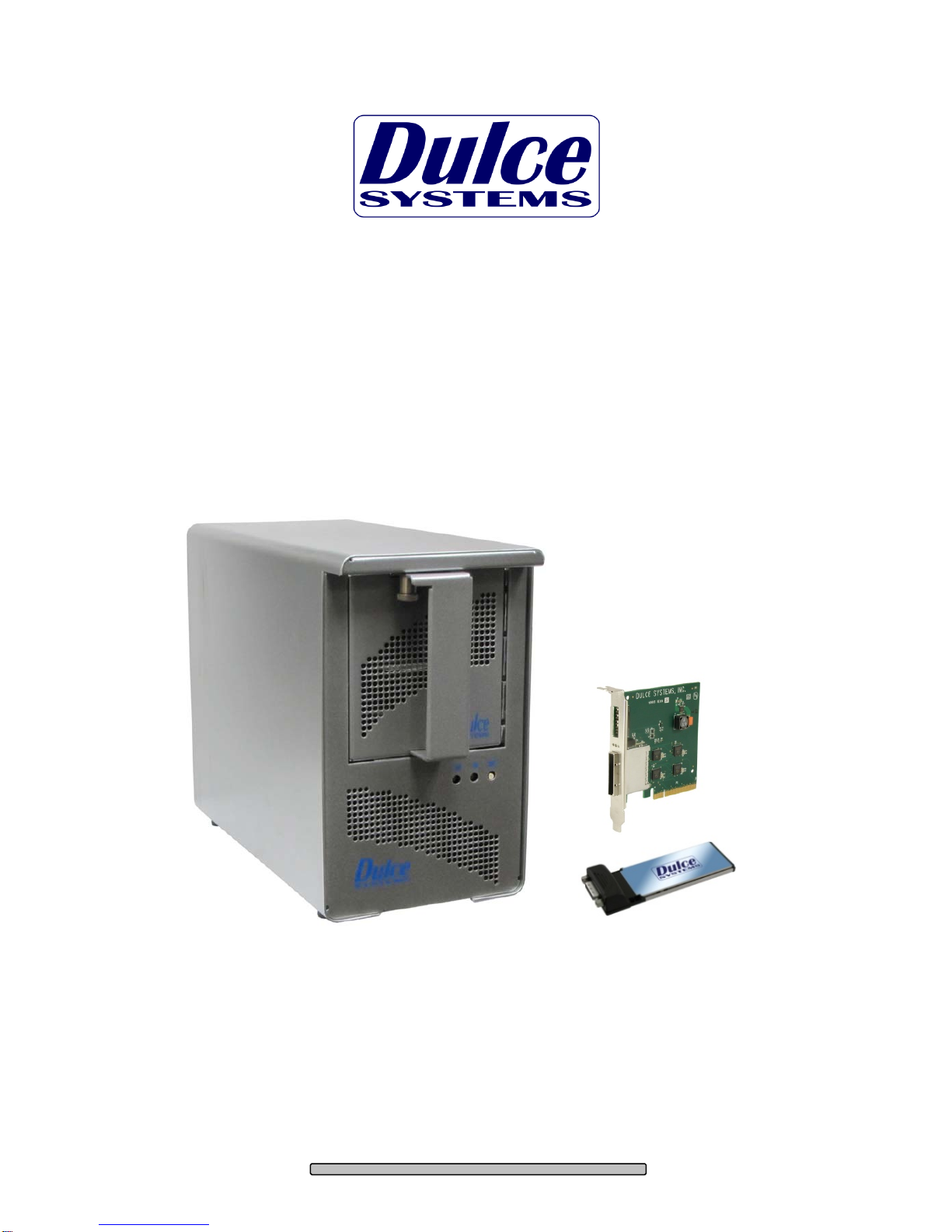
Dulce systems PRO DSqp Manual de usuario

PRO DSqp
with Quad Pack Portability
Installation and User’s Manual
Designed for Video Editing and Content Creation Professionals
Document 900-0026-0 v1.1

PRO DS
qp
Installation and User’s Manual
Table of Content
1.Introduction............................................................................................................................. 3
1.1.Safety Considerations...................................................................................................... 4
1.1.1.SAFETY CONSIDERATIONS................................................................................. 4
1.1.2.CONSIDÉRATIONS DE SÉCURITÉ....................................................................... 5
1.1.3.SAFTY BERÜCKSICHTIGUNGEN ......................................................................... 6
1.1.4.CONSIDERACIONES DE SEGURIDAD................................................................. 7
1.2.System Requirements ..................................................................................................... 8
1.3.Technical Support............................................................................................................ 8
2.Getting Started........................................................................................................................ 9
2.1.Packaging........................................................................................................................ 9
2.2.Check List........................................................................................................................ 9
3.Overview............................................................................................................................... 10
3.1.The Bezel....................................................................................................................... 10
3.2.Disk Module (Quad Pack).............................................................................................. 10
3.3.Front, back and adapters............................................................................................... 11
4.Installation............................................................................................................................. 12
4.1.Disk Module Installation................................................................................................. 12
4.2.Host Bus Extender Card (desktop)................................................................................ 13
4.2.1.Switch Settings (HBE usage only)......................................................................... 14
4.2.2.HBE Card Installation ............................................................................................ 15
4.2.3.HBE Cable Connection.......................................................................................... 16
4.2.4.Mac Connection..................................................................................................... 16
4.2.5.Windows PC Connection....................................................................................... 17
4.3.ExpressCard Adapter (laptop)....................................................................................... 17
4.4.Driver Installation........................................................................................................... 18
4.4.1.Mac Pro – Expansion Slot Utility settings.............................................................. 18
4.4.2.Mac Driver Installation........................................................................................... 19
4.4.3.Windows XP/2000 Driver Installation .................................................................... 20
4.4.4.Windows Vista Driver Installation .......................................................................... 20
4.5.RAID Console Installation.............................................................................................. 21
4.5.1.Apple Mac RAID Console Installation.................................................................... 21
4.5.2.Windows PC RAID Console Installation................................................................ 21
4.6.E-mail notification .......................................................................................................... 21
5.RAID Console Operations..................................................................................................... 22
5.1.Start RAID Console GUI................................................................................................ 22
5.1.1.Start Apple Mac RAID Console GUI...................................................................... 22
5.1.2.Start Windows PC RAID Console GUI.................................................................. 24
5.2.Change RAID Mode – Deleting / Creating..................................................................... 26
5.2.1.Delete the RAID Set .............................................................................................. 26
5.2.2.Create a RAID Set................................................................................................. 27
5.2.3.Create >2TB RAID Set for Windows XP (32bit):................................................... 28
6.Alarm Conditions / Degraded RAID Set................................................................................ 30
6.1.Replacing a Disk Module............................................................................................... 31
7.Formatting and Partitioning................................................................................................... 32
7.1.Apple OS X Formatting.................................................................................................. 32
7.1.1.Erase an existing partition ..................................................................................... 32
7.1.2.Create a new partition............................................................................................ 33
7.2.Windows XP / Vista Formatting..................................................................................... 34
8.RAID Level Descriptions....................................................................................................... 36
9.Limited Warranty................................................................................................................... 37
10.Product Registration.......................................................................................................... 38
11. Appendix A ........................................................................................................................ 39
Page 2

PRO DS
qp
Installation and User’s Manual
1. Introduction
We appreciate your purchase of this product from Dulce Systems. You have
everything you need to quickly and easily connect the storage unit to your editing
computer. You are a short time way from your next blockbuster creation.
This Installation and User’s Manual is intended to streamline the process of
getting your RAID storage system up and running so you can get to work quickly.
For most typical video editing storage requirements, we have preconfigured the
PRO DSqp for a much more streamlined installation. Refer to the Pre-
configuration Sheet for the exact pre-configuration of your PRO DSqp, the default
configured is for RAID 5 (efficient protection mode) and pre-formatted for Mac
OS X. Just simply follow the installation steps outlined in this manual, and you
will up and running in no time. For Windows operation, a short format process
will be required.
Page 3

PRO DS
qp
Installation and User’s Manual
1.1. Safety Considerations
1.1.1.SAFETY CONSIDERATIONS
W A R N I N G
RISK OF ELECTRIC SHOCK
DO NOT OPEN
WATER AND MOISTURE
To reduce the risk of fire or electrical shock, do not expose unit to rain or
moisture. Do not operate unit near water – such as: bathtub, washbowl, kitchen
sink or laundry tub, wet basement, or near a swimming pool.
STABILITY
Do not place this unit on an unstable cart, stand, bracket, or table. Unit may fall,
causing serious injury.
VENTILATION
Do not block front and rear ventilation. Proper airflow is required to ensure
reliable operation and prevents unit from overheating. Do not place unit in an
enclosed space where no or insufficient ventilation is available.
ELECTRICAL
Do not defeat the safety purpose of the grounding power plug. The power cord
should be routed so that it is not likely to be walked on or pinched by items
placed upon or against them.
SERVICING
Do not attempt to service this unit yourself. Opening or removing the top, side
and rear covers will expose you to dangerous voltages or other hazards.
Page 4

PRO DS
qp
Installation and User’s Manual
1.1.2.CONSIDÉRATIONS DE SÉCURITÉ
AVERTISSEMENT
RISQUE DE DÉCHARGE ÉLECTRIQUE
N'OUVRIR PAS
EAU ET HUMIDITÉ
Pour réduire le risque de feu ou de choc électrique, n'exposez pas d'unité pour
pleuvoir ou l'humidité. Ne faites pas marcher d'unité près de l'eau – comme; la
baignoire, la cuvette, l'évier ou la cuve de blanchisserie, la cave mouillée ou près
d'une piscine.
STABILITÉ
Ne placez pas cette unité sur un chariot instable, un éventaire, une parenthèse
ou une table. L'unité peut tomber, en provoquant la blessure sérieuse.
VENTILATION
Ne bloquez pas de devant et élevez la ventilation. L'écoulement d'air nécessaire
est tenu de garantir l'opération sûre et prévient l'unité de sur le chauffage. L'unité
ne peut pas placé dans un espace fermé où aucune ventilation ou dans suffisant
n'est disponible.
ÉLECTRIQUE
Ne vainquez pas le but de sécurité de la prise de courant de pouvoir de bases.
La corde de pouvoir devrait être mise en déroute pour qu'ils ne seront pas
probablement marchés sur ou pincés par les articles placés sur ou contre eux.
ENTRETIEN
N'essayez pas d'assurer l'entretien de cette unité vous-même. En s'ouvrant ou le
fait d'enlever le haut, le côté et les couvertures arrière vous exposeront aux
voltages dangereux ou à d'autres hasards.
Page 5

PRO DS
qp
Installation and User’s Manual
1.1.3.SAFTY BERÜCKSICHTIGUNGEN
W A R N U N G
ELEKTROSCHOCKGEFAHR
NICHT ÖFFNEN
WASSER UND FEUCHTIGKEIT
Um eine Brand- oder Elektroschockgefahr weitgehend auszuschließen, Gerät
nicht Regen oder Feuchtigkeit aussetzen. Gerät nicht in der Nähe von Bade-
oder Waschwannen, Wasch- oder Spülbecken, feuchten Kellern oder
Schwimmbecken betreiben.
STABILITÄT
Das Gerät nicht auf wacklige Karren, Ständer, Halterungen oder Tische stellen,
da es herunterfallen und Verletzungen verursachen könnte.
BELÜFTUNG
Vordere und hintere Belüftungsöffnungen nicht versperren. Das Gerät muss
ausreichend be- und entlüftet werden können, damit es sich nicht während des
Betriebs überhitzt. Daher darf das Gerät nicht in geschlossenen Räumen
aufgestellt werden, in denen keine ausreichende Be- und Entlüftung
gewährleistet ist.
STROMVERSORGUNG
Nicht den Schukostecker modifizieren. Das Stromkabel sollte so verlegt werden,
dass es nicht durch Auftreten oder durch spitze oder scharfe Gegenstände
beschädigt werden kann.
WARTUNG
Das Gerät nicht eigenmächtig warten. Durch das Öffnen des Geräts (Abziehen
der oberen, seitlichen und hinteren Abdeckung) setzen Sie sich
lebensgefährlichen Spannungen aus.
Page 6

PRO DS
qp
Installation and User’s Manual
1.1.4.CONSIDERACIONES DE SEGURIDAD
ADVERTENCIA
GEFAHR DES STROMSCHLAGS
NICHT ÖFFNEN
AGUA Y HUMEDAD
Para reducir el riesgo de fuego o electrochoque, no exponga la unidad para
llover o humedad. No haga funcionar la unidad cerca del agua – como; bañera,
lavatorio, fregadero o tina de lavandería, sótano mojado o cerca de una piscina.
ESTABILIDAD
No coloque esta unidad en un carro inestable, soporte, soporte o mesa. La
unidad puede caerse, causando la herida seria.
VENTILACIÓN
No bloquee delantero y críe la ventilación. El corriente de aire apropiado es
requerido asegurar la operación confiable y previene la unidad de sobre la
calefacción. La unidad no puede colocado en un espacio incluido donde ninguna
ventilación o en suficiente está disponible.
ELÉCTRICO
No derrote el objetivo de seguridad del enchufe de poder que da buenos
conocimientos. La cuerda de poder debería ser derrotada de modo que ellos
probablemente no sean andados en o pellizcados por artículos colocados sobre
o contra ellos.
REVISIÓN
No intente atender esta unidad usted mismo. Abriéndose o quitar la cumbre, el
lado y las tapas traseras le expondrán a voltajes peligrosos u otros riesgos.
Page 7

PRO DS
qp
Installation and User’s Manual
1.2. System Requirements
Operating Systems:
•Windows 7 / XP / Vista 32/64-bit / Server
2003 & 2008.
•Mac OS X 10.4 or higher.
•Apple G5 with one available PCI-e x8 slot.
•Apple Mac Pro with one available PCI-e x8 slot.
•Windows compatible PC with one available PCI-e x8 slot.
•Internet connection (to download drivers and utilities).
1.3. Technical Support
Phone 818-435-6007
FAX 818-576-0324
Web www.dulcesystems.com
If the product requires service, please contact Dulce Systems’ Technical Support
and obtain an RMA number. Ship the product properly packaged to:
Dulce Systems
Attn: RMA
9620 Topanga Canyon Place,
Suite E
Chatsworth, CA 91311
Page 8

PRO DS
qp
Installation and User’s Manual
2. Getting Started
The PRO DSqp comes pre-assembled and ready for use, just install the Quad
Pack and the supplied PCI-e (PCI-express) HBE (Host Bus Extender) for desktop
or the ExpressCard Adapter if using a laptop, connect the cables, install the
software driver and RAID Console. If you are using a Mac, you are good to go,
by default the unit is pre-formatted for Mac OS X operation. For Windows, a
small format procedure is needed.
2.1. Packaging
Please do not discard the boxes and packing materials in case you
might need to reuse them later. Always ship the product in its original
packaging. Improperly packaged products will be subjected to shipping
damage, for which you will be liable for the repair.
2.2. Check List
•Installation and User’s Manual
•Power Cord (North America user only)
•A Quad Pack Module system enclosure
•1 Quad Pack with 4 drives installed
•A PCI-e x8 Host Bus Extender card or optional ExpressCard Adapter
•A 1-meter PCI-e x8 Extender Cable (3, 7 and 10-meters optional)
or optional 1-meter PCI-e x1 Extender Cable
Page 9

PRO DS
qp
Installation and User’s Manual
3. Overview
3.1. The Bezel
The PRO DSqp does not have a front bezel that needs to be removed to access
the Disk Module (Quad Pack). The Disk Module (Quad Pack) is held by a spring
loaded Lock Pin that you simply pull down on to release the Disk Module (Quad
Pack).
Pull Lock Pin Down
3.2. Disk Module (Quad Pack)
Disk Module (Quad Pack)
Lock Pin
Pull down
to unlock
during
insert and
removal.
Page 10
Tabla de contenidos
Otros manuales de Almacenamiento de Dulce systems
Manuales populares de Almacenamiento de otras marcas

Spectra Logic
Spectra Logic T-Series Spectra T50e Manual de usuario

Panasonic
Panasonic LKM-F931-1 Manual de usuario

Tabernus
Tabernus Enterprise Erase E2400 Manual de usuario

Rocstor
Rocstor COMMANDER 3F series Manual de usuario

HP
HP P9000 Manual de usuario

Western Digital
Western Digital Ultrastar Data60 Manual de usuario