Directed Electronics SIRIUS SLBB2 Manual de usuario

SLBB2
Stiletto Universal Boombox
Owner’s Guide
/
/ /
Compatible with:
Stiletto 10/100 & Stiletto 2


Desktop Docking Station
© Directed Electronics, all rights reserved. 3
Stiletto Universal Boombox
Table of Contents
FCC Notice 4
Warning and Safety information 5
Congratulations 6
Trademarks and Copyrights 6
Package Contents 7
Controls 8
Configuring the boombox for your Stiletto model 9
Docking your SIRIUS Stiletto Radio 10
Installing the Indoor/Outdoor Antenna for Indoor Use 11
Connecting the AC Power Adapter 14
Battery Installation 15
Operation 15
Troubleshooting 17
Optional Accessories 18
Specifications 18
Sirius ID 19
Warranty 21

© Directed Electronics, all rights reserved.
4
FCC NOTICE:
This device complies with Part 15 of FCC rules. Operation is subject to the following conditions:
(1) This device may not cause harmful interference, and
(2) This device must accept any interference received, including interference that may cause undesired
operation. Changes or modifications not expressly approved by the party responsible for compliance could
void the user’s authority to operate this device.
Directed Electronics is not responsible for any radio or TV interference caused by unauthorized modifica-
tions to this equipment. Such modifications could void the User’s authority to operate the equipment.

Desktop Docking Station
© Directed Electronics, all rights reserved. 5
Stiletto Universal Boombox
Warning and Safety Information
Safety Precautions
Be sure to observe the following warning. Failure to follow these safety instructions and warnings may result in a serious
accident and/or personal injury.
• Installation must be performed according to this installation guide. SIRIUS is not responsible for issues arising from
installations not performed according to the procedures in this guide.
• Use only the provided AC Power Adapter or 8 “D” cell batteries. (NOTE: Do not store batteries in the Boombox for
long periods of time as they may leak and cause damage to the system.)
• Do not install the unit where it will be exposed to high levels of humidity, moisture, or dust.
• To avoid short circuits, do not open the unit, and never put or leave any metallic objects (coins, tools, etc.) inside the
unit.
• If the unit emits smoke or unusual odors, turn the power off immediately, and disconnect the unit from any power
source.
• Do not drop the unit or subject it to strong shocks.
• The installation and use suggestions contained in this manual are subject to any restrictions or limitations that may
be imposed by applicable law. The purchaser should check applicable law for any restrictions or limitations before
installing and/or operating this unit.
Warnings
Cleaning and Maintenance:
If the Boombox becomes dirty, turn the power off and wipe it clean with a soft cloth. Do not use hard cloths, strong cleaning
fluids, paint thinner, alcohol, or other volatile solvents to clean. These may cause damage to the unit.

© Directed Electronics, all rights reserved.
6
Congratulations
Congratulations on the Purchase of your new SLBB2 SIRIUS Stiletto Boombox!
Your new SLBB2 SIRIUS Stiletto Boombox lets you enjoy SIRIUS Satellite Radio’s digital entertainment in your home, office
or other location. Use this manual as a guide for the installation.
The Boombox is compatible with all Stiletto Live Personal Satellite Radios.
For the latest information about this and other SIRIUS products and accessories, visit http://www.directedsirius.com.
Copyrights & Trademarks
2007 SIRIUS Satellite Radio Inc. All Rights Reserved.
“SIRIUS”, the SIRIUS dog logo, channel names and logos are trademarks of SIRIUS Satellite Radio Inc. All Rights Re-
served.
Hardware, subscription, and activation fee required. For full Terms & Conditions, visit http://www.sirius.com. Prices and
programming are subject to change. Not available in HI and AK. Equipment and subscription sold separately. Installation
required with some equipment.

Desktop Docking Station
© Directed Electronics, all rights reserved. 7
Stiletto Universal Boombox
Package Contents
The following items are included with your purchase of the SLBB2 SIRIUS Stiletto Boombox. Unpack the kit carefully and
make sure that everything shown is present. If anything is missing or damaged, or if the Boombox fails to operate properly,
notify your dealer immediately. It is recommended that you retain the original carton and packing materials in case you need
to ship your Boombox in the future.
Note: The Reversible Guides allow you to configure your Stiletto Universal Boombox for docking Stiletto 2, or Stiletto 10/100
models. Once installed correctly, they will guide your Stiletto radio onto the unviersal docking connector and hold the radio
securely in the cradle. See pg. 9 for detailed instructions on installing the Reversible Guides.
$QWHQQD$LPLQJ
$GMXVW\RXUDQWHQQD
SRVLWLRQWRPD[LPL]HVLJQDO
VWUHQJKW
6$7(//,7(
7(55(675,$/
3UHVV6(/(&7ZKHQGRQH
AC Adapter Power Cord Indoor/Outdoor Antenna Reversible Adapters

© Directed Electronics, all rights reserved.
8
Controls
1. Power On/Off Button ( ): Turns the Boombox power On or Off
Power On Light is blue when the Boombox is powered on (power
on light is under power switch).
2. Volume Up/Down Buttons (+/-): Increases or decreases the
volume level.
3. Source Button (sat /aux): Switches audio output between the
SIRIUS radio and the AUX input
4. Bass button (bass): Turns the bass equalization, On or Off
5. AUX Connection: Input connection for audio from an external
device, such as an MP3 player, CD Player, etc.
6. Headphone Connection ( ): Stereo headphone jack for private
listening to Boombox.
7. IR receiver for remote control (not supplied)
8. Cable Storage: Storage area for the antenna cable.
9. Antenna Storage: Storage area for the Indoor/Outdoor Antenna.
10. DC12V Power Connector: Connection for the AC Power Adapter.
11. ANT Antenna Connector: Connector for the Indoor/Outdoor
Antenna.
12. Battery Compartment: Battery compartment holds eight “D”
size cells (bottom of unit)
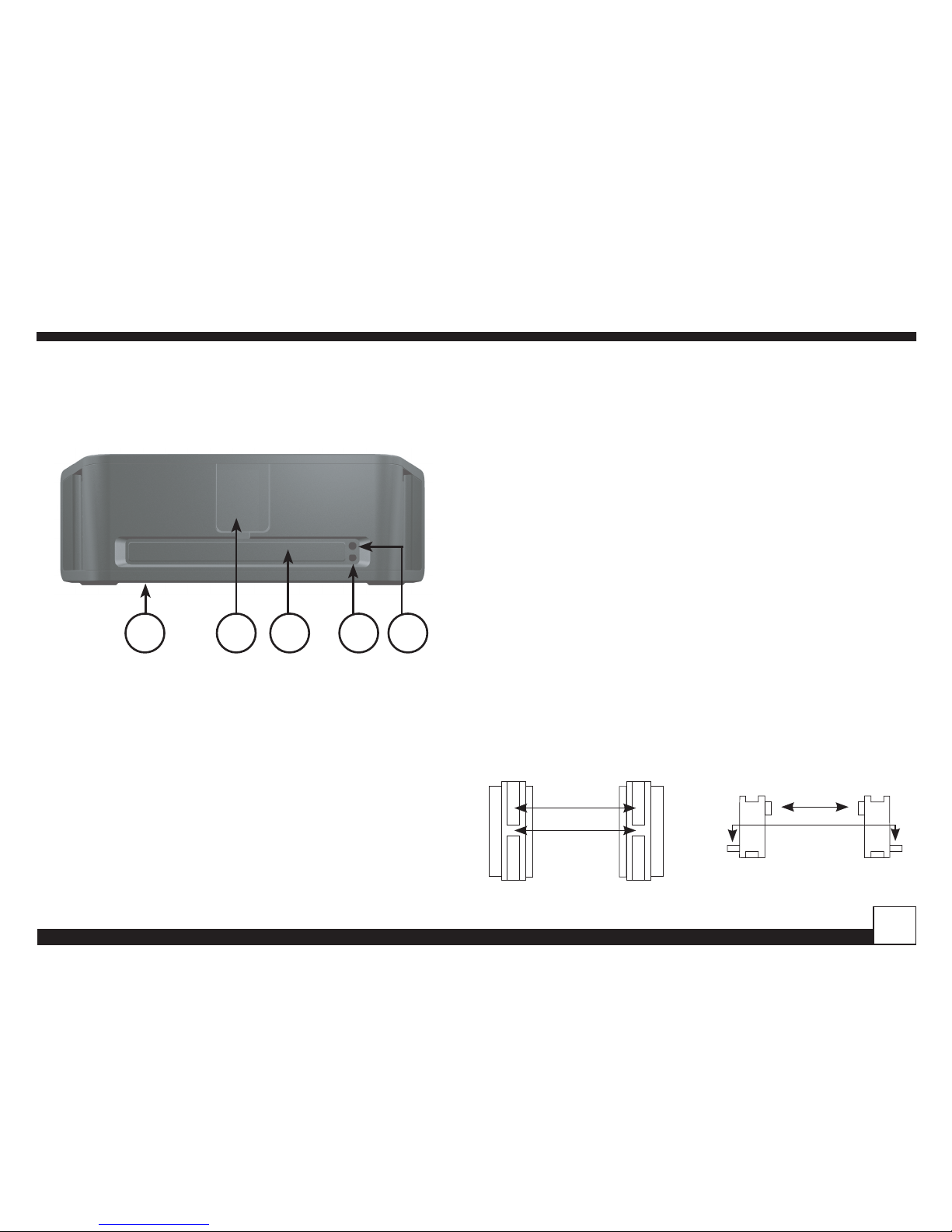
The section following identify and describe the buttons and connectors of the Boombox.
TOP VIEW
FRONT VIEW
EDVV VDW DX[
SIRIUS
1234
EDVV VDW DX[
SIRIUS
567

Desktop Docking Station
© Directed Electronics, all rights reserved. 9
Stiletto Universal Boombox
Antenna Aiming
Adjust your antenna
position to maximize signal
strenght
SATELLITE
TERRESTRIAL
Press SELECT when done
12 89 10 11
REAR VIEW
EDVV VDW DX[
SIRIUS
Adapter Detail
REAR VIEW
Configuring the boombox for your Stiletto model
Your Boombox comes with reversible adapters which can
be installed to accept Stiletto 2 or Stiletto 10/100.
Install into side wall openings with key* facing backward
(Fig 1), insert rear of adapter first and then hinge front
inwards.
To remove or reverse simply push adapter back, grip edge
with flat object or fingernail and hinge outward from side
wall front first (Fig 2), if reversing sides keep key to back,
then reinsert.
*Note: The metal adapters have placement grooves in both
front and back however one groove is keyed, this key al-
ways faces backward when inserting as shown in diagram.
KEY
GROOVE
EDVV VDW DX[
SIRIUS
Adapter Detail
TOP VIEW
For Stiletto 2
reverse for
Stiletto
10/100

© Directed Electronics, all rights reserved.
10
Docking your SIRIUS Stiletto Radio
Place the Stiletto portable radio into the Boombox, align-
ing the connector on the radio with the connector on the
Boombox, and gently press the radio down until it is fully
seated in the dock.
EDVV VDW DX[
SIRIUS
bass sat aux - +
SIRIUS
Remove guide by pushing
bass sat aux - +
SIRIUS
Remove guide by pushing
Fig 1
FRONT VIEW
Fig 2
TOP VIEW
Tabla de contenidos