
Dinkle D-Thermo TMP-004 Manual de usuario
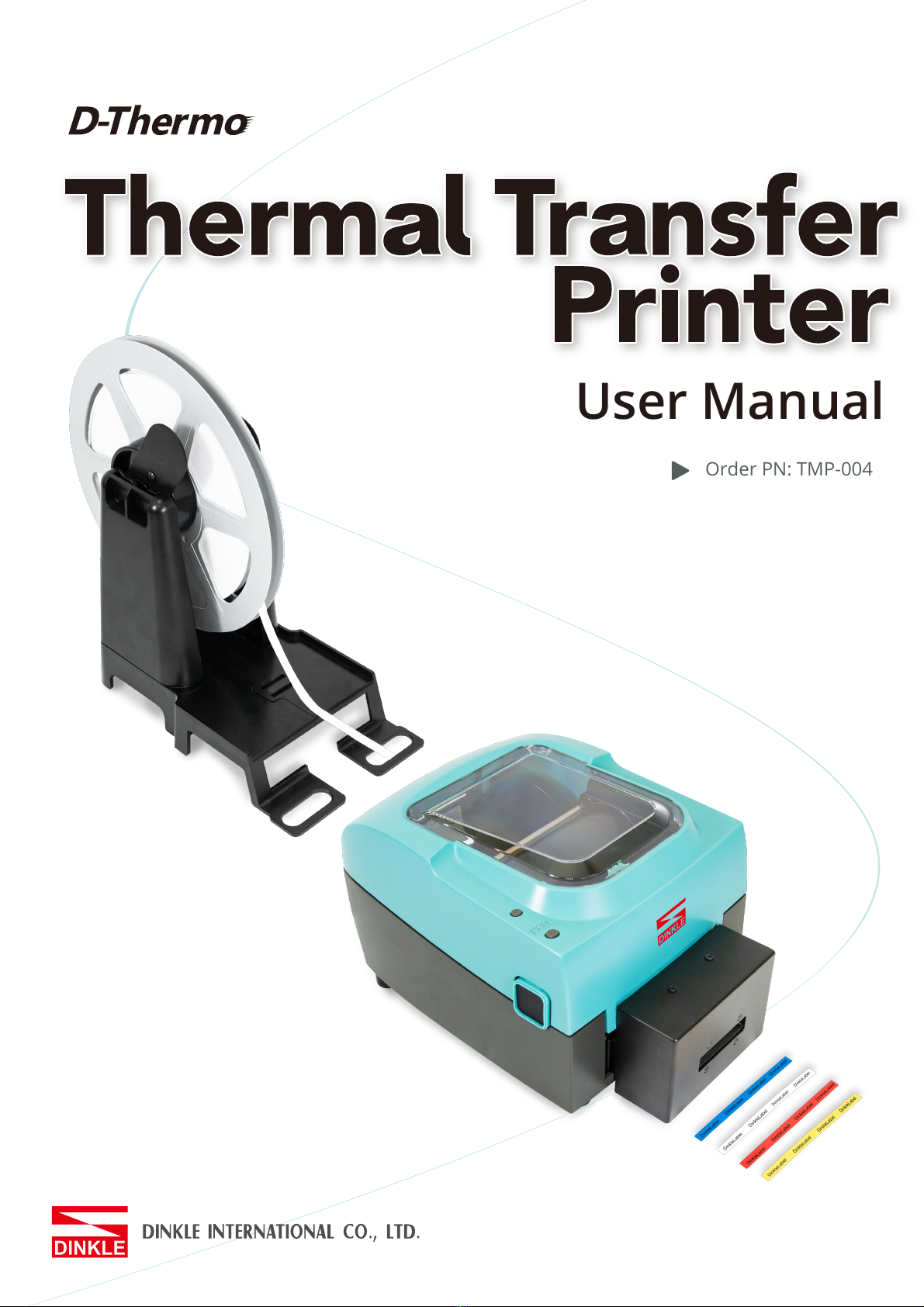
Order PN: TMP-004
User Manual

TMP-004
Thermal Transfer Printer
User Manual
Version Change History
Version Change History
V1 Initial version

TMP-004
Thermal Transfer Printer
User Manual
TABLE OF CONTENTS
Safety Instructions 001
1Thermal Transfer Printer 002
1.1 Box Content 002
1.2 Getting To Know Your Printer 003
2Printer Setup 005
2.1 Open The Printer Cover 005
2.2 Open The Printing Mechanism 005
2.3 Loading The Ribbon 006
2.4 Positioning Calibration 008
2.5 Installing the strips 009
2.6 Preparation steps before cutter installation 010
2.7 Installing The Cutter 011
2.8 Optional Installation 014
2.9 Connecting The Printer To The Host Computer 017
3Software Setup 018
3.1 Download software package 018
3.2 Install Driver 018
3.3 Dinkle Label installation 019
4Printer Operation 022
4.1 LED Indicator 022
4.2 Label size calibration and Self Test Page 023
4.3 Error Alerts 024
5Maintenance And Adjustment 025
5.1 Cleaning The Print Head 025
5.2 Adjusting The Print Head Pressure 025
5.3 Adjusting The Print Line 026
5.4 Adjusting The Cutter 026
5.5 Troubleshooting 028
6Software: Dinkle Label Operating 029
6.1 Main page Introdution 029
6.2 General Operating 033
6.3 Setup 038
Appendix 043

001
TMP-004
Thermal Transfer Printer
User Manual
SAFETY INSTRUCTIONS
Please read the following instructions carefully
1. Keep the equipment away from humidity.
2. Before you connect the equipment to the power outlet, please check the voltage of
the power source.
3. Make sure the printer is off before plugging the power connector into the
power jack.
4. It is recommended that you connect the printer to a surge protector to prevent
possible transient overvoltage damage.
5. Be careful not to get liquid on the equipment to avoid electrical shock.
6. For safety and warranty reasons, ONLY qualified service personnel should open
the equipment.
7. Do not repair or adjust energized equipment under any circumstances.
002
TMP-004
Thermal Transfer Printer
Printer Introduction
1 Thermal Transfer Printer
1.1 Box Content
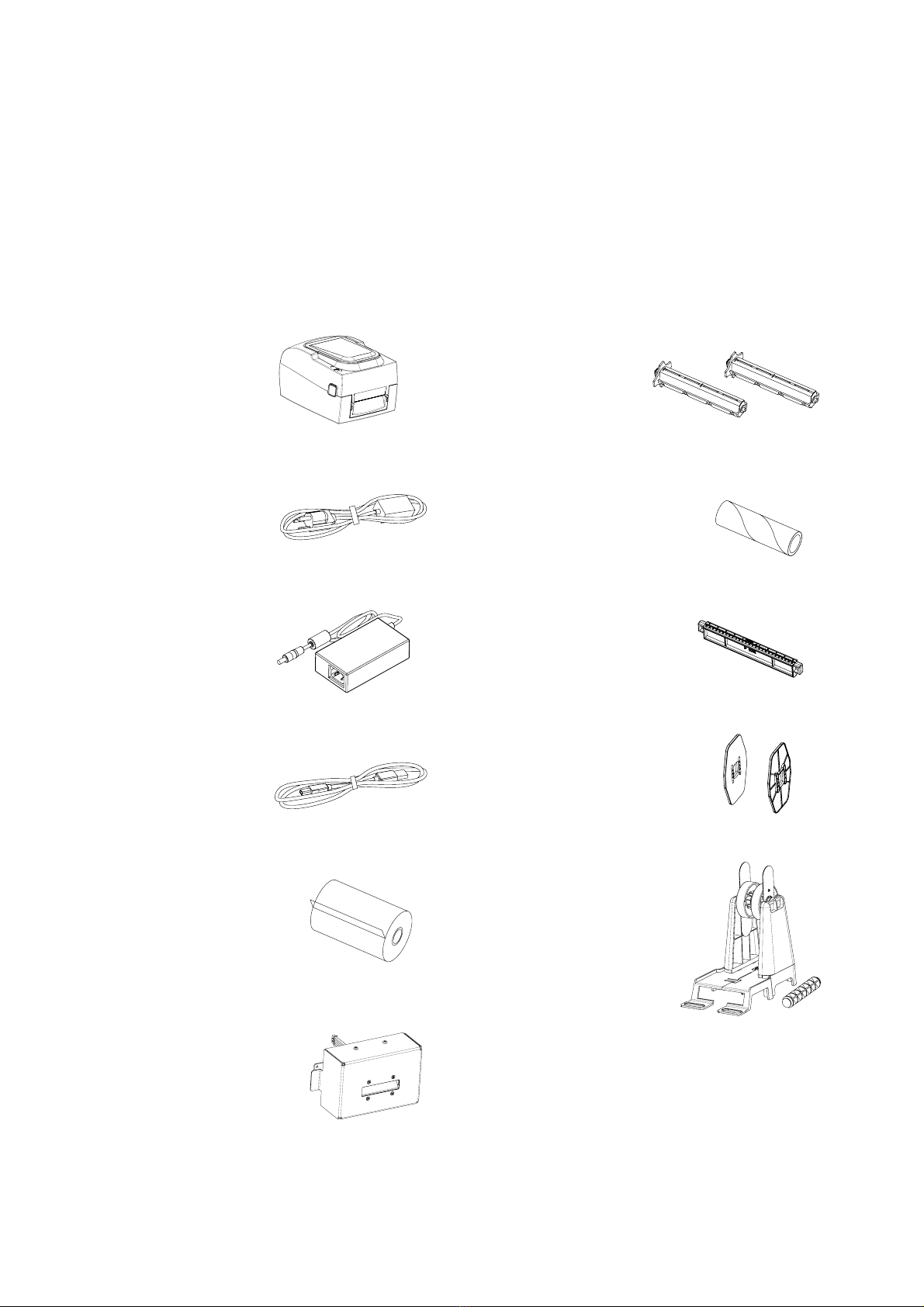
Please check that all of the following items are included with your printer.
Thermal Transfer Printer
Power Cord
AC Adapter
USB Cable
Ribbon
Cutter (Optional Accessory)
Ribbon Hubs ( set of 2 )
Empty Ribbon Core
Label Supply Hub
Label Guide Plates ( set of 2 )
Tray Holder

003
Rear View
1 Thermal Transfer Printer
1.2 Getting To Know Your Printer
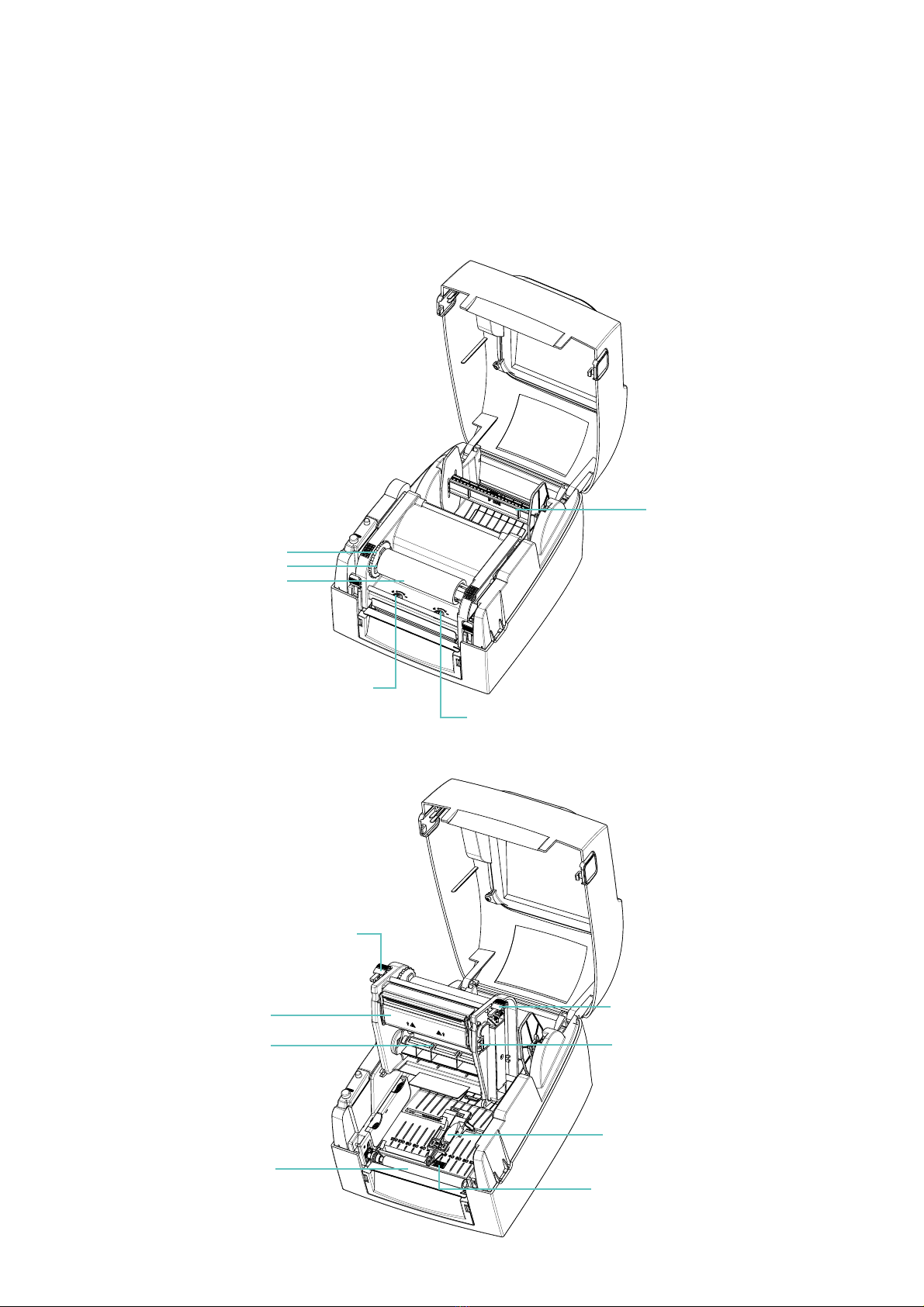
Device Overview
Front View
TMP-004
Thermal Transfer Printer
Printer Introduction
USB Port
Power Jack
Top Cover
LED Indicator
Cover Open Buttons
Front Cover
Serial Port ( RS-232 )
Ethernet Port
Fan-Fold Label Inesrt
Feed slot for external label feeding
Power Switch
- ON
- OFF
004
Open The Printing Mechanism
1 Thermal Transfer Printer
1.2 Getting To Know Your Printer
Open The Printer Cover
TMP-004
Thermal Transfer Printer
Printer Introduction
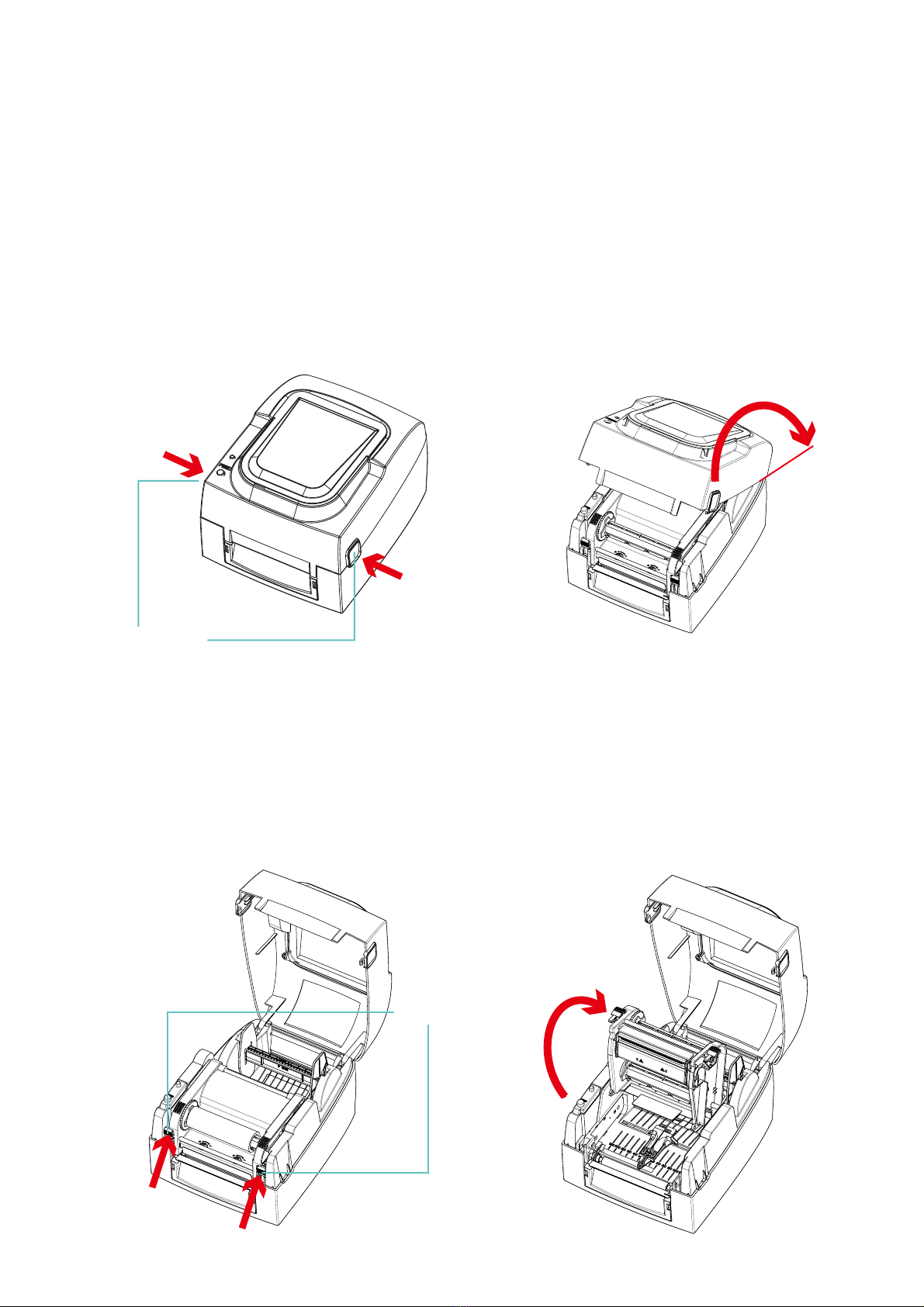
Label Supply Module
- Label Supply Hub
- Label Guide Plates ( Set Of 2 )
Adjustment Screw ( Right )
Screw for adjusting the print head pressure
Adjustment Screw ( Left )
Screw for adjusting the print head pressure
Ribbon Module
- Ribbon Feed Mechanism
- Ribbon Hub
- Empty Ribbon Core
Release Catch ( Right )
Adjustment Screw
Screw for adjusting the print line
Label Guide
Label Sensor
Movable
Release Catch ( Left )
Printing Mechanism
Ribbon Supply Hub
Platen
005
2 Printer Setup
2.1 Open The Printer Cover
Pressing The Cover Open Buttons
Place the printer on a flat surface. Open the printer cover by pressing the release buttons on both sides of the
printer housing and lift the cover.
TMP-004
Thermal Transfer Printer
Installation Guideline
Pressing The Release Catches
Release and lift the printing mechanism.
2.2 Open The Printing Mechanism
Lift the printer cover backward
Pressing the button
Pressing the button
Cover Open Buttons
Release buttons for opening the printer cover.
Release Catches
Pressing
Pressing
Lift the printing mechanism
006
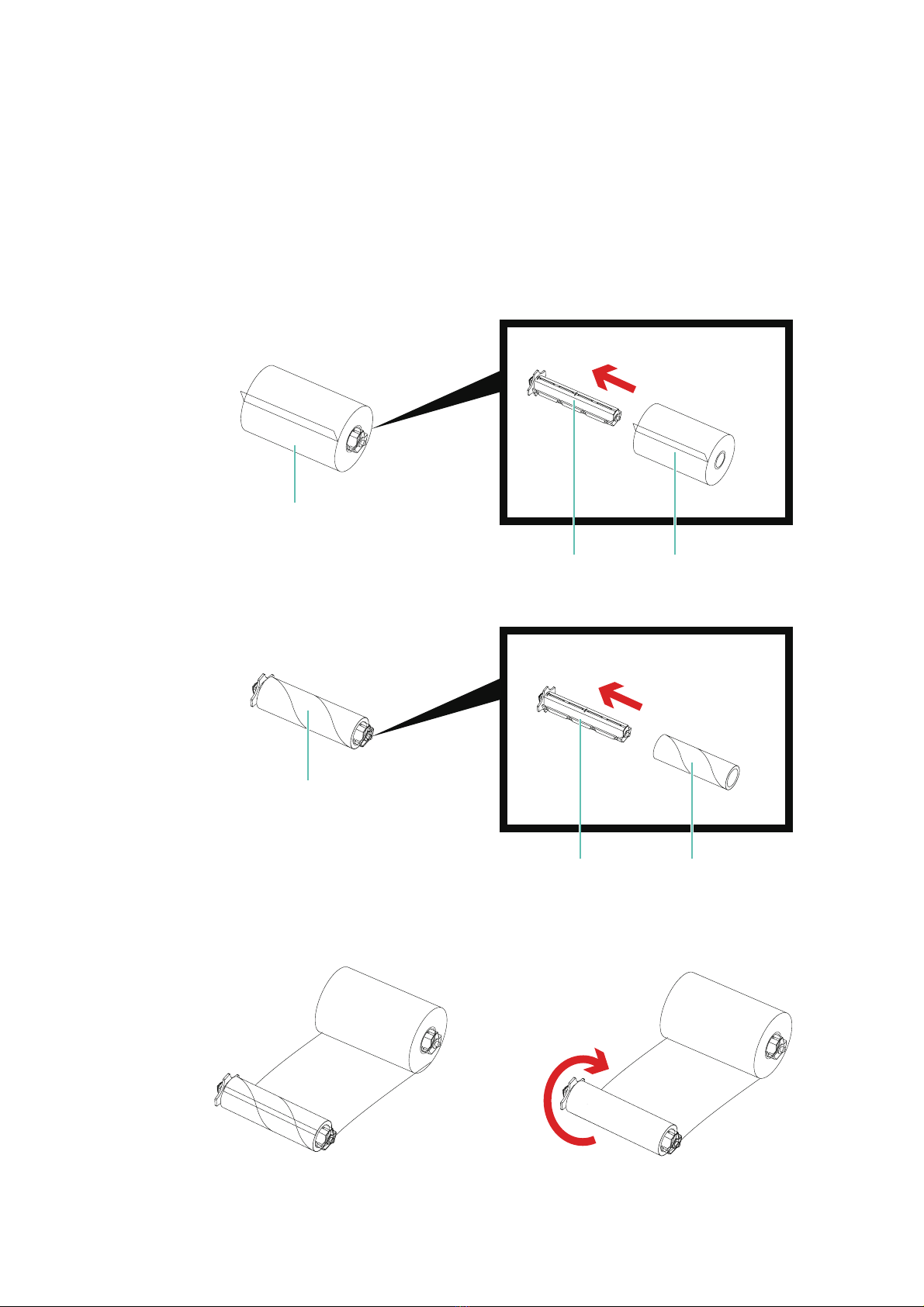
* The left core while ribbon used up is able to be a new Empty Ribbon Core
2 Printer Setup
2.3 Loading The Ribbon
A New Ribbon Module Installation
Place the new ribbon on the hub which forms a ribbon supply hub.
TMP-004
Thermal Transfer Printer
Installation Guideline
Place the empty ribbon core on the hub which forms a ribbon rewind hub.
Stick the ribbon supply hub on the ribbon rewind hub and wind the rewind hub 2~3 circles.
Ribbon Supply Hub
Place on the hub
Ribbon Hub New Ribbon
Ribbon Hub
Ribbon Feed Module
Place on the hub
Empty Ribbon Core
Wind the ribbon around the core
007
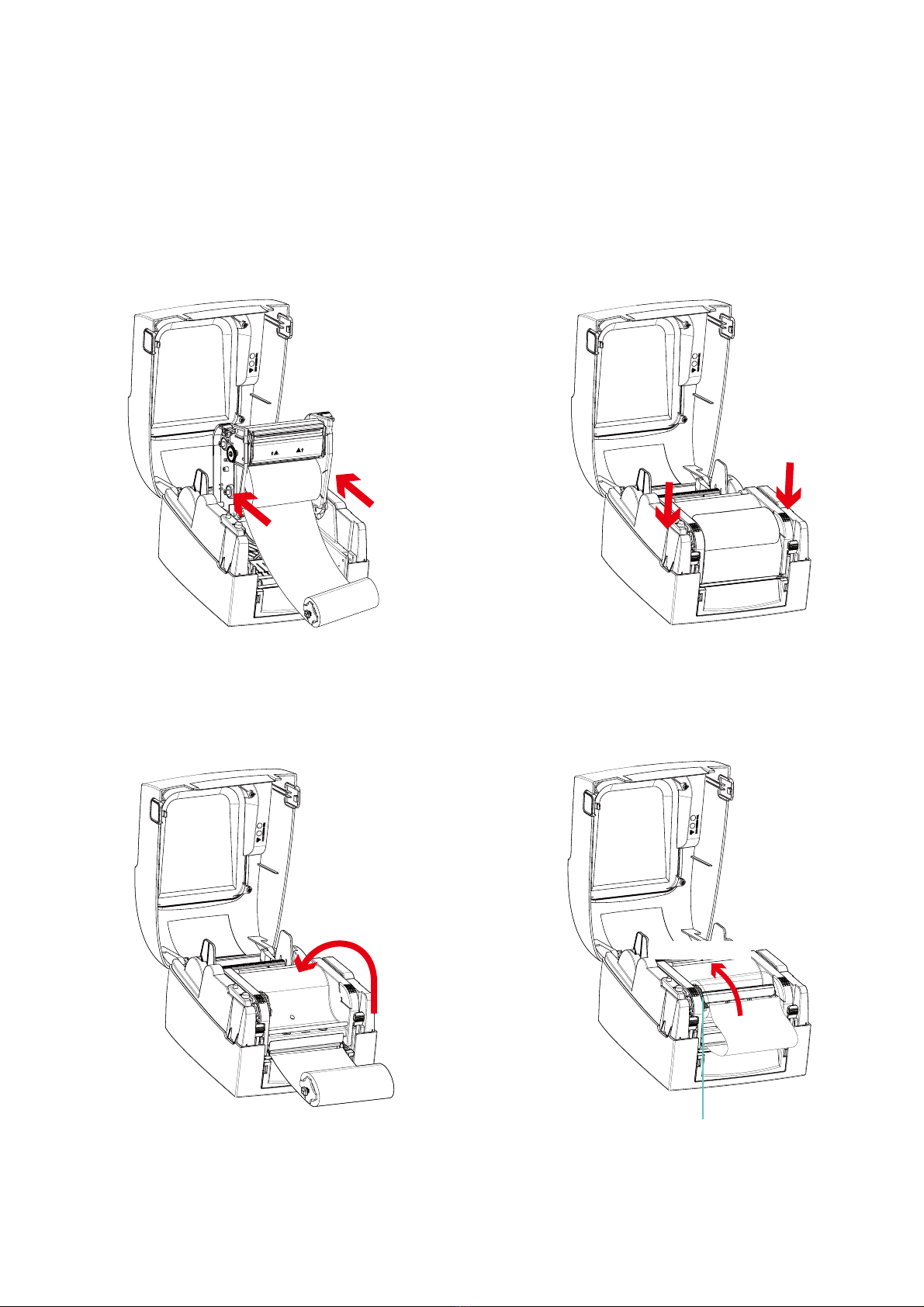
2 Printer Setup
2.3 Loading The Ribbon
TMP-004
Thermal Transfer Printer
Installation Guideline
Place the ribbon supply hub at the back of the
printing mechanism.
Close the printing mechanism, making sure
that it clicks into place.
Pass the ribbon supply hub under the print
head.
Insert into the printing
mechanism
Place on the printing
mechanism
Wind to the back
Ribbon Feed Mechanism
Tabla de contenidos
Otros manuales de Impresora de Dinkle


