
DigiSender Plug’n’Go DX200-LCDRX Manual de usuario
WATCH A VIDEO
INSTALLATION
& TROUBLESHOOTING GUIDE
Available online at: www.aei.eu/video
WATCH A VIDEO
INSTALLATION
& TROUBLESHOOTING GUIDE
Available online at: www.aei.eu/video
011209-2
DigiSender
Plug’n’Go™ LCD
M DEL: DX200-LCDRX
Accessory Receiver
®
IMP RTANT: ALWAYS KEEP THIS INSTRUCTI N MANUAL F R FUTURE REFERENCE
Please read this instruction manual carefully prior to installationPag 02
DX200-LCDRX - DigiS nd r® Plug’n’Go™ LCD
Step 1: Install the Accessory Receiver
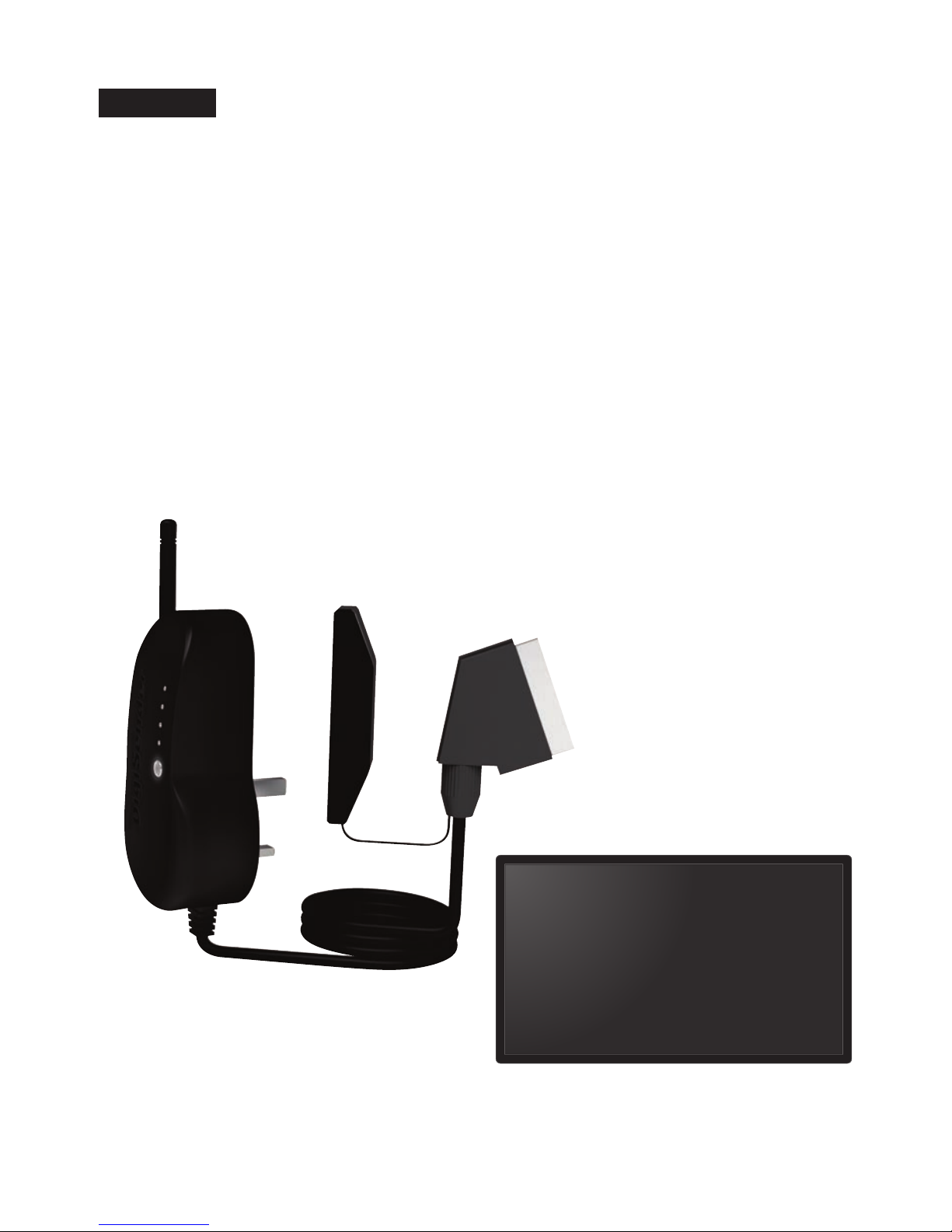
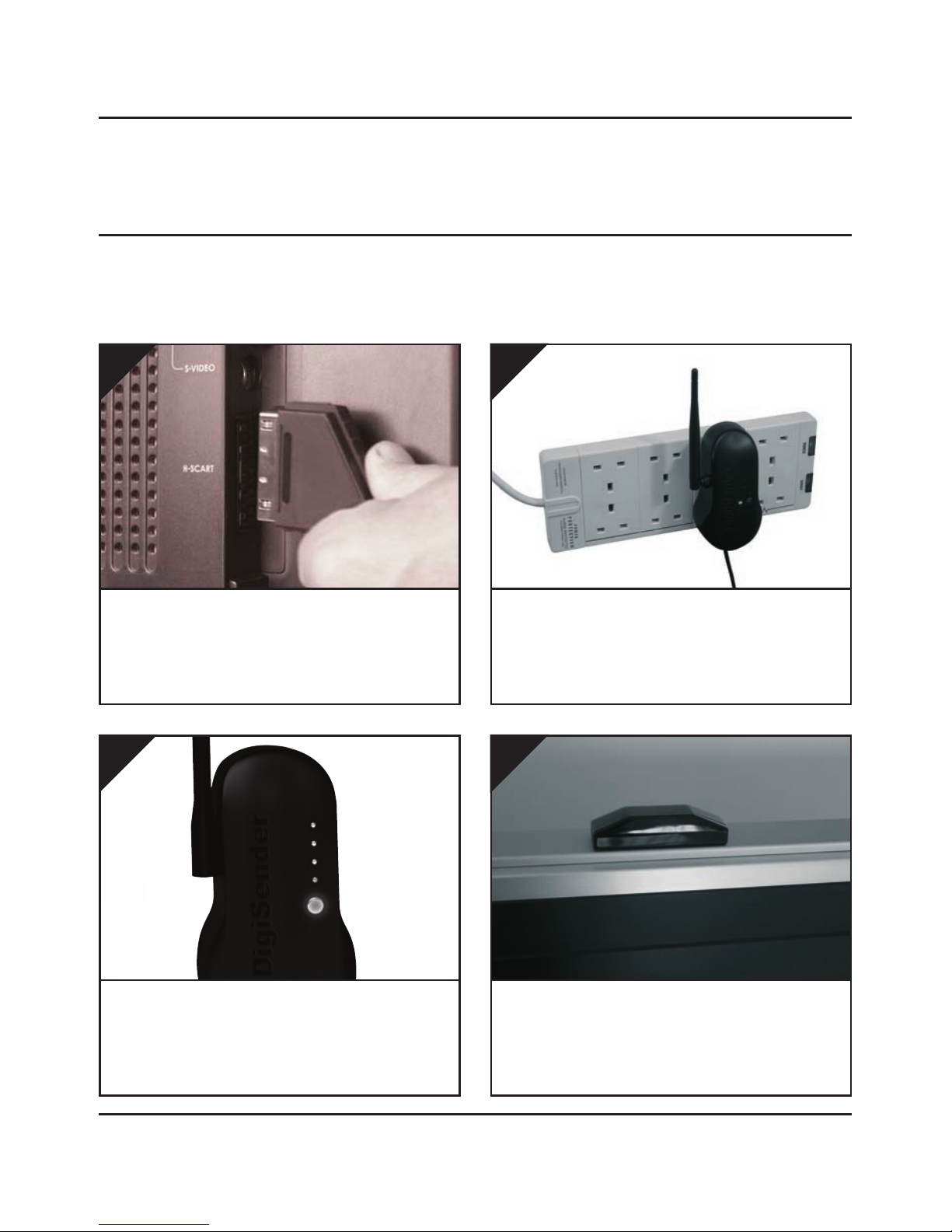
Conn ct th R c iv r into a Mains Ext nsion
L ad. The positioning of the Receiver can affect
the picture quality so being able to move it is an
advantage.
2.
The Plug’n’Go™ LCD Accessory Receiver will pick up the signals being sent by your Plug’n’Go™ LCD
Transmitter and output them to a connected TV.
Pr ss and hold th pow r button for 5 s conds to
turn th R c iv r on. Pressing the button again
cycles through the 4 available channels. Ma e sure
it is set to the same channel as the Transmitter.
3.
Locat a vacant SCART sock t on th back of your
r c iving TV and ins rt th DigiS nd r® SCART
cabl .
1.
Position th IR S nsor on th top, sid or bot-
tom of your r c iving TV with th l ns facing
out into th room.
4.
Please read this instruction manual carefully prior to installation Pag 03
DX200-LCDRX - DigiS nd r® Plug’n’Go™ LCD
Step 2: Using the DigiSender® Plug’n’Go™ LCD
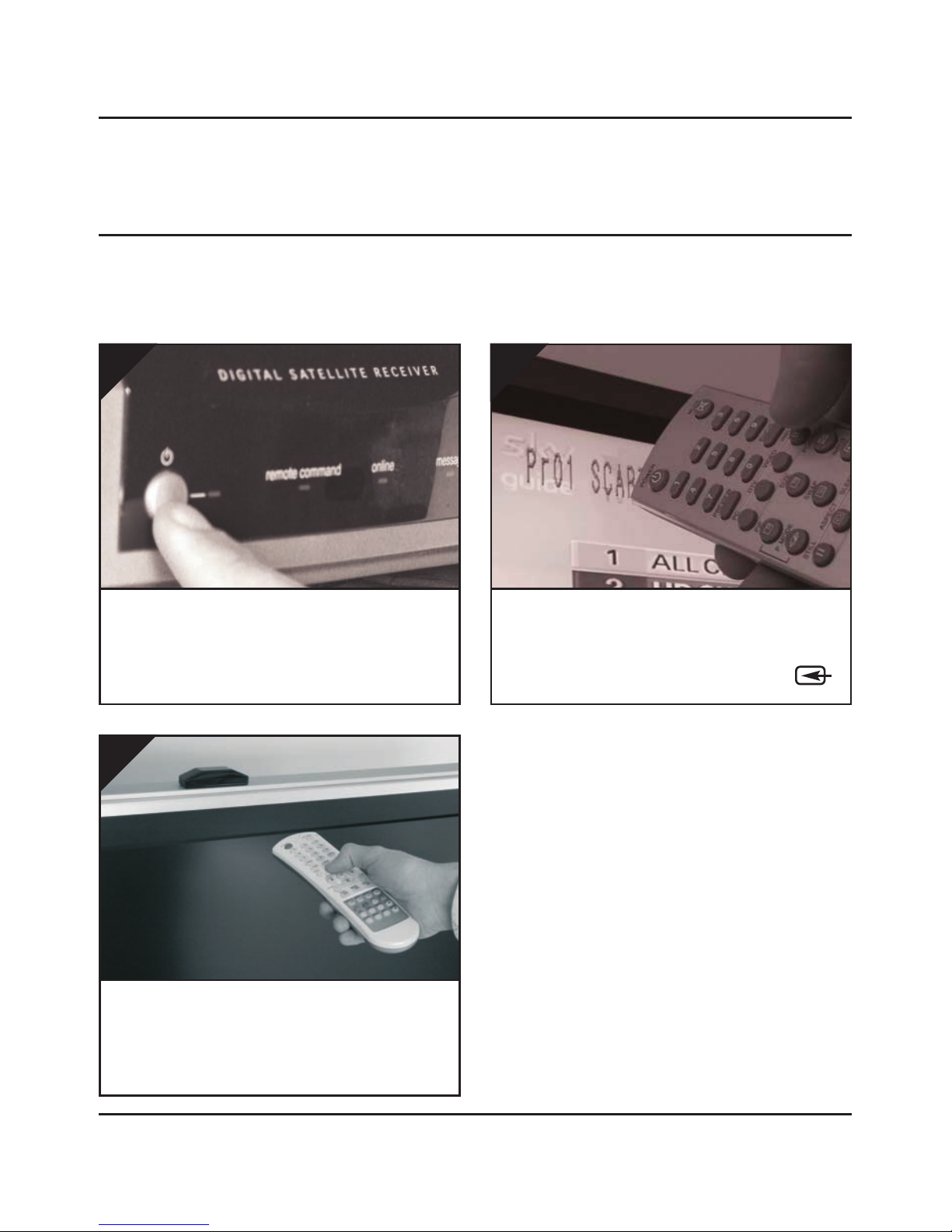
Switch on th sourc quipm nt (Satellite, Cable,
Freeview, DVD, VCR, etc.).
1.
On th r c iving TV, s l ct th SCART chann l
assign d to th SCART sock t that you plugg d
th DX200-LCDRX R c iv r in to. This may be la-
belled as SCART, AUX, AV, VIDEO, VCR or .
2.
Wh n controlling your Sat llit , Cabl or Fr -
vi w box, point th r mot control at th IR S n-
sor in th r c iving location. Ensure you are using
the correct remote control for the source device.
3.

Please read this instruction manual carefully prior to installationPag 04
DX200-LCDRX - DigiS nd r® Plug’n’Go™ LCD
Using the DigiSender® Plug’n’Go™ LCD
Advanced Functions
Changing the Audio/Video Channel
The DigiSender® Plug’n’Go™ LCD features 4 Audio/Video Channels. Each of these Audio/Video Chan-
nels slightly changes the frequency on which the DigiSender® Plug’n’Go™ LCD operates. Because
the Audio/Video Channel switch allows you to ‘fine tune’ the frequency on which your DigiSender®
Plug’n’Go™ LCD operates, it is possible to overcome most interference and reception troubles that may
occur.
To change the Audio/Video Channel on your DigiSender® Plug’n’Go™ LCD, simply press the button to
cycle through the 4 available channels.
For yo r DigiSender® Pl g’n’Go™ LCD to f nction correctly it is very important that the A dio/Video
Channel settings are the same on both the Transmitter and Receiver.

Please read this instruction manual carefully prior to installation Pag 05
DX200-LCDRX - DigiS nd r® Plug’n’Go™ LCD
Troubleshooting
Problems Controlling the Source Equipment
If you hav any difficulty op rating your sourc quipm nt r mot control in your s cond room
pl as follow th advic b low b low:
1. Ensure you are using the correct remote control in the second room. For instance, if you are
trying to control your Satellite Receiver you will need to use the Satellite remote control.
2. Ensure the IR Emitter is facing the IR Sensor on your source equipment.
3. Move the IR Emitter further away from the source equipment.
4. Move the DigiSender® Plug’n’Go™ LCD Transmitter A D Receiver further away from other
electrical devices.
5. Try operating your source remote control closer to the IR Sensor.
6. Replace the batteries in your source remote control.
WATCH A VIDEO
INSTALLATION
& TROUBLESHOOTING GUIDE
Available online at: www.aei.eu/video
WATCH A VIDEO
INSTALLATION
& TROUBLESHOOTING GUIDE
Available online at: www.aei.eu/video

Please read this instruction manual carefully prior to installationPag 06
DX200-LCDRX - DigiS nd r® Plug’n’Go™ LCD
Technical Support
AEI Security & Communications Ltd is dedicated to providing our customers with first class customer
care and technical support.
During busy periods we would suggest using the web option to obtain support.
1. n the web...
Free technical advice is available online 24/7 at our dedicated support web site:
www.aei.eu
2. By telephone...
We have a dedicated helpline, open Monday to Friday, 9AM - 5PM.
Please note that calls are charged at the local rate and your call may be recorded for training purposes.
UK Customers only:
0845 166 7940
verseas Customers:
+44 (0) 1797 226123

©2009 AEI Security & Communications Ltd. All rights reserved.
Registered in England: 02831823
AEI Security & Communications Ltd
Weslake Industrial Park
Rye Harbour Road, Rye
East Sussex
T 31 7TE
United Kingdom
Plug’n’Go and DigiConnector are trademarks of AEI Security & Communications Ltd.
DigiSender is a registered trademark of AEI Security & Communications Ltd.
SPECIFICATI NS
DX200-LCDRX Receiver :
Remote Relay Transmitter 433.92MHz
Audio/Video Frequency 5.7250GHz ~ 5.8750GHz
Modulation FM
Video Output Level 1V PP/75Ω
Sensitivity -90dBm
Audio Output Level 1.0V PP (Mod 1KHz, Dev 15KHz)
Audio Bandwidth 20Hz - 20KHz (-1dB)
Output Connectors Euro SCART
Power Source 240V AC
Tabla de contenidos


