
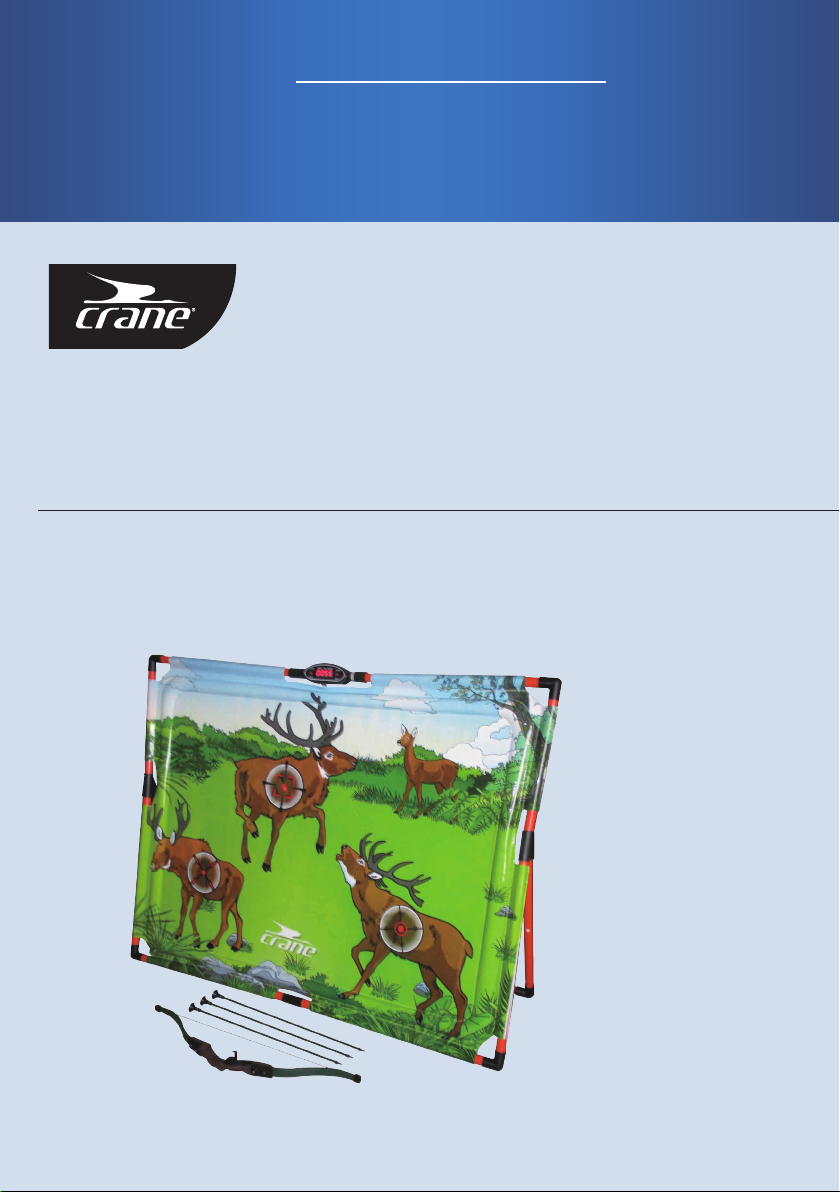
Crane 51602 Manual de usuario
English... 3
Español... 11
ARCHERY GAME
JUEGO DE TIRO CON ARCO
User Manual
del usuario
Manual

Contents
Parts List...............................................................................................
Safety Instrucons................................................................................
Assembly ..............................................................................................
Electronic Scoreboard Instrucons........................................................
3
4
5
8
3
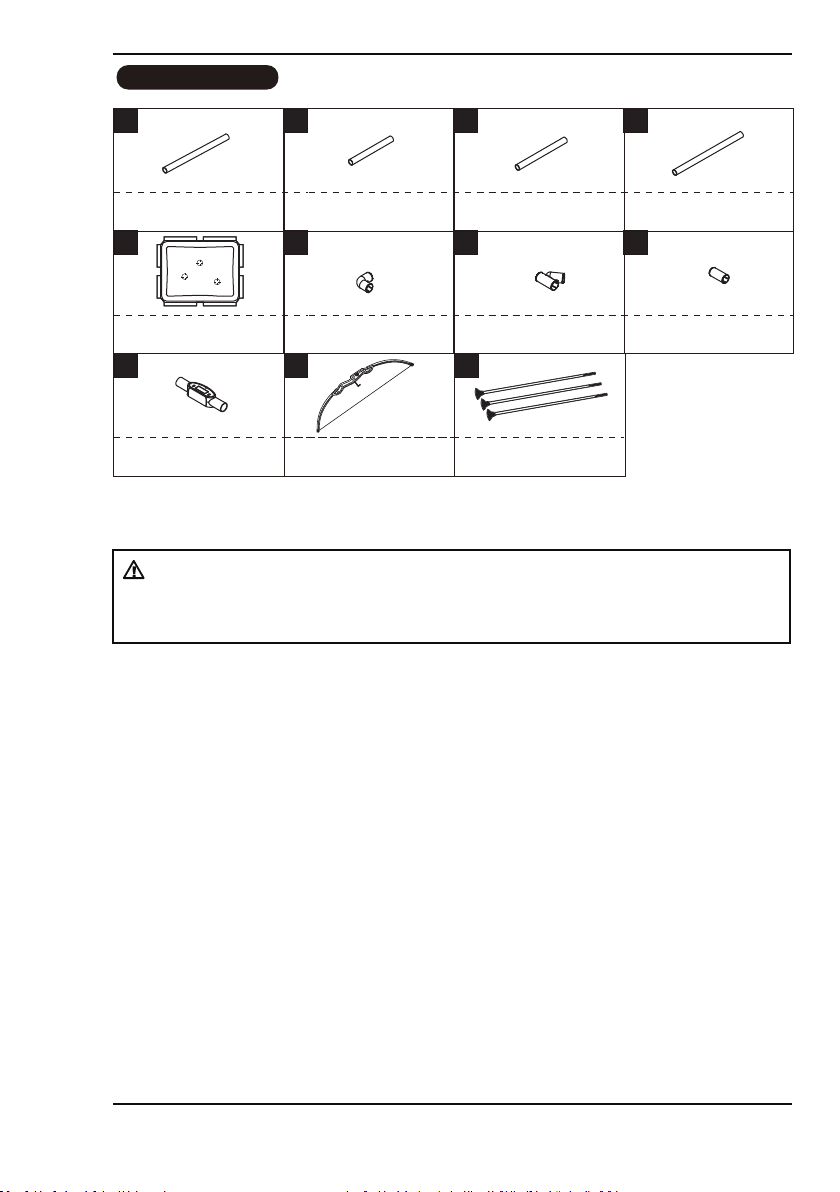
Parts List
51602 PARTS LIST
2 31
x2 x2 x4
4
x4
6 75
x1 x6 x2
8
x2
109
x1 x1
21-1/8” Tube - 1 14-3/4” Tube - 2
Electronic Scorer Bow
11
x3
Safety Sck Arrow
21-1/2” Tube - 3 23-3/4” Tube - 4
Inflatable Bag with Sensors “L” Connector 2 Way Connector Straight Connector
Note:
Inflatable bag with sensors (#5) is not available as a replacement part.
WARNING:
CHOKING HAZARD - This item contains small parts. Not suitable for children under 3
years.

Safety Instructions
4
SAFETY INSTRUCTIONS
WARNING
● Product must be assembled by adults before use.
● Do not over-inflate.
● Not to be used as a floang device.
● This product is for youth use only, it is not intended for adult training.
Child Safety
● Not for use by children without adult supervision.
● To reduce the risk of suffocaon, or serious personal injury,
- Always stay within reach of children while playing.
- Keep the product away from small children when it is not inflated.
Product Protecon
● Play only in open areas away from sharp objects.
● Avoid contacng the inflatable bag with sharp objects or hot surfaces which
could cause injury to your hands.
● Remove sharp objects from your body which could damage the product, such as
rings, watches etc.
● Make sure that there are no sharp objects on your shoes which could damage the product.
WARNING:
This product may be mistaken for an actual weapon by law enforcement officers and
others. Altering state or federal required markings or coloraon in order to make the
product appear more realisc and/or brandishing or displaying the product in public
is dangerous and may be a crime. Displaying, exhibing or brandishing in a
threatening manner and possession, storage or keeping on school property are
prohibited acvies. The Criminal Penales may be imprisonment and/or fines.
WARNING:
1. DO NOT MODIFY THE PRODUCTS IN ANY WAY.
2. DO NOT AIM AT EYES OR FACE.
3. DO NOT POINT THE SAFETY STICK ARROW AT PEOPLE OR ANIMALS.
4. THIS IS NOT A CHILD’S TOY, ADULT SUPERVISION IS REQUIRED FOR CHILDREN
PLAYING THIS GAME.

Assembly
5
FIG. 2
2
X 2
3
X 2
6
X 2
7
X 2
FIG.2
2. Attach the tubes (#2, #3) with connectors (#6, #7) as shown in FIG. 2.
3. Connect the Sensor Wire from the Inflatable bag with sensors (#5) to the
Electronic Scorer (#9) as shown in FIG. 2A.
FIG.1
FIG. 1
1
X 2
4
X 2
5
X 1
8
X 1
9
X 1
1. Aach the Tubes (#4), Connector (#8) and the Electronic Scorer (#9) with the
Inflatable bag with sensors (#5) as shown in FIG. 1.
4
8
5
1
9
1
4
2
2
3
6
6
9
7
7
3
Target Sensor Wire
5
FIG. 2

Assembly
6
FIG.4
FIG. 4
4
X 2
6
X 2
8
X 1
5. Connect the Tubes (#4), the Straight Connector (#8) and the 'L' Connectors (#6).
See FIG. 4A.
6. Aach the FIG. 4A Assembly to the FIG. 3 Assembly as shown in FIG. 4.
6
6
8
FIG. 4A
4
4
FIG. 3 Assembly
FIG. 4A Assembly
FIG.3
4. Attach the Tubes (#3) and the “L” Connectors (#6) to the FIG. 2 Assembly
as shown in FIG. 3.
FIG. 3
3
X 2
6
X 2
36
6
3
FIG. 2 Assembly

Assembly
7
8. Inflate the Inflatable bag with sensors (#5) using an air pump (not included).
See FIG.5 .
FIG.5
Inflaon
DO NOT OVER INFLATE
Cover Nozzles
5
FIG. 5

Electronic Scoreboard Instructions
8
WARNING:
!
1) Requires 3 “AAA” baeries (Included).
2) Do not mix old and new baeries.
3) Do not mix alkaline, standard (carbon inc), or
rechargeable (nickel-cadmium) baeries.
Baery Installaon
Baery Box: Unscrew the bolt using a screwdriver and open the baery box. Insert 3 “AAA”
baeries (Included) in the order of polarity as shown on the inside cover. Then close the
cover using a screwdriver. Turn the power ON using the ON/OFF switch.
Reminder:
a. Baeries must be installed according to the correct polarizaon (+ and -) required.
b. Please clean the baery contacts and also those of the device prior to baery installaon.
c. If the game will not be used for a long period of me, we recommend that the baeries
should be removed.
ELECTRONIC SCORER OPERATION
9
9
WARNING:
!
Please pull and remove the insulaon sheet
from the back of the electronic scorer before
using the product.
Insulang Sheet

Electronic Scoreboard Instructions
9
A. When the game is switched on, you will hear some sound effects. The electronic scorer will
display 2P. The sound effects will connue unl a buon is pressed. You can choose the
buon of one or two players. If you press the buon for 2P, the mer will start to count
down 5.4.3.2.1. Aer the countdown, you will hear the PLAYER sound effect and see the
me display of one minute and thirty seconds.
B. Aer the countdown, you will see one of the LEDs light up for 5 seconds to shoot. (There are
3 sets of LEDs which will light up randomly during the game.) Once you get a shot on target,
you will hear the scoring sound and the scorer will display 01. If you succeed on shoong
the next target within the next 5 seconds, you will hear the scoring sound and the scorer
will display 02. Aer a 2 second display of your score, the scorer will switch back to the
countdown. If no score is made, the me display will not switch to show the score.
C. Aer one minute and thirty seconds, the Next Player sound effect will be heard and the
countdown will begin. Aer the countdown, you will see one of the LEDs light up for 5
seconds to shoot. (There are 3 sets of LEDs which will light up randomly during the game.)
Once you get a shot on target, you will hear the scoring sound and the scorer will display
01. If you succeed on shoong the next target within the next 5 seconds, you will hear the
scoring sound and the scorer will display 02. Aer a 2 second display of your score, the
scorer will switch back to the countdown. If no score is made, the me display will not
switch to show the score.
D. Before the me is up, you will hear the sound effect for the 5 second countdown, and then
the GAME OVER! and TRY AGAIN! sound effects. You can only start a new game aer the
sound effects have finished. The scores will flash for the winning player.
E. When one chooses 1P, press the ON/OFF buon to start. Aer hearing the countdown 5. 4.
3. 2. 1, the game of one minute and thirty seconds begins.
F. Aer the countdown, you will see one of the LEDs light up for 5 seconds to shoot. (There are
3 sets of LEDs which will light up randomly during the game.) Once you get a shot on target,
you will hear the scoring sound and the scorer will display 01. If you succeed on shoong the
next target within the next 5 seconds, you will hear the scoring sound and the scorer will
display 02. Aer a 2 second display, the scorer will switch back to the countdown. If no score
is made, the me display will not switch to show the score. Before the me is up, you will
hear the sound effect for the 5 second countdown, and then the GAME OVER! and TRY
AGAIN! sound effects. You can only start a new game aer the sound effects have finished.
The scores will flash for the winning player.
G. The game will enter SLEEP MODE if there are no operaons within a 5 minute period.
Game Instructions
When the game is plugged in, it automacally sets the game for two players with a me
duraon of one minute and thirty seconds.
(To switch off the product, press the ON/OFF buon for two seconds.)

Electronic Scoreboard Instructions
10
WARNING: Changes or modificaons not expressly approved by the party responsible
for compliance could void the user’s authority to operate the equipment.
NOTE: This equipment has been tested and found to comply with the limits for a Class
B digital device, pursuant to Part 15 of the FCC Rules. These limits are designed to provide
reasonable protecon against harmful interference in a residenal installaon. This
equipment generates, uses and can radiate radio frequency energy and, if not installed and
used in accordance with the
instrucons, may cause harmful interference to radio communicaons. However, there is
no guarantee that interference will not occur in a parcular installaon. If this equipment
does cause harmful interference to radio or television recepon, which can be determined
by turning the equipment off and on, the user is encouraged to try to correct the
interference by one or more of the following measures:
-- Reorient or relocate the receiving antenna.
-- Increase the separaon between the equipment and receiver.
-- Connect the equipment into an outlet on a circuit different from that to which the
receiver is connected.
-- Consult the dealer or an experienced radio/TV technician for help.
CAUTION !
1) To avoid injury, do not pull the bowstring without Safety Sck Arrows, and use only Safety
Sck Arrows designed for this product.
2) Do not aim at eyes or face
3) Please wipe the sucker with a dry cloth to increase sckiness.
Bowstring
Arrow Shaft
To place the nock of the
Safety Stick Arrow onto the
bowstring closely.
Safety Stick Arrow
YOU ARE NOW READY TO PLAY!
Tabla de contenidos
Idiomas:
Otros manuales de Juegos y equipos de juegos infantiles de Crane


Manuales populares de Juegos y equipos de juegos infantiles de otras marcas

Ledon
Ledon 302040 Manual de usuario

FUNormous
FUNormous Disney Junior MICKEY MOUSE Manual de usuario

b4Adventure
b4Adventure Slackers TREEZONE ADVENTURE THREE HOUSE Manual de usuario

PoolMaster
PoolMaster 72775 Manual de usuario

Palmako
Palmako 4743142009857 Manual del instalador

BOERPLAY
BOERPLAY PSTE000.019 Manual de usuario


