7Controls (cont.)
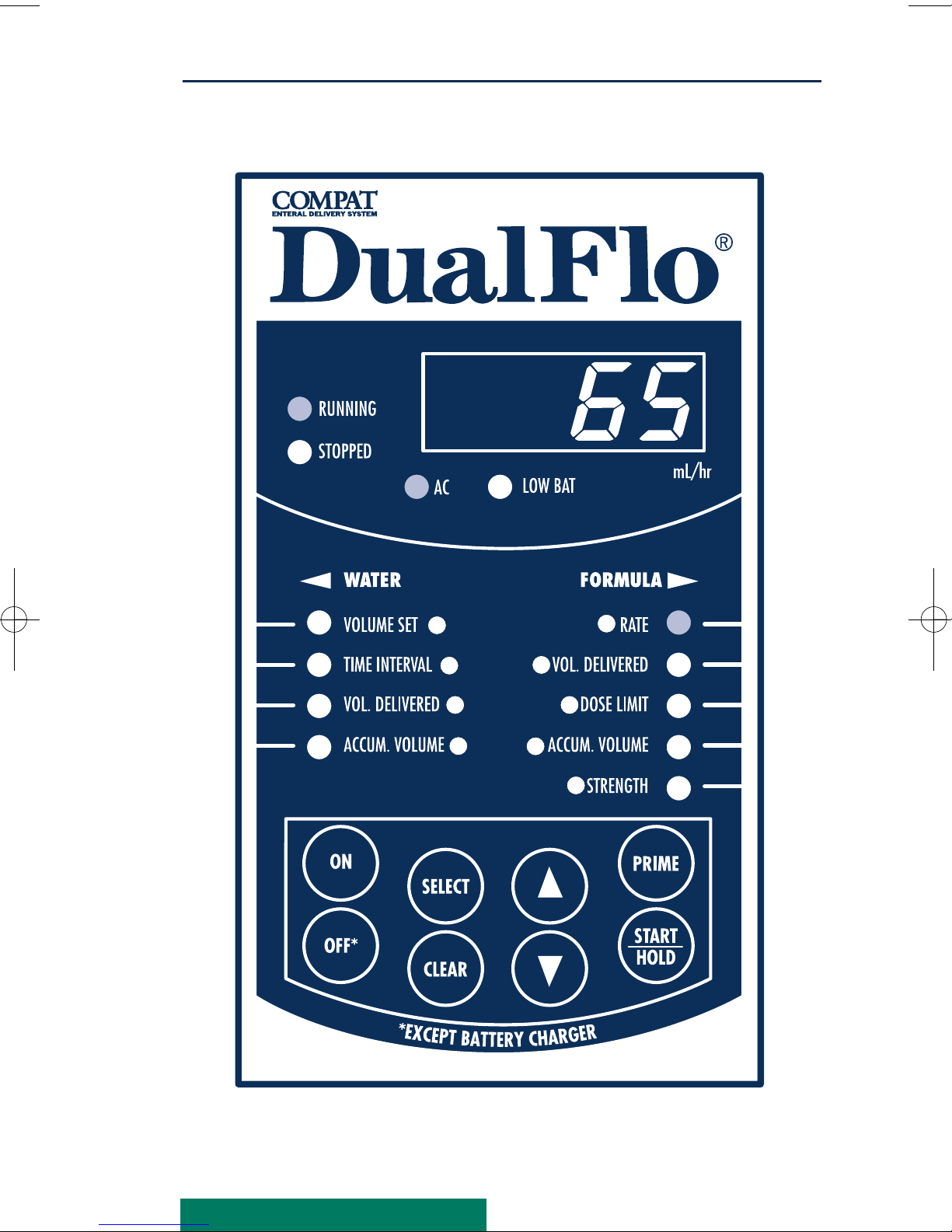
Water Side Displays
29. VOLUME SET, displays the volume
of water to be delivered over the
selected Time Interval or at the end
of the dose limit. Select from 0–500
mL in 1 mL increments.
30. TIME INTERVAL, displays the time
interval (2 to 12 hours in 1 hour
increments) over which the selected
water volume is delivered. When
doSE is displayed, indicates
Programmable Flush is activated.
When nOnE is displayed, all water
side settings are deactivated.
31. VOL. DELIVERED, displays
amount of selected water volume
that has been delivered. At the con-
clusion of the Time Interval selected,
the Volume Delivered turns to 0 and
a new accumulation begins.
32. ACCUM. VOLUME, displays
water volume delivered over multiple
Time Intervals.
Formula Side Displays
24. RATE, displays the formula infusion
rate. Select from 1–295 mL/hr in 1
mL increments.
25. VOL. DELIVERED, displays full
strength or diluted formula volume
delivered.
26. DOSE LIMIT, displays dose limit.
Select from 1–2000 mL in 1 mL
increments. Dose is completed when
Volume Delivered equals the Dose
Limit set. Refer to Dose Delivered
under Alarms/Indicators. If nOnE is
displayed, this feature is deactivated.
27. ACCUM. VOLUME, displays full
strength or diluted formula volume
delivered over multiple feedings.
28. STRENGTH, (Formula Dilution)
displays formula strength
to be delivered. Select from FS (Full
Strength), 3
/4,2/3,1/2,1/3,1/4strength,
or H20(water only).
199255 Manual 7/16/08 10:05 AM Page 15