
Code Blue IP5000 Manual de usuario

800.205.7186 •www.codeblue.com
IP5000 1.0 Series
VoIP Speakerphone
Administrator Guide
Installation & Setup

Code Blue •259 Hedcor Street •Holland, MI 49423 USA •800.205.7186 •www.codeblue.com GU-147-Bpage 2 of 47
IP5000 1.0 Series
Administrator Guide
Table of Contents
Section Page
2 Introduction...................................................................................4
3 Getting Started..............................................................................5
3.1 Connectors, Ports and Switch List......................................6
3.2 Installing the IP5000............................................................7
Connecting Power Sources.............................................8
Connecting Network Services.........................................8
Connecting Network Devices..........................................8
Installation into Code Blue units......................................9
4 Conguring the Network Settings.............................................10
4.1ConnectingtotheIP5000forthersttime........................10
DHCPNetworkConguration........................................12
StaticNetworkConguration.........................................13
VLANConguration......................................................14
5 Conguring the VoIP Settings...................................................15
5.1ConguringaSIPAccount1.............................................16
5.2ConguringanIAXAccount1...........................................17
5.3ConguringaSIPAccount2.............................................18
5.4ConguringanIAXAccount2...........................................19
5.5ConguringMediaSettings...............................................20
5.6ConguringSecuritySettings............................................21
5.7ConguringAdvancedSettings.........................................22
6 Conguring the System Settings..............................................23
6.1SystemAdministrationSettings........................................24
6.2DateandTimeConguration............................................25
6.3BackupandRestoreConguration...................................26
6.4UpgradingtheIP5000Firmware.......................................27
6.5LoggingOutoftheSystem................................................28
7 Conguring System Options and Scripts.................................29
7.1BatchConguration...........................................................30
7.2EnteringPhoneNumbers..................................................31
7.3RecordingAdministration..................................................32

Code Blue •259 Hedcor Street •Holland, MI 49423 USA •800.205.7186 •www.codeblue.com GU-147-Bpage 3 of 47
IP5000 1.0 Series
Administrator Guide
7.4 General Settings................................................................33
7.5 Hardware Settings.............................................................34
7.6ActionScriptConguration................................................35
AuxiliaryOutputScripting..............................................36
Place Call Scripting.......................................................37
ScriptingExample1......................................................38
ScriptingExample2......................................................39
ScriptingExample3......................................................40
7.7 Diagnostics Settings.........................................................41
8 Using the IP5000 Speakerphone...............................................42
8.1In-CallCommands............................................................43
9 Troubleshooting.........................................................................44
10 Factory Reset..............................................................................45
11 Regulatory and Warranty...........................................................46
12 Technical Services and Support...............................................47
TCP/IP Facilities
Customersmayexperiencedifferencesinproductperformance,reliabilityandsecuritydepending
uponnetworkcongurations/designandtopologies,evenwhentheproductperformsaswarranted.

Code Blue •259 Hedcor Street •Holland, MI 49423 USA •800.205.7186 •www.codeblue.com GU-147-Bpage 4 of 47
IP5000 1.0 Series
Administrator Guide
2 Introduction
ThankyouforchoosingtheCodeBlueIP5000fullduplexVoIPspeakerphone,intercomand
pagingdeviceforindoorandoutdoorapplications.ThisspeakerphoneispartofourEmergency
Signalinggroupofproductsbuilttomeetthelatestregulations,withstandtheharshestelements
andbeproactivesolutionsforwhenyouneedthemmost.Thisguideprovidesbasicandadvanced
congurationinformationforobtainingthebestperformancewiththeIP5000 speakerphone.
IP5000DualButtonw/KeypadIP5000 Single Button IP5000 Dual Button

Code Blue •259 Hedcor Street •Holland, MI 49423 USA •800.205.7186 •www.codeblue.com GU-147-Bpage 5 of 47
IP5000 1.0 Series
Administrator Guide
3 Getting Started
This chapter provides basic installation instructions and information for obtaining the best
performance with the IP5000 speakerphone. It is strongly recommended that the entire guide
is read before conguring your IP5000 speakerphone to ensure you get maximum perfor-
mance.
Throughoutthisguideyouwillseethefollowingtworeferences:
Caller:ThisisthepersonactivatingtheIP5000speakerphonebypressingabuttonoractivatingthe
auxiliaryinput.
Callee: ThisisthepersonreceivingthecallfromtheIP5000;typicallyaguard,911operators,dis-
patchofcer,etc.
TheIP5000speakerphoneprovidespowerful,yetexibleIPemergencycommunications,delivering
excellentvoicequalityforyouremergencyspeakerphone,intercomandpagingsolution.

Code Blue •259 Hedcor Street •Holland, MI 49423 USA •800.205.7186 •www.codeblue.com GU-147-Bpage 6 of 47
IP5000 1.0 Series
Administrator Guide
3.1 Connectors, Ports and Switch List
TheIP5000speakerphonecomeswithyourchoiceofsinglebutton,dualbuttonordual
buttonwithkeypadfaceplate.Theinternalcomponentsconsistofaspeaker,microphone,
PCBandmountinghardware.
IP5000 speakerphone
OPTIONAL BATTERY
12V @ 2.0 Ahr
AUX
PORTS
LAN PoE LAN 1 LAN 2 PAS
CONTROL
PAS
AUDIO
AUDIO
OUTPUT
Power Connector
BatteryConnector
PoE LAN Port
LAN Ports
AuxiliaryInput/OutputConnector
PAS Control Connector
Line Level Audio Output Connector
Button Connectors
Microphone/LEDConnector
Speaker Connector
Reset Switch
KeypadConnector

Code Blue •259 Hedcor Street •Holland, MI 49423 USA •800.205.7186 •www.codeblue.com GU-147-Bpage 7 of 47
IP5000 1.0 Series
Administrator Guide
3.2 Installing the IP5000
TheIP5000speakerphoneiscapableofbeingconnectedtoPoE(802.11af),12-24VoltsDCor
12-24VoltsACpowersources.Additionally,theIP5000mayalsobeconguredwitha12VoltsDC
batterybackupsystem,whichmonitorsandreportsonthebatteryvoltageforensureduptime.
The IP5000 speakerphone has three Ethernet switch ports, one PoE LAN and two non-PoE LANs
availableforconnectivitytonetworkservicesandforadditionalnetworkconnectivityforauxiliary
devicessuchasIPcameras,cardreaders,etc.
TheIP5000speakerphonehastwonormallyopenauxiliaryoutputcontactsforconnectingdevices
suchastheLEDbeacon/strobe,camerapresetactivationinputs,thirdpartycontrollers,etc.Thereis
alsoonenormallyopenauxiliaryinputcontactclosureforconnectingdevicessuchasdoorcontacts,
relays,etc.,whichcanbeprogrammedtoperformanyfunctionofthephone.
TheIP5000speakerphonehasbeendesignedtobemountedinanyCodeBlueenclosure.Custom
faceplatesareavailableformountinginotherproductenclosures.Contactyourlocaldealerforad-
ditionalinformationandavailabilityofcustomoptions.
Typical IP5000 Speakerphone Uses
ToolVox®Communi-
cationManager
Network switch SecureMesh
or 802.11g
IP wireless
CB 2-e with
PublicAddress
CB 4-u
CB 1-s with
PublicAddress
Ip desk phones

Code Blue •259 Hedcor Street •Holland, MI 49423 USA •800.205.7186 •www.codeblue.com GU-147-Bpage 8 of 47
IP5000 1.0 Series
Administrator Guide
Connecting Power Sources
TheIP5000speakerphoneiscapableof
beingconnectedtoanypowersourcethat
provides12-24VoltsACorDCwithamini-
mumof430mAcurrentrating.Anoptional
batterycanbeconnectedtothesecondary
power input and the IP5000 speakerphone
willmonitorthebatteryforlowvoltage
conditions,typicallyutilizedinsolaror
NightCharge®applications.Itisstronglyrec-
ommendedthatyoudisconnectanypower
totheunitpriortoinstallation.Consultyour
local electrician for proper power connectiv-
itytoyourCodeBlueequipment.
Connecting Network Services
The IP5000 speakerphone has one PoE
switchportforconnectivitytoexistingnet-
works and two additional Ethernet switch
portsforconnectivityofauxiliaryEthernet
baseddevicessuchasIPcameras,card
readers, etc.
Connecting Network Devices
TheIP5000speakerphoneanalogauxiliary
connectionsaretwonormallyopenoutputs
andonenormallyopeninput.Typically,any
CodeBlueunitwithanLEDbeacon/strobe
willhavethetriggerconnectedtoAuxiliary
Output1.TheAuxiliaryOutputscanbe
programmedtobeactiveduringacallorby
enteringaspecictimeperiod.TheAuxiliary
Inputcanbeprogrammedtoperformany
script entered into the phone.
12-24V AC or DC
Battery12VDC
AuxiliaryPorts
Aux Output 1
Aux Output 2
Aux Input 1
PoE
LAN LAN
Ethernet
LAN

Code Blue •259 Hedcor Street •Holland, MI 49423 USA •800.205.7186 •www.codeblue.com GU-147-Bpage 9 of 47
IP5000 1.0 Series
Administrator Guide
Installation into Code Blue Units
TheIP5000speakerphoneisdesignedtotintoanyexistingornewCodeBlueunitenclosure.Itis
adirectreplacementfortheInterActanalogseries:IA2000,IA3000,IA3100andIA4100.Addition-
ally,CodeBlueofferscustomfaceplatedesignsallowtheIP5000tobeplacedinmanydifferent
enclosuretypes.CodeBlueprovidessixcustomsecurityscrewsandsecuritybitswitheachCode
BlueunitforattachingtheIP5000speakerphone.Consultyourunitinstallationinstructionsforfur-
therinformation.

Code Blue •259 Hedcor Street •Holland, MI 49423 USA •800.205.7186 •www.codeblue.com GU-147-Bpage 10 of 47
IP5000 1.0 Series
Administrator Guide
4 Configuring the Network Settings
TheIP5000speakerphonecomesequippedwithonePoELANportandtwonon-PoELANports.
TheIP5000speakerphonecanbeconguredforDHCPorStaticIPaddressing.Theadditional
10/100EthernetLANportscanbeutilizedforconnectivityofauxiliaryIP-baseddevicessuchasIP
cameras,cardaccessreaders,etc.
4.1 Connecting to the IP5000 for the first time
TheIP5000speakerphonewillbeconguredviaDHCPbydefault.
TheIP5000speakerphonemayalsobeconguredviaTFTPserverwhichcanbesetupinyour
DHCPconguration.
1. ConnecttheIP5000speakerphonetoyournetworkandconnectpower.ThegreenCall
Placed LED and red Call ReceivedLEDwillashmomentarilyandanaudiblebeepwillbe
heardoutofthespeakerwhentheunitisreadyforuse.
TheIP5000speakerphonewillacquireIPNetworksettingsfromyourDHCPserver.
2. CheckyourDHCPleaserecordsorutilizeanetworkscannersuchasSoftPerfectNetwork
ScannertomatchtheMACaddressoftheIP5000speakerphonetothecorrectIPaddress
inyourleasetableoroutputofthenetworkscanner.
3. OnceyouhaveobtainedtheIPaddress,youcanconnecttotheIP5000speakerphonevia
https://IP5000_IP_Address.
4. The default usernameis“admin”andthedefaultpasswordis“admin”.
Otros manuales para IP5000
1
Tabla de contenidos
Otros manuales de Teléfono de Code Blue

Code Blue
Code Blue IP1500 Manual de usuario

Code Blue
Code Blue IP2501-s Manual de servicio

Code Blue
Code Blue Centry Series Manual de servicio

Code Blue
Code Blue IP5000 2.0 Series Manual de servicio

Code Blue
Code Blue IA4100 Manual de servicio
Code Blue
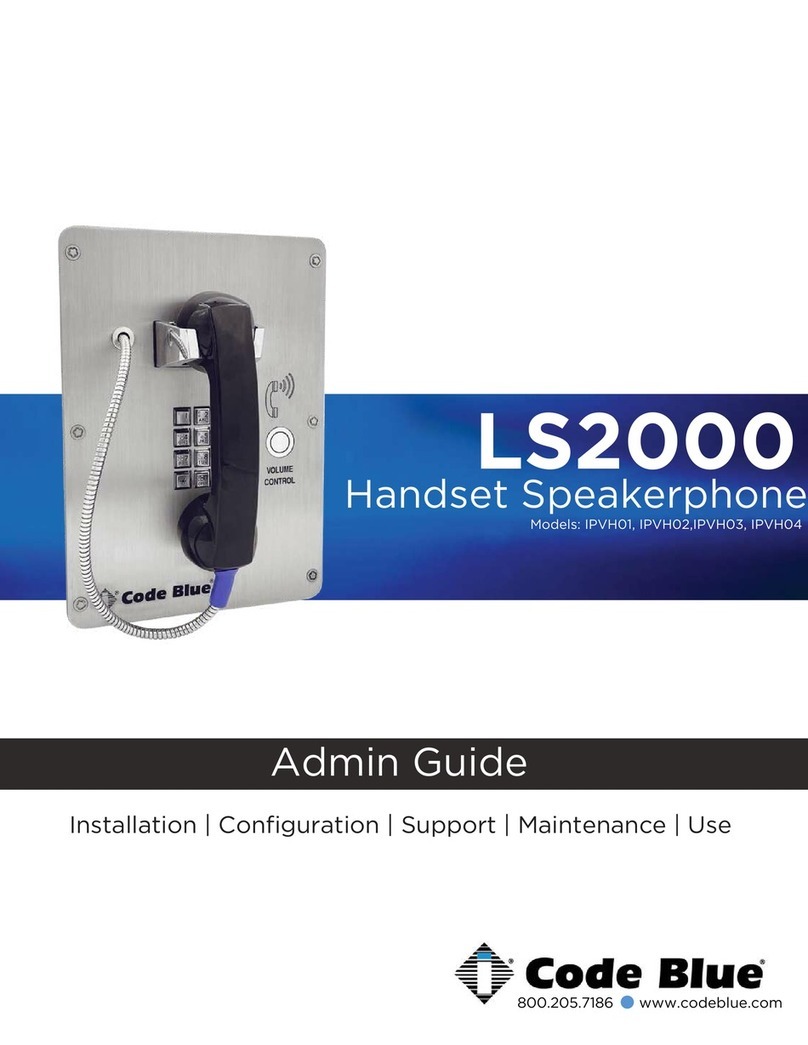
Code Blue LS2000 Manual

Code Blue
Code Blue CB 2 Series Manual de servicio

Code Blue
Code Blue IP5000 Guía de inicio rápido

Code Blue
Code Blue IA3100 Manual de servicio

Code Blue
Code Blue CB RT Manual de servicio


