
Clear One UNITE 200 PTZ Manual de usuario
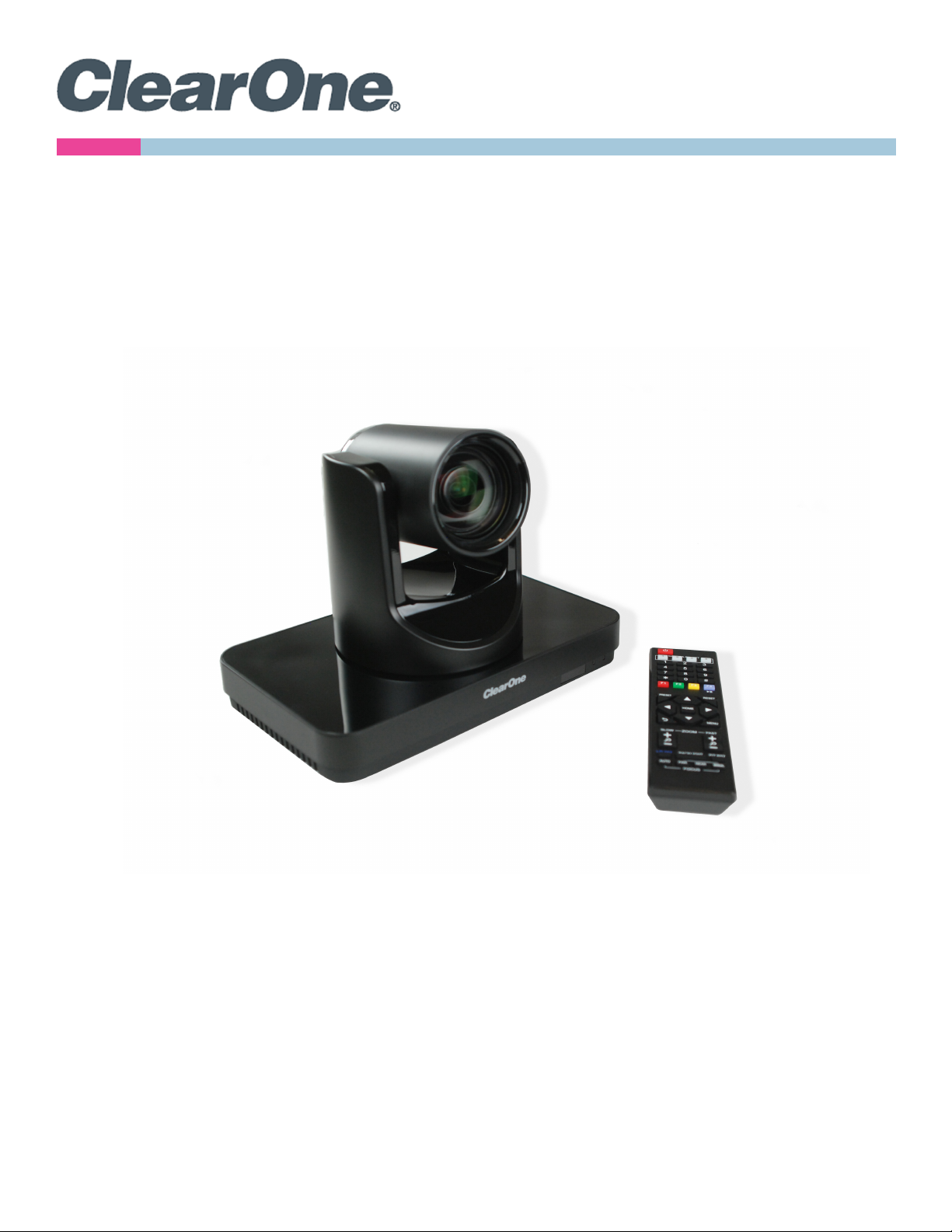
User Manual
UNITE®200 PTZ HD Camera

UNITE 200 PTZ HD Camera User Manual
iDOC-0263-001v1.6 August 2021
ClearOne®Contacts
Headquarters Headquarters
5225 Wiley Post Way Suite 500 Tel: +1.801.975-7200
Salt Lake City, UT 84116
Sales Technical Support
Tel: +1.801.975.7200 Tel: +1.801.974.3760
Notices
© 2021 ClearOne, Inc. All rights reserved.
Information in this document is subject to change without notice.
Document: DOC-0263-001v1.6, August 2021

UNITE 200 PTZ HD Camera User Manual
ii DOC-0263-001v1.6 August 2021
anchor
Contents
Introduction...............................................................................................1
Remote Control.........................................................................................1
Menu Settings ...........................................................................................3
EXPOSURE.............................................................................................................3
COLOR....................................................................................................................5
NOISE REDUCTION...............................................................................................8
SETUP ....................................................................................................................8
COMMUNICATION SETUP ....................................................................................9
RESTORE DEFAULT.............................................................................................10
USB 3.0 ...................................................................................................10
IP Function ..............................................................................................11
Access Through a Local Area Network (LAN) .....................................................11
Access Through a Wide Area Network (WAN) ....................................................12
IP Camera Parameter Setup.................................................................................12
Control Interface Definition...................................................................................16
Network Configuration .........................................................................................17
Command List ......................................................................................................18
Maintenance and Troubleshooting.........................................................24
Camera Maintenance ...........................................................................................24
Unqualified Application ........................................................................................24
Troubleshooting....................................................................................................24
UNITE 200 PTZ HD Camera
1DOC-0263-001v1.6
User Manual
Back to Table of Contents August 2021
Introduction
This user manual provides advanced information regarding control of the ClearOne UNITE 200 PTZ HD Camera.
Additional information about the camera is provided in the corresponding Datasheet and Quick-Start Guide, which are
available in ClearOne’s Resource Library.
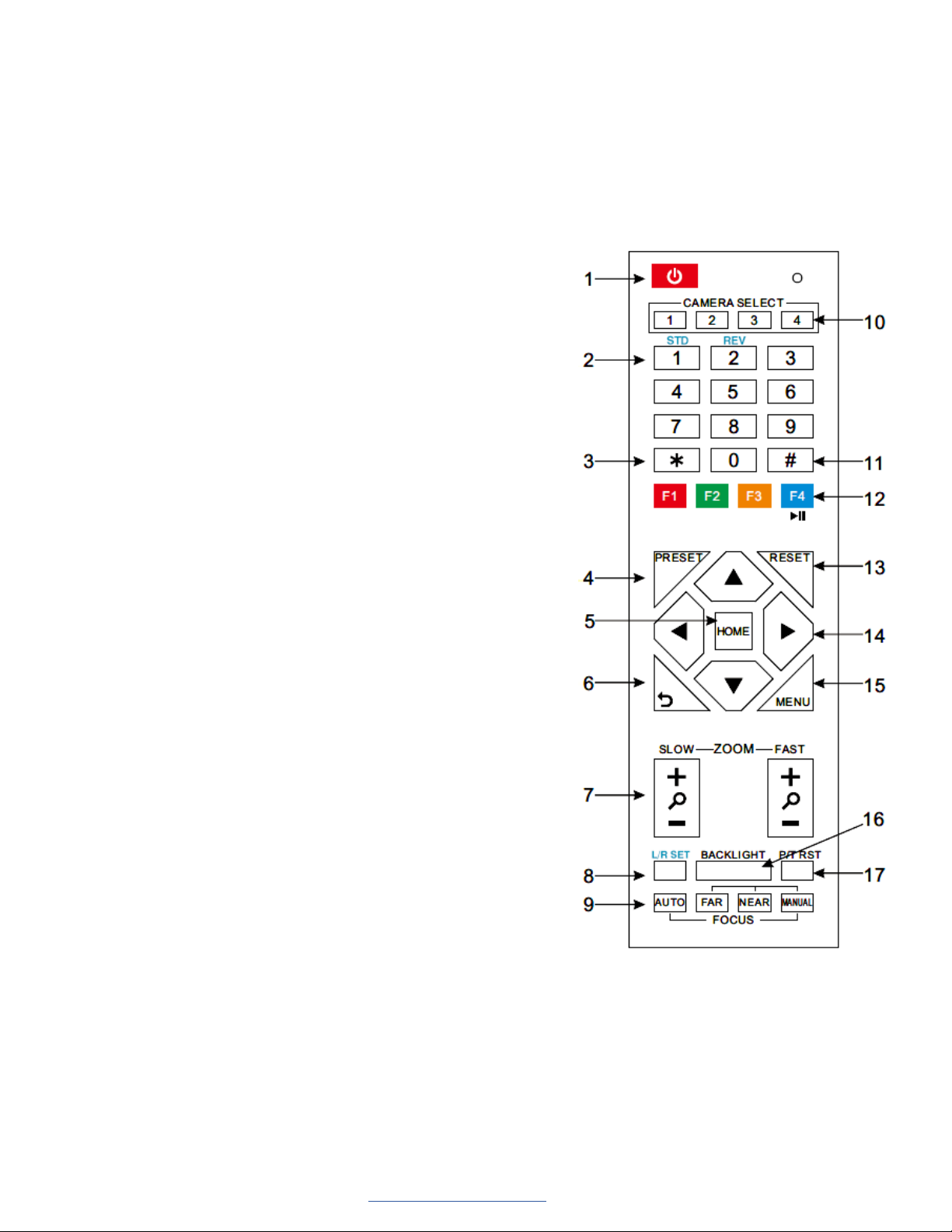
Remote Control
1. Standby Button
Press this button to enter standby mode. Press it again to enter
normal mode.
Note: Power consumption in standby mode is approximately half of
the normal mode
2. Position Buttons
To set preset or call preset
3. * Button
4. Set/Preset Buttons
Set a corresponding numeric key preset position
[PRESET] + Numeric button (0-9)
Note: Preset 0-9 via remote control and the rest from keyboard and
the serial port.
5. Pan-Tilt Control Buttons
Press the arrow buttons to perform panning and tilting. Press the
[HOME] button to face the camera back to front.
6. Return Button
Press to return to previous menu.
7. Zoom Buttons
Slow Zoom: Zoom In [+] or Zoom Out [-] slowly
Fast Zoom: Zoom In [+] or Zoom Out [-] fast
8. L/R Set Button
Press at the same time as the numeric button 1 [STD] and button 2
[REV] to set the direction of the Pan-Tilt
L/R Set +1[STD]: set the Pan-Tilt turn the same direction as the L/R
Set
L/R Set +2[REV]: set the Pan-Tilt turn the opposite direction as the
L/R Set
9. Focus Buttons
Press [AUTO] to adjust the focus on the center of the object auto-
matically.
Press [MANUAL] to adjust the focus manually.
Press [FAR] to focus on a far object.
Press [NEAR] to focus on a near object.
10. Camera Select Buttons
Press the button corresponding to the camera you want to control with the remote controller.
11. # Button
Used with other buttons

UNITE 200 PTZ HD Camera
2DOC-0263-001v1.6
User Manual
Back to Table of Contents August 2021
12. Set Camera IR Address Buttons
Function 1. Set camera IR address
[*]+[#]+[F1]: Address 1
[*]+[#]+[F2]: Address 2
[*]+[#]+[F3]: Address 3
[*]+[#]+[F4]: Address 4
Function 2: Image freezing function
Press [F4] to start the freeze function. The word “Freeze” displays in the upper left. After five seconds, the display
automatically disappears (though the freeze feature continues). To cancel the freeze, press the [F4] key the word
“Unfreeze” displays in the upper left. After five seconds, the display automatically disappears.
13. Reset Buttons
Clear a specific preset: [Reset] + Numeric button (0-9)
Clear all presets: [*]+[#]+[Reset]: Erase all presets
14. Pan/Tilt Control Buttons
Press arrow buttons to perform panning and tilting. Press [HOME] button to face the camera back to front.
15. MENU
Press MENU to enter or exit the OSD menu.
16. BLC (Backlight Compensation) Button
If there is light behind the subject, the subject will appear dark.
Press this button to enable the backlight compensation. Press it again to disable the backlight compensation.
Press the backlight ON / OFF button. To cancel this function, press the backlight ON / OFF button.
Note: The BLC feature is effective only in auto exposure mode.
Note: If light behind the subject exists, the subject appears dark. In this case, press the backlight ON / OFF button.
To cancel this function, press the backlight ON / OFF button.
17. Pan/Tilt Reset
Reset Pan/Tilt self-test.
Shortcut Set:
[*]+[#]+[1]: Display OSD menu in English
[*]+[#]+[3]: Display OSD menu in Chinese
[*]+[#]+[5]: Save OSD
[*]+[#]+[6]: Quickly recover the default settings
[*]+[#]+[8]: Show the camera version
[*]+[#]+[9]: Quickly set mount mode (flip/normal)
UNITE 200 PTZ HD Camera
3DOC-0263-001v1.6
User Manual
Back to Table of Contents August 2021
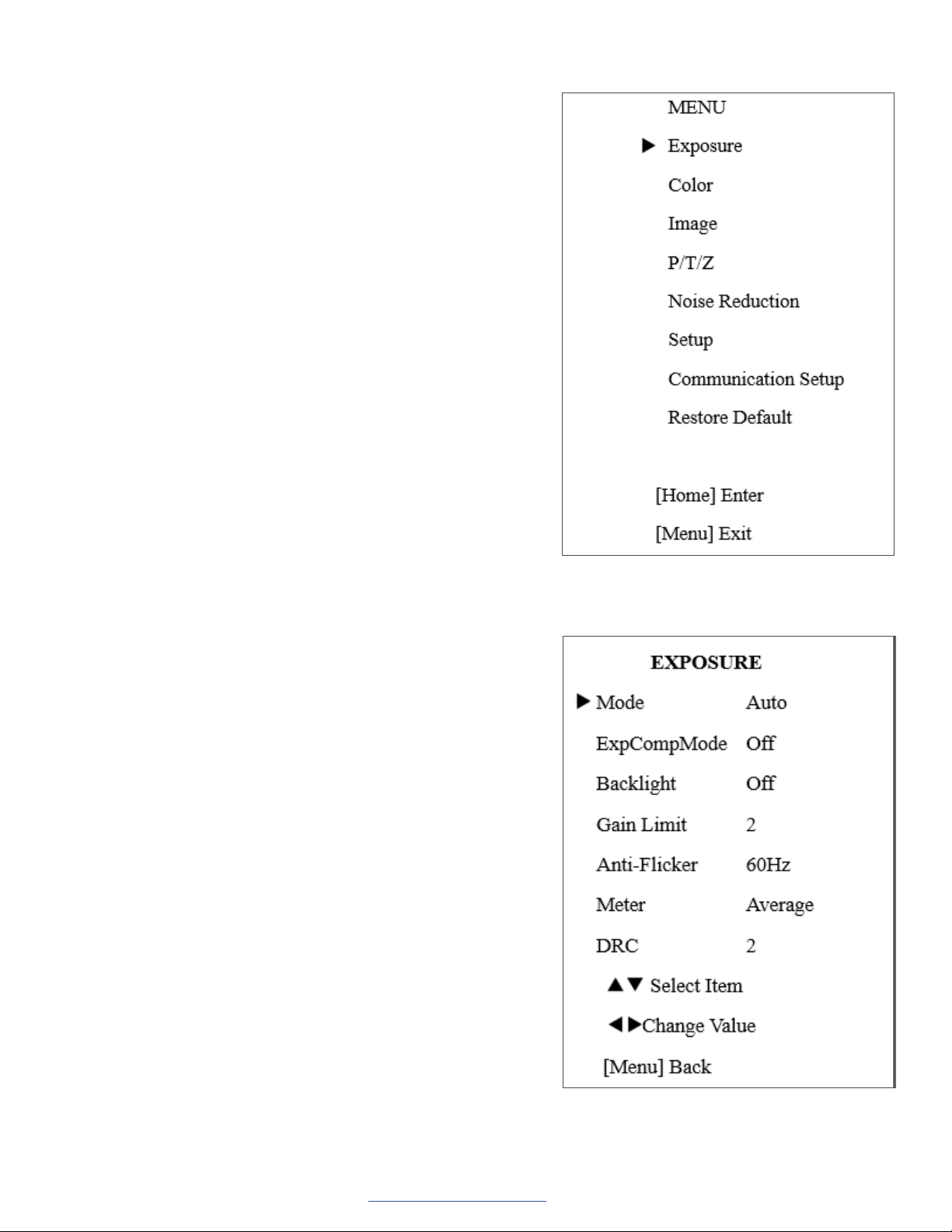
Press the [MENU] button to display the main menu. Use the arrow
buttons to select the item to be set.
Press the [HOME] button to enter a sub-menu.
EXPOSURE
Select Exposure from the main menu and press the [HOME] button.
The EXPOSURE menu appears.
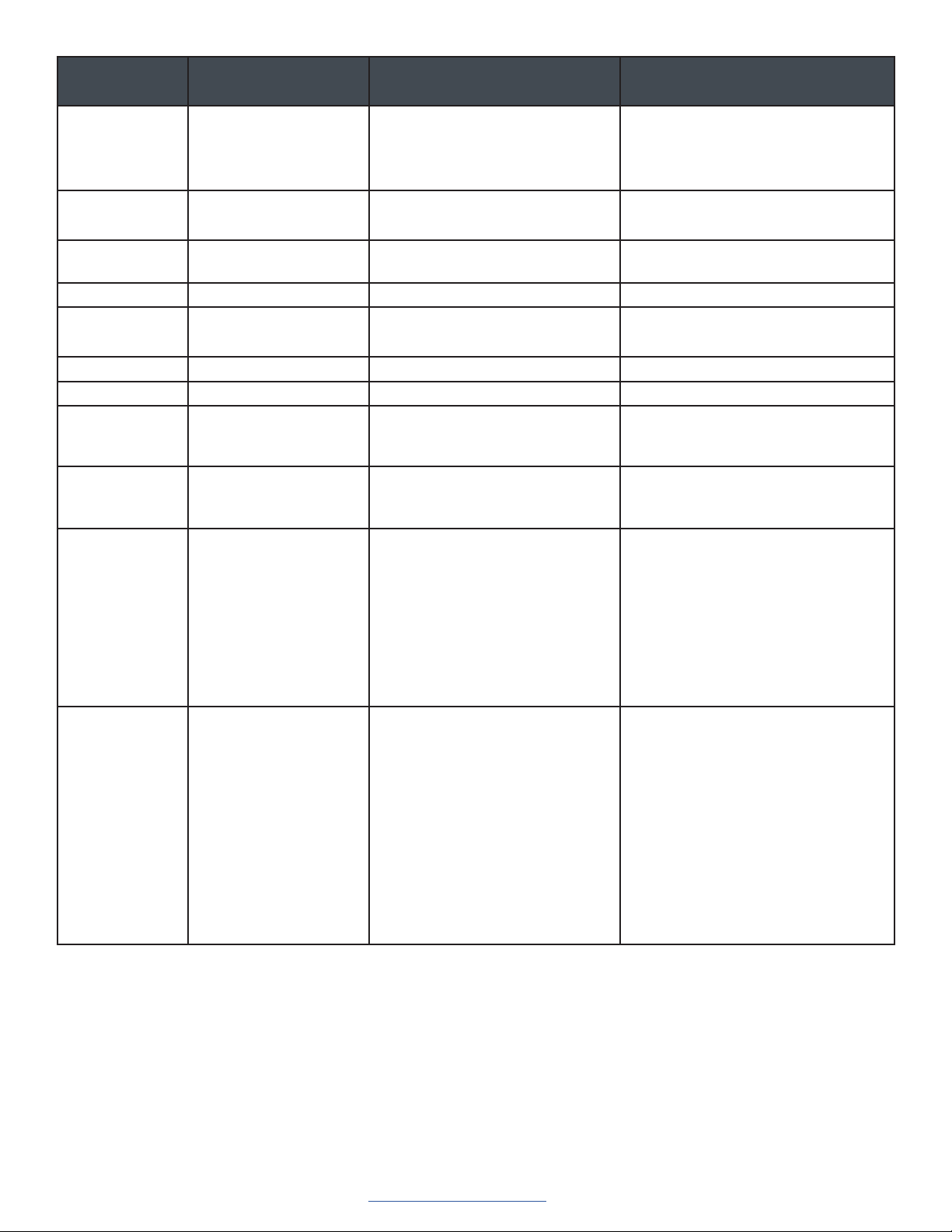
The table on the following page provides information about Exposure
settings.
Menu Settings
UNITE 200 PTZ HD Camera
4DOC-0263-001v1.6
User Manual
Back to Table of Contents August 2021
Setting Description Options Effective only when the
exposure mode is set to...
Mode • Auto
• Manual
• SAE
• AAE
• Bright
ExpCompMode Exposure compensation
mode
• On
• Off
Auto
ExpComp Exposure
Compensation value
-7 ~ 7 NA
Only when ExpCompMode is on.
Gain Limit Maximum gain limit 0 ~ 15 Auto/AAE/Bright.
Backlight Set the backlight
compensation
• On
• Off
Auto.
DRC DRC strength 0 ~ 8 NA
Bright Intensity control 00~17 Bright.
Anti-Flicker Anti-flicker Auto/Bright.
Meter • Average
• Center
• Bottom
• Top
NA
Iris Aperture value • F1.8
• F2.0
• F2.4
• F2.8
• F3.4
• F4.0
• F4.8
• F5.6
• F6.8
• F8.0
• F9.6
• F11.0
• Close
Manual/AAE
Shutter Shutter value • 1/30
• 1/60
• 1/90
• 1/100
• 1/125
• 1/180
• 1/250
• 1/350
• 1/500
• 1/725
• 1/1000
• 1/1500
• 1/2000
• 1/3000
• 1/4000
• 1/6000
• 1/10000
Manual/SAE
• Off
• 50 Hz
• 60 Hz
UNITE 200 PTZ HD Camera
5DOC-0263-001v1.6
User Manual
Back to Table of Contents August 2021
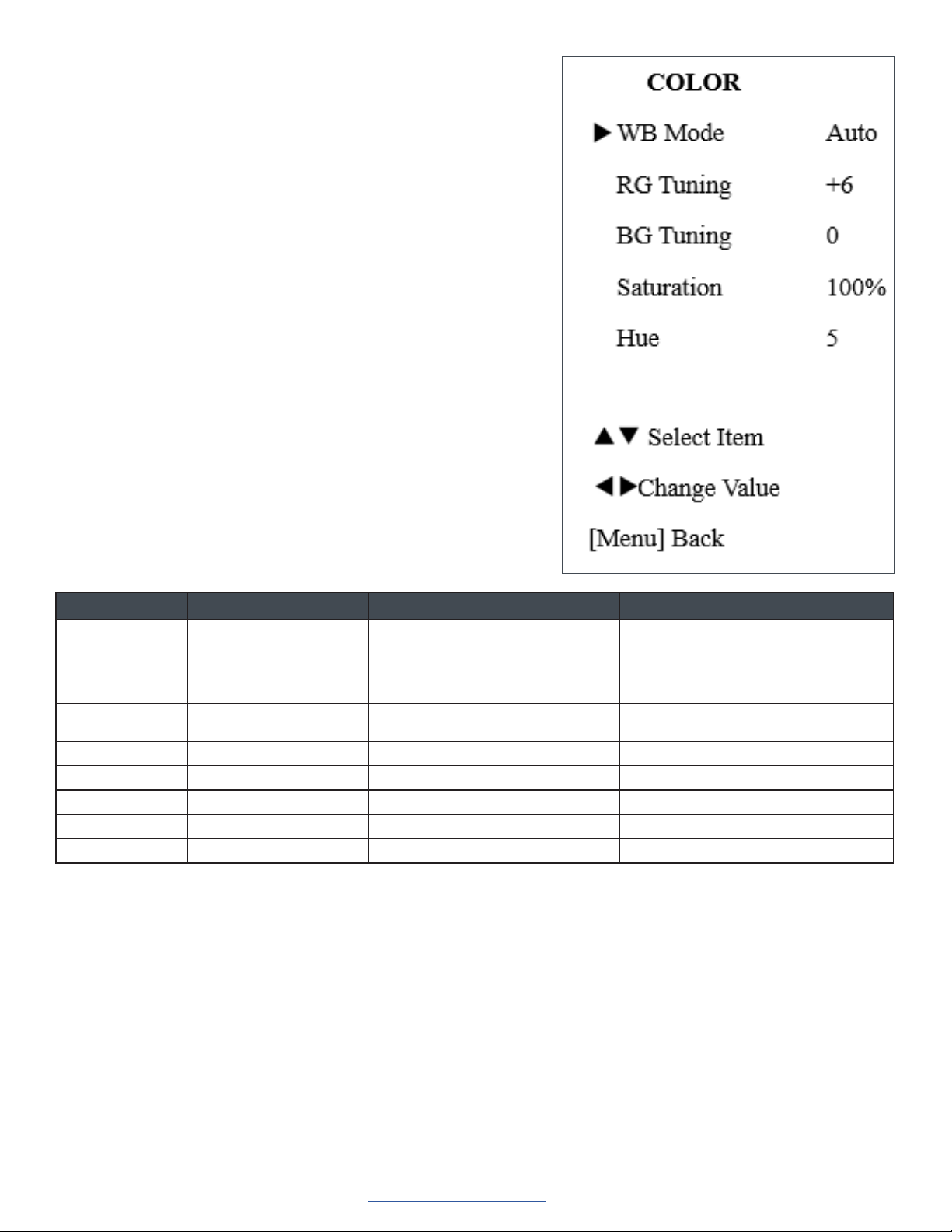
COLOR
From the main menu, select Color, then press the [HOME] button.
The system displays the COLOR menu.
Setting Description Options Effective only when...
WB-Mode White balance mode • Auto
• Indoor
• Outdoor
• OnePush
• Manual
NA
RG Red gain 0 ~ 255 WB-Mode is set to Manual.
BG Blue gain 0 ~ 255 WB-Mode is set to Manual.
RG Tuning Red gain fine-tuning -10 ~ +10 AWB sens is set at Low.
BG Tuning Blue gain fine-tuning -10 ~ +10 AWB sens is set at Low.
Saturation Saturation 60% ~ 200% NA
Hue Chroma adjustment 0 ~ 14 NA
UNITE 200 PTZ HD Camera
6DOC-0263-001v1.6
User Manual
Back to Table of Contents August 2021
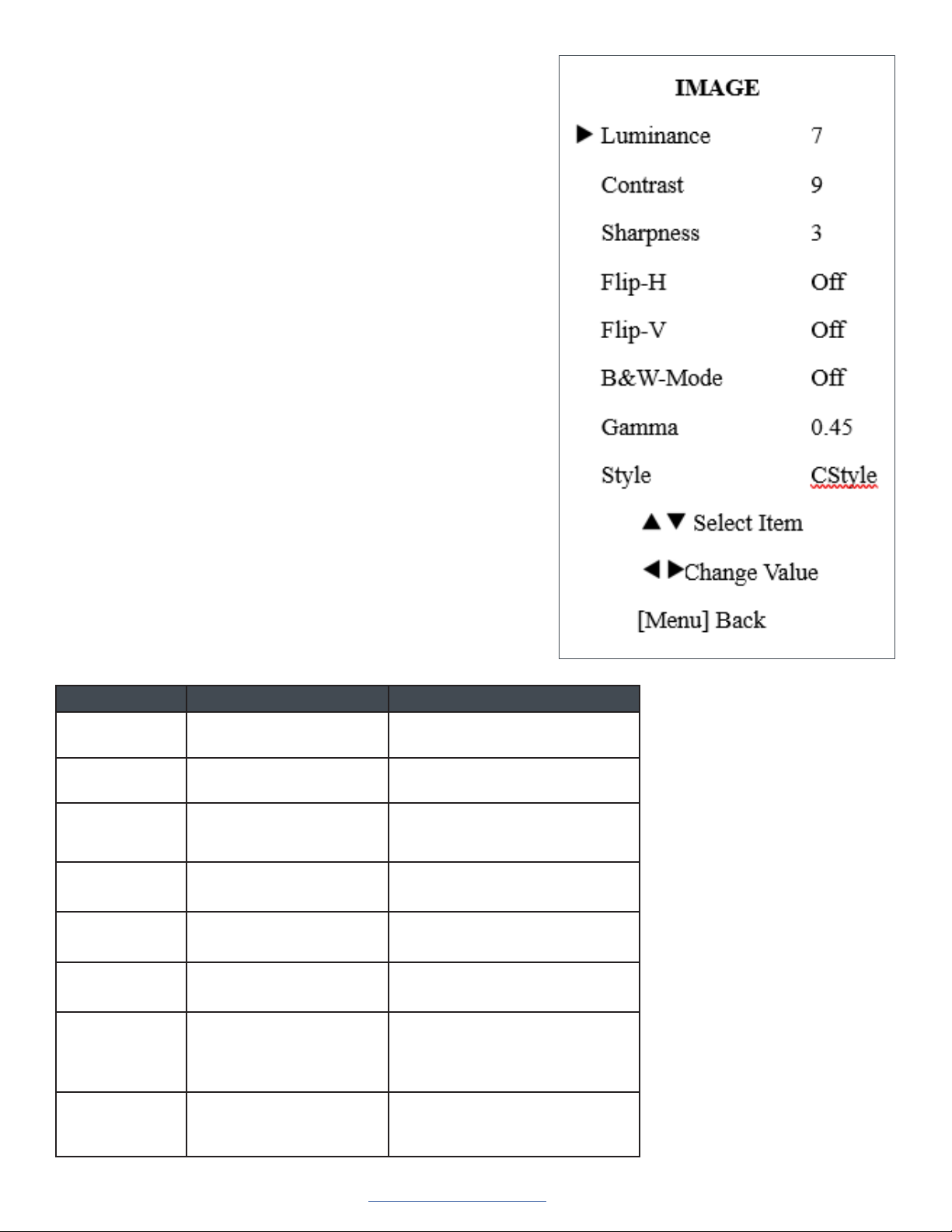
IMAGE
From the main menu, select Image, then press the [HOME] button.
The system displays the IMAGE menu.
Setting Description Options
Luminance Brightness adjustment 0 ~ 14
Contrast Contrast adjustment 0 ~ 14
Sharpness Sharpness adjustment • Auto
• 0 ~ 15
Flip-H Image flipped horizontal • On
• Off
Flip-V Image flipped vertical • On
• Off
B&W-Mode: Image color • On
• Off
Gamma • Default
• 0.45
• 0.5
• 0.56
• 0.63
Style • Norm
• Clarity
• Bright
• CStyle
UNITE 200 PTZ HD Camera
7DOC-0263-001v1.6
User Manual
Back to Table of Contents August 2021
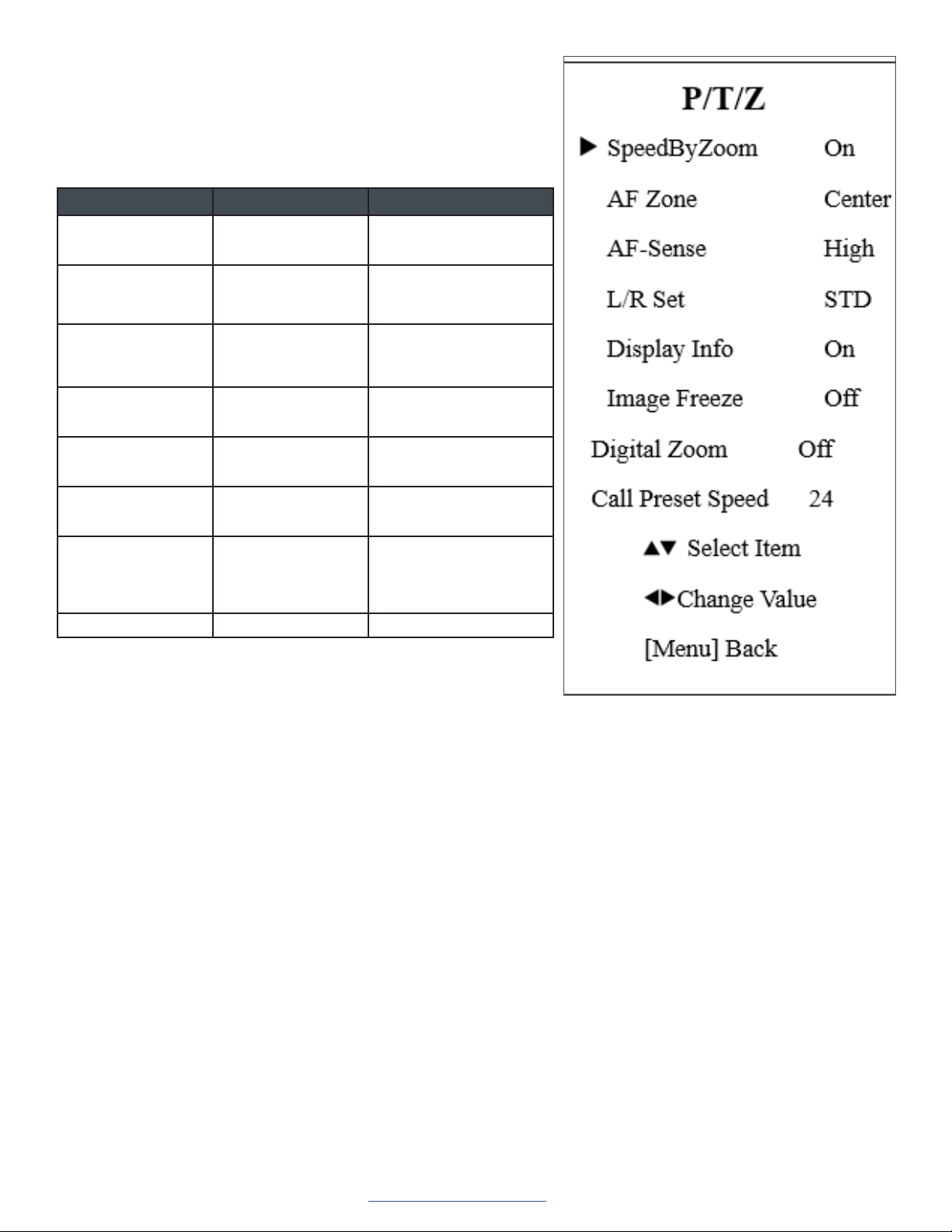
P/T/Z
From the main menu, select P/T/Z, then press the [HOME] button.
The system displays the P/T/Z menu.
Setting Description Options
SpeedByZoom The depth of field
scale switch
• On
• Off
AF-Zone Interested in
focusing area
• Top
• Center
• Bottom
AF-Sense Automatic focusing
sensitivity options
• Low
• Normal
• High
L/R Set • STD
• REV
Display Info • On
• Off
Image Freeze • On
• Off
Digital Zoom • 2X
• 4x
• 8X
• 16X
• Off
Call Preset Speed 1 - 24
Tabla de contenidos
Otros manuales de Videocámara de Clear One

Manuales populares de Videocámara de otras marcas


Panasonic
Panasonic AG-HMC152EN Manual de usuario

Insignia
Insignia NS-DCC5HB09 - Camcorder - 720p Manual de usuario

MYDLINK
MYDLINK DCS-6100LH Manual de usuario

Sony
Sony video Hi8 Handycam CCD-TR555 Manual de usuario

SECURECOM
SECURECOM V-5014B Manual de usuario

Panasonic
Panasonic HDC-SD100 Manual de usuario


