Page 8
5.2microQDVPSetup
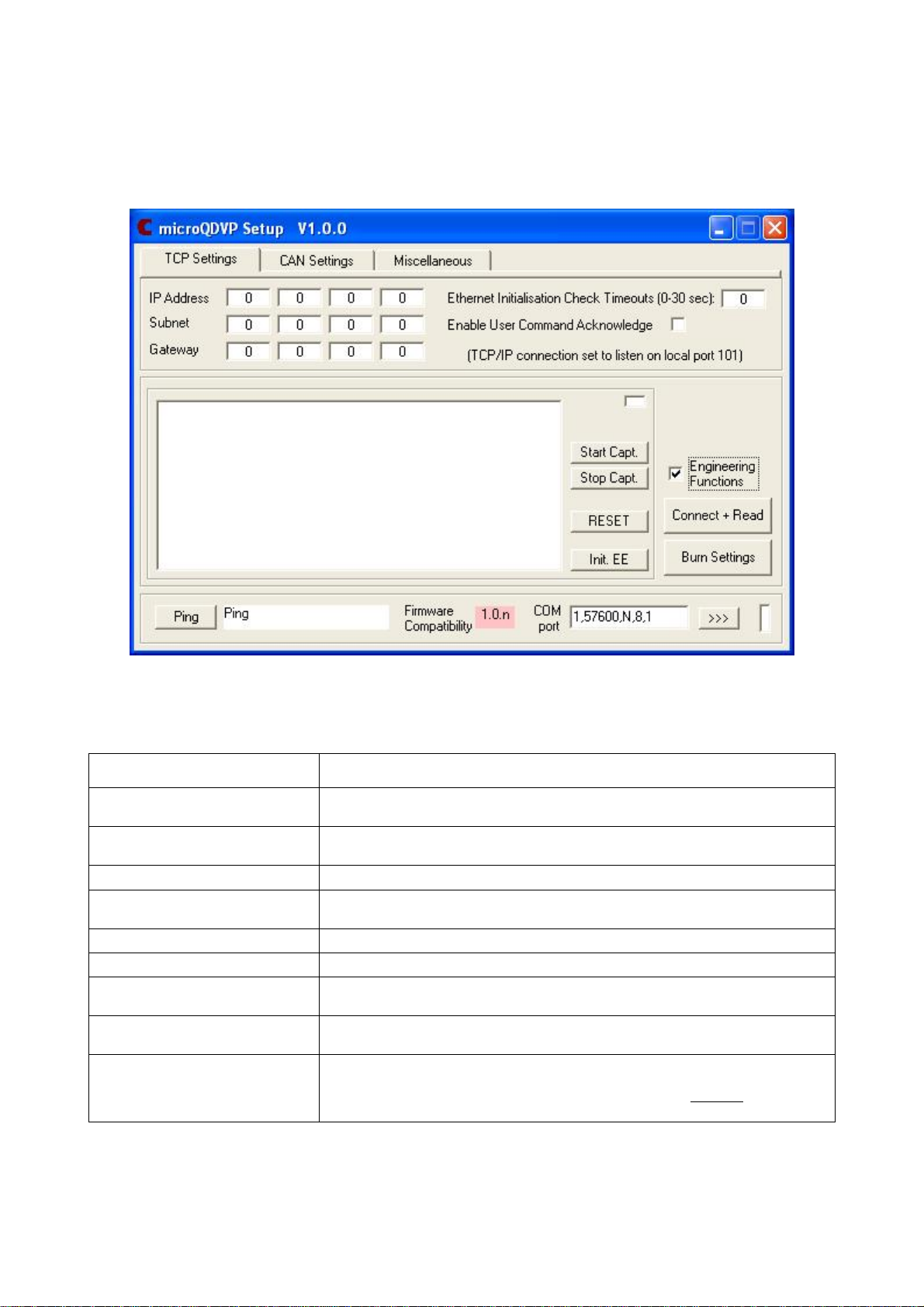
The microQDVPSetup program isused inthe samewayas the mainsetup programforthe
microDAQand isprovided purelytosetthe necessaryTCP and CAN parameterstoenableaclient
programtoconnectwiththe microQDVP inrun mode and issue usercommands tocontrolthe unit
accordingly.
The softwareisdivided intothree maintabs,TCP Settings,CAN Settingsand Miscellaneous.There
are also a few Common controlsand the RS232 commsframeforconnectingmicroQDVPSetup to
the microQDVP unit. The common/comms controlsareas follows:
Control Function
'Connect and Read'button Retrieves all setup datafromthe microQDVP including firmware version, setup parameter
values and identification. Diagnostic information maybe seen inthe centrallistbox.
'Burn Settings'button Downloads setup values and identification strings tothe microQDVP, then writes them
intothe EEPROM. Diagnostic information maybe seen inthe centrallistbox.
'RESET'button Resets the microQDVP, similar topower cycling the device. Usetoactivatenewsettings.
‘Start Capt.’button Start capturing characters received on the serialport tothe text file
‘microQDVPCapture.log’, and displayon the engineering screen.
‘Stop Capt.’button Stop capture of serialcharacters.
‘Engineering Functions’checkbox Showorhide the engineering functions panel.
Init. EE Initialises the EEPROMtoits factorydefault state – DONOT USE unless instructed toby
Chell Instruments support centre.
'Ping'button Confirms that the attached microQDVP is aliveand communicating.Click Ping toretrieve
the current firmware version string fromthe deviceand displayit inthe associated text box
COMport parameters
and ‘>>>’ button Bydefault the microQDVP always communicates over RS232 using the serialport
settings shown. Click the '>>>'button toconnect. NOTE: ensure the USB cableis
connected tothe microQDVP before clicking the ‘>>>’ button and ALWAYS click the ‘<<<’’
button todisconnect before disconnecting the USB cablefromthe microQDVP.
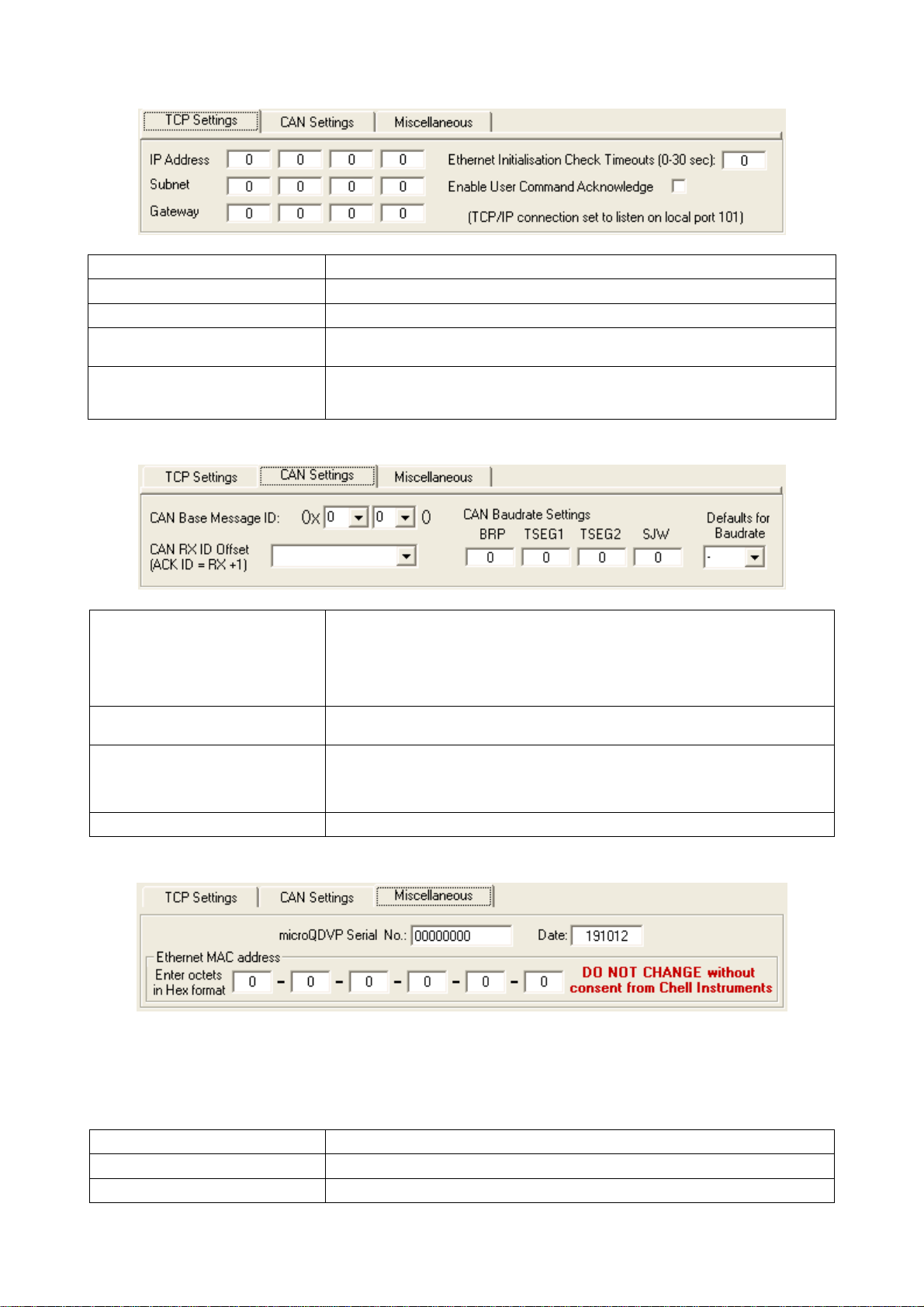
TCP Settingsismainlyused toset the IPaddress and subnetmaskforTCP communication,CAN
Settingsallowsforconfiguration ofthe CAN base messageIDand baudratesettingsand
Miscellaneous showsthe microQDVP serialnumberand MAC address forinformation purposes
only. Screenshotsand function tables for these tabs areas follows: