Canon DP-V2410 Manual de usuario

Instruction Manual
Video Display
•Beforeuse,besuretoreadthisguide,includingthe
safetyandhandlingprecautions.
•Readingthisguidewillhelpyoulearntousethevideo
displayproperly.
•Storethisguidesafelysothatyoucanuseitinthefuture. English

2Table of Content
Table of Content
Introduction .................................................................................................................................. 4
Aboutthismanual.................................................................................................................................... 4
Trademarks.............................................................................................................................................. 4
SuppliedAccessories............................................................................................................................... 4
Safety Precautions ....................................................................................................................... 5
Handling Precautions ................................................................................................................... 6
Features........................................................................................................................................ 8
Nomenclature ............................................................................................................................... 9
Installation/Connection .............................................................................................................. 11
HowtoCarrytheMainUnit.................................................................................................................... 11
Procedurestoattachtheprotectionpanel.............................................................................................. 11
Procedurestoattach/detachstands....................................................................................................... 12
PreventingfromTipping......................................................................................................................... 13
MountingtheMainUnitonaStandorWall............................................................................................. 14
ConnectingtheMainUnittoInputDevices............................................................................................. 15
Turning on the Power ................................................................................................................. 17
TurningonthePoweroftheMainUnit.................................................................................................... 17
Operating the Video Display....................................................................................................... 18
Operatingthejogdial............................................................................................................................. 18
BasicoperationstousetheOSDmenu.................................................................................................. 18
AdjustingImageQualityWhileViewingtheEntireImage......................................................................... 20
TemporarilySavingParameters(AnchorPointSetting)............................................................................ 21
CalibrationwithoutaPC......................................................................................................................... 22
Export/Import......................................................................................................................................... 23
SetDate/Time........................................................................................................................................ 25
InputtingCharacters............................................................................................................................... 25
UsingtheFunction(F)Buttons............................................................................................................... 26
UsingtheChannel(CH)Button............................................................................................................... 27
CheckingSignalInformationandStatusoftheMainUnit........................................................................ 27
OSD Menu.................................................................................................................................. 28
OSDMenuIndex.................................................................................................................................... 28
Adjustment............................................................................................................................................. 34
ChannelSettings.................................................................................................................................... 43
DisplaySettings...................................................................................................................................... 45
AudioSettings........................................................................................................................................ 48
MarkerSettings...................................................................................................................................... 49
FunctionSettings................................................................................................................................... 54
SystemSettings..................................................................................................................................... 60

3Table of Content
SignalInformation................................................................................................................................... 65
SystemInformation................................................................................................................................ 65
Main specifications/Performance............................................................................................... 66
Dimensions............................................................................................................................................ 67
Appendix .................................................................................................................................... 68
SupportedSignalFormat....................................................................................................................... 68
Image/FrameDisplay.............................................................................................................................. 79
InputSignalsandAdjustable/SettingItem............................................................................................... 82
Error Messages .......................................................................................................................... 83
Troubleshooting.......................................................................................................................... 85
Software Used in This Product................................................................................................... 87
Index........................................................................................................................................... 89

4Introduction
Introduction
Thank you for purchasing the Video Display DP-V2410.
The On Screen Display (thereafter referred to OSD) default language setting is English. To change the OSD menu
language setting, please refer to p. 60.
About this manual
Some of the illustration used in the manual have been simplified for clarity.
Conventions used in this manual
: Indicates a reference page.
Note: Indicates a note.
Reference: Indicates reference information.
CAUTION: Indicates an item you must observe.
Trademarks
• HDMI, HDMI logo, and High-Definition Multimedia Interface are trademarks or registered trademarks of HDMI
Licensing LLC in the U.S. and other countries.
• VESA is a registered trademark or trademark of Video Electronics Standards Association in the U.S. and other
countries.
• Other product and company names herein are trademarks or registered trademarks of their respective owners.
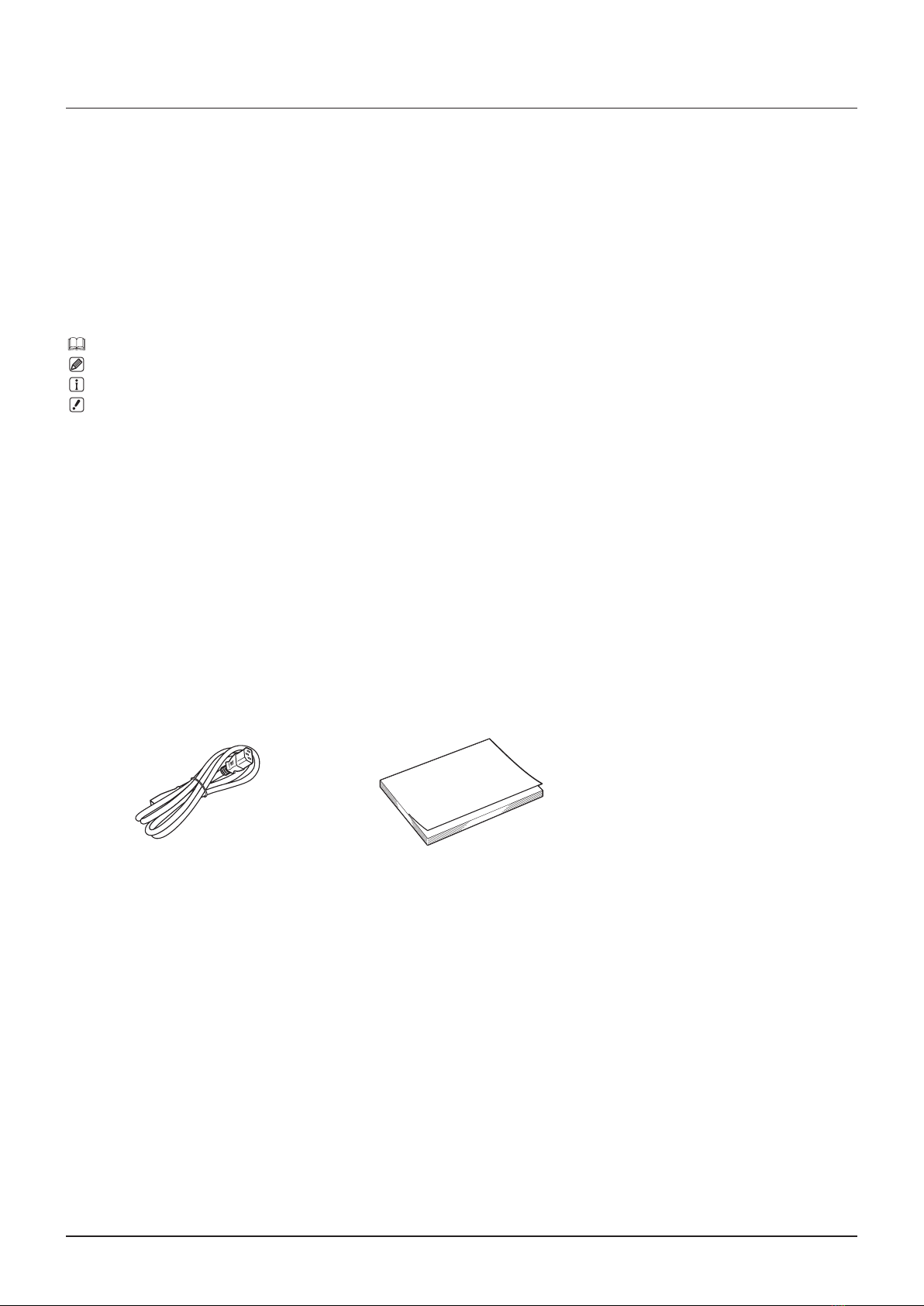
Supplied Accessories
The following items are supplied with this product. Please check before using.
AC Power Cord HT-21 DP-V2410 Instruction Manual
(this document)

5Safety Precautions
Safety Precautions
For the customers in the U.S.A.
ThisequipmenthasbeentestedandfoundtocomplywiththelimitsforaClassAdigitaldevice,pursuanttoPart15of
theFCCRules.
Theselimitsaredesignedtoprovidereasonableprotectionagainstharmfulinterferencewhentheequipmentis
operatedinacommercialenvironment.Thisequipmentgenerates,uses,andcanradiateradiofrequencyenergy
and,ifnotinstalledandusedinaccordancewiththeinstructionmanual,maycauseharmfulinterferencetoradio
communications.Operationofthisequipmentinaresidentialareaislikelytocauseharmfulinterferenceinwhichcase
theuserwillberequiredtocorrecttheinterferenceathisownexpense.
Donotmakeanychangesormodicationstotheequipmentunlessotherwisespeciedinthemanual.Ifsuchchanges
ormodicationsshouldbemade,youcouldberequiredtostopoperationoftheequipment.
UseofshieldedcableisrequiredtocomplywithclassAlimitsinSubpartBofPart15ofFCCRules.
ThisdevicecomplieswithPart15oftheFCCRules.Operationissubjecttothefollowingtwoconditions:(1)Thisdevice
maynotcauseharmfulinterference,and(2)thisdevicemustacceptanyinterferencereceived,includinginterference
thatmaycauseundesiredoperation.
CanonU.S.AInc.
OneCanonPark,Melville,NY11747,U.S.A.
TelNo.(631)330-5000
For the customers in Canada
CANICES-3(A)/NMB-3(A)
For the customers in Europe
Thisproductmaycauseinterferenceifusedinresidentialareas.Suchusemustbeavoidedunlesstheusertakes
specialmeasurestoreduceelectromagneticemissionstopreventinterferencetothereceptionofradioandtelevision
broadcasts.
CANONINC.
30-2,Shimomaruko3-chome,Ohta-ku,Tokyo146-8501,Japan
CANONEUROPAN.V.
Bovenkerkerweg59,1185XBAmstelveen,TheNetherlands
OnlyforEuropeanUnionandEEA(Norway,IcelandandLiechtenstein)
Thissymbolindicatesthatthisproductisnottobedisposedofwithyourhouseholdwaste,
accordingtotheWEEEDirective(2012/19/EU)andnationallegislation.Thisproductshould
behandedovertoadesignatedcollectionpoint,e.g.,onanauthorizedone-for-onebasis
whenyoubuyanewsimilarproductortoanauthorizedcollectionsiteforrecyclingwaste
electricalandelectronicequipment(EEE).Improperhandlingofthistypeofwastecouldhave
apossiblenegativeimpactontheenvironmentandhumanhealthduetopotentiallyhazardous
substancesthataregenerallyassociatedwithEEE.Atthesametime,yourcooperationinthe
correctdisposalofthisproductwillcontributetotheeffectiveusageofnaturalresources.For
moreinformationaboutwhereyoucandropoffyourwasteequipmentforrecycling,please
contactyourlocalcityofce,wasteauthority,approvedWEEEschemeoryourhouseholdwaste
disposalservice.FormoreinformationregardingreturnandrecyclingofWEEEproducts,please
visit
www.canon-europe.com/weee.

6Handling Precautions
Handling Precautions
Places to avoid using the video display
Donotusethevideodisplayinthefollowingplacesorconditions.
• Placeswithexcessivedustorhumidity
• Places
thatwillexposethevideodisplaytodirectsunlight,smoke(suchasfromakeroseneheaterorothersuchsource)
orsteam
• Nearheatsources,humidiersorammablegas
• Nearawindowduringrainorsnow
• Nearwaterorotherplacesthatcouldcausemoisturetoformonthevideodisplay
Screen Handling
• Thescreenmaybedamagedifitisleftfacingstrongsourceoflight.Pleasetakeprecautionswhenplacingitneara
window.
• Donotpressrmlyonthescreen,scratchitorplaceanobjectonthescreen.Itcancausenon-uniformityordamage
tothepanel.
• Thescreenandcabinetmaybecomewarmduringuse.Notethisdoesnotconstituteamalfunction.
About Backlight
Thebacklighthasalimitedservicelifesoitsbrightnessmaydegradeandcolormaychangeduetoaging.
About Temporary Screen burn-in
Ifastationaryimageisdisplayedforaprolongedperiod,screenburn-inmayoccurwhereyouseeremnantsofwhat
wasdisplayed.ThisisacharacteristicofLCDandisnotafailure.However,thisisonlytemporaryandwilldisappear
whenplayingvideo.
About the LCD screen
Thescreenisproducedusingextremelyhigh-precisionmanufacturingtechniques,withmorethan99.99%ofthepixels
operatingtospecication.Lessthan0.01%ofthepixelsmayoccasionallymisreorappearasblack,red,blueor
greendots.Inaddition,thistendencymayincreasethroughlongtermuseduetocharacteristicoftheLCDpanel.
Thesedonotconstituteamalfunction.
Condensation
Ifthisequipmentisbroughtintoawarmroomwhileitiscoldoriftheroomisheatedsuddenly,condensationmayform
onthesurfaceorinsidetheequipment.Notethattheequipmentmaybedamagedifitisusedundersuchcondition.
Ifcondensationhasformedonthesurfaceorinsidetheequipment,donotusethevideodisplayasitmayget
damaged.Turnthepoweroffandwaituntilthecondensationhasevaporatedbeforeusingthevideodisplay.

7Handling Precautions
Cleaning
• Beforecleaning,besuretounplugtheACpowersupplyandDCpowerplugfromthewalloutlet.
• Thescreenhasaspecialsurfacetreatment,avoidtouchingitdirectlywithyourhand.Inaddition,neverafx
adhesiveobjectssuchasseals.
• Neverusealcoholorbenzene,thinner,acidiccleaningsolution,alkalinecleaningsolution,abrasiveorchemical
wipesbecausethesewilldamagethescreen.
• Ifthescreenisdirty,wipegentlywithsoftdryclothsuchascleaningclothoreyeglassescleaningcloth.Wipingthe
screentoohardmaycauseunevennessonthescreenordamagetheLCDpanel.Thescreenmaybescratchedif
wipedtoohardwithacleaningclothwithforeignparticlesattached.
• Whenthescreenisextremelydirty,wipewithsoftclothsuchascleaningclothoreyeglassescleaningcloth
moistenedwithwater-dilutedneutraldetergent.
• Useablowertoremovedustfromthesurfaceofthescreen.
• Wipedirtoncabinetwithasoftcloth.Ifthescreenisverydirty,useamoistenedclothwithwaterormilddetergent
dilutedwithwater.Donotusealcohol,benzene,paintthinner,orpesticidesastheymaydamagethesurfacenish
orerasecharactersonthecabinet.
Disposing
• Donotdisposetogetherwithnormalwaste.Donotincludethevideodisplayinwastethatwillbetakentolandll.
• Observetherulesandregulationsofyourlocalauthoritieswhendisposing.

8Features
Features
VideoDisplayDP-V2410isareferencedisplaysuitableforvideoproductionforbothdigitalcinemaandbroadcasting.
ThevideodisplayprovideshighimagequalitymadepossiblebyCanon'simage-makingtechnologyaswellasbuilt-
inperformanceandfunctionssuitableforshootingvideo.Thevideodisplayusesa24-inchpanelwith4096x2160
resolution.ItisalsohighlyportablebecauseitiscompactandlightweightandcanbeusedwithaDCpowersupply.
Image quality and functions perfect for shooting video
• Equippedwithapanelwith4096x2160resolutionandbacklightsystem.
• Highbrightnessisavailablewhenusedinabrightplace.
• Highcontrastof2000:1isprovided.
• Highuniformityisprovidedbyminimizingthevariationduetotemperaturechangesandaging.
• SupportswideDCI-P3colorgamut.
• Equippedwithfunctionstoimproveimagequalityperformance.
-Supports"BoostContrast"toincreasethebrightnesswhenusedinabrightplace.
-DisplaysITU-RBT.2020colorgamutattheoptimumlevelandsupports"ConstantLuminance".
• EquippedwiththeHighDynamicRange(HDR)displayfunction.
• SupportsACESproxy(ACES1.0).
• EquippedwithfunctionstoassistshootingandvideocheckingincludingWaveFormMonitor,VectorScope,
ScreenCapture,Zoom,andFalseColor.
• SupportsgammaequivalenttoCRTstandardizedbyITU-RBT.1886.
• Acolorgradingcontroller(Element-TkmadebyTangentWaveLtd),externalsensor,orUSBmemorycanbe
connectedtotheUSBport.
• Separately-soldDisplayControllerCL-01canbeconnectedtotheLANterminal.
• EquippedwithaHDMIinputterminal.
Use with other Canon equipment
• Supports4KRAW.
• Establishes4KRAWworkowonACES.
• CanbeusedwithCinemaEOSSystemcameras.
-Equippedwithfunctionstoautomaticallydisplayacamera'sshootinginformationandswitchimagequality
modesbyusingmetainformationofthecamera.
-Specialgammafor"CanonLog2"thatEOSC300Mark hasisavailable.
• ItcandisplaydataonCanoncamerassupportingHDMITimeCodeoutput.
• EquippedwiththeFanStopfunctioninterlockedwiththeRECsignalofCanonprofessional-usevideocameras.
Portability
• Small,light-weightbodywitha24-inchpanelandweightoflessthan12kg
• Highdurabilityachievedbyametaloutercovering
• Thehandleonthemainunitisconvenientforinstallationandtransporting.Thehandleandadjustabletwoposition
standprovidesexibleinstallationandhighportability.
• SupportsDCpowersupplyinput.

9Nomenclature
Nomenclature
■Front face of the main unit
2
1 1
3 4 5 6 7 8
9
1Stand Therearetwomountingpositions. 12
2Headphoneterminal Connectionforheadphoneset. 48
3USBport Connectionforanexternalsensorforcalibration( 22),USBmemory,HUB,orcolor
gradingcontroller(Element-TkmadebyTangentWaveLtd). –
4CH1to3buttons Changeschannel. 27
5CDLbutton SwitchesbetweennormalandCDLmode. –
6F1toF8buttons Executethedenedfunction.YoucanassigndifferentfunctionsonFbuttonsinthe
normalandCDLmodesrespectively. 26
7MENUbutton Opens/closestheOSDmenu,ormovesuponelevelinamenu. 18
Jogdial MovestheselectionframewithintheOSDmenu,changesthesettings(up/down,left/
right,rotation)anddetermines(press)theselection. 18
RESETbutton Resetstheitemstobeadjustedusingthesliderandenteredcharacters. 18
8(Power)button TurnspowerOn/Off. 17
9Powerindicator Displaysthestatusofthemainunit.Thebrightnessofthepowerindicatorcanbeset
from"Off"or"1(dark)to5(brightest)"( 62).Evenwhenthepowerindicatoris"Off",it
willashduringrmwareupgrade,orwhenanerrorisdetected.
Off:whenACorDCpowersupplyisnotconnected
Greenlit:whenanACorDCpowersupplyisconnectedandthepowerofthevideo
displayison
Greenash:duringcalibrationorrmwareupgrade
Amberlit:duringstandby(anACorDCpowersupplyisconnectedandthepowerofthe
videodisplayisoff)
Amberash:whenerrorisdetected
–

10 Nomenclature
■Back face of the main unit
Aq
Aa
As
Ad
Af Ag Ah
Aq Carryinghandle Usedtoinstall,connect,orcarrytheunit. 11
Aa HDMIinputterminal UsedtoinputHDMIsignals. 16
As LAN(10/100BASE)
terminal
ConnectionforaDisplayControllerCL-01(separatelysold)orotherequipment. –
Ad 3G/HD-SDIoutput
terminal
Passthroughoutputcorrespondingto3G/HD-SDIinputterminal. –
Af 3G/HD-SDIinput
terminal
UsedtoinputSDIsignals. 15
Ag DCpowerinput
terminal
ConnectionforDCpowersupply. 17
Ah ACpowerinput
terminal
ConnectionfortheprovidedACpowersupplycord. 17
CAUTION
• WhenconnectinganexternalsensorforcalibrationtotheUSBport,cablelengthmustnotexceed3m.Otherwise,
communicationerrormayoccurandcorrectcalibrationmaynotbepossible.
• Forsafety,donotconnectanyconnectorthatmayhaveexcessivevoltagetotheterminalofthevideodisplaywhen
connectingperipheraldevices.
• PassthroughSD-SDIsignalsarenotoutputcorrectly.
Note
• BothFAT16andFAT32USBmemorydevicesaresupported.
• ProperoperationcannotbeguaranteedforallUSBmemories.
• Itmaytake10secondsormorefortheUSBmemorytoberecognized.IfthefunctiontosavedataonaUSBmemoryis
executedduringrecognition,themessage"DetectingUSBmemory"isdisplayed.
Tabla de contenidos
Otros manuales de Monitor de Canon

Canon
Canon dp-v3010 Manual de usuario

Canon
Canon DP-V2730 Manual de usuario

Canon
Canon DP-V2420 Manual de usuario

Canon
Canon DP-V1830 Manual de usuario

Canon
Canon DP-V2411 Manual de usuario

Canon
Canon DP-V3120 Manual de usuario

Canon
Canon 0989B001AA Guía de configuración

Canon
Canon DP-V3120 Manual de usuario

Canon
Canon dp-v3010 Manual de usuario