
BRIO ROSL500 Guía del usuario
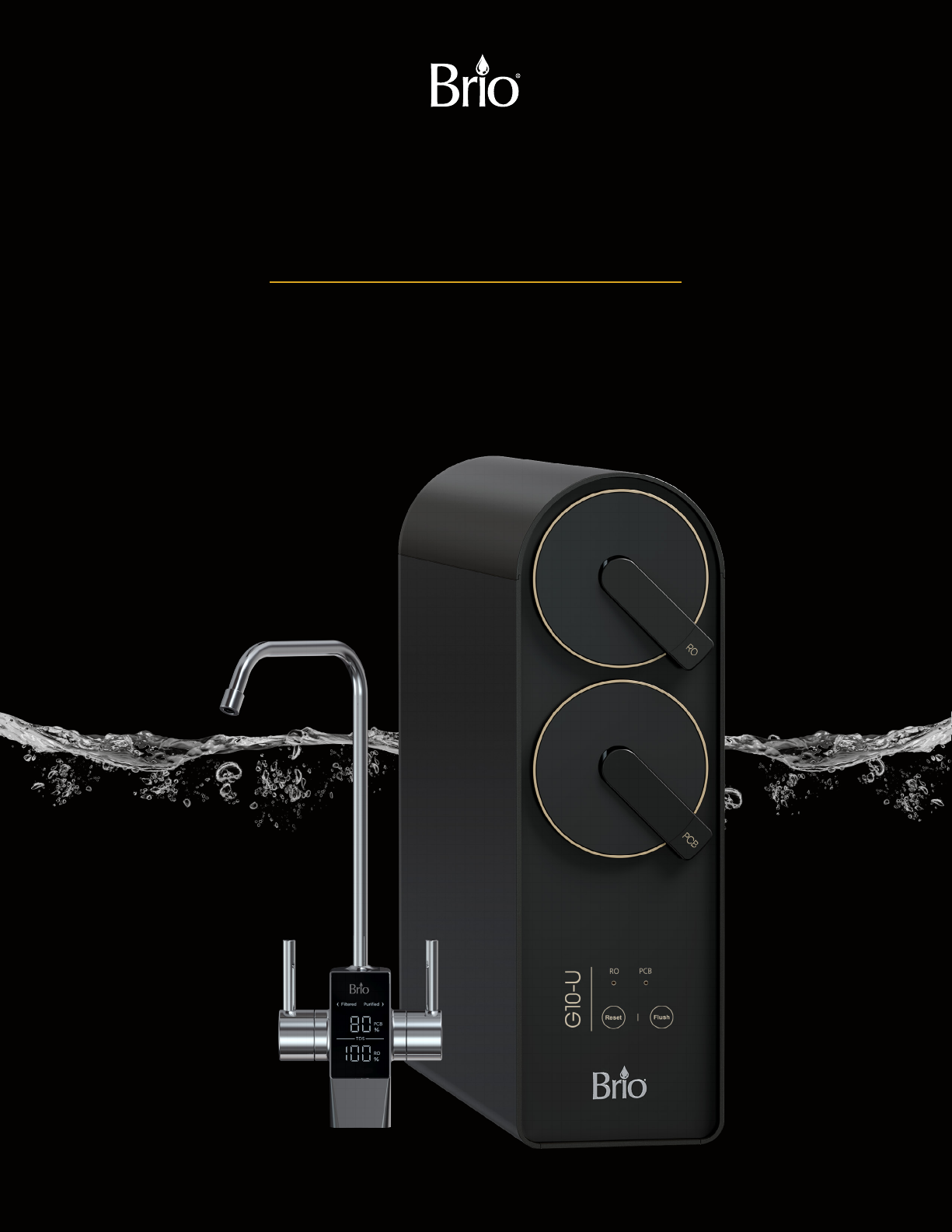
Tankless 2:1 RO Filtration System
Setup Manual
Model No.: ROSL500
G10-U

2
Table of Contents
Safety Information .................................................................... 3
Intended Use ......................................................................... 4
Product Features ..................................................................... 4
Indicator Panel Description ..............................................................5
Product Dimensions ....................................................................5
Materials Needed ..................................................................... 5
Specifications ........................................................................ 5
Package Contents. . . . . . . . . . . . . . . . . . . . . . . . . . . . . . . . . . . . . . . . . . . . . . . . . . . . . . . . . . . . . . . . . . . . . 6
Installation ........................................................................... 6
Installation Overview....................................................................6
Connect to the Cold Water Supply ........................................................7
Make the Reverse Osmosis Waste Connections ............................................8
Install the faucet........................................................................9
Complete the Installation ...............................................................10
Operation............................................................................10
Start Up the Filtration System ...........................................................10
Start Water Purification .................................................................10
Shut Down. . . . . . . . . . . . . . . . . . . . . . . . . . . . . . . . . . . . . . . . . . . . . . . . . . . . . . . . . . . . . . . . . . . . . . . . . . . . 10
Troubleshooting ......................................................................11
Care and Maintenance.................................................................11
Filter Replacement Schedule............................................................12
Replace the Filters.....................................................................12
Flushing the Filters ....................................................................12
Warranty.............................................................................13

3
Safety Information
WARNING: To reduce risk of injury and property damage, you must read this entire guide before assembling,
installing, and operating this filtration system.
•If the power cable is damaged, do not use. Contact Customer Service for a replacement.
•Avoid storing in an area exposed to intense sunlight as this can cause damage to components.
•Do not store or expose the device in temperatures lower than 32°F (0°C). The ideal temperature
range is 39°F - 100°F (4-38°C).
•The device must be installed or relocated by a professional technician due to the risk of electric
shock and product damage.
•The best working pressure of this device ranges from 0.1 to 0.4MPa. Install a pressure increasing or
decreasing device if the water pressure is lower or higher than this level.
•For use with municipal tap water only. Not for use with well or underground water.
•Do not place magnetic devices near the device as damage could occur.
•Do not place heavy objects on the device.
•Do not allow children near the device without adult supervision.
•When cutting o the power supply, do not pull the power cord as this could cause damage.
•Do not place combustible substances near the device. Keep away from heat sources and open
flames.
•Install this device near a floor drain.
•If the device is not used for long periods of time, shut o power and turn o the 3-way ball valve.

4
Intended Use
This appliance is intended to be used in household and similar applications such as:
•Sta kitchen areas in shops, oces, and other working environments
•Farm houses
•Clients in hotels, motels, and other residential type environments
•Bed and breakfast type environments
•Catering and similar non-retail applications
This appliance is not intended for use by persons (including children) with reduced physical, sensory, or mental
capabilities, or lack of experience and knowledge, unless they have been given supervision or instruction concerning
use of the appliance by a person responsible for their safety.
Product Features
9
8
1
2
37
5
6
4
Part Description Part Description
1 Reverse Osmosis filter compartment Filtered water connection
2 PCB filter compartment Inlet water connection
Display panel 8 Tap water handle
4 Waste water connection 9 Filtered water handle
5 Purified water connection

5
Indicator Panel Description
1. Filter indicator lights – When blinking, indicates it is time to change lters (RO or
PCB).
2. Reset button – Press to reset the system after changing lters.
3. Flush button – Press to ush newly installed lters.
Product Dimensions
Height Width Depth
42 cm (16.5 in.) 13.2 cm (5.2 in.) 46.1 cm (18.2 in.)
Materials Needed
Wrench Electric drill with 1/4 in. drill bit
Specifications
RO Water Output 7200L
Active Carbon Water Output 4000L
Rated Voltage/Frequency 24 V~/50/60Hz
Rated Total Power 80W
Purified Water Flow Rate / RO Water Output 1.75L/min
Water Inlet Pressure 0.1-0.4MPa
Critical Pressure 3.2MPa
Reset Flush
RO PCB
1
3
2

6
Package Contents
A
F
E
I
B
D
G
H
L
C
M
K
J
Part Description Quantity
A RO filtration system 1
B Faucet 1
C Power adapter 1
D Feed water adapter 1
E PCB filter 1
F RO filter 1
G Plumbers tape 1
Part Description Quantity
H Drain saddle 1
I RO water outlet tube 1
J Shut-o valve tube 1
K Faucet tubing 2
L2/8 - 3/8 in.Quick
connect 1
M 2/8 in. Quick connect 2
Installation
1. Installation Overview

7
2. Connect to the Cold Water Supply
CAUTION: DO NOT CONNECT THIS WATER LINE TO A HOT WATER SUPPLY LINE. The water supply to the unit
MUST be from the COLD WATER LINE. Using HOT WATER will severely damage your filters.
D. Turn off and then disconnect the
current cold water supply line.
E. Connect the feed water adapter (D) to
the cold water supply line.
F. Connect the cold water supply line on
top of the feed water adapter (D).
NOTE: An extra adapter nut is included
on top of the feed water
adapter (D) to attach to a 3/8in.
or 1/2 in. feed plumbing line.
D
G. Insert the shut-off valve with tube (J)
straight into the quick connector piece
of the feed water adapter (D). D
J
H. Gently tug on the tube (J) to ensure a
secure connection with the feed water
adapter (D). D
J

8
3. Make the Reverse Osmosis Waste Connections
The “RO” filter assembly requires a drain line connection to be
installed, which removes rejected water to the sewer. The drain
saddle connects the drain line from the dispenser to your drain pipe.
The drain saddle is designed to fit around a standard 1.5 in. OD (outer
diameter) drain pipe.
Always install the drain saddle before the P-trap and on a
straight vertical or horizontal section of the pipe.
To avoid clogging the drain line with debris, do not install the
drain saddle after the drain pipe meets a garbage disposal or
dishwasher drain.
To make the Reverse Osmosis (RO) drain connections:
A. Determine the location for your drain saddle (H) and then make a
mark on the drain pipe for the opening (1).
B. Use your drill and a 1/4 in. drill bit to drill a hole at the mark,
ensuring you only drill through one side of the drain pipe.
C. Find the half of the drain saddle (H) with the hole in the center,
remove the backing from the foam gasket, align the gasket with
the hole on the drain saddle (H), and stick the adhesive side of
the gasket to the drain saddle (H).
D. Position both halves of the drain saddle (H) on the drain pipe with
the saddle’s opening aligned over the drilled hole, and insert your
drill bit through the saddle (H) and drilled hole to ensure proper
alignment.
E. Secure both ends of the drain saddle (H) together using the bolts
and nuts, but do not over-tighten.
F. Connect the RO water outlet tube (I) to the drain saddle (H).
H
1
I

9
4. Install the faucet
IMPORTANT: If your sink does not have a second faucet hole, please contact a licensed professional to create
one. Do NOT attempt to drill a faucet hole yourself as this may damage the sink.
A. Ensure that you have a faucet mounting hole in your sink or sink countertop for this faucet. If you do not, create
a mounting hole no less than 1 – 1.2 in. (26 – 30 mm).
B. Remove the washer (1) and lock nut (2) from the faucet. Ensure that you leave the O-ring (3) on the faucet.
C. Attach the two 2/8 in. quick connects (M) to the large faucet post (ltered water) and the short faucet post (tap
water).
3
1
2
M
M
D. Place the faucet into the mounting hole and secure in place underneath the sink with the washer (1) and lock
nut (2).
E. Connect two faucet tubings (K) to each of the 2/8 in. quick connects (M) underneath the sink.
M
1
2
K
K
M

10
5. Complete the Installation
A. Connect the shut off valve tube (J) to
the inlet water connection (1).
B. Connect the faucet tubing (K)
connected to the 2/8 in. quick connect
(M) to the ltered water connection (2).
C. Connect the faucet tubing (K)
connected to the 2/8 in. quick connect
(M) to the puried water connection (3).
D. Connect the RO water outlet tube (I) to
the waste water connection (4).
E. Ensure all connections are made, and
proceed to the Operation section for
starting for rst time, plugging in, and
ushing.
I
43
2
1
K
J
Operation
Start Up the Filtration System
1. Ensure all water connections are completed as described in the Installation section.
2. Connect the power supply to the ltration system and then to an outlet.
The filter indicator panel turns on.
Start Water Purification
Open the faucet and the water purifier starts to produce water.
NOTE: If the faucet runs water for a long time (for 2 hours), the water purifier enters overtime protection mode.
The display screen at the side of the machine flashes, and the device is no longer able to produce water.
Unplug the power plug until the indicator turns o. Plug the device in again to clear the protection mode.
Shut Down
1. Close the shut-off valve on the tube (J).
2. Unplug the power supply.
Este manual sirve para los siguientes modelos
1
Tabla de contenidos
Otros manuales de Sistema de filtración de agua de BRIO

BRIO
BRIO G20-U Guía del usuario

BRIO
BRIO TROE600PRISM Guía del usuario

BRIO
BRIO amphara UF100FWHT Guía del usuario

BRIO
BRIO amphora ROP100 Guía del usuario

BRIO
BRIO 3 Stage System Manual de usuario

BRIO
BRIO FUS300R Manual de usuario

BRIO
BRIO amphora Guía del usuario

BRIO
BRIO CROS2400 Manual de usuario

BRIO
BRIO AQUUS TROE600COL Guía del usuario

BRIO
BRIO G10-U Guía del usuario


