Bosch PLE-SDT Manual de usuario

Plena Easy Line SD Tuner BGM source
PLE-SDT
en Installation and Operation manual


Plena Easy Line SD Tuner BGM source Table of Contents | en 3
Bosch Security Systems B.V. Installation and Operation manual PLE-SDT_OM | V1.0 | 2012.02
Table of Contents
1Safety 5
2 Short Information 6
2.1 Purpose 6
2.2 Digital document 6
2.3 Intended audience 6
2.4 Alerts and notice signs 6
2.5 Conversion tables 7
3SystemOverview 8
3.1 Application 8
3.2 Short description 8
3.3 Scope of delivery 8
3.4 The Plena Source Unit 8
3.5 Controls, connectors and indicators 9
3.5.1 Front view 9
3.5.2 Rear view 10
3.5.3 Remote control 11
4 Planning information 13
5 Installation 14
5.1 Source unit connections / settings 14
5.2 USB/SD 14
5.3 Remote control 14
6 Connections 15
6.1 Front side input sockets 15
6.1.1 USB 15
6.1.2 SD/MMC 15
6.2 Rear side input sockets 15
6.2.1 FM tuner antenna 15
6.2.2 USB 15
6.2.3 Mains power socket 16
6.3 Rear side audio output sockets 16
7 Configuration 17
7.1 FM tuner 17
7.1.1 Tuner audio output level control 17
7.1.2 Preset radio frequency programming 17
7.2 Combined audio output level control 18
7.3 USB/SD audio output level control 18

4en | Table of Contents Plena Easy Line SD Tuner BGM source
PLE-SDT_OM | V1.0 | 2012.02 Installation and Operation manual Bosch Security Systems B.V.
8Operation 19
8.1 Remote control 19
8.2 USB/SD source 20
8.2.1 Replaying music tracks 20
8.2.2 Track selection 21
8.2.3 Repeat functions and random play 22
8.2.4 Making a playlist 22
8.2.5 Muting the output sound 23
8.3 FM tuner 24
8.3.1 Search a FM radio frequency 24
8.3.2 Preset FM radio frequency selection 24
8.3.3 Sequentially FM radio frequency preset selection 24
8.3.4 Manual selection of a FM radio frequency 25
8.3.5 Radio Data System (RDS) 25
8.3.6 Switch off timer 25
8.3.7 Stereo / mono output sound 26
8.3.8 Muting the output sound 26
9Troubleshooting 27
10 Maintenance 29
10.1 Remote control 29
11 Technical Data 30
11.1 Electrical 30
11.1.1 Mains power supply 30
11.1.2 FM tuner 30
11.1.3 USB/SD source 30
11.2 Mechanical 31
11.3 Environmental 31

Plena Easy Line SD Tuner BGM source Safety | en 5
Bosch Security Systems B.V. Installation and Operation manual PLE-SDT_OM | V1.0 | 2012.02
1Safety
Prior to installing or operating this product, always read the Important Safety Instructions
which are available as a separate document (F.01U.120.759). These instructions are supplied
together with all equipment that can be connected to the mains supply.
Safety precautions
The PLE-SDT Plena Easy Line SD Tuner BGM source is designed to be connected to the 115/
230 Vac public distribution network.
To avoid any risk of electric shock, all interventions must be carried out with disconnected
mains supply.
Interventions with the equipment switched on are authorized only when it is impossible to
switch the equipment off. The operation must only be performed by qualified personnel.

6en | Short Information Plena Easy Line SD Tuner BGM source
PLE-SDT_OM | V1.0 | 2012.02 Installation and Operation manual Bosch Security Systems B.V.
2 Short Information
2.1 Purpose
The purpose of this manual is to provide information required for installing, configuring,
operating and maintaining the PLE-SDT Plena Easy Line SD Tuner BGM source.
2.2 Digital document
This installation and operation manual is also available as a digital document in the Adobe
Portable Document Format (PDF).
Refer to the product related information on www.boschsecuritysystems.com.
Data and illustrations subject to change without notice.
2.3 Intended audience
These installation and operation instructions are intended for installers and users of a public
address system.
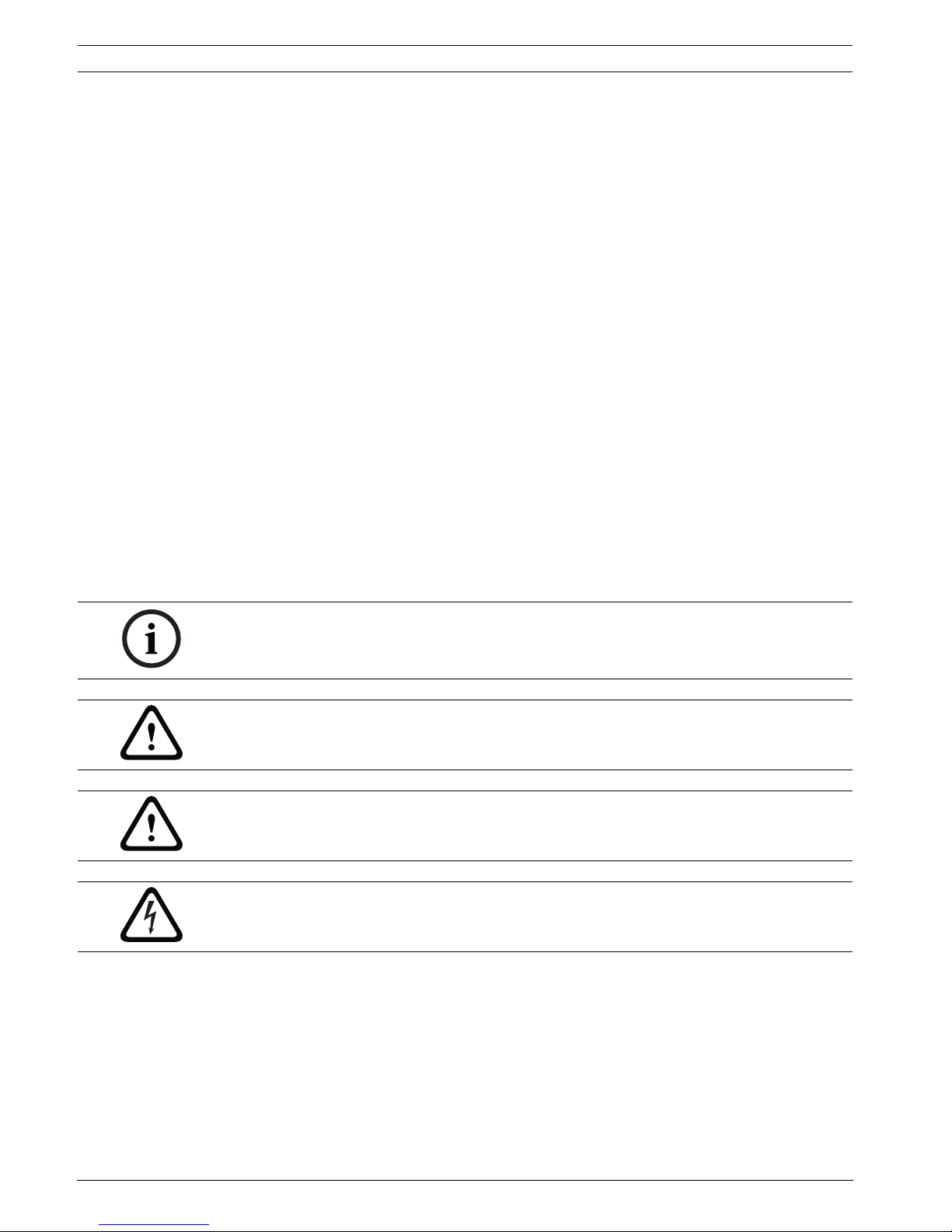
2.4 Alerts and notice signs
Four types of alerts can be used in this manual. The alert type is closely related to the effect
that may be caused if it is not observed. These alerts - from least severe effect to most severe
effect - are:
NOTICE!
Alert containing additional information. Usually, not observing a ‘notice’ does not result in
damage to the equipment or personal injuries.
CAUTION!
The equipment or the property can be damaged, or persons can be lightly injured if the alert is
not observed.
WARNING!
The equipment or the property can be seriously damaged, or persons can be severely injured
if the alert is not observed.
DANGER!
Not observing the alert can lead to severe injuries or death.

Plena Easy Line SD Tuner BGM source Short Information | en 7
Bosch Security Systems B.V. Installation and Operation manual PLE-SDT_OM | V1.0 | 2012.02
2.5 Conversion tables
In this manual, SI units are used to express lengths, masses, temperatures etc. These can be
converted to non-metric units using the following information.
Table 2.1 Conversion of units of length
Table 2.2 Conversion of units of mass
Table 2.3 Conversion of units of pressure
Table 2.4 Conversion of units of temperature
Imperial Metric Metric Imperial
1 in = 25.4 mm 1 mm = 0.03937 in
1 in = 2.54 cm 1 cm = 0.3937 in
1 ft = 0.3048 m 1 m = 3.281 ft
1 mi = 1.609 km 1 km 0.622 mi
Imperial Metric Metric Imperial
1 lb = 0.4536 kg 1 kg = 2.2046 lb
Imperial Metric Metric Imperial
1 psi = 68.95 hPa 1 hPa = 0.0145 psi
NOTICE!
1 hPa = 1mbar.
Fahrenheit Celsius
°F = 9/5 (°C + 32) °C = 5/9 (°F - 32)

8en | System Overview Plena Easy Line SD Tuner BGM source
PLE-SDT_OM | V1.0 | 2012.02 Installation and Operation manual Bosch Security Systems B.V.
3 System Overview
3.1 Application
The PLE-SDT Plena Easy Line Source Unit is the ideal high-quality source for music in public
address systems. It provides hours of uninterrupted music for professional systems. Designed
without moving parts, it can be used in systems that are on for long periods of time. It is
designed to be used with non-volatile steady state flash memory.
3.2 Short description
The Plena Easy Line Source Unit is divided in a USB/SD source part, for playing MP3’s stored
on USB flash memory device and SD/MMC card, and a FM tuner part. The source unit is
typically used in hotels, shops, supermarkets, restaurants, bars, canteens, gyms, showrooms,
and other places where background music (BGM) creates the right atmosphere. It connects to
any public address amplifier. The design follows the Plena Easy Line design and is part of the
Advantage Line by Bosch.
3.3 Scope of delivery
The PLE-SDT Plena Source Unit is packed with the following parts:
–1xMainspowercord
– 1x Safety instructions
– 1x Set of 19”mounting brackets (mounted)
– 1x Remote control (Not included: 2x 1.5V, size AAA battery)
– 2x 2-pair audio RCA cable (2.0 m)
– 1x Antenna cord including connector
– 1x SD memory card including free music and this installation and operation manual
3.4 The Plena Source Unit
With an USB or SD card memory capacity of up to 32 GB (up to 2000 tracks), and the option
to connect the USB flash memory device either on the front or rear side, the USB/SD source
provides hours of high-quality, uninterrupted music playback from a single source. It supports
MP3 music files organized in multiple folders. The USB/SD source will automatically search
and play all playable MP3’s on a flash memory device, and has repeat and random play modes.
USB/SD source
The USB/SD source can play MP3’s with bit-rates from 32 kbps to 320 kbps, mono / stereo /
joint-stereo, and both constant bit-rate (CBR) and variable bit-rate (VBR) are supported.
FM tuner
The digitally controlled FM tuner uses a frequency synthesizer for accurate capture of FM
radio frequencies and has 30 presets to store your favorite radio stations.
Outputs
The USB/SD source and the FM tuner can operate simultaneously on different outputs. The
audio output level of the outputs can be set with the controls on the rear side. Next to the
stereo analog outputs for the USB/SD source and FM tuner, there is a combined output that
plays the USB/SD source content and automatically switches over to the FM tuner when the
last MP3 track has been played.

Plena Easy Line SD Tuner BGM source System Overview | en 9
Bosch Security Systems B.V. Installation and Operation manual PLE-SDT_OM | V1.0 | 2012.02
3.5 Controls, connectors and indicators
3.5.1 Front view
Figure 3.1 Front view
Number Front view Description
1 Mains power switch (On/Off).
Refer to Section 5.1 Source unit connections / settings.
2 USB 2.0 4-pin socket. Refer to Section 6 Connections.
3 - LCD (with backlight) for USB device or SD card operation.
A- Keypad for USB device or SD card operation. Refer to Section 8 Operation.
4 To mute the audio output level of USB or SD source.
Refer to Section 8.2.5 Muting the output sound.
6|< - SKIP - >| Track selection and fast forward/reverse.
Refer to Section 8.2.2 Track selection.
7|<< FOLDER >>| File selection. Refer to Section Selection of folders and search for folders, page 22.
8 To stop the track replay.
9PROG To switch to the programming mode to compile an individual MP3 track sequence.
Refer to Section 8.2.4 Making a playlist.
10 >|| To switch between track replay and pause.
11 To select the repeat and random replay functions.
Refer to Section 8.2.3 Repeat functions and random play.
12 USB/SD On/Off USB/SD source LED indicator.
Refer to Section 8.1 Remote control.
13 USB To select USB device operation.
Refer to Section 8.2 USB/SD source.
14 SD To select SD card operation.
Refer to Section 8.2 USB/SD source.
15 SD/MMC SD card socket.
Refer to Section 8.2 USB/SD source.
16 - LCD (with backlight) for FM tuner operation.
B- Keypad for FM tuner operation.
Refer to Section 7.1 FM tuner and Section 8.3 FM tuner.
17 1-9, 10/0 Radio frequency (preset) selection.
Refer to Section 8.3 FM tuner.

10 en | System Overview Plena Easy Line SD Tuner BGM source
PLE-SDT_OM | V1.0 | 2012.02 Installation and Operation manual Bosch Security Systems B.V.
3.5.2 Rear view
Figure 3.2 Rear view
18 - IR receiver lens (remote control).
Refer to Section 8.1 Remote control.
19 |< Every time you press the button the tuning frequency goes down with 50 kHz. Press
for two seconds to scan down to the next station.
Refer to Section 8.3 FM tuner.
20 +10 Radio frequency preset selection (>10).
Refer to Section 8.3 FM tuner.
21 TUNER On/Off LED indicator FM tuner.
Refer to Section 8.1 Remote control.
22 >| Every time you press the button the tuning frequency goes up with 50 kHz. Press for
two seconds to scan up to the next station.
Refer to Section 8.3 FM tuner.
23 PROG To save the radio frequency presets.
Refer to Section 7.1.2 Preset radio frequency programming.
Number Front view Description
Number Rear view Description
24 ANTENNA FM tuner antenna input (75 Ohm) socket.
Refer to Section 6.2.1 FM tuner antenna.
25 USB 2.0 4-pin socket. Refer to Section 6 Connections.
26 TUNER Tuner audio output level control.
Refer to Section 7.1.1 Tuner audio output level control.
27 COMBINED Combined USB/SD and FM tuner audio output level control. Refer to
Section 7 Configuration.
28 USB/SD USB/SD audio output level control.
Refer to Section 7.1.1 Tuner audio output level control.
29 TUNER R/L Tuner output (right and left channel) sockets.
Refer to Section 6.3 Rear side audio output sockets.
30 COMBINED R/L Combined USB/SD and FM tuner output (right and left channel) sockets.
Refer to Section 6.3 Rear side audio output sockets.
31 USB/SD R/L USB/SD output (right and left channel) sockets.
Refer to Section 6.3 Rear side audio output sockets.
33 - Mains power inlet + fuse holder.
(Fuse: 230V = 0.63AT/250V. Fuse: 115V = 1.25AT/250V).
Refer to Section 6.2.3 Mains power socket.
34 - Mains power selector (230V or 115V).
Refer to Section 5.1 Source unit connections / settings.
Tabla de contenidos
Otros manuales de Sintonizador de Bosch