
Bestisan Aha ST08 Manual de usuario
USER MANUAL
Version 1.0
2.0 Channels
2.0 28 28 Inches
Aha Model: ST08
BESTISAN
Best Artisan & Better Than Most
convenient
Soundbar
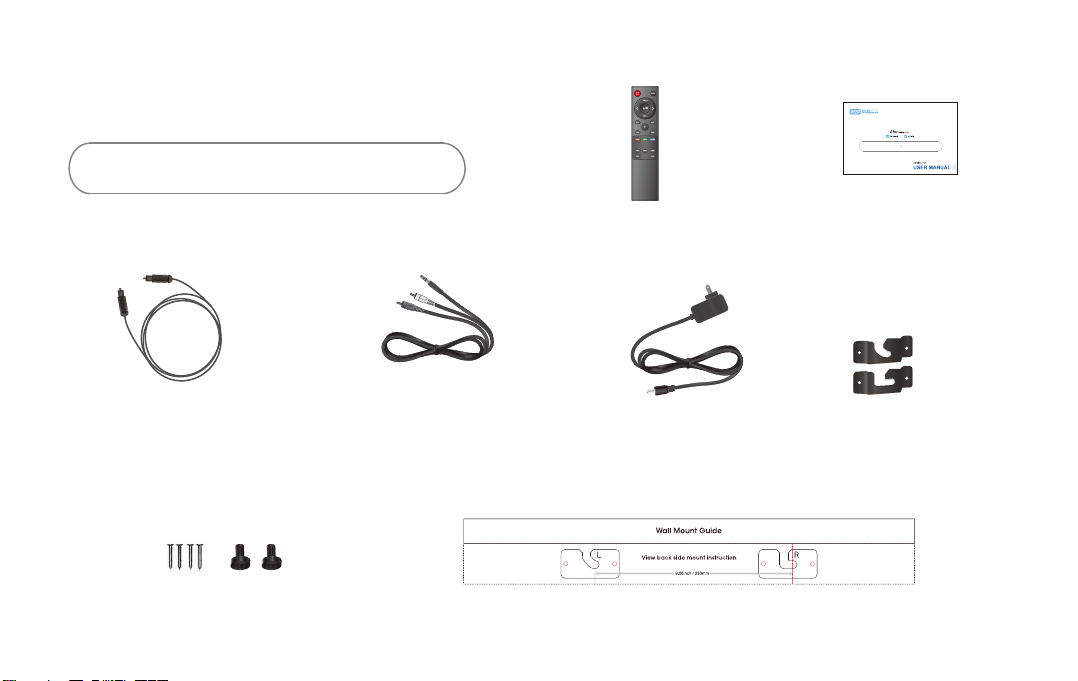
Digital Optical cable Stereo RCA to
3.5mm audio cable
Power adapter
Remote control
Insert 2pc of AAA batteries before use
User’s guide
Wall mount brackets
Mount screws Wall mount template
01 Checking the Components
02 Product Overview
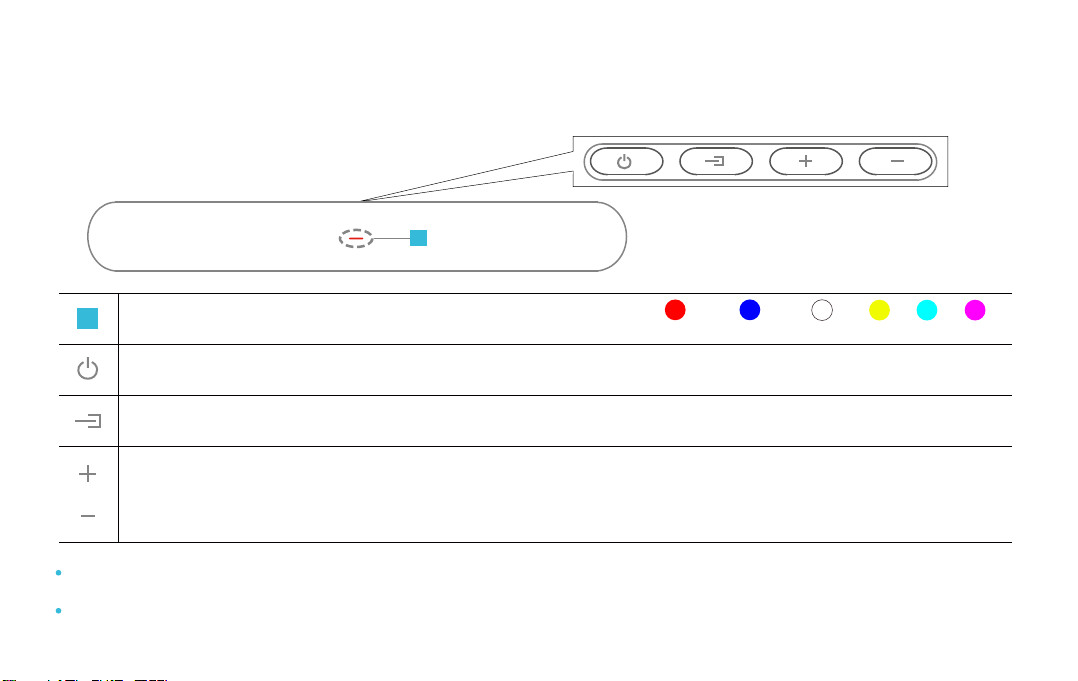
Front Panel / Top Side Panel of the Soundbar
BluetoothStandby Optical AUX RCA USB
Turn the power on or press and hold to power o.
Select the source input mode; Press and hold to reset treble and bass to factory settings.
Adjust the volume, when adjusting, the LED indicator flashes until the volume to the MAX or MIN.
When you plug in the power cord, the buttons will begin working in 2 to 4 seconds.
If you want to enjoy sound only from the Soundbar, you must turn o the TV’s speakers in Audio Setup menu of your TV.
Refer to the owner’s manual supplied with your TV
LED indicator, display dierent color and current mode.
1
1
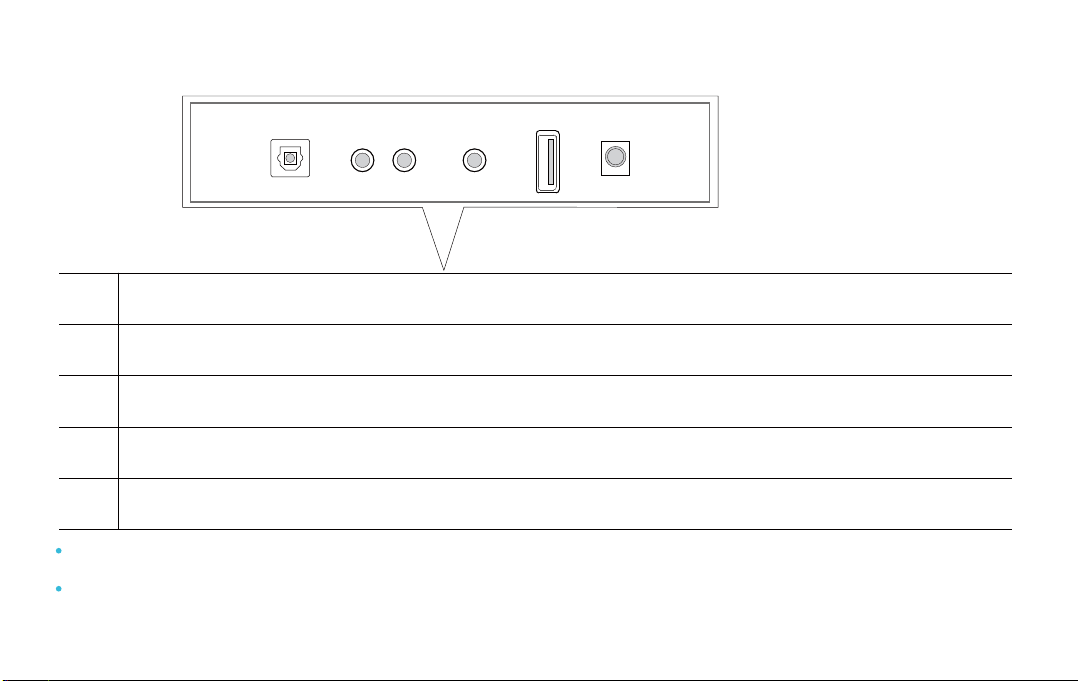
Bottom Panel of the Soundbar
OPTICAL
L - RCA - R
AUX
USB
DC
Digital Audio In (optical), connect to the digital (optical) output of an external device.
RCA(L/R), connect to the Analog output of an external device.
AUX(3.5mm), connect to the Analog output of an external device.
USB, connect a USB device here to play music files on the USB device through the Soundbar.
DC IN (Power Supply In), connect the AC/DC power adapter.
When disconnecting the power cable of the DC/AC power adapter from a wall outlet, pull the plug. Do not pull the cable.
Do not connect this unit or other components to an AC outlet until all connections between components are completed.
OPTICAL L - RCA - R AUX USB DC

03 Connecting Electrical Power
Make sure to Place the AC/DC adapter flat on a table or the floor. If you place the AC/DC adapter so that it is
hanging with the AC cord input facing upwards, water or other foreign substances could enter the adapter
and cause the adapter to malfunction.
Using the power adapter to connect the unit to electrical outlet in the figure
Outlet
Bottom Panel of the Soundbar
OPTICAL L - RCA - R AUX USB DC
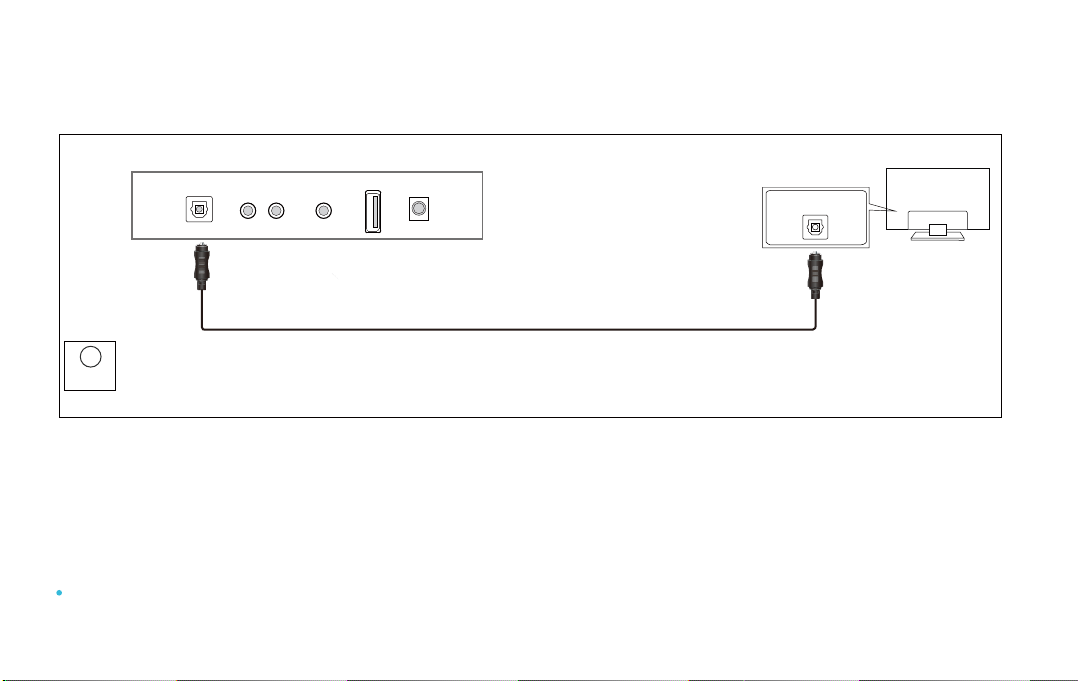
04 Connecting with a TV
Optical digital cable (supplied)
TV
OPTICAL OUT
Method 1. Connecting using an Optical cable
White
color LED
Optical
1. Connect the DIGITAL AUDIO IN(OPTICAL) jack on the Soundbar to the OPTICAL OUT jack of the TV
with a digital optical cable.
2. Press the “OPT” button on the remote, and the LED indicator will be WHITE
3. Set the TV’s audio output to “PCM”. (More information on PCM page)
If TV sound is inaudible, press the “OPT” button on the remote or on the top side of the Soundbar to switch to “OPT”
mode. The LED will be White and TV sound is played.
Bottom Panel of the Soundbar
OPTICAL L - RCA - R AUX USB DC
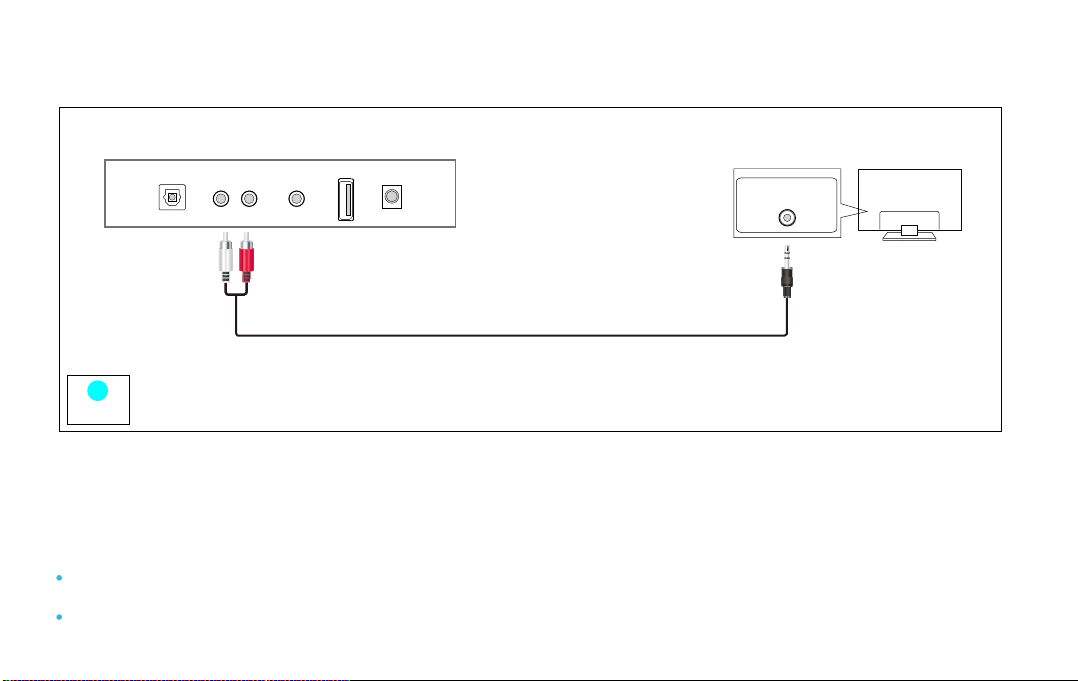
Method 2. Connecting using an RCA to 3.5mm cable
Light Blue
color LED
TV
RCA
1. Connect RCA(L/R) on the Soundbar to the AUDIO OUT(3.5mm Headphone) jack of the Source Device
using an RCA to 3.5mm cable.
2. Select “LIGHT BLUE” led indicator by pressing the “RCA” button on the remote.
You must use Soundbar’s remote to power on or control the volume under this connection.
If no sound, set your TV’s audio output to “PCM”. (Refer to TV’s manual)
Bottom Panel of the Soundbar
OPTICAL L - RCA - R AUX USB DC
Headphone jack
RCA to 3.5mm cable (supplied)

When all cables are connected properly, and LED indicator lights properly(Optical connection),
if there is no sound from tv or Soundbar, please setting your tv as below:
1. Press "Menu" on the tv’s remote control.
2. Press the arrow keys on the remote to scroll to "Audio Settings."
3. Press "OK" on the remote control.
4.
Scroll to "Advanced Audio" and press "OK." Some televisions may not have an"Advanced Audio"
menu and may list various audio settings instead.
5. Scroll to "Audio Output Mode" or "Digital Audio Output Mode" and press "OK."
6. Scroll until "PCM" is displayed as the current audio output.
7. Press "OK" to save the settings.
Some brand TVs maybe dierent in Digital Audio Output Settings, please check your TV’s manual.
05 Setting “PCM” on your TV
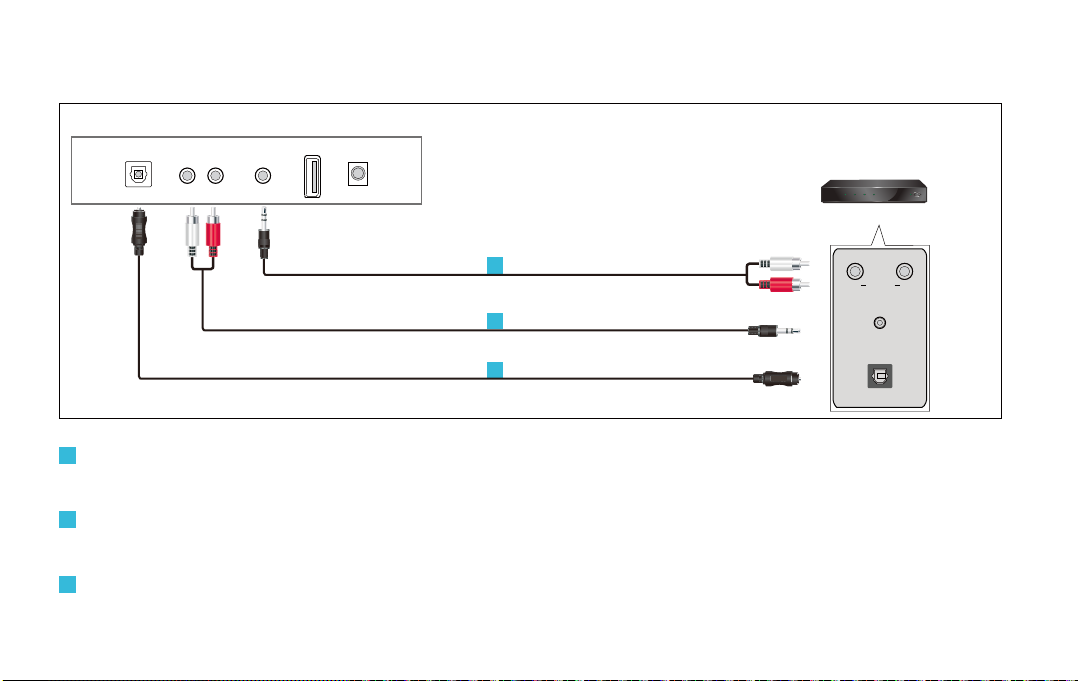
06 Connecting an External Device
Connect AUX on the Soundbar to the AUDIO OUT(L/R ) jack of the Source Device using an RCA to
3.5mm cable. Select “YELLOW” led indicator by pressing the “AUX” button on the remote.
Connect RCA on the Soundbar to the AUDIO OUT(Headphone) jack of the Source Device using an
RCA to 3.5mm cable. Select “LIGHT BLUE” led indicator by pressing the “RCA” button on the remote.
Connect DIGITAL AUDIO (OPTICAL) on the Soundbar to the OPTICAL OUT jack of the Source Device
using a digital optical cable. Select “WHITE” led indicator by pressing the “OPT” button on the remote.
BD / DVD / Set-top box /
Game console
OPTICAL OUT
L RRCA
Headphone jack
Optical digital cable
RCA to 3.5mm cable
RCA to 3.5mm cable
3
1
2
3
2
1
Bottom Panel of the Soundbar
OPTICAL L - RCA - R AUX USB DC
Tabla de contenidos
Otros manuales de Oradores de Bestisan


