
Avery Dennison Monarch Mobile Work Station 9878 Manual de instalación y operación
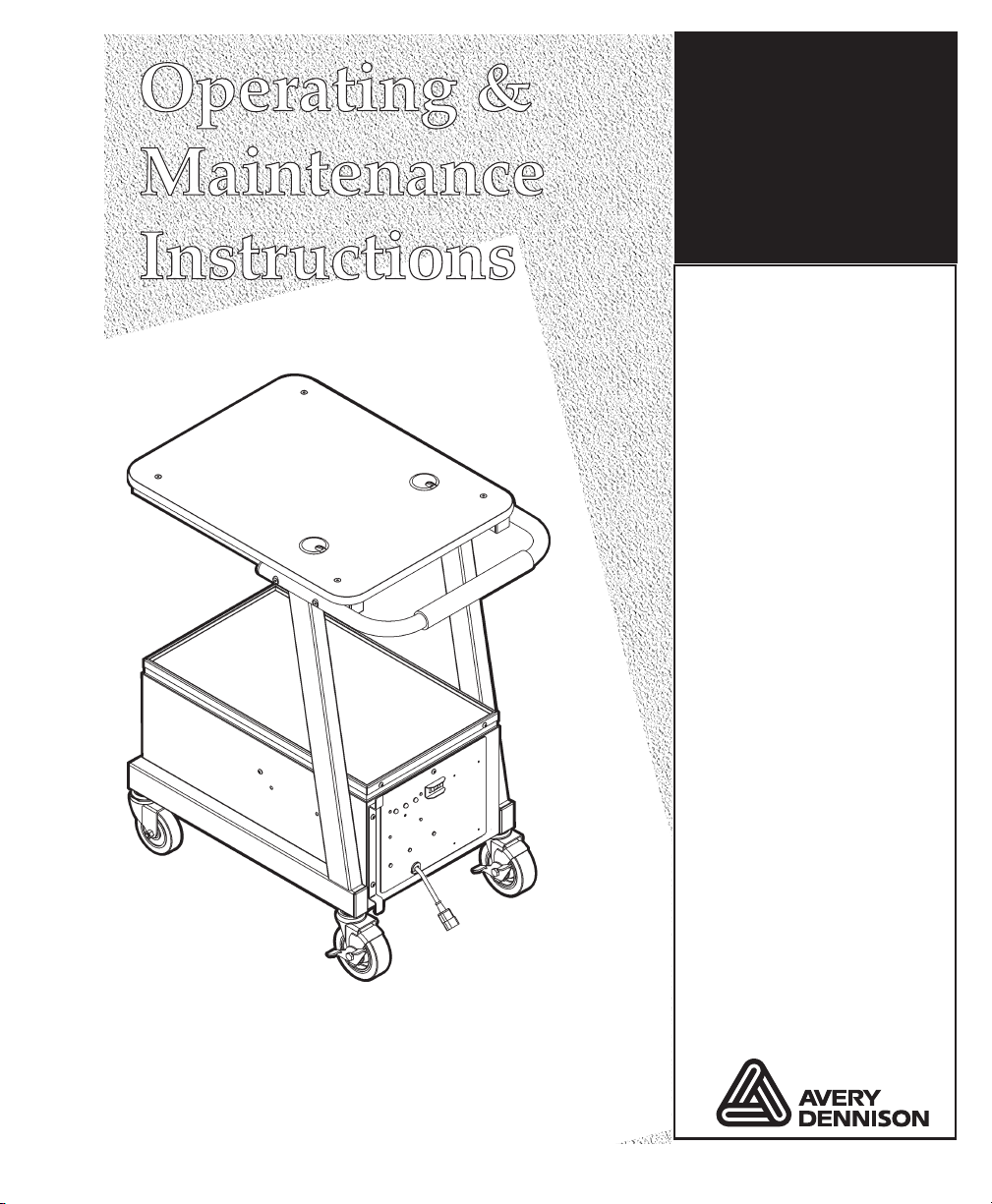
Monarch™
9878™ Mobile
Work Station
(MWS™)
TC9878OI Rev. AD12/07 ©2004 Paxar Americas, Inc. asubsidiary of Avery Dennison Corp. All rights reserved.

Each product and program carries a respective written warranty, the only warranty on
which the customer can rely. Paxar reserves the right to make changes in the product,
the programs, and their availability at any time and without notice. Although Paxar has
made every effort to provide complete and accurate information in this manual, Paxar
shall not be liable for any omissions or inaccuracies. Any update will be incorporated in
a later edition of this manual.
©2004 Paxar Americas, Inc. a subsidiary of Avery Dennison Corp. All rights reserved.
No part of this publication may be reproduced, transmitted, stored in a retrieval system,
or translated into any language in any form by any means, without the prior written
permission of Paxar Americas, Inc.
WARNING
This equipment has been tested and found to comply with the limits for a Class A digital
device, pursuant to Part 15 of the FCC Rules. These limits are designed to provide
reasonable protection against harmful interference when the equipment is operated in a
commercial environment. This equipment generates, uses, and can radiate radio
frequency energy and, if not installed and used in accordance with the instruction manual,
may cause harmful interference to radio communications. Operation of this equipment in
a residential area is likely to cause harmful interference in which case the user will be
required to correct the interference at his own expense.
CANADIAN D.O.C. WARNING
This digital apparatus does not exceed the Class A limits for radio noise emissions from
digital apparatus set out in the Radio Interference Regulations of the Canadian
Department of Communications.
Le présent appareil numérique n’émet pas de bruits radioélectriques dépassant les
limites applicables aux appareils numériques de la classe A prescrites dans le Réglement
sur le brouillage radioélectrique édicte par le ministère des Communications du Canada.
Trademarks
Monarch®, MPCL, Pathfinder®, Ultra®, Monarch Sierra Sport 2, 6032, 9460, 9462, 9463, 9465, 9825, 9855,
and 9878 are trademarks of Paxar Americas, Inc.
Paxar® is a trademark of Paxar Corporation.
Avery Dennison® is a trademark of Avery Dennison Corporation.
Avery Dennison Printer Systems Division
170 Monarch Lane
Miamisburg, OH 45342

Paxar Barcode Product Limited Warranty
Thank you for purchasing a Monarch 9878 Mobile WorkStation. Paxar warrants that your product will be
free from defects in material and workmanship for a period of one (1) year from the date of shipment by
Paxar. Please read this warranty very carefully. THIS WARRANTY IS A LIMITED WARRANTY AND IS IN
LIEU OF AND EXCLUDES ALL OTHER WARRANTIES, EITHER EXPRESS OR IMPLIED, INCLUDING
MERCHANTABILITY AND FITNESS FOR A PARTICULAR PURPOSE.
Parts - Paxar will provide new or remanufactured parts, free of charge, to correct defects in material and
workmanship for the product(s) covered by the limited warranty during the one (1) year parts warranty
period. During the first sixty (6 ) days of this warranty period, labor and travel by a Paxar Representative is
also included. Labor and travel will be charged after the initial sixty (6 ) days. Replacement parts are
warranted for ninety (9 ) days from the date installed and labor is warranted for thirty (3 ) days from the
date of service.
Support Agreements are also available.
Shipping - The customer is responsible for inbound transportation charges and Paxar is responsible for
return transportation charges (via ground) to correct defects in material and workmanship during the limited
warranty period.
Packaging - Products returned shall be packaged in the original packaging and shipping container or
comparable container. In the event the product is not packaged properly or if shipping damage is evident,
Paxar will not accept the printer for service under warranty. Products received in unsuitable containers will
be returned in Paxar-approved packaging at the customer’s expense.
Thermal Printhead Warranty - The thermal printhead is covered by a prorated limited warranty of six (6)
months or one million (1, , ) inches of use, whichever occurs first. Physical damage to the printhead is
not covered by the limited warranty.
Battery and Ca le Warranty - Batteries and cables are covered by a prorated limited warranty of three (3)
months from the date of shipment. Physical damage to the battery(ies) or cable(s) is (are) not covered by
the limited warranty.
Consuma les - The product limited warranty does not include or cover consumables or sundry items such
as ribbons, tags, labels, knives, batteries, cables or thermal printheads (see above battery, cable, and
thermal printhead warranty).
Use of Supplies - Only genuine Paxar or Monarch supplies are recommended for use in Paxar products.
This limited warranty does not cover service required as a result of the use of non-Paxar supplies.
Host Communication - Service required to develop or correct on-line host communications, including the
use of non-Paxar communications cables, is not covered by the product warranty.
Operating Instructions - Proper operation of the product requires the user to read and follow the operating
instructions. The limited warranty does not cover service that is required as a result of operator error and or
failure to read and follow the documentation included with the product.
Installation and Training - Installation and training of the operators is a professional service that is
available on a time and material basis. Installation and training is not covered by the limited warranty.
Exclusions - This limited warranty covers defects in material and workmanship only and does not cover
damage to batteries and cables or caused by accident, abuse, violence, acts of God or use of non-Paxar or
non-Monarch supplies, or those not meeting the Paxar specifications.
Paxar shall not be liable for direct, indirect, or consequential damages, costs, expenses, lost profits, or lost
savings resulting from the use, operation, or malfunction of the verifier.
This limited warranty is valid only in the United States of America.
This limited warranty is the only warranty on which the customer can rely. Paxar reserves the right to make
changes in the products, programs and their availability at any time and without notice.
This warranty is void if the product is altered or repaired by anyone except a Paxar service representative or
contrary to the instructions provided by Paxar.
To Initiate a Warranty Claim The customer must follow the steps below in order to make a warranty claim
under the limited warranty:
1. Call (800) 543-6650 in order to report your problem to our technical support center.
2. A Paxar technical support specialist will work with you to attempt to resolve the problem by telephone.
3. If telephone resolution of your problem is unsuccessful, the technical specialist will issue an incident # for
you to return your product prepaid, for warranty repair, subject to the terms of the limited warranty above.


TABLE OF CONTENTS
GETTING STARTED .............................................................1-1
Audience ...............................................................1-2
Ordering Programmer’s Manuals .............................................1-2
ABOUT THE MWS...............................................................2-1
Connecting the Cables .....................................................2-2
Connecting a Printer.......................................................2-5
Using other Monarch® Printers .......................................2-5
Connecting the 9462/9465 Charger ....................................2-6
Using Other Printers................................................2-6
CHARGING THE BATTERIES......................................................3-1
Important Charging Information ..............................................3-2
About the Battery Charger ...........................................3-3
Important Battery Safety Information ..........................................3-3
Battery Life ..............................................................3-4
Frequency of Charging/Run-Time Guidelines ...................................3-6
Changing Fuses ..........................................................3-7
About the Charger’s Fuse ...........................................3-8
POWER OPTIONS...............................................................4-1
About the Inverter...............................................4-2
Using the Remote Switch ..........................................4-4
Table of Contents i

PRINTING .....................................................................5-1
About Sleep Mode ..............................................5-1
SPECIFICATIONS ...............................................................A-1
Mobile Work Station (MWS) ........................................A-1
Batteries ....................................................A-2
Chargers ....................................................A-2
12VDC Models .................................................A-2
24VDC Models....................................................A-3
300W Inverter .................................................A-3
1000W Inverter ................................................A-4
WIRING DIAGRAMS .............................................................B-1
12VDC/115VAC 300W AC Power Inverter ......................................B-2
24VDC/DC/DC Converter (12VDC Out).................................B-3
24VDC/115VAC 300 Watt Power Inverter.......................................B-4
24VDC/115VAC 1000 Watt Power Inverter......................................B-5
ii Table of Contents

GETTING STARTED 1
Use the Monarchä9878äCompact Mobile Work Station (MWSä) for mobile
printing either in-store or in retail centers.
The in-store models have only one battery (12VDC) allowing you to scan
and mark items directly on the sales floor. The two-battery (24VDC) models
provide more power for larger printers. The Compact MWS models are
light, easy to roll and turn.
You see references to voltages throughout this manual with either (one
battery) or (two batteries) after them, so you know which voltage applies to
your MWS.
Using This Manual
Following is a summary of the contents of this manual.
Chapter Contents
1Getting Started Contains information about the batteries and
MWS.
2About the MWS Describes how to connect power cords and use
additional devices on the MWS.
3Charging the
Batteries
Describes how to charge the batteries.
4Power Options Describes battery power and battery safety issues.
5Printing Explains how to print supplies from a printer on the
MWS.
ASpecifications Technical specifications about the MWS.
Getting Started 1-1

Safety Precautions
Following symbols are used in this manual to show importance of using the MWS safely.
WARNING Failure to follow the guidelines marked with this
symbol could result in serious personal injury or
death.
CAUTION Failure to follow the guidelines marked with this symbol
could result in minor personal injury or product
damage.
Caution, risk of electrical shock.
Also known as the "High Voltage" symbol.
Audience
This manual is designed for the person using the MWS for mobile printing
applications.
After you receive the MWS, you should have all the necessary parts,
including the batteries and charger. Check inside ALL packaging
material. Make sure you do not throw away any pieces. Keep the boxes
and packaging material in case the MWS ever needs repair.
Ordering Programmer’s Manuals
The Packet Reference Manual, which describes how to create format and
batch packets for printing labels, how to configure a Monarch® printer
online, and how to perform other advanced techniques is available from our
Web site.
Calling Service
If these solutions do not work or you have a problem not listed, see
your System Administrator or call Service at the number listed on
the back of this manual.
1-2Getting Started
ABOUT THE MWS 2
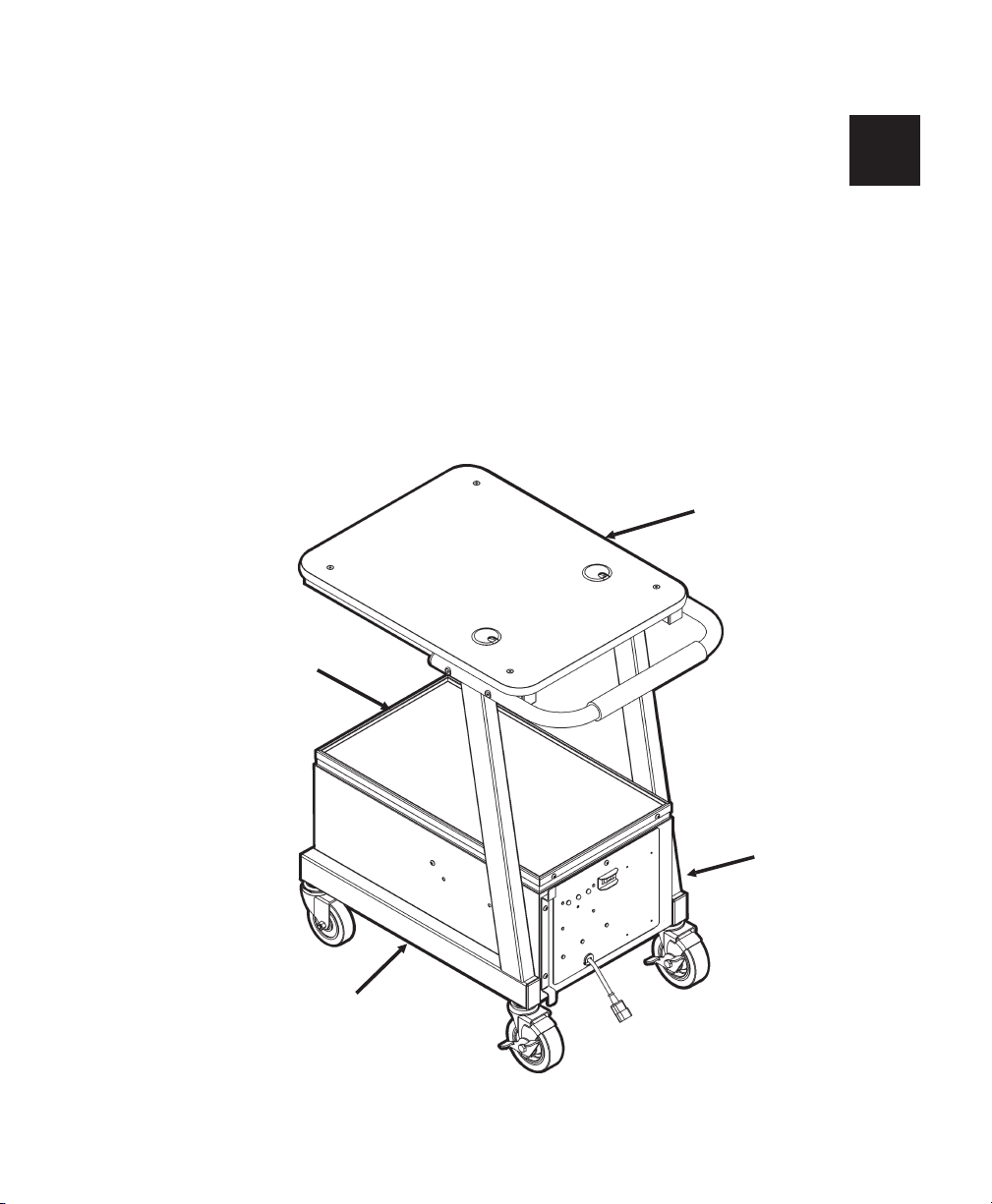
The Mobile Work Station is shipped assembled. Use this chapter to verify
the cable connections.
Check inside ALL packaging material. Make sure you do not throw away
any pieces. Before using the MWS, remove all packing material from inside
the power cabinet.
About the MWS 2-1
Left Side
Right
Side
Front
Back
Connecting the Cables
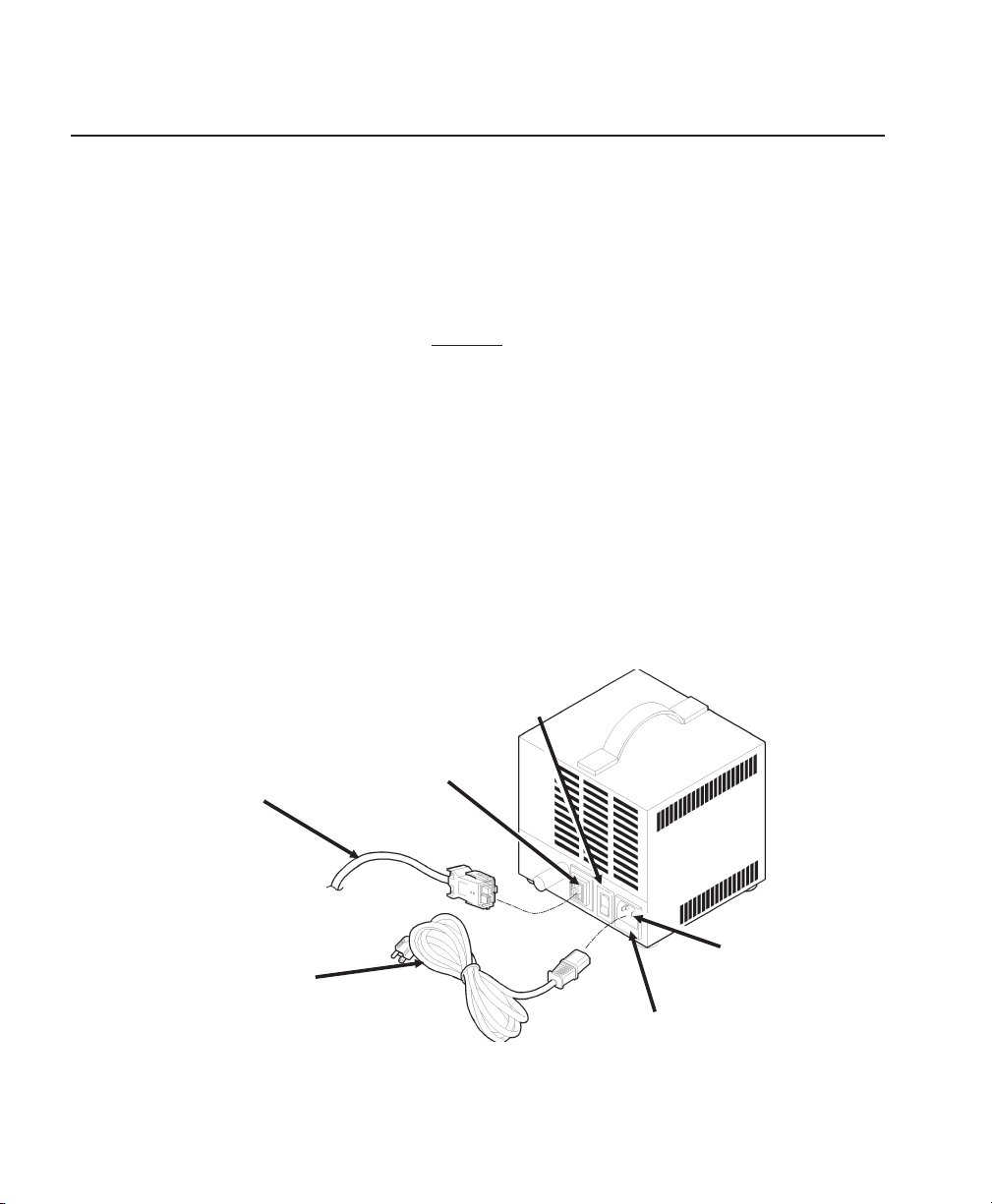
Make sure the charger and battery cables, and power cord are properly
connected. Follow the steps below if you need to connect the cables.
Power cords are not included with International models.
WARNING
Only qualified service personnel may install or replace the
batteries.
1. Using a 5/32-inch (4 mm) Hex key (wrench), open and remove the lid for
the power cabinet.
2. Make sure the power cord (packaged with the battery charger) is
connected to the power socket on the back of the charger.
3. Make sure the battery cable is connected to the socket on the back of
the charger. The cable is keyed.
4. Make sure the voltage selector switch on the back of the charger is set
correctly (115V in U.S.).
2-2About the MWS
Battery
Cable
Battery
Socket
Power
Socket
Power
Cord
Voltage
Selector
AC Fuse Holder
Tabla de contenidos
Otros manuales de De oficina de Avery Dennison


