
Arista ARS-0202-B00 Manual de usuario
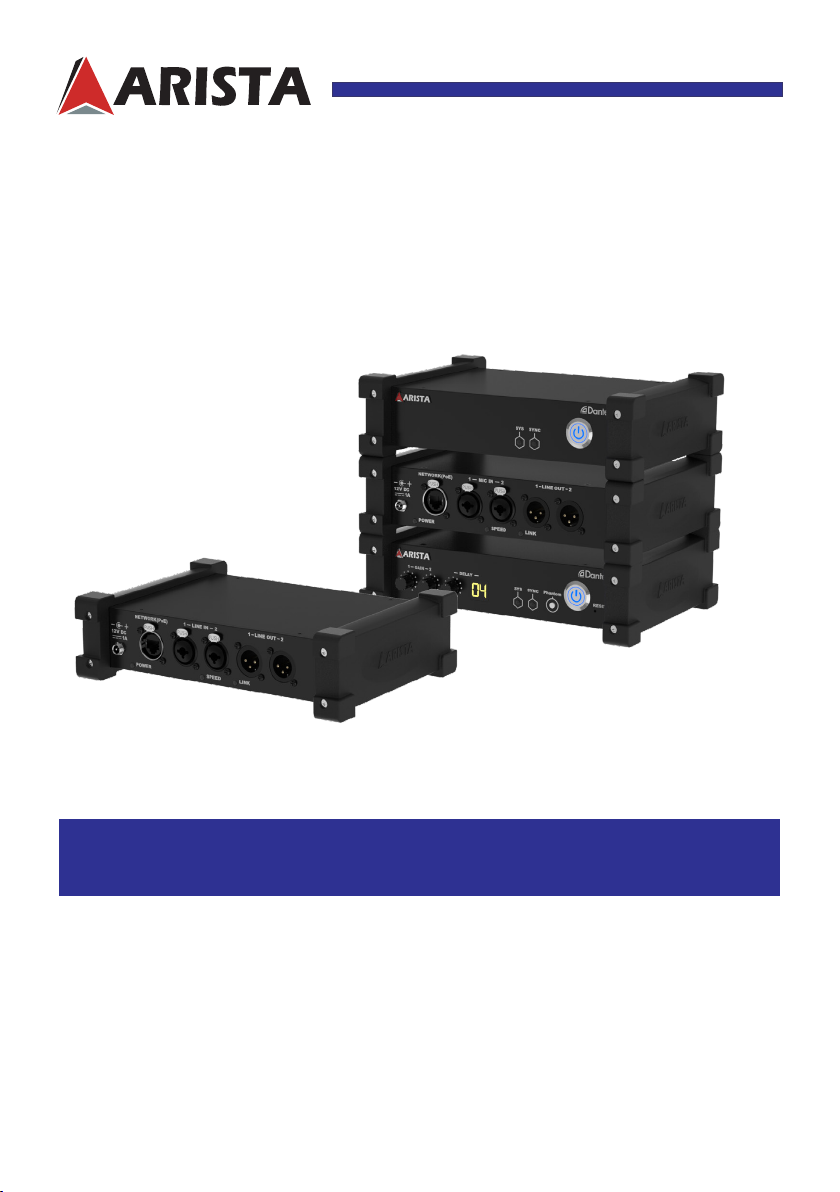
ARS-0202 Duo+Series DanteTM Audio Adapter
Talk to us. We listen.
This manual is a user guide for ARS-0202 Duo+Series
Dante
TM
Audio Adapter
.It includes
detailed description about how to install and operate the product. Arista Corporation
recommends users to read through the entire manual and follow instructions to avoid any
kind of obscurity in using the product. For any questions or support, please visit our website
https://www.goarista.com or call us at 1.877.827.4782 Monday through Friday 8:00am to
5:00PM Pacic Time.
USER MANUAL
ARS-0202-A00 ARS-0202-A11
ARS-0202-B00 ARS-0202-B11

2
Read all of these instructions and save this manual for later use. Follow all
warnings and instructions on the product.
• Relative humidity: 5%~95%
• Storage temperature: -20oC to 60oC(-4F to 140F)
• Operation temperature: 0~50oC(32F to 122F)
• Unplug the unit when not in use for an extended period of time.
• Never subject the ARS-0202 Duo+ Series
DanteTM Audio Adapter
to extreme
light, temperature, moisture or vibration.
• Do not place heavy objects on the unit.
• Use only the power cord supplied with the unit. In the event that another
power cord is used, one that is different than the one provided by the
supplier, make sure that it is certified by the local and applicable national
standards.
• If the power cable is faulty in any way, please contact the manufacturer or
the nearest authorized repair service provider for a replacement.
• The power supply cord is used as the main disconnect device. Ensure that
the socket outlet is easily accessible after installation.
• Overloaded AC outlets, extension cords, frayed power cords, and broken
plugs are extremely dangerous. They may, and can, result in an electrical
shock or fire hazard. Call an authorized service technician for any
replacements.
• Hands must be dry when plugging the power cord into an AC outlet to
prevent electrical shock. Do not damage the power cord by disassembling,
bending, pulling or exposing it to heat as it may cause a fire or electrical
shock.
• Make sure to completely insert the power plug. Insecure connections can
cause a re.
• Unplug the unit if cleaning is needed. Wipe it with a dry or slightly damp cloth
when the power is o.
• Consult a service technician if the ARS-0202 Duo+Series
DanteTM Audio
Adapter
does not operate normally when you have followed the instructions in
this manual.
• Do not attempt to repair this product yourself. Always get a qualied service
technician to carry out adjustments or repairs.
Important: Read all the contents of this instruction manual carefully before
you rst use the ARS-0202 Duo+Series
DanteTM Audio Adapter.
Product safety precautions

3
Contents
Product safety precautions ................................................................................................2
Contents...............................................................................................................................3
Chapter 1 Basics.........................................................................................................4
Introduction......................................................................................................................................4
Product Specifications...................................................................................................................5
Overview.................................................................................................................................6
Physical Dimensions ....................................................................................................................12
Chapter 2 Connections and Operation .........................................................................13
Mounting the
Dante
TM
Audio Adapter
.................................................................................................14
Connecting the
Dante
TM
Audio Adapter
......................................................................................16
Basic Operation.............................................................................................................................19
Extra Controls ...............................................................................................................................20
Chapter 3 Appendix ........................................................................................................21
Maintenance and Troubleshooting .............................................................................................21
Product Limited Warranty............................................................................................................23
Disposal and Recycling Information .........................................................................................27
Disclaimer and Copyright Notice................................................................................................27
Contents

4
Features
• Compact design, easy to use, supports hot-plug.
• Easily and freely convert between analog audio signal and
Dante
TM
digital audio signal.
• Built-in 2 input and 2 output audio channels.
• Supports Microphone audio input(for ARS-0202-A11/B11).
• Extends audio, control, ethernet, and power over a single aordable network cable.
• Replaces multiple analog or multi-core cables with only a network cable, cost-eective,versatile.
• Extends uncompressed high-quality audio signal with near-zero latency.
• Audio transmission latency time and microphone audio gain level is adustable(for ARS-0202-A11/
B11
).
• Transmits high quality audio safely and reliably.
• Perfectly supports Dante software, the network and audio routing can be easily expanded
and recongured with just a few mouse clicks.
• PoE support, Line powering function compliant with IEEE802.3af.
• Perfect audio quality and strong anti-interference performance.
• With rubber protection case, optional mounting bracket.
• Built-in lightning & surge protection.
Chapter 1 Basics
Arista's ARS-0202 Duo+Series DanteTM Audio Adapters are end-of-network audio
devices, including the models of ARS-0202-A00/A11/B00/B11. Each Audio Adapter is a
DanteTM enabled box which can convert 2 channel analog audio input signal sources into
DanteTM digital audio signal to share your audio with other users and devices on the Dante
network,and simultancely convert 2 channel DanteTM digital audio signal into analog audio
output signal to route audio from network sources to your own computer
or peripherals. The
ARS-0202 Duo
+
Series Dante
TM
Audio Adapters allow user to easily switch between analog
audio signal and Dante
TM
digital audio signal. Only with a single aordable ethernet cable or
ber-optic network cable to extend and transmit high quality multi-channel audio to replace
multiple analog or multi-core cables. By just a few mouse clicks for conguration, user can
fully control the Dante
TM
Audio Adapter with Dante
TM
controller.
The DanteTM Audio Adapters(with metal bezel) can be used in harsh conditions. They come
with lockable chassis connectors for both the audio and network connections. With optional
mounting brackets, they can be mounted in oor boxes or in equipment racks.
The ARS-0202
Duo+
Series DanteTM Audio Adapters provide the best solution for audio
networking. They can be widely used for broadcasting station, conference room, data control
centers, information distribution, school lectures, corporate training and so on.
Introduction

5
Product Specications
Model Name
ARS-0202 Duo
+
Series (ARS-0202-A00/A11/B00/B11)
Technical Information
Role of usage Arista 2 x 2 Channel DanteTM audio adapter
Channel 2 Inputs and 2 Outputs
Supported network speed 100/1000Mpbs Ethernet
Sampling rates 44.1/48/88.2/96kHz
Bit depth 16, 24, 32 bit
Latency Depending on the conguration on the device or network,
1 ms(default)
Ethernet connection
100/1000Mbps Ethernet(PoE support), RJ-45 connector(for ARS-
0202-A00/A11), Fiber-optic connector(for ARS-0202-B00/B11)
Input/Output impedance Input impedance:6.6 kOhm
Output impedance <800 Ohm
Input/Output level(balanced) Input level: Max.22 dBu
Output level:Max.16 dBu
Frequency response 20 Hz to 20 kHz(+/- 0.5dB)
Dynamic range > 60 dB
Signal-to-noise ratio > 60 dB
THD + noise < 0.01%(+ 4 dBu)
Crosstalk < -80dB(20 kHz)
Interfaces and Buttons
Button 1 x Power button
LED indicators POWER, SPEED, LINK, SYNC, SYS LED x1,
PHANTOM LED x1(ARS-0202-A11/B11)
Knob(only for ARS-
0202-A11/B11)
Gain up knob x 1, Gain down knob x 1, Delay knob x 1(for
adjusting transmission latency)
Connectors
ARS-0202-A00/B00:1x DC power connector, 1 x LAN port,
2 x Line In ports, 2 x Line Out ports
ARS-0202-A11/B11:1x DC power connector, 1 x LAN port,
2 x Mic In ports, 2 x Line Out ports
Mechanical Information
Weight 850 g
Dimension(with rubber
protection)
9.06 x 6.49 x 2.39 inch/ 230 x 165 x 61 mm (L x W x H)
Dimension(without rubber
protection)
8.50 x 5.35 x 1.73 inch/ 216 x 136 x 44 mm (L x W x H)
Power supply 12V,1A DC Power input or PoE
Power consumption 12 Watts
Operation temperature 0~50OC [32~122F]
Storage temperature -20~60OC [-4~140F]
Relative humidity 20~90% RH [no condensation]
6
Overview
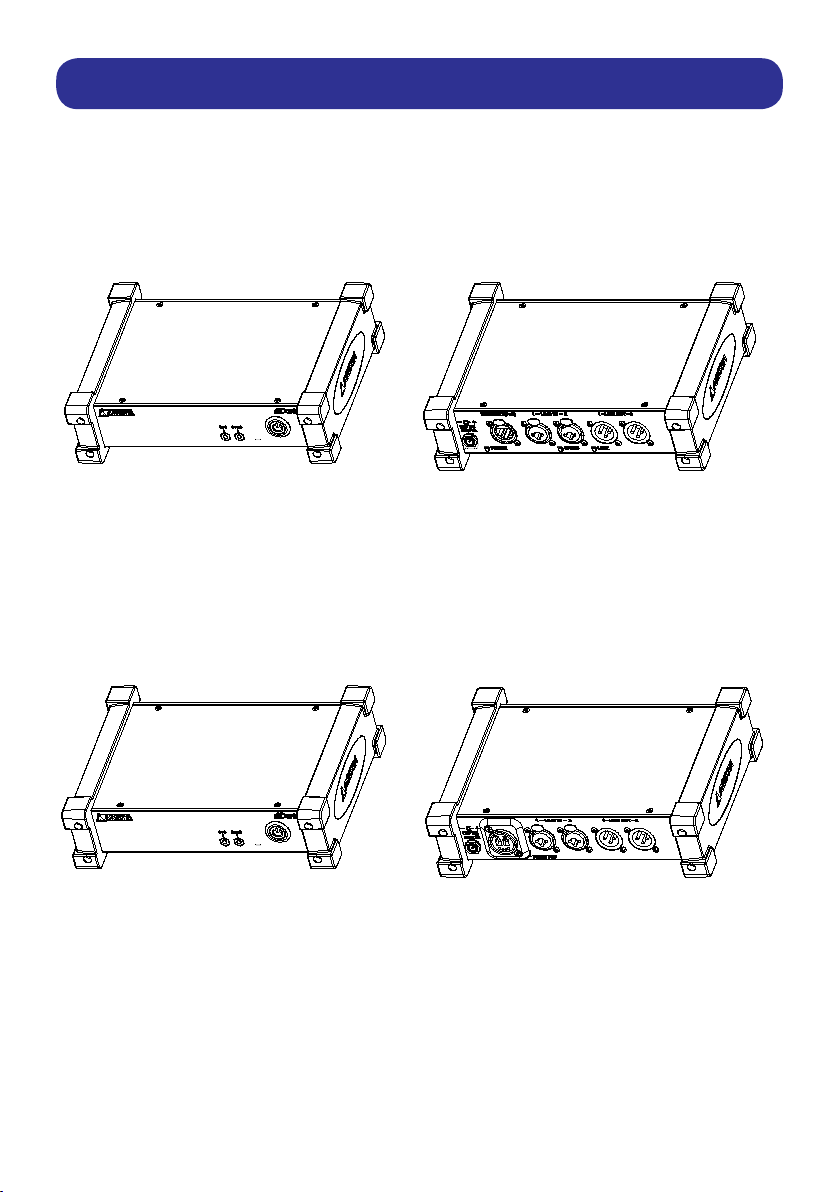
ARS-0202-A00
Front View Rear View
ARS-0202-B00
Front View Rear View

7
ARS-0202-A00
1 2 3
5 6 7
4
8 9 10
1. System LED - Indicates the device’s system status.
Lights red: system is starting; Lights Green: system is ready.
2. SYNC LED - Indicates the audio signal data transfer status.
Lights red: data transmission error; Lights Green: data is transmitting.
3. Power button - Press to power on/o the ARS-0202-A00 DanteTM Audio Adapter.
4. DC Power Input connector - for
12V/1A DC power input.
5.
RJ-45/PoE LAN port - For network connection and power supply, use RJ-45 or PoE LAN cable
to connect to network device.
6. LINE IN1, LINE IN2 ports - For analog audio signal input.
7. LINE OUT1, LINE OUT2 ports - Analog audio signal out to audio device(mixing console,
speaker, headphone,amplier etc.).
8. Power LED - Lights blue: the
Dante
TM
audio adapter is powered on.
9. Speed LED - Lights blue: network bandwidth is 1Gbps, O: network bandwidth is100Mbps.
10. Link LED - Flashes blue: data is transmitting.
11. Rubber protection
11
Front
View
Rear
View

8
ARS-0202-B00
1 2 3
Front
View
5 6 7
4
Rear
View
1. System LED - Indicates the device’s system status.
Lights red: system is starting; Lights Green: system is ready.
2. SYNC LED - Indicates the audio signal data transfer status.
Lights red: data transmission error; Lights Green: data is transmitting.
3. Power button - Press to power on/o the ARS-0202-B00 DanteTM Audio Adapter.
4. DC Power Input connector - for
12V/1A DC power input.
5.
Optical Network port - For network connection, use Fiber-optic LAN cable to connect to net-
work device.
6. LINE IN1, LINE IN2 ports- For analog audio signal input.
7. LINE OUT1, LINE OUT2 ports - Analog audio signal out to audio device(mixing console,
speaker, headphone,amplier etc.).
8. Rubber protection
8

9
ARS-0202-A11
Front View Rear View
ARS-0202-B11
Front View Rear View

10
ARS-0202-A11
1 2 3 5 6 7
4 8
9 10 11 12
13 14 15
1. Gain knobs - Gain knob for MIC IN1 and MIC IN2 audio channels.
Gain up: Turn the knob clockwise; Gain down: turn the knob anti-clockwise.
2. Delay Knob - data transmission latency knob.
Latency up: turn the knob clockwise; Latency down: turn the knob anti-clockwise.
3. Latency display screen - Displays latency time.
4. System LED - Indicates the device’s system status.
Lights red: system is starting; Lights Green: system is ready.
5. SYNC LED - Indicates the audio signal data transfer status.
Lights red: data transmission error; Lights Green: data is transmitting.
6. Phantom LED - Phantom power indicator for microphone.
7. Power button - Press to power on/o the ARS-0202-A11 DanteTM Audio Adapter.
8. Reset button - Press to reset the unit to factory default.
9. DC Power input connector -
12V/1A DC power input.
10.
RJ-45/PoE LAN port - For network connection and power supply, use RJ-45 or PoE LAN
cable to connect to network device.
11. MIC IN1/MIC IN2 connectors - For microphone audio signal input.
12. LINE OUT1, LINE OUT2 ports - Analog audio signal out to audio device(mixing con-
sole, speaker, headphone,amplier etc.).
13. Power LED - Lights blue: the
Dante
TM
audio adapter is powered on.
14. Speed LED - Lights blue: network bandwidth is 1Gbps, O: network bandwidth is 100Mbps
15. Link LED - Flashes blue: data is transmitting.
16. Rubber protection
16
Front
View
Rear
View
Este manual sirve para los siguientes modelos
4
Tabla de contenidos
Otros manuales de Adaptador de Arista


