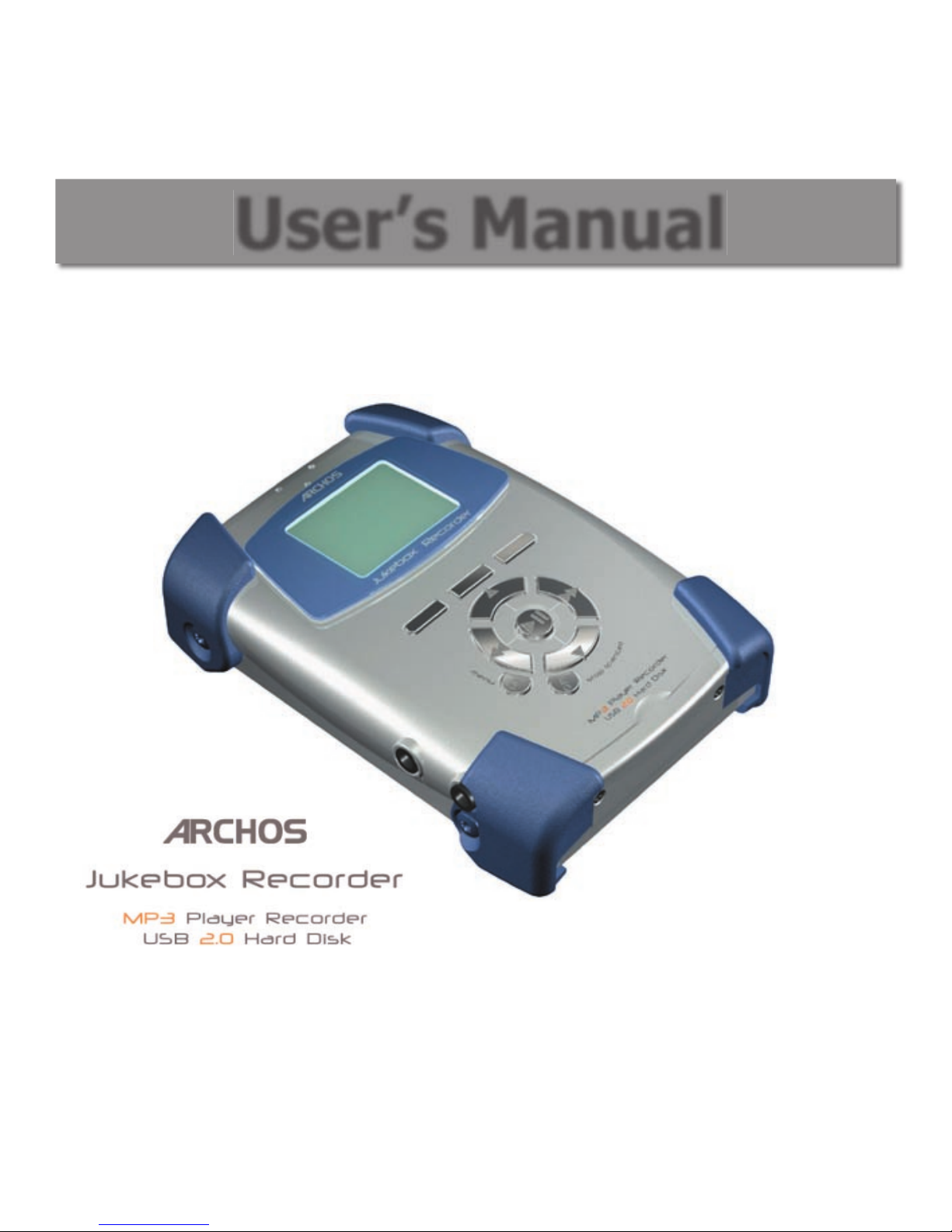
Archos Jukebox Jukebox Recorder v2 Manual de usuario

1
User’s Manual
ARCHOS Jukebox Recorder User’s Guide p/n 102 853
Please visit our web site to download the most recent manual and software for this product.
Jukebox Recorder Version 2

2
3
Table of Contents
Table of Contents
1 Introduction to ARCHOS Jukebox Recorder 6
2 Technical Specifications 7
3 Before you use the Jukebox Recorder 8
4 Operating your Jukebox Recorder 9
4.1 Connections 9
4.2 Controls 11
5 Jukebox Recorder 2 Functions 14
5.1 Starting up and shutting down your Jukebox 14
5.2 Playing MP3 Music 14
5.3 Recording MP3 Music from an External Source 16
5.4 Music Playlists 17
5.5 Updating the Jukebox Recorder 2 Firmware 21
5.6 Updating the Jukebox Recorder 2 Firmware 21
5.7 Changing the Time and Date 22
6 Jukebox Recorder 2 Settings 23
6.1 Music Settings 23
6.2 Recording Settings 26
6.3 General Settings 28
6.4 Emergency Master Reset 29
7 Connecting your Jukebox to a PC 30
8 Connecting your Jukebox to a Macintosh 32
Appendix A - Jukebox Recorder Menus 33
Appendix B - Trouble Shooting 36
USB Connection issues 36
File issues, corrupted data, formatting, and partitioning 37
Windows® 98SE & ME Running Scan-Disk (Error Checking) 38
Windows® XP & 2000 Running Check Disk Utility (ChkDsk) 39
Appendix C Contacting Technical Support 40

2
3
Warranty and Limited Liability
This product is sold with a limited warranty and specic remedies are available to the
original purchaser in the event the product fails to conform to the limited warranty.
Manufacturer’s liability may be further limited in accordance with its sales contact.
In general, the manufacturer shall not be responsible for product damages caused by
natural disasters, re, static discharge, misuse, abuse, neglect, improper handling or
installation, unauthorized repair, alteration or accident.
In no event shall the manufacturer be liable for loss of data stored on disk media.
MANUFACTURER SHALL NOT BE LIABLE FOR ANY SPECIAL, INCIDENTAL OR CONSEQUENTIAL
DAMAGES. EVEN IF INFORMED OF THE POSSIBILITY THEREOF IN ADVANCE.
Please see your sales contract for a complete statement of warranty rights, remedies and
limitation of liability.
Further, the warranty does not apply to :
• Damages or problems resulting from misuse, abuse, accident, alteration or incorrect
electrical current or voltage.
• Any product with a tampered-with or damaged warranty seal or serial number
label.
• Any product without a warranty or serial number label.
• Any batteries and any consumable items delivered with or in the equipment.
Warnings and Safety Instructions
CAUTION
• To prevent risks of electric shock, this unit must only be opened by qualied service
personnel.
• Power off and disconnect the power supply cable before opening the unit.
WARNING
• Avoid sudden impact of the unit, or abrupt movement.
• To prevent re or shock hazard, do not expose the unit to rain or moisture.
• Use of this product is for personal use only. Copying CDs or downloading music les
for sale or other business purposes is or may be a violation of copyright law.

4
5
• Copyrighted materials, works or art, and presentations may require authorization to
be fully or partially recorded or copied. Please be aware of all such applicable laws
concerning the recording and use of such for your country and jurisdiction.
FCC Warning Statement
FCC Compliance
This equipment has been tested and found to comply with limits for a Class B digital device,
pursuant to Part 15 of the FCC Rules. These limits are designed to provide reasonable
protection against harmful interference in a residential installation. This equipment
generates, uses and can radiate radio frequency energy and, if not installed and used in
accordance with instructions, may cause harmful interference to radio communications.
However, there is no guarantee that interference will not occur in a particular installation.
If this equipment does cause harmful interference to radio or television reception, which
can be determined by turning the equipment off and on, the user is encouraged to try to
correct the interference by one or more of the following measures:
• Reorient or relocate the receiving antenna.
• Increase the separation between the equipment and receiver.
• Connect the equipment into an outlet on a circuit different from that to which
the receiver is connected.
• Consult the dealer or an experienced radio/TV technician for help.
Note: During le transfer or in the PC mode, if the EUT or computer suddenly freezes or
does not respond, it may be due to the electrostatic phenomenon. Please follow the
procedures below to recover the operation:
• Unplug the USB cable from the EUT
• Close the software application in the computer (or re-boot the computer if
necessary)
• Re-connect the USB cable to the EUT.
CAUTION : Modications not authorized by the manufacturer may void users authority to
operate this device.
FCC Part 15 - Operation is subject to the following two conditions:
1. This device may not cause harmful interference;
2. This device must accept any interference received including interference
that may cause undesired operation.

4
5
Copyright ARCHOS © 2003 All rights reserved.
This document may not, in whole or part, be copied, photocopied, reproduced,
translated or reduced to any electronic medium or machine-readable form without
prior consent, in writing, from ARCHOS. All brands and products names are registered
trademarks and the property of their respective owners. Specications are subject to
change without notication. Errors and omissions accepted. Images and illustrations may
not always match contents. Copyright® ARCHOS. All rights reserved.
Disclaimer of warranty: to the extent allowed by applicable law, representations and warranties of non-
infringement of copyrights or other intellectual property rights resulting from the use of the product under
conditions other than as here above specied, are hereby excluded.

6
7
Thank you for purchasing the ARCHOS Jukebox Recorder. We are proud to have created
the rst portable MP3 recorder/20 GB Hard Drive which gives you real-time, on-the- y
recording of up to 330 hours* of top quality music in MP3 format. You can record directly
from any audio source, a CD player, Hi-Fi system or ampli ed microphone. This means that
you DON’T NEED A COMPUTER to create MP3 music les on your Jukebox. With it’s built-in
microphone, it can also be used as a voice recorder.
You can record from any analog or digital source at bit-rates up to 160 kbps and then
copy your recordings back to the PC without any specialized software. It also doubles as
an extremely portable 20 GB hard drive for PC or Mac laptops or desktop computers. You
can also store your data and photos at the same time. This Jukebox Recorder connects to
your PC or Mac via a high-speed USB 2.0 interface. There’s no need for special software to
transfer MP3 songs to and from your computer, you simply drag and drop the les in your
le management system.
We at ARCHOS are excited about this product and believe that you will enjoy it for years
to come. In order to best enjoy this product, please read through this manual to help you
learn all the functions and possibilities of the Jukebox Recorder. From time to time, we
update the operating system to increase its capabilities. You can go to the ARCHOS web
site and download the latest version of the Operating System for your Jukebox Recorder
(www.archos.com).
Imagine merging your entire collection of CDs, adding a few hundred personal photos,
your favorite Flashtm movies, a few QuickTimetm movies and whatever other data you
might want to carry along with you, right into one handheld device. Now that’s pretty
awesome!
Wishing you the best music listening experience,
The ARCHOS Team
* approximation based on typical music: the complexity of the audio signal determines how much disk
space is needed to store the music.
Introduction to ARCHOS Jukebox Recorder
1

6
7
Capacity 20 GB Hard Drive (20000 minutes MP3 music at 128 kbps)
Internal Buffer 2MB
Interface to computer USB 2.0 (PC and Mac)
Format supported MP3 (30 to 320 kbps – VBR) Reading, MP3 (selectable 30 to 160 kbps)
real-time encoding.
Display Graphic backlit LCD (8 lines of text)
AudioStereo SPDIF-In/Out, Stereo Analog Line In, Stereo Analog Line Out/
Earphone Jack. Signal to noise ratio > 90 dB. Max. Output power: 100
mW Freq. Response 20 Hz – 20 KHz. Harmonic distortion: < 0.1% Internal
microphone.
Playback autonomy Up to 10 hours.
Software scalability Downloadable rmware updates from ARCHOS web site. www.archos.com
Power Source Internal Power: at Lithium-Ion battery. (ARCHOS type only). This battery will
last for the life of the product (need not be changed). External Power: use
only the AC/DC Charger/Adapter delivered with product.
Dimensions 112 x 81 x 29 mm (4.5” x 3.2” x 1.3”)
Weight 300 g (10.7 oz)
System requirements PC: Windows 98SE, ME, 2000, XP Pentium II 266MHz with 64MB ram
Mac: OS 9.2 or greater & Mac 10.2.4 or greater USB Manager version 1.2
or higher
NOTE: each computer should have the appropriate port according to the selected interface.
Caution: batteries must be charged at normal room temperature. Do not charge below
5 °C (40°F) or above 35 °C (95°F).
Technical Speci cations
2

8
9
Charging Batteries: (IMPORTANT: ONLY use the included ARCHOS charger/adaptor)
Before using the Jukebox Recorder for the rst time, you are required to recharge the
built-in batteries for a minimum of 6 hours. Plug the ARCHOS AC power adaptor into an
available wall outlet, then plug the mini power connector to the “DC In” of the Jukebox.
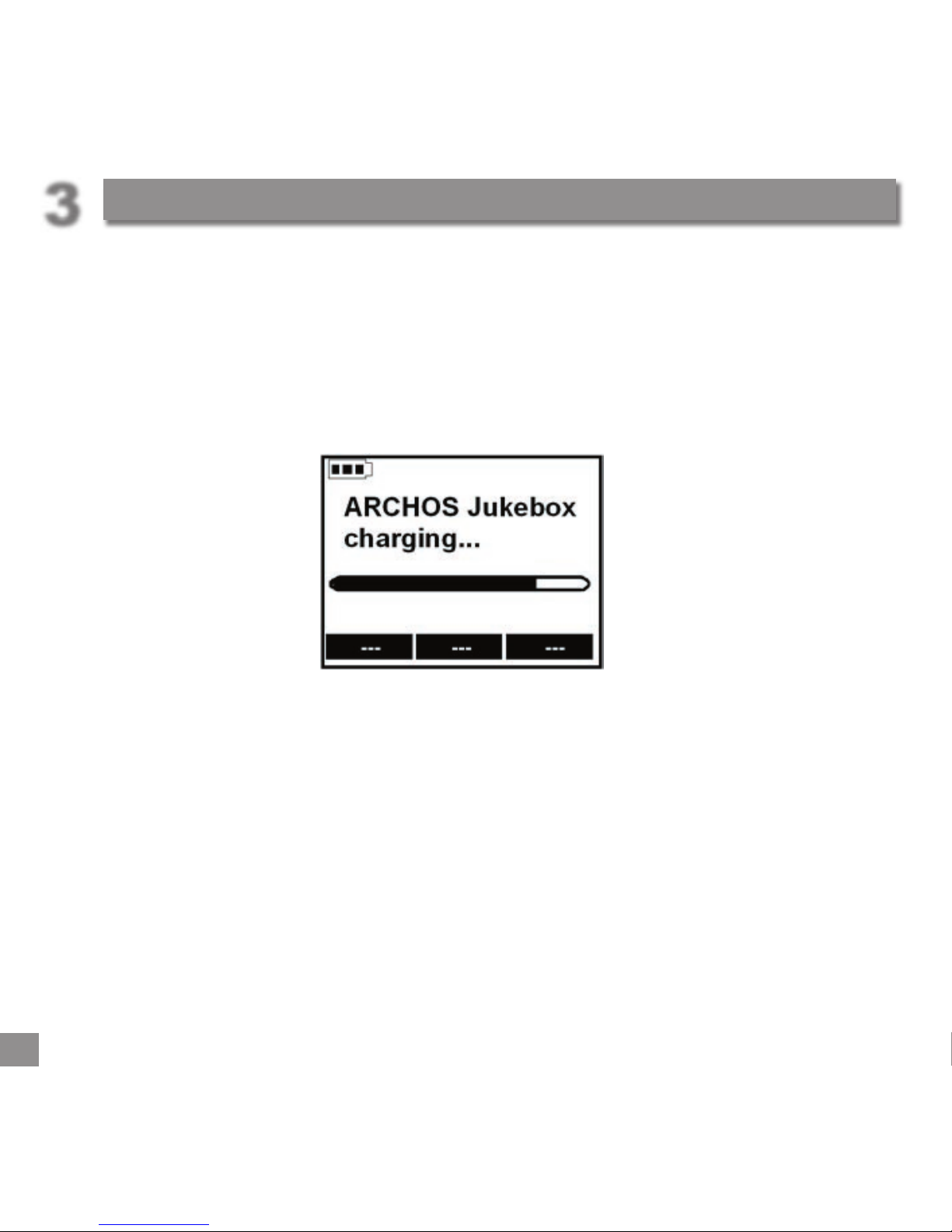
The Jukebox Recorder will display a message screen to indicates battery charge cycle is
active, as shown below.
While charging, the Jukebox Recorder can be used after an hour. Charging time may
then be increased up to 15 hours depending on the extent of use.
Caution: batteries must be charged at normal room temperature. Do not charge below
5 °C (40°F) or above 35 °C (95°F).
Before you use the Jukebox Recorder
3

8
9
Operating your Jukebox Recorder
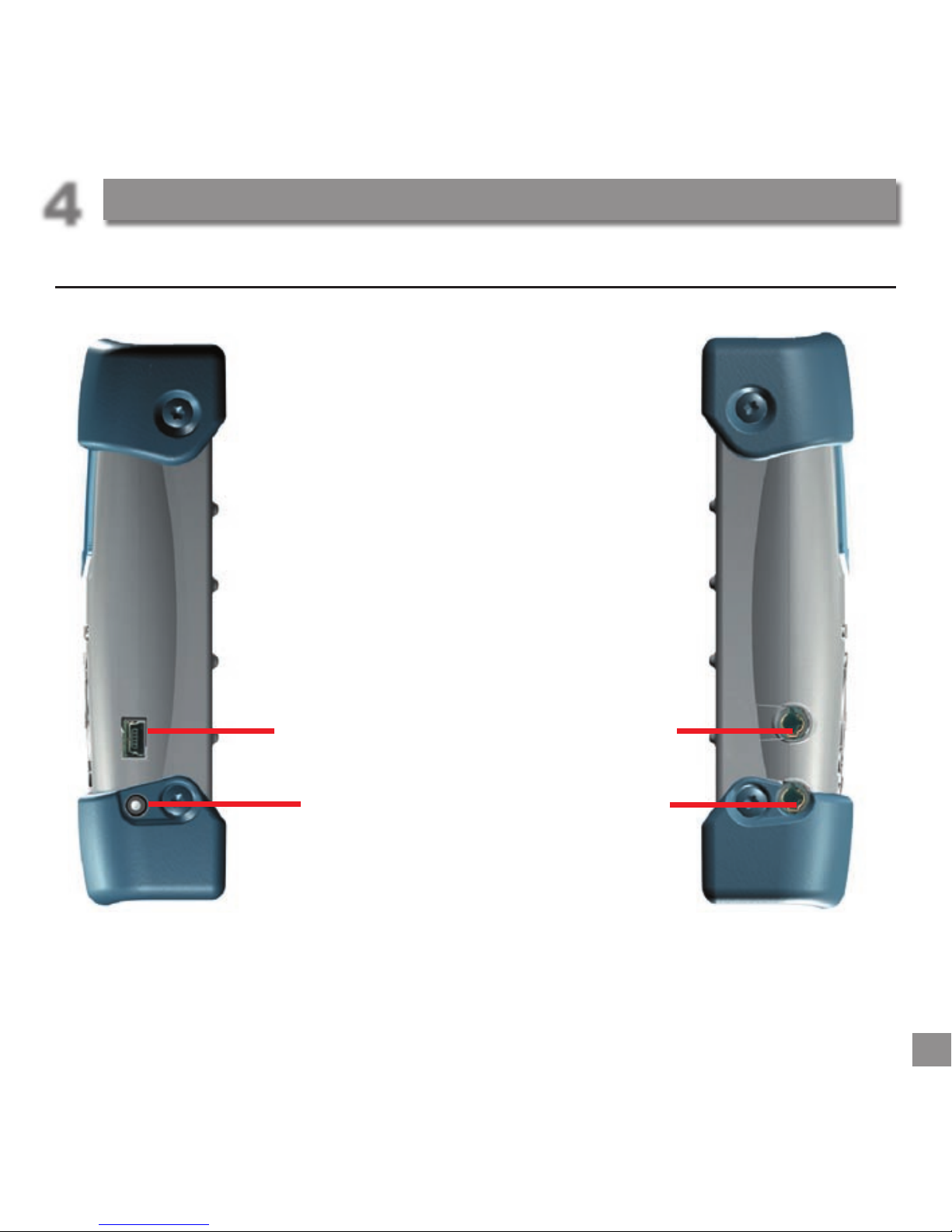
4.1 Connections
Right side Left side
USB 2.0 connector Headphone/line
out Analog
DC Power in Analog line-in &
SPDIF-in*
Operating your Jukebox Recorder
4

10
11
Operating your Jukebox Recorder
USB 2.0 CONNECTION
Use this connector to connect your Jukebox Recorder 2 to your computer with the
supplied USB cable. If your computer only has a USB 1.1 port, then the transfer speed will
not be as fast as a USB 2.0 connection.
DC POWER IN CONNECTOR
Use this connector to connect your DC Power Adapter. Use ONLY the included ARCHOS
AC Adapter. Your Jukebox will display a message screen to indicate charging is in prog-
ress. You can use your Jukebox during the charging period. When finished charging, the
Jukebox screen will display the message “Archos Jukebox Charged…” and the charging
indicator will stop flashing.
LINE OUT CONNECTOR
Use this connector to connect your stereo headphones, or to connect to an external
amplifier.
ANALOG LINE-IN & SPDIF-IN* CONNECTION
Use this to record from any digital signal source (SPDIF). This is a wired connection, NOT
optical.
Tabla de contenidos
Manuales populares de Equipo de grabación de otras marcas

Strymon
Strymon NIGHTSKY Manual de usuario

Mitsubishi Electric
Mitsubishi Electric 16CH DIGITAL RECORDER DX-TL5000U Manual de usuario

Tews Technologies
Tews Technologies TPMC465 Manual de usuario

Honeywell
Honeywell Excel 50 Manual de usuario

SeaLevel
SeaLevel COMM+8.LPCI Manual de usuario

Arturia
Arturia AUDIOFUSE STUDIO Manual de usuario